Loopy Pro: Create music, your way.
What is Loopy Pro? — Loopy Pro is a powerful, flexible, and intuitive live looper, sampler, clip launcher and DAW for iPhone and iPad. At its core, it allows you to record and layer sounds in real-time to create complex musical arrangements. But it doesn’t stop there—Loopy Pro offers advanced tools to customize your workflow, build dynamic performance setups, and create a seamless connection between instruments, effects, and external gear.
Use it for live looping, sequencing, arranging, mixing, and much more. Whether you're a live performer, a producer, or just experimenting with sound, Loopy Pro helps you take control of your creative process.
Download on the App StoreLoopy Pro is your all-in-one musical toolkit. Try it for free today.
Comments
maybe its just the iphone version in cubasis, can't check atm.
@LuisMartinez can we get the auv3 using the full screen in cubasis?
the "ghost notes" are also unreachable in the mixer view. (cubasis/auv3)
Does Cubasis give you different windowing options? PopDrummer in Loopy Pro and AUM are identical. What it looks like in Cubasis is quite different.
nope
@LuisMartinez what do you think of my use case explanation? Or would a other app be something you would be interested in doing ? Their is a big need for that on iOS.
Cubasis on iPad
funny, iam looking for something similar but for audioloops.
ideally a loopplayer that syncs to hosttempo by slicing it like reslice from virsyn.
but with the ability to step seamless temposynced through your loop list/folder.
without having to open everything for every next loop i wanna audition.
geist2 from fxpansion was like that for desktop. or just like in ableton.
maybe in a few years.
I decline to take the time to do that. You either believe me or you don't.
[edit - see below now that I know you're using the iPhone version]
Set the plugin to channel 1 in Pop Drummer's settings if you want to play it from the Cubasis keyboard / piano roll. Play notes one octave lower than what it shows in Pop Drummer's Notes MIDI Map.
If it doesn't work for you, then it's not the app, but failure to get all the settings right. So, maybe YOU should do a short video to show US what you're doing.
Try removing and re-adding Pop Drummer. Be sure it's updated to the latest version from the App Store first. Your screenshot shows Pop Drummer (old). That makes me suspect that what's loaded in the project isn't the latest.
@EnvelopeFollower - Now that I know you're using iPhone and not iPad, a few updates:
I think you're kind of stuck for now.
@EnvelopeFollower, if you have a keyboard plugin like Xequence AU Keys, Velocity Keyboard, KB-1, etc, that lets you set the channel, that is one possible workaround.
wondering why alot plugins look diffrently with different devices.
shouldnt they be vector based?
anyway, some dev's got that sorted, some don't.
As @wim already wrote:
The ‚black‘ kick in the screenshot shows that it was triggered
it seems to be a iphone related issue,
its fine on ipad
@_ki - the problem seems to be there isn't any way to set the Pop Drummer midi channel in the iPhone version.
holy moly, is that how it looks on a ipad as auv3 in cubasis?
it uses even less of the screen than on iphone
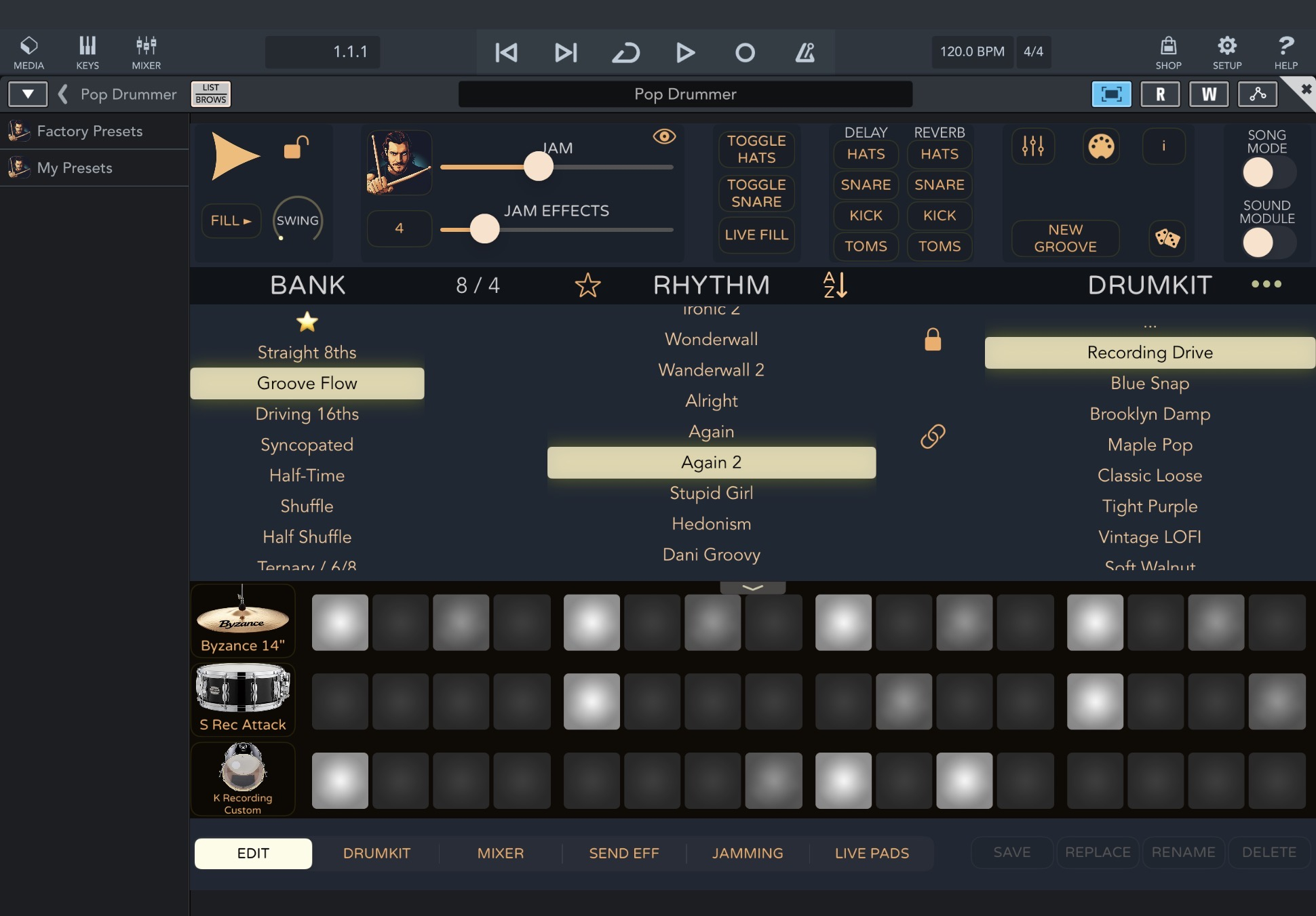
No, it doesn't look like that in full-screen mode. See screenshots above.
I now also checked that the version listed as Popo Drummer (old) also works when set to channel 1
If Sound Module is enabled, only the drum-kit is shown.
One can also resize the plugin area vertically and it gets bigger when the „list browser“ is closed.
Or even bigger, but without visible tracks
on a ipad. not on a iphone
@EnvelopeFollower I only have an iPhone X, but your were lucky that i currently have 6GB free space
So i decided to try it on that iPhone - you are right there is no button for midi setup:
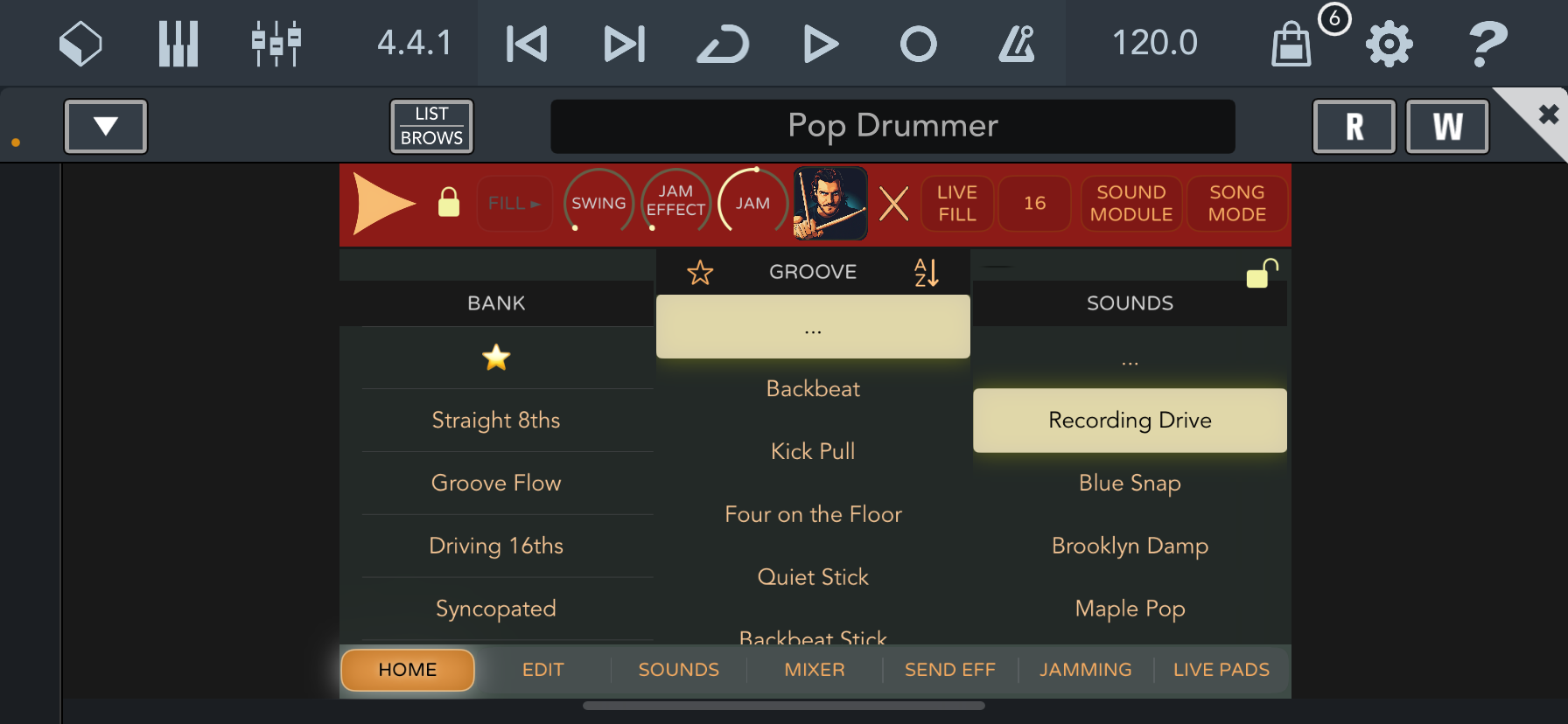
.
I figured out a work-around: Simply use the free StreamByter midi plugin to remap all notes send on CH1 to CH 10 needed for Pop Drummer:
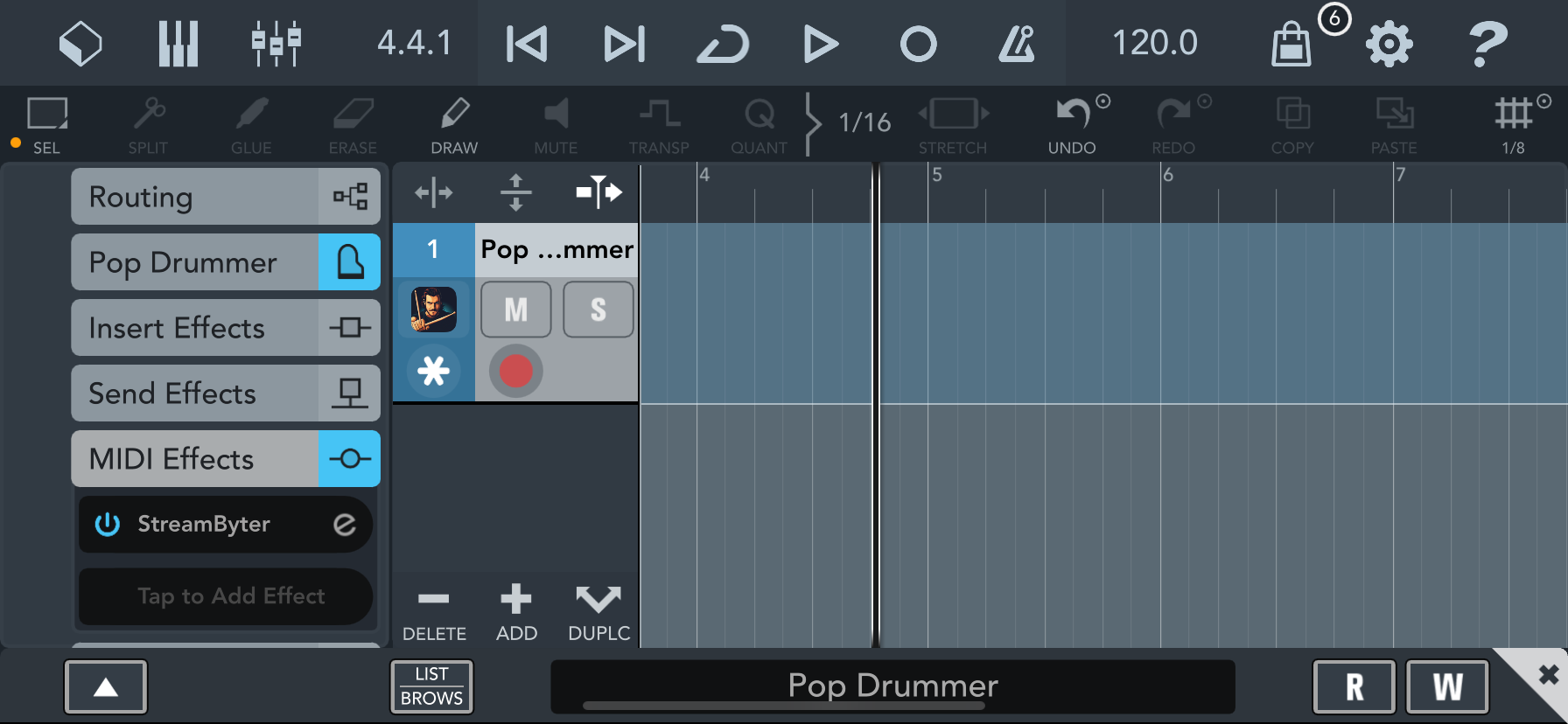
In the script i not only had to convert CH1 to CH10 but also block all CH 10 input - there seems to be a midi feedback loop that i don‘t remember having that on the iPad (but i will check that later)
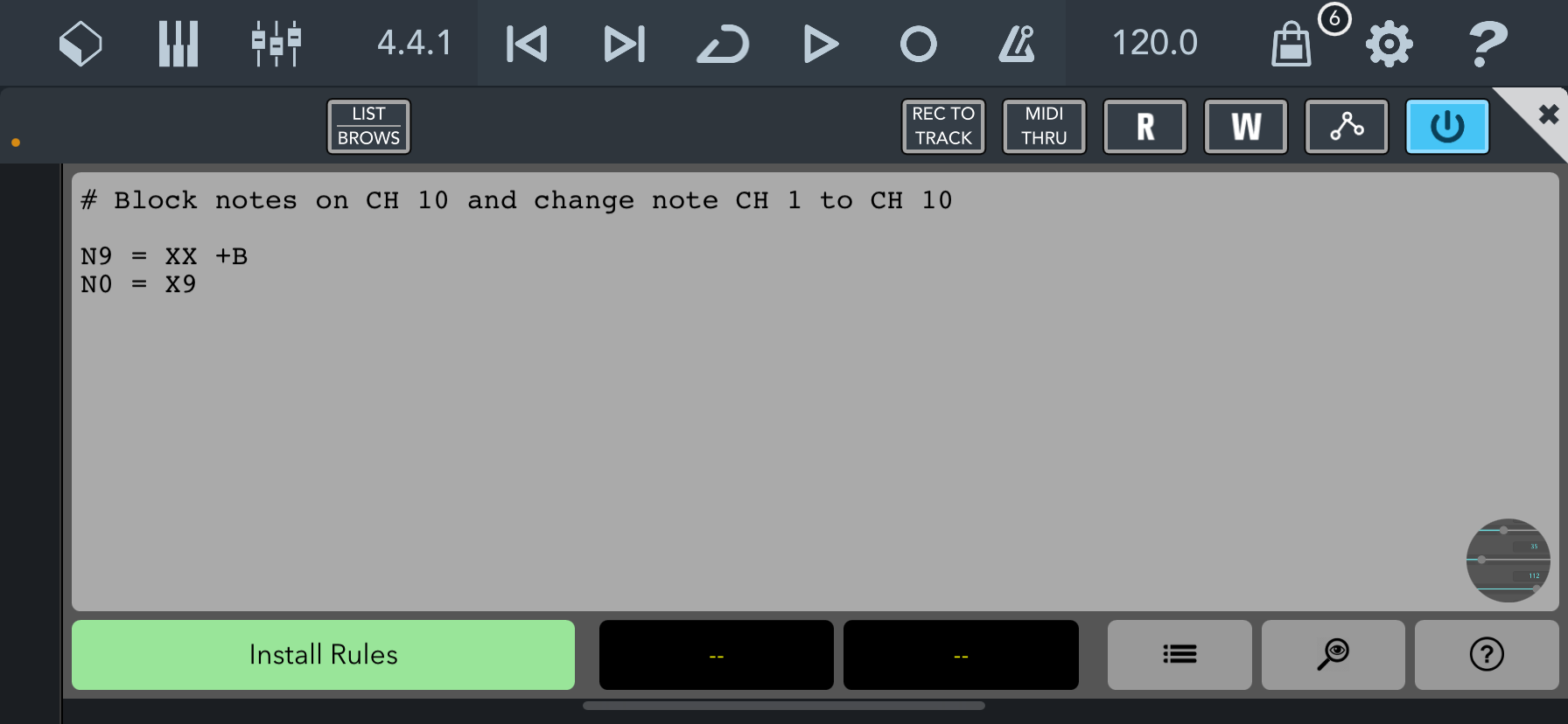
Enter this two line script, press Install Rules and also set Pop Drummer into sound module mode - this not only enables the cubasis midi keyboard, but also playback of the track pattern
kool, thanks for the script!
Just loaded PopDrummer ,very nice ! i opened Garageband and using PopDrummer AUv3 however only a half screen appears above the piano roll which seems to be locked?
one of luiz several pains 😂
@EnvelopeFollower said:
No. That is GarageBand's fault.
The half screen view with no way to hide the keyboard is the way GarageBand on the iPad works.
So not the Dev’s fault its GarageBand’s fault ,I can’t read the app at this scale so that’s my fault..I’d love to get cracking on a new project but I’ll sit around in the meantime waiting for someone to get around to fixing the issue on the most used DAW on iOS.
I only meant that the 1/2 screen is GarageBand's fault. Not that the developer shouldn't do a better job of adapting to that window size. But you specifically called out the 1/2 screen size window, not the scaling issue, so that's what I addressed. There is nothing Luis can do to change the window space allocated to him. That's not an excuse for not making better use of that space.
GarageBand is sort of a reference app (not a real good one but ... Apple) and that window size / aspect ratio is very typical. AU plugins should adapt. Many do not. Pop Drummer should. For all the work that went into making it an AUv3, the old design paradigm of the standalone apps should have been pitched out the window, or at least be made more adaptable.
That is a lot of work. More than many people would expect. It should be done though.
still wondering what midi channel cubasis uses as default on a midi track...
supposed to be all, no?
@LuisMartinez maybe change midi channel to all in auv3 ?
Does anyone know why there are no insert effects (compressor, EQ, delay, or reverb) in the AUv3 version? Or am I missing something?
Yesterday, the new auv3 version was working again in ableton. I couldn’t find how to expand the edit page to full so I could program the hi hats instead of the ride. I could change the kit piece to a hihat as a workaround. Anyone else?
Unfortunately, today, it’s asking me to purchase again and the restore is failing….again
I use Cubasis 2, not 3 (I’m stuck in the past mannnn) but 2s default midi channel is “Any”