Loopy Pro: Create music, your way.
What is Loopy Pro? — Loopy Pro is a powerful, flexible, and intuitive live looper, sampler, clip launcher and DAW for iPhone and iPad. At its core, it allows you to record and layer sounds in real-time to create complex musical arrangements. But it doesn’t stop there—Loopy Pro offers advanced tools to customize your workflow, build dynamic performance setups, and create a seamless connection between instruments, effects, and external gear.
Use it for live looping, sequencing, arranging, mixing, and much more. Whether you're a live performer, a producer, or just experimenting with sound, Loopy Pro helps you take control of your creative process.
Download on the App StoreLoopy Pro is your all-in-one musical toolkit. Try it for free today.
Finger drumming hardware

I’m looking to try my hand(s) at finger drumming. All of my current midi controllers have 8 pads.
Looking around the web, it seems like the NI maschine mikro mk3 is a good pad. New prices seem high and used prices are all over the place.
Is used a risk? Do these things wear out?
Any other hardware worth considering? I’d like a 16 pad unit.
Comments
Heeeere we goooooo!
First things first: are you looking to do this on Desktop or iOS?
Do you have a set budget? (There's $40-$350 options)
Used: it's got it's good and bad
Best bet is to go thru reputable used sellers (music stores, Amazon, etc), much more professional, much less chance of lying, easier disputes if issues arise
Yes, things absolutely wear out. But most places for used hardware pretty reliable with 'Condition' of said used product
Personally, there's an ick factor to Used. I've disassembled and cleaned used game controlers (at a game store years back) - The nastiness I discovered that hides in hand-touched electronics (that APPEAR Out-Of-Box fresh) created a new phobia
There's always pads that can go bad over time tho, and cheaper options might have pads DOA (I've never faced it, and usually sellers are good with swaps... Just sucks for added time)
So buying used, could be great and working, then a few months later a pad goes out just... Because of use, then you could be SoL
Lemme know about budget and use case and I can potentially help further (and point you in good YouTube directions for informative watching)
Thanks for the help.
iOS for sure. I’m currently using the 8 pads on an Akai mini driving oneshot and digistix 2. I’m not ruling out desktop, but that’s not my focus right now.
I’d like to keep it under $200.
Yeah, I saw that guitar center had quite an array of used controllers. It seems like pricing is all over the place with them.
🤮
Yeah, that’s definitely a concern I have. I just noticed that there’s quite a disparity from new to used pricing. I mean, all music gear loses value, but drum pad controllers seem to drop half or more from new to used pricing- that’s quite a margin.
Thanks, really appreciate the help.
Maschine controllers do not work on iPad directly. All their controllers are not class compliant. They are good controllers though. Depends how you want to use it.
You can use it on your computer in Maschine 2 software then export and send audio to iPad - or resample back into iPad if you have an audio interface that makes it easy to do so.
If you're happy using smaller pads you could use a Novation Launchpad X. These work well (that's what I use with Oneshot).
Otherwise maybe one of the M-vave controllers could work for you.
A quick AI search has come up with these:
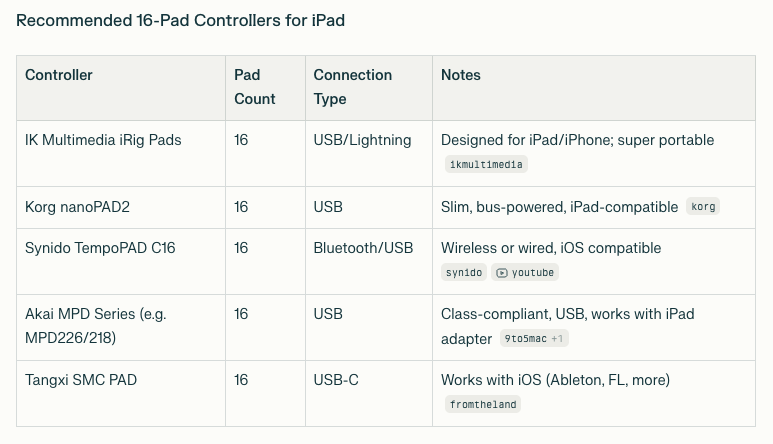
Here are more 16-pad MIDI controllers that are class-compliant and work on iPad, expanding your choices beyond the first list:
PreSonus Atom: 16 full-size velocity- and pressure-sensitive RGB pads, bus-powered and class-compliant. Connects easily via USB to iPad (USB-C or with a Lightning adapter).
Akai MPD218: 16 genuine MPC-style pads, USB class-compliant, works with iPad. Also has assignable knobs.
Arturia Beatstep: 16 pads (plus encoders), highly portable, works as a wired class-compliant controller, usable with iPad.
Novation Launchpad Mini: 64-pad matrix, but can be used for 16-pad drum layouts. It’s fully USB class-compliant and popular for iOS beatmakers.
Arturia SparkLE: Has drum pad and sequencer function, confirmed to function with iPad using a camera connection kit.
Korg SQ-64: Mainly a sequencer, but has pad control and USB-C for direct connection to iPads; suited for advanced sequencing and modular setups.
Novation Launchkey Series: Keyboards such as Launchkey Mini include velocity-sensitive pads that can be mapped for drumming, all class-compliant for direct iPad use.
Quick advice: Any controller listed as “class compliant” and using USB will work with an iPad (USB-C or Lightning with Apple’s Camera Adapter). For pure pad-play without keys, focus on models labeled as pad controllers instead of keyboards.
Let me know if you’re after compact, battery-powered, or Bluetooth/wireless options and I can focus on those too.
@wagdog Ok cool cool
For an excellent beginner pad for iPad and OneShot (my go-to for iOS drumming, as well), I recommend:
M-vave SMC-Pad
(haven't got my hands on a Pocket yet, so I can't speak to the pads on that. The Pocket model is just a smaller 4x4 with no extra controls. Newer 'Lite' model)
They are quite a bang for their buck, but with minor downsides
First off, they are Bluetooth with completely acceptable lag (i.e. it's not none, but it's low. Low enough that I don't notice it in the least*)
Second, Its also can be found for under $60usd on Amazon here (cheaper if you're down for AliExpress Here and a longer delivery time. Edit: AliExpress has a lot more sketchier stories than Amazon, though I've used them a dozen or so times with zero issues. Ymmv)
Its got 8 endless encoders (2 banks), transport controls and 8 banks for pad setups (a great physical controller for Koala... A step closer to an sp-404 with proper midi mapping)
DOWNSIDE: The pads are 'tighter' than others I've used. Needs a bit more thwack on the tap. Its only an issue (in my mind) if you're coming from any of the more notable names (I had an akai mini and korg nanopad from before I started and currently main a Launchpad X. All have a softer feel)
That said, I had the SMC-Pad for 6mo before jumping to Launchpad X, and it got daily practice/use without issue
Hell, when I was getting the Launchpad, it was for keyboard use (velocity, form factor). I was walking out to the car from guitar center, bag in hand when it dawned on me. So it would still be my main use case if not for needing a keyboard. Basically, I didn't upgrade because of anything negative or lacking from the SMC-Pad
Big thumbs up from me for the SMC-Pad - specifically for OneShot finger drumming 😉
*I interchange my Launchpad X use between a Bluetooth adapter and hardwired depending on what I'm doing. I feel no difference in latency between the LPX wired or BT, or the SMC-Pad. And I canNOT use a use ANY Bluetooth controller to play SMB1 due to the slightest lag, and ive tried for years. So there is always inherent latency, but for finger drumming it's a non-issue
@dmori therein lies one of the issues with AI overviews like this
The Launchpad Mini is NOT a good finger drumming pad as it lacks velocity (and aftertouch, a standard across 4x4... Not a big deal for finger drumming, just noting a missing feature)
Learned that lesson about 12hr before walking back into guitar center to exchange the Mini mk3 id just purchased the day prior for an X lol
Yamaha has dedicated ware for finger drumming this one is the big brother, there's a cheaper, slimmed down version of it as well. I was thinking about this a while back but knowing myself I gave up on the idea. They seem super cool though.
For finger drumming, my personal absolute most important factor is how sensitive the pads are. You can’t get that for cheap, I’ve been disappointed before
I hear people saying how sensitive the launchpad pro pads are, but I never tested one, and that goes above your stated budget. I would buy me one if money was no problem.
There’s this thread about it but it’s from 2020 https://forum.loopypro.com/discussion/39374/sensitive-pads-for-fingers-drumming-on-a-cheap-midi-controller
The Midi Fighter Spectra seems interesting but I have no idea how sensitive the buttons are. And again, above budget.
I didn’t know there was a little sibling (FGDP-30)!
Now I might buy one myself 😃
Edit: on 2nd thought… https://www.dragonfingerdrums.com/blog/yamaha-fgdp-best-finger-drumming-pads-or-waste-of-money
I relate to what the guy said because I also favor a separate hand approach for finger drumming (actually can’t do it any other way) because I’m old school, back then when I was developing my (awesome) skills, we only had wooden tables and tin cans
The maschine mikro also look lovely.
Edit: apparently not as expressive as the big brother. Pass
I like the feel of Novation's pads. I also like the flexibility of having more than 16 pads, plus the ability to play it as an instrument with aftertouch. Launchpad Pro MK3 is my current go-to.
My final veredict, with fingerdrumming in mind, and with expressiveness as the main criteria, midi fighter spectra seems like the best choice, either than a LP pro…
I guess it requires the CCK to use with lightning ipads (don’t see usb-c mentioned anywhere)
I also wonder if it can be powered by non-pro ipads, or if it requires a powered hub as I only have an ipad9 (and it can power an arturia minilab but not a launchpad mini)
I’ll keep an eye on deals, with black friday and xmas not so far cause I don’t want to spend 270€ on an impulse, but this thread is bringing up my long dormant GAS… damn you 🤬
The MIDI Fighter stuff isn't velocity sensitive. That was a deal-breaker for me.
Here's a little freestyle session on my Launchpad Pro. I really like how you can slide your finger around to do rolls too.
@bluegroove
Not being velocity sensitive is a total deal breaker for me, as well. Thanks for stopping me from making a terrible mistake 😅
Would love their concept of arcade buttons but with velocity. Didn’t even cross my mind they weren’t.
Well, looking for deals on a launchpad pro it is
@bluegroove great playing, btw, forgot to say
Totally agree. It was straight copy/paste.Thought it was a good way to see a selection, so more research could be done. I saw it said LP mini - but thought anyone reading it would see it wasn't suitable. I mentioned previously that I use LPX - which does have all those things. Plus the pads are way too small on the mini for fun finger drumming. I find it good as a cc controller though.
Wow, I’m really appreciative of the discussion here! Thank you all!
I found a good deal on a presonus atom and ordered it. Should be here tomorrow. I’m sure it’s the first in many “kits” as these things tend to multiply. I think it’ll be a good one to start with.
Dragonfingerdrums is who I learned about all aspects of finger drumming. The full kit build just clicks for me over any mirrored layouts. For those that it clicks with, it's a godsend for certain
And I did it all from his free YouTube offerings
I developed my iPad drum emulation around AudioLayer since that was the only option at the time (OneShot is now my most highly recommended plugin on iOS, far and away specifically for finger drumming enthusiasts)
Here's my first video I made shortly after getting the SMC-Pad, and after practicing Dragonfingerdrums techniques on a desk/table/my legs using my imagination for sound for a few months before that
Oh! Good to know! Been eyeing up the maschine line for a minute and gave gas the mikro on the Amazon wishlist for just as long
Thanks for the heads up!!
Ditto on everything save for "Pro mk3". Replace with "X" and 100% a paragraph of type
I absolutely adore having a 4x4 in bottom left corner, then two 4x4 stacked on the right starting at C1, 32pads up in half steps... For all aux percussion sounds (the non-drum OneShot packs, Borsta, etc)
Full beat and ambient backing percussion on one page
Ooo dope button setup and great work! I was experimenting with vertical bars to the immediate left and right of a 4x4 pad. All snare on left, all hats on right
Dragging never worked well for me (though I suppose changing the velocity curve for just the roll strips could work... Hmmm) but I LOVE drumming my fingers on em, like being bored in class, for really fast beat repeat style hits
Love seeing others' methods! Thanks for sharing!> @dmori said:
Definitely a good list for reference otherwise. Its just easy to miss that stark difference between the Mini MK3 and it's big brothers (because of personal experience well before this list), and didn't want someone super green to the Launchpad ecosystem to be unintentionally misled
But I certainly agree on the rest of what you said all around
Its still on a wishlist as an additional midi controller... juuuuust in case additional funds and a sale happen to land on the same day lol
Oh nice! Let us know what you think! I'd been watching that for a while before the SMC-Pad released (but can't justify any more 'trial purchases' now that I have a decent base setup) -- still watching prices though, just in case
I’ll post back here for sure. I might get the mvave in a couple weeks to see which one I like best.
I dig the clip you posted, btw. Nice job.
Presonus atom delivered today.
Keep in mind this my first drum pad, and I’m a guitar/keyboard player, so (not a drummer at all), but, I love this thing! I was able to adjust the sensitivity to “medium”, and hook it up to oneshot. Man, it plays great! I had to force myself to stop ‘cause I need to go to bed, lol. I went through this guy’s free course: https://www.dragonfingerdrums.com/ - he’s so good it’s mind blowing. I’ll post a video soon’ish.
Guy was a tad harsh. The Yamaha is a great instrument for people who like that layout. It's a very good layout. All a matter of personal taste.
Finger drumming is a very open world. Hardware, sounds, or styles, it’s up to you. No gurus, no rules. Some people who influenced me:
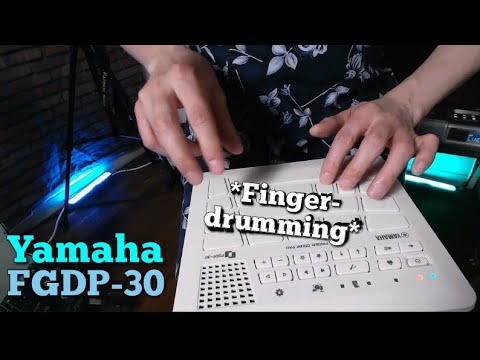
Tory Slusher doing fusion on the Yamaha
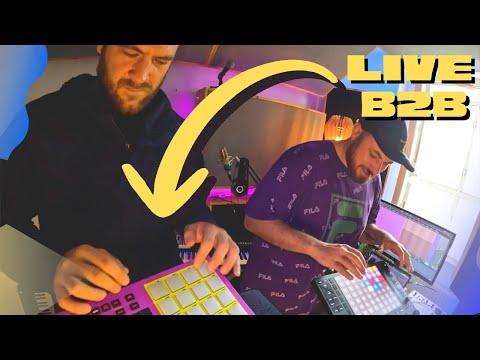
Hawt Coco on the push, friend on the mpc
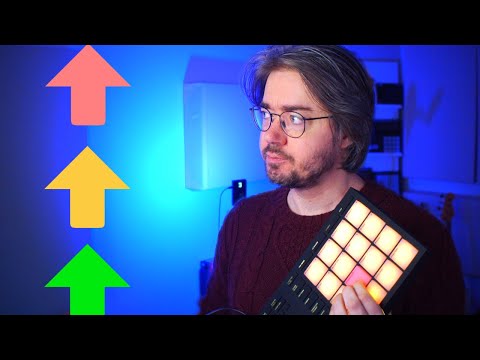
Question for groove on his journey (uses machine, budget choice is xjam)
I'm a couple days in. Progress! https://www.youtube.com/shorts/ERS6o-wTZwQ
Sounds great man!
Thanks! Having a blast with this.
I ordered an FGDP-30 after watching some videos. I mean I couldn’t resist. Hope I won’t be disappointed, when I try to integrate it into my setup
NICE my guy! Sounding great!
May want to tag dragonfingerdrums on these in the descriptions, I'm sure he'd love to see what his lessons are doing for people 😁
The thing that bought me were seeing trills on the big snare pad, how it’s so responsive on different parts of the pad, I just have to try it
Yessirrrr definitely got my GAS up for checking out the Atom. I adore my LPX, but the small pads are small (weird, I know)
I should just take my iPad down to guitar center and see what used pad controllers I could just give a test. At least I'm not jonesing to buy something just to test it (...pretty much how I got the m-vave lol)
But this certainly moves this Presonus offering up my "keep an eye on" list
Thanks! Having so much fun with this. I’m also going down a bit of a rabbit hole with OneShot! trying to find the perfect kit.
I got a fgdp-30, it was affordable so I let my long dormant GAS get the best of me
First impressions:
The thing is a joy to play. You have to bang the keys a bit (haven’t delved into velocity curves) but I like it like that, it’s like playing a real drum
The presets are also so well thought out
But:
Usb-mini? Why
And only mini jack?
And ffs I should have researched better cause there’s no importing user samples in the 30
I have still to test recording midi on drambo or elsewhere, I can tell the ipad9 can’t power it, needs powered hub
And to use it as a midi controller, pads are really expressive, I still have to understand how the big pads have also a horizontal response. Just tried this thing for like an hour
But it’s sofun to play! Gotta make a cheat sheet of my favorite patches but they’re all so good
Ideas to work with it as a controller? I mean it’s obvious yamaha put some real talent into this. I can put up a drambo patch for the notes, but who am I kidding it will never sound as good as the presets
Maybe using it with a sound font with several velocity layers? It supports 3 but I believe more
The sounds themselves are very useable imo (but with the caveats I listed above about including in your songs, that downgrade this from professional grade to really fun amateur category l)
Don’t regret buying, and I’ll be seeing how to make the best use of it
Again: it’s a joy to play