Loopy Pro: Create music, your way.
What is Loopy Pro? — Loopy Pro is a powerful, flexible, and intuitive live looper, sampler, clip launcher and DAW for iPhone and iPad. At its core, it allows you to record and layer sounds in real-time to create complex musical arrangements. But it doesn’t stop there—Loopy Pro offers advanced tools to customize your workflow, build dynamic performance setups, and create a seamless connection between instruments, effects, and external gear.
Use it for live looping, sequencing, arranging, mixing, and much more. Whether you're a live performer, a producer, or just experimenting with sound, Loopy Pro helps you take control of your creative process.
Download on the App StoreLoopy Pro is your all-in-one musical toolkit. Try it for free today.
KQ Apps
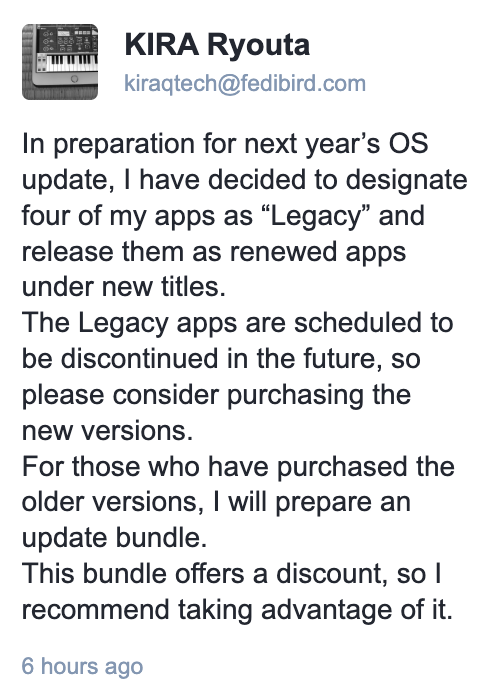
Bundles not yet available - affected apps are Unotone, MiniSynth, Sampei & Dixie.
Comments
Hello,
If the legacy apps works well in the iOS/iPadOS "27", you can still use those.
Apple has stated that apps not adopting "Scene feature" will become unusable in next year's update, leading to this situation.
If true, many older apps are expected to become unusable in iOS 27.
The lost functions in the KQ 26 are:
You can safely migrate to the "26" version if you don't use those functions. The app preferences and Audio Unit ID are common.
Some issues might occur if you use the both versions simultaneously.
For those who have purchased the older versions, I will prepare update bundles. (Not released yet)
The following prices are in the case if you purchased them at the current price.
KQ MiniSynth Update Bundle: $11.99 - $9.99 = $2.00
KQ Dixie Update Bundle: $10.99 - $8.99 = $2.00
KQ Unotone Update Bundle: $7.99 - $5.99 = $2.00
KQ Sampei Update Bundle: $11.99 - $9.99 = $2.00
Thank you for the clarification, and the upcoming bundle discounts. For me, Unotone is a great "secret weapon" on an effects chain, so I'm glad it will remain available!
I’m not averse to paying for updates / upgrades from time to time for apps I value, and I love the KQ ones. I also appreciate the transparency here - even if I derived little value from the apps, keeping the legacy versions in the store ensures my original purchase would be safe in my previous purchases.
Much better than removing the old versions, in my view.
Glad to see the apps will continue to be supported and upgrade offer to existing customers. Much appreciated.
I might stop publication but I won't delete the apps completely. so that users can download them.
I have to admit that some of this is going over my head . So, how is functionality affected now that these are deprecated ? When will the old ones become unusable?
The Update Bundles:
https://apps.apple.com/us/developer/ryouta-kira/id862984358?see-all=bundles
KQ MiniSynth Update Bundle
https://itunes.apple.com/us/app-bundle/id1843517244?mt=8
KQ Dixie Update Bundle
https://itunes.apple.com/us/app-bundle/id1843517393?mt=8
KQ Unotone Update Bundle
https://itunes.apple.com/us/app-bundle/id1843517755?mt=8
KQ Sampei Update Bundle
https://itunes.apple.com/us/app-bundle/id1843517785?mt=8
Next year, Apple will release iOS/iPadOS 27. Apple states that apps which don't use "Scene" cannot launch in that OS. The KQ Legacies doesn't use "Scene".
I'll get the updates once I find some AppStore Giftcards as I simply refuse to add my credit-card info to the AppStore to avoid 'impulse buys'...(using gift-cards I have better control when eventually buying apps).
Considering I got KQ Dixie way, way back in time in the savings on getting the bundle is barely 10SEK(<$1) so I can equally well just buy the new version at full price in due time
I am seeing the Dixie bundle price as $17.98 (complete my bundle price: $7.00). Is that correct?
Do you live in America?
I set the price to 10.99 USD.
Or you purchased it in a lower price in the past. The discount from whole price is as same as how much you paid.
Will KQ Dixie 26 access the same imported DX7 patches as Legacy? Or will all of them need to be reimported into the new app? I have thousands of imported patches.
I am in the U.S. Maybe , I am mis-reading the App Store display. Maybe the bundle price it shows is the cost of the individual apps and I bought KQ on sale ?
You bought KQ Dixie of $3.99, I guess.
The files which are in "iTunes File Sharing" need to migrate. Other files can be used by v26.
@RyoutaKira . It’s all good. Found my receipt. I only paid $3.99. So $7 is correct.
Perfect! Upgrading now.
But when my developer subscription is expired, the apps end.
I cannot live forever.
Good. The "Regularly" price shown in the AppStore is not the bundle price, but the current price for the items bought separately.
Lol my bundle price is higher than the price of the new version alone
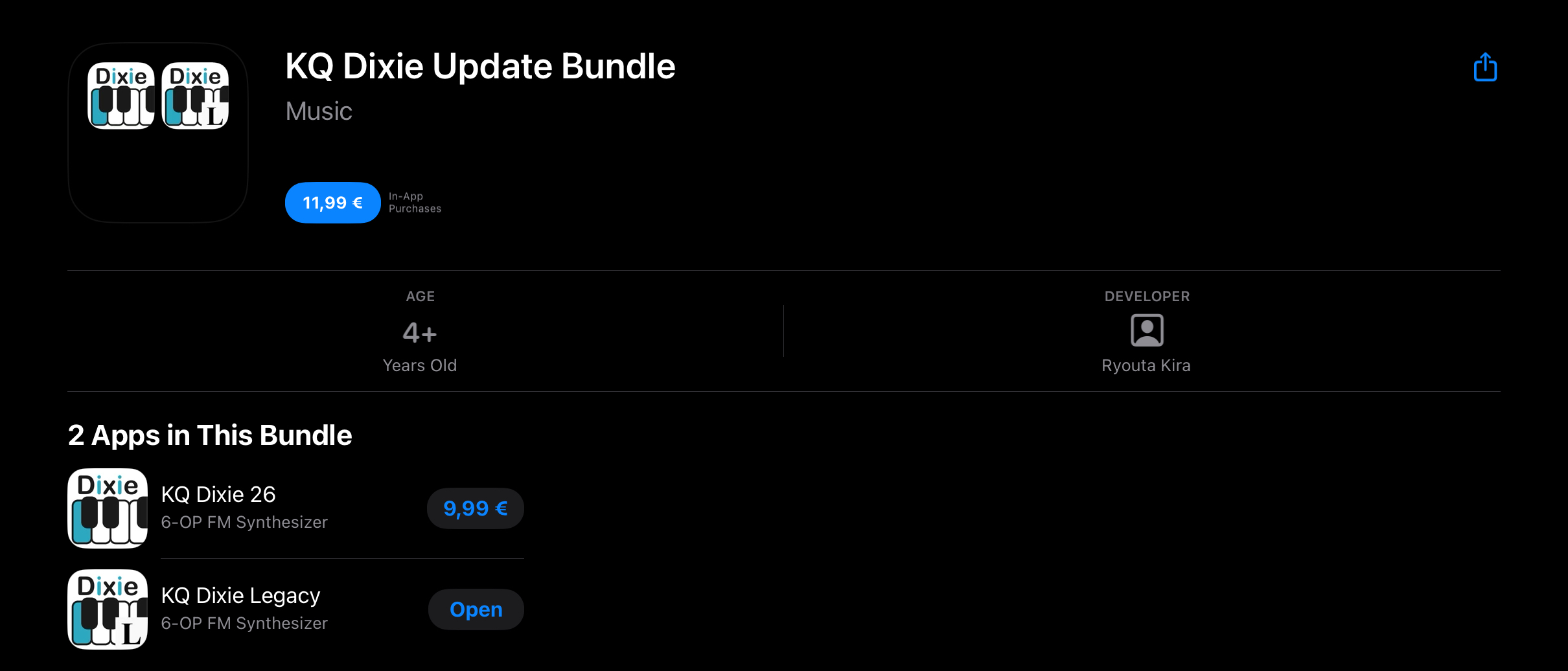
Seems like a lot of us got good deals on the KQ apps in the past 😊
I saved a bit on KQ Dixie, and not a cent on KQ Unotone. Oh well, happy to support these apps!
You can add an "Immortality Fund" in-app purchase.
I'm 60. I'll take my chances!
Would updating the old ones break any compatibility or functionality? I’ve seen a lot of apps be updated in anticipation of 26 without being deprecated and replaced.
Heya Kira, I respect your business decision. Dixie was underpriced anyway, I’ll gladly upgrade to the new version.
Regarding the “Scene feature”, I can’t find any official Apple statement about this requirement. Can you please elaborate on this more? 😕
I found this:
https://developer.apple.com/documentation/technotes/tn3187-migrating-to-the-uikit-scene-based-life-cycle
In the next major release following iOS 26, UIScene lifecycle will be required when building with the latest SDK; otherwise, your app won’t launch. While supporting multiple scenes is encouraged, only adoption of scene life-cycle is required.
I thought that almost old apps won't work but actually, according to this, only apps which use the latest SDK won't work.
Oh my god.
Will be really interesting to see how it all works out in the end...
...so far I'm really enjoying all the everyday usability improvements in iPadOS26!
From what I can read, it’s only UIKit specific, and you have a need for multiple scenes support. Otherwise, it is a mundane update where you can just set the value of “UIApplicationSupportsMultipleScenes” to false.
https://developer.apple.com/documentation/UIKit/specifying-the-scenes-your-app-supports
There are two lifecycle modes. Scene-based lifecycle and App-based lifecycle.
The Scene-based lifecycle started at iOS 13 and it is required in the iOS/iPadOS 27.
Apps with the app-based lifecycle won't boot when built with the latest SDK next year.
That is not related to which value UIApplicationSupportsMultipleScenes is.