Loopy Pro: Create music, your way.
What is Loopy Pro? — Loopy Pro is a powerful, flexible, and intuitive live looper, sampler, clip launcher and DAW for iPhone and iPad. At its core, it allows you to record and layer sounds in real-time to create complex musical arrangements. But it doesn’t stop there—Loopy Pro offers advanced tools to customize your workflow, build dynamic performance setups, and create a seamless connection between instruments, effects, and external gear.
Use it for live looping, sequencing, arranging, mixing, and much more. Whether you're a live performer, a producer, or just experimenting with sound, Loopy Pro helps you take control of your creative process.
Download on the App StoreLoopy Pro is your all-in-one musical toolkit. Try it for free today.
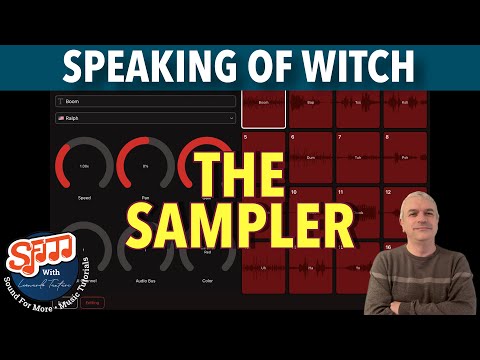
SFM Tutorials: Speaking of Witch The Sampler

Cem Olcay Speaking of Witch The Sampler AUv3 Tutorial: Getting Started [GIVEAWAY]
Comments
More fun than a barrel of something that is less fun! Great video as usual! 😎✌🏼
Been having an absolute blast with this thing. Being able to edit phrases and voices in realtime is really nice.
I've been rocking Binarythmic sequencer with it mostly, it's super interesting thru piano motifs too.
Awesome video @sfm
It's kinda like a hybrid of:
speak and spell
Vancouver
Koala
And text to speech synthesis all gobbed into one UI.
It's really fun to muck about it, play around with intrusive, nasty thoughts, the preset system is great and has a wide range of voice samples to demonstrate the capabilities of T2S synthesis.
can Drambo do that? You betcha (formant req) but it doesn't have the same UI which is very inviting.
Presets don’t load properly on my iPad 9 ios17.7 - same sample loads on multiple pads despite different text showing, ignores edits to text or voice, or don’t change at all when changing between sets - works fine on the phone, though, and it’s great fun putting it through humanoid et al
Yep- it's been reported.
@Herne what's your favorite voice?
Good News is one of my favorite.
I’m wondering why no option for note triggers as opposed to MIDI channel per pad. Am I missing something?
Note triggers would be ideal.
After playing with both modes, I think I like the original better.
I emailed @cem_olcay so we’ll see what’s up.
+1 for note triggers
Speaking of Witch is built more like a multi-timbral sampler than a typical drum pad. Each pad is like its own instrument, with its own sample, envelopes, and pitch range.
By assigning one MIDI channel per pad (CH 1 = Pad 1, CH 2 = Pad 2 …), every pad receives the full MIDI note range independently.
If pads instead responded to consecutive notes on the same MIDI channel (C4 = Pad 1, D4 = Pad 2 …), you would lose that ability. I can add a "single MIDI channel mode" though.
Both modes would be awesome.
Understandable, both modes would be cool anyway if not too complicated to add.
Very original app anyway, congrats! I think I'm gonna buy it.
Was thinking about this some more. I see the logic of the current set up. With voice material, triggering pitch and rhythm is useful. With a drum machine style note triggering set up you’re only modifying rhythm not pitch
For me, the challenge is in the complexity of the setup. I played around in cubasis last night. To trigger multiple pads on a single instance of SOW using the current midi channel setup you have to set up multiple tracks with different midi channels and route those tracks to a track hosting SOW. The alternative is to have multiple tracks each hosting SOW on a different midi channel. In that setup it seems you only really need one of the 16 pads.
Regardless thanks for such an interesting app @cem_olcay
Yes, both modes would be awesome. I’d pay for it as an IAP! This is a great app! Thanks @cem_olcay
For those w/Binarythmic it utilizes the current midi very well, imo.
One of the coolest apps of 2025, IMO.
Text-to-speech in AUv3 is going to be so fun. I've been using an app designed for real-world uses, which includes an export option. Not having to go through those hoops anymore is worth the price by itself. But this app does a lot more than just text-to-speech, which has been a great surprise.
Gotta roll back some of my early impressions. Setting up SOW in Cubasis on separate tracks each with a different midi channel is a breeze. You can get a little chorus of bots up in no time.
Glad you guys are digging it. Good stuff @cem_olcay
Ok the new version is on the way, I add the single channel mode.
👍
Thanks @cem_olcay
can the pads play the whole word/sentence with one touch or do you have to keep you figure on the pad?
Why no demo/TestFlight this time around?
I'm glad this exists. It mostly replaces the now-defunct 4pockets lyricist, and is more convenient to load into an enviroment than Drambo.
I do wish that the Apple voice synthesis system provided control over syllable or word length, while maintaining pitch. As it is now, changing pitch or speed are really the same thing, and both result in formant shifting. @cem_olcay Does the synthesis engine that you're hooking into provide such an option? Or are word lengths unalterably determined by voice selection?
Just got this yesterday. Loads of fun so far.
Did notice a weird behavior where trying to control parameters via CC (I was trying to assign Pad Speed at first, but I tried a few other parameters and the error is the same) causes the app to lock up. The GUI appears to still work, but no sound until you close and reload the app.
So far I’ve tried it in NS2 and AUM, same behavior in both.
@cem_olcay : I noticed a bug in the latest Speaking of Witch: After you DISable Single Midi Channel Mode (for a preset that had Single Midi Channel Mode ENabled) an attached midi controler (keyboard) plays with a press on one note all 16 pads at once!!! (Tested in standalone with a Roland Midikeyboard and in AUM with the AUM keyboard.)
Also: I wish there was a 'Real One Shot' Play Mode per pad. Like most drum-sound apps have, where a short press on a pad (or a note on a keyboard) plays the whole sample (from start to finish) and not as long you press...
Hi, yes I’m adding the “play until the end” mode soon!
Thank you @cem_olcay for adding a Play Until The End mode.
Also: I found another bug: After choosing the Empty-factorypreset the pad-samples are not cleared; it seems that it leaves the samples from the previously used preset on the pads! (Also the edit-windows for the samples are empty.)
And last but not least: There's something wrong with SoW's state saving in AUM (my go to AUv3 host); after I reopen a AUM-session that has a user preset in SoW, the first pad (Pad 1) has always the "Robot"-sample that I don't use in that user-preset! So everytime I have to reload that user-preset in SoW and then it's ok. Very strange.
The new version is live!
@cem_olcay gonna be purchasing this soon…is it compatible with GarageBand? Asking as GB is notoriously fiddly