Loopy Pro: Create music, your way.

What is Loopy Pro?Loopy Pro is a powerful, flexible, and intuitive live looper, sampler, clip launcher and DAW for iPhone and iPad. At its core, it allows you to record and layer sounds in real-time to create complex musical arrangements. But it doesn’t stop there—Loopy Pro offers advanced tools to customize your workflow, build dynamic performance setups, and create a seamless connection between instruments, effects, and external gear.

Use it for live looping, sequencing, arranging, mixing, and much more. Whether you're a live performer, a producer, or just experimenting with sound, Loopy Pro helps you take control of your creative process.

Download on the App Store

Loopy Pro is your all-in-one musical toolkit. Try it for free today.

Low Poly Synth by Alexander Zolotov (Released)

13

Comments

  • @ecamburn said:
    Is the Windows version standalone only?

    That's what it says on his site

  • Hint Tip Recipe whateves

    The Volume of each of the voices is available to be CC modulated
    So... attach some LFOs to each voice set your BPM to S L O W and play some chords/notes with a nice reverb and a filter

  • @audiblevideo said:
    Hint Tip Recipe whateves

    The Volume of each of the voices is available to be CC modulated
    So... attach some LFOs to each voice set your BPM to S L O W and play some chords/notes with a nice reverb and a filter

    Yes, that's a joy to do with this app, and LFOCH is a great LFO for that job imo

  • This is incredible value - instant favourite...playing around I got a cool organ sound then shoved it in AUM with a few friends - Exosphere (with some spoken word samples), Factory, B00GA, Black Hole, Ridgewalk, MagicDelay and Cascade...

  • @Gavinski said:
    from the dev, regarding exported loops from Low Poly Synth:

    “ Approximately 50% (from the end) of the sample is a loop. This information is saved in the WAV file. The problem may be that not all WAV players are able to read loop markers from the file.”

    Suggestions for AUv3 sampler apps that will play these back respecting the loop points?

    Can’t see any replies to your question @Gavinski, have you discovered any yourself in the meantime?

  • @Robin2 said:

    @Gavinski said:
    from the dev, regarding exported loops from Low Poly Synth:

    “ Approximately 50% (from the end) of the sample is a loop. This information is saved in the WAV file. The problem may be that not all WAV players are able to read loop markers from the file.”

    Suggestions for AUv3 sampler apps that will play these back respecting the loop points?

    Can’t see any replies to your question @Gavinski, have you discovered any yourself in the meantime?

    No haha

  • @Gavinski said:

    @Robin2 said:

    @Gavinski said:
    from the dev, regarding exported loops from Low Poly Synth:

    “ Approximately 50% (from the end) of the sample is a loop. This information is saved in the WAV file. The problem may be that not all WAV players are able to read loop markers from the file.”

    Suggestions for AUv3 sampler apps that will play these back respecting the loop points?

    Can’t see any replies to your question @Gavinski, have you discovered any yourself in the meantime?

    No haha

    I haven’t actually tried it yet, but I presume the sampler in Sunvox would respect the embedded loop points? I’ll try later.

  • So maybe it has been mentioned a thousand times before, but how exactly are the sounds made, the description says this is based on 8 sample textures, so are these like 8 long loops and the starting points on these loops are randomly chosen, something like that?

  • No. The 8 textures are algorithmically generated, as in the preceding apps in this series. The first app mentioned that the sounds were generated by fractal algorithms. No further details have been given.

    For LPS it is mentioned that the sound will almost never repeat exactly, due to different lengths of the 8 textures.

  • @bleep said:
    No. The 8 textures are algorithmically generated, as in the preceding apps in this series. The first app mentioned that the sounds were generated by fractal algorithms. No further details have been given.

    For LPS it is mentioned that the sound will almost never repeat exactly, due to different lengths of the 8 textures.

    It is curious though, in that the sounds are presumably generated within the app as wave files rather than through real time synthesis - the sounds are played slower or faster depending on the pitch as happens in sample players without real time time-stretching.

  • @Robin2 said:

    @Gavinski said:

    @Robin2 said:

    @Gavinski said:
    from the dev, regarding exported loops from Low Poly Synth:

    “ Approximately 50% (from the end) of the sample is a loop. This information is saved in the WAV file. The problem may be that not all WAV players are able to read loop markers from the file.”

    Suggestions for AUv3 sampler apps that will play these back respecting the loop points?

    Can’t see any replies to your question @Gavinski, have you discovered any yourself in the meantime?

    No haha

    I haven’t actually tried it yet, but I presume the sampler in Sunvox would respect the embedded loop points? I’ll try later.

    It does, totally forgot to mention that, the dev actually mentioned it does, but I don't know how to use that app tho, nor do I have plans to learn it

  • @Robin2 said:

    @bleep said:
    No. The 8 textures are algorithmically generated, as in the preceding apps in this series. The first app mentioned that the sounds were generated by fractal algorithms. No further details have been given.

    For LPS it is mentioned that the sound will almost never repeat exactly, due to different lengths of the 8 textures.

    It is curious though, in that the sounds are presumably generated within the app as wave files rather than through real time synthesis - the sounds are played slower or faster depending on the pitch as happens in sample players without real time time-stretching.

    Yes it's strange isn't it, not sure why it's been done like that, maybe for cpu purposes?

  • @Gavinski said:

    @Robin2 said:

    @bleep said:
    No. The 8 textures are algorithmically generated, as in the preceding apps in this series. The first app mentioned that the sounds were generated by fractal algorithms. No further details have been given.

    For LPS it is mentioned that the sound will almost never repeat exactly, due to different lengths of the 8 textures.

    It is curious though, in that the sounds are presumably generated within the app as wave files rather than through real time synthesis - the sounds are played slower or faster depending on the pitch as happens in sample players without real time time-stretching.

    Yes it's strange isn't it, not sure why it's been done like that, maybe for cpu purposes?

    Not all algorithmic synthesis approaches are suitable for real-time generation. Another well-known example is paulstretch. CPU benefits may play a part, too. Regarding slower/faster playback instead of real-time stretching, this may be an aesthetic choice by the developer (preference for lo-fi, 8 bit, etc.), as well as cpu considerations.

  • @Gavinski said:

    @Robin2 said:

    @Gavinski said:

    @Robin2 said:

    @Gavinski said:
    from the dev, regarding exported loops from Low Poly Synth:

    “ Approximately 50% (from the end) of the sample is a loop. This information is saved in the WAV file. The problem may be that not all WAV players are able to read loop markers from the file.”

    Suggestions for AUv3 sampler apps that will play these back respecting the loop points?

    Can’t see any replies to your question @Gavinski, have you discovered any yourself in the meantime?

    No haha

    I haven’t actually tried it yet, but I presume the sampler in Sunvox would respect the embedded loop points? I’ll try later.

    It does, totally forgot to mention that, the dev actually mentioned it does, but I don't know how to use that app tho, nor do I have plans to learn it

    Ah, cool, thanks. Sunvox isn’t to everyone’s taste admittedly, but it is worth noting that it would be pretty easy to set up the sampler within it, save that as a preset and just use it as an AU sampler without learning to use the whole app.

  • @Robin2 said:

    @Gavinski said:

    @Robin2 said:

    @Gavinski said:

    @Robin2 said:

    @Gavinski said:
    from the dev, regarding exported loops from Low Poly Synth:

    “ Approximately 50% (from the end) of the sample is a loop. This information is saved in the WAV file. The problem may be that not all WAV players are able to read loop markers from the file.”

    Suggestions for AUv3 sampler apps that will play these back respecting the loop points?

    Can’t see any replies to your question @Gavinski, have you discovered any yourself in the meantime?

    No haha

    I haven’t actually tried it yet, but I presume the sampler in Sunvox would respect the embedded loop points? I’ll try later.

    It does, totally forgot to mention that, the dev actually mentioned it does, but I don't know how to use that app tho, nor do I have plans to learn it

    Ah, cool, thanks. Sunvox isn’t to everyone’s taste admittedly, but it is worth noting that it would be pretty easy to set up the sampler within it, save that as a preset and just use it as an AU sampler without learning to use the whole app.

    Good to know.

    @bleep said:

    @Gavinski said:

    @Robin2 said:

    @bleep said:
    No. The 8 textures are algorithmically generated, as in the preceding apps in this series. The first app mentioned that the sounds were generated by fractal algorithms. No further details have been given.

    For LPS it is mentioned that the sound will almost never repeat exactly, due to different lengths of the 8 textures.

    It is curious though, in that the sounds are presumably generated within the app as wave files rather than through real time synthesis - the sounds are played slower or faster depending on the pitch as happens in sample players without real time time-stretching.

    Yes it's strange isn't it, not sure why it's been done like that, maybe for cpu purposes?

    Not all algorithmic synthesis approaches are suitable for real-time generation. Another well-known example is paulstretch. CPU benefits may play a part, too. Regarding slower/faster playback instead of real-time stretching, this may be an aesthetic choice by the developer (preference for lo-fi, 8 bit, etc.), as well as cpu considerations.

    Good points there, and yes the slower faster playback can indeed be nice when that's what you want.

  • anyone playing it with external midi and having issues? i’m getting like very minimal volume with the linnstrument even setting it to max fixed velocity output

  • @raindro said:
    anyone playing it with external midi and having issues? i’m getting like very minimal volume with the linnstrument even setting it to max fixed velocity output

    I tried using Salome and Mononoke pads as MIDI input and results were also strange.
    On built-in keyboard keys act more like faders (adjusting volume from bottom to top continuously), but when using external MIDI input the app only responds to the first keystroke.

  • edited December 2025

    @Agatha_aga said:

    @raindro said:
    anyone playing it with external midi and having issues? i’m getting like very minimal volume with the linnstrument even setting it to max fixed velocity output

    I tried using Salome and Mononoke pads as MIDI input and results were also strange.
    On built-in keyboard keys act more like faders (adjusting volume from bottom to top continuously), but when using external MIDI input the app only responds to the first keystroke.

    Salome is sending out mpe data though, right? Look at what Salome is using via a midi monitor, from memory it would be sending aftertouch messages. I don't think you can control Low Poly Synth volume with that

    That said, it's a real pity that Low Poly Synth is not mpe. And if it was, you could certainly control it from Salome in that way.

  • I really like the sounds, almost every combination works great, and I like the minimalist approach to the controls, but there are some details that chafe a bit :

    • there is no way that I've found to use the auv3 parameters to simply get the next sample. If you use 'next' or 'previous' parameters you end up having to define a precise position through a value, and incrementing / decrementing values doesn't seem to do anything. This works through midi message though, but what use are the exposed parameters if they can't perform the same result ?
    • when switching sample through the next and previous actions, you loose all held notes, and stop listening to the midi notes that were already playing. This makes implementing a drone which switches samples quite difficult.
  • @Toin00z said:

    • when switching sample through the next and previous actions, you loose all held notes, and stop listening to the midi notes that were already playing. This makes implementing a drone which switches samples quite difficult.

    Hopefully the dev can address this one. It’s a fantastic drone synth but having to reenter notes every time you change patches is less than ideal.

  • Jakobs latest video reveals a function that I had no clue was there, very strange it's not on the front as it's only available as a midi mapping.
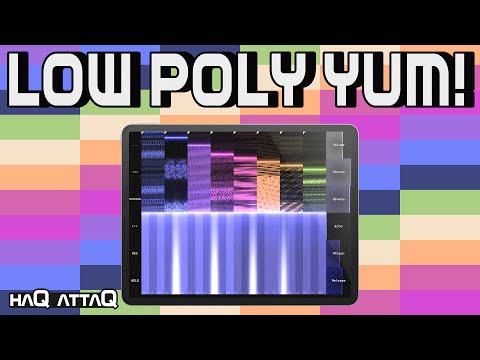
    Anyway, like a new synth it became.

  • Any chance you could spare a few sentences to save me the 26 minutes to find out what you mean?

  • edited January 29

    @wim said:
    Any chance you could spare a few sentences to save me the 26 minutes to find out what you mean?

    I sped through and managed to find the info. There are some parameters that aren’t in the interface but are exposed. Most notably, the ability to change the synth algorithm. Go into the settings and look at the MIDI bindings.

    7:15 minute mark.

  • Thanks @timfromtheborder. 👍🏼

  • Best. Synopsis. Ever.

  • edited January 29

    This works nicely for the algorithm parameter.. in AUM..

  • @royor said:
    This works nicely for the algorithm parameter.. in AUM..

    That's a great idea for it, easy availability. Thanks!

  • @Pxlhg said:

    @royor said:
    This works nicely for the algorithm parameter.. in AUM..

    That's a great idea for it, easy availability. Thanks!

    Exactly what I did

  • Finally saw Jakob's video, and went to buy it right away. It's perfect for soundscapes! Only $2!? That's crazy great bargain for something of this caliber.

  • The FM algorithm is a game changer. I had no idea about those settings. Jakob’s video was very helpful.

Sign In or Register to comment.