Loopy Pro: Create music, your way.
What is Loopy Pro? — Loopy Pro is a powerful, flexible, and intuitive live looper, sampler, clip launcher and DAW for iPhone and iPad. At its core, it allows you to record and layer sounds in real-time to create complex musical arrangements. But it doesn’t stop there—Loopy Pro offers advanced tools to customize your workflow, build dynamic performance setups, and create a seamless connection between instruments, effects, and external gear.
Use it for live looping, sequencing, arranging, mixing, and much more. Whether you're a live performer, a producer, or just experimenting with sound, Loopy Pro helps you take control of your creative process.
Download on the App StoreLoopy Pro is your all-in-one musical toolkit. Try it for free today.
Polaris - Minimalist AUv3 sequencer/sampler (hardware-inspired)

Hi everyone,
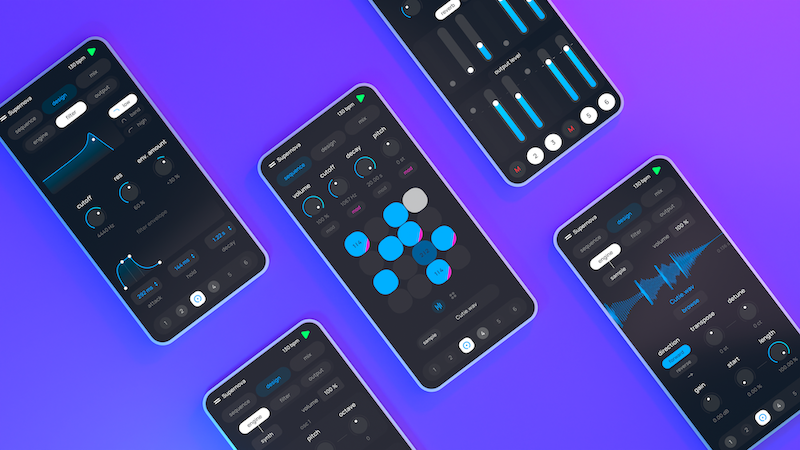
I’m the developer of Polaris, a minimalist music-making app built to bring the directness of hardware to the mobile ecosystem. It's finally out on iOS with AUv3 support. I’m really curious to hear how it fits into your AUM or Logic Pro setups.
Here is the link to the App Store:
https://apps.apple.com/us/app/polaris-pocket-music-maker/id6755879705
Comments
Welcome to the forum!
That looks really well designed and fun. Only 56mb too. 👍🏼
Is there a possibility there will be a demo video any time soon?
The app is only $4.99 so I'm tempted just to try it anyway, but I like to at least pretend to do some due-diligence.
I'd love to see a screen shot of how it looks running as a plugin. I'm also interested if it can accept midi input and record that to the sequencer. Also, can it output midi? It's OK if not, and I can see how that might detract from the vision of the app. That's the problem around here - feature creep requests.
Here is a video explaining the core concepts of the app: https://youtu.be/uw6jwsEk5pc
The interface is completely resizable so you can use any size you want in standalone or AUv3. It accepts midi input, although it's pretty basic for now (each track can be triggered from keyboard input, same effect for all keyboard octaves). It can't output midi so far no.
Thanks for that. I'm only 1/3 through the video, but am sold. It looks like a fun way to quickly get parts up for other uses. It also looks like a great time killer while waiting for the wife forever in the mall.
I would be a little put off by only having six tracks, since a drum track is going to take a good number of those, but since it's a plugin and I can use multiple instances, that's no problem. In fact, I kind of like the separation.
Loving it! Close to Ableton Note!
MIDI out would be huge fun, I think, if you ever feel like it @meteaure.
Looks a bit like Nanoloop.
I watched the video and bought it. Nice implementation.
I'm considering it for a future update, thanks for the recommendation!
Please implement landscape mode for the UI. Even the AUv3 view gets very flimsy on a device in landscape mode.
I always find portrait mode only apps tricky - specially on a tablet:
You can use the app in landscape mode on iPad. Here's how it looks:
The picture shows the problem: The portrait mode UI gets squeezed into the landscape mode plugin window. Lots of unused screen estate and scaled down fonts and UI elements as a result. If you have a smaller screen and/or not the best eyes this is very difficult to use.
A landscape mode implementation would rearrange the UI elements to make best use of the screen.
Ok thanks for your input. I'll try to improve this in a future update.
Looks nice for quick jams on the iphone. No problems with me with portrait mode.
Would it be possible to have different step lengths (like one sequencer has 16, other 8, 7, 5... )for polymetric madness?
And a more out-space feature request would be "drunken" tempo: bpm can be modulated or sequenced - I think the new Fugue Machine has something in the line. Or have a look at Obscurium, by Sugar Bytes. There is a section about tempo "Obscure Clock" https://sugar-bytes.de/obscurium. I know it is a very weird request but hey, there you are.
Love seeing more PO-style apps on the phone. It's about time! Congrats on the release!
@meteaure Here is my video for Polaris
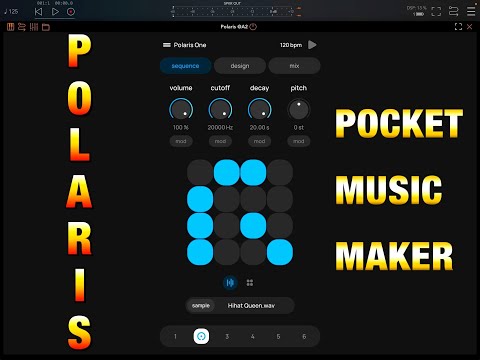
Thanks a lot Doug, that's a great demo !
3 jams using the built-in samples and a few effects in Aum (Needlepoint and Koala FX)
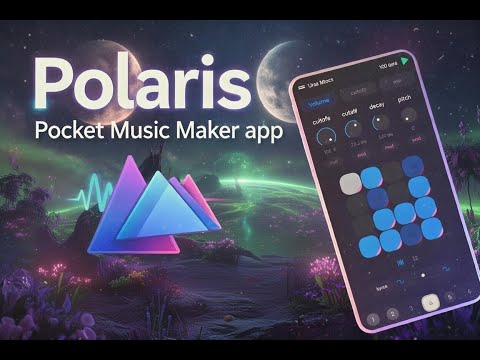
This looks like a clever piece of kit, I’m amazed at what it can do, so many options available and all on a phone, truly amazing.
Just watched Doug’s vid and this looks like fun.
Can sequence length be changed? If so, can it be changed per channel?
Is there a limitation on the number of sequence “extends”?
Congratulations on the release. I've been really enjoying it on TestFlight, so it was an instant buy for me. Very well designed - ingenious! (And also the perfect iPhone music app for when a cat is sitting on you restricting normal movement.)
The sequence length can only be changed using the "extend" feature for now. So the answer to your question is yes with the length always being a multiple of 16.
Sequence length can be different for every track.
You can chain up to 8 grids which gives you a maximum step length of 16*8=128
Add trig conditions and sequencer rate in the mix and you can write some very long non-repeating sequences.
Sequence length is fixed. You can change the bar division for the grid per channel, but always 16 steps and only even divisions.
8 max.
Thanks, and bought. Extend's your friend on this. Reminds me a little of werkbench.
Exact opposite icon design ethos though! 😂
(thank goodness)
Good old days
It looks very nice! Congrats @meteaure !
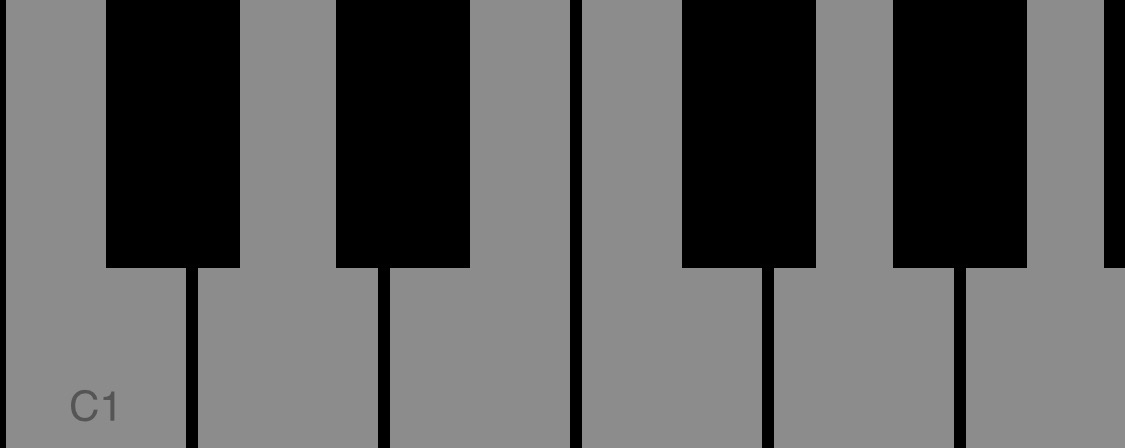
What keeps me away for the moment is the lack of a keyboard
This would be super fun to pair with a MidiFighterTwister!
Is the reverb & delay editable for time & feedback on either the design or mix page?
Yes, you can open reverb/delay settings by clicking on the cog icons above their respective knobs in the mix page
I’d love to be able to mod the sample start and length parameters, I’ve got a load of homemade sounds from random electronic projects that I repurpose by offsetting the start to really get interesting rhythms and tone sequences. It’s not currently possible from what I’ve gleaned though is it?