Loopy Pro: Create music, your way.
What is Loopy Pro? — Loopy Pro is a powerful, flexible, and intuitive live looper, sampler, clip launcher and DAW for iPhone and iPad. At its core, it allows you to record and layer sounds in real-time to create complex musical arrangements. But it doesn’t stop there—Loopy Pro offers advanced tools to customize your workflow, build dynamic performance setups, and create a seamless connection between instruments, effects, and external gear.
Use it for live looping, sequencing, arranging, mixing, and much more. Whether you're a live performer, a producer, or just experimenting with sound, Loopy Pro helps you take control of your creative process.
Download on the App StoreLoopy Pro is your all-in-one musical toolkit. Try it for free today.
Comments
Message me and I'll describe my ambient world building method using Rob Jackson's 2.00 Dynasinth and Euclidean Sequencer
It’s a very interesting arpeggiator. It actually incorporates some things that I wanted to see in MidiStep, one of which which is a harmonic consistency across instances, or in this case, patterns and arps, and I also sense a bit of EvolverFX influence, since Evolver required note and chord input to generate the output, but of course there it could operate self-contained.
Congrats… Excellent… extremely musical…
Thanks.. ..
Paul posted an "advanced tips" video this morning that is really good and highly recommend folks check it out.
It's all about that lil white line!!
One problem: in the pattern rhythm generator if I open any of the dropdowns and attempt to scroll down it shuts down polypipe completely.
Can Anyone else confirm this?
Sure enough. Just tried it on mine in AUM - instant crash.
Also, this may need another thread but also bug related, has anyone been able to engage the Mirror mode by long pressing on the Init Preset button (as shown in Masterclass #2 video)? It turns red for a fraction of a second and then off.
Note - Mirror Mode requires that you press and hold the Init button and keep holding it, and you can only manipulate the steps starting on the left up to whatever covers the sequence. Changes to step 1 in this mode are mirrored in every 4th step, so 1,5,9,13, etc. and step 2 modifies, 2,6,10, etc.
I> @billkuhl said:
I’ve let Paul know as a communication via utube.
Doug just posted a video showing two hidden features which are pretty sick.
1.) Mirror mode ( long press and hold init to enable mirror mode, now slide any of the first 4 notes and the remaining steps will mirror your changes
2.). CHORDMODE!! ( long press note name “c” and a list of chords pop up)
This is my favorite 4 pockets sequencer without a doubt, with Euclid right behind
Just curious...how does this compare to StepPolyArp?
it’s kicks it butt. steppolyarp is good. but this is at a whole other level
It really is a special lil fella. My favorite 4 pocket sequencer and I love Euclidean a lot- but this fella is capable of so much. For me it feels like an amalgamation of several apps.
Really good stuff!
How does it differ/compare to 4Pockets MIDI Step?
That's a great question. I'll start with the differences. The obvious difference is that MidiStep is not an arpeggiator - it doesn't require any note input. Another key difference is that MidiStep is based on scales, whereas PolyPipe uses scales, but that's secondary - by default it uses the chromatic scale. MidiStep is a fantastic app, and I've used it extensively but one of the things it does not do is to play harmonic progressions. You can run multiple instances of the app and they can sync up using a very cool feature called Hive Mind, but that only correlates the settings between them - there's no way (that I'm aware of) to make them play a measure of a C chord and related chord tones, for example without a lot of manual effort.
If you're looking for something that will follow chords or a chord progression, then PolyPipe will be able to follow it musically. If you're looking to create your own melodic ideas, or generating random ones, or want to use MidiStep's built in motif generator (which is amazing) to build out melodic and harmonic ideas or just use it as an idea generator, then MidiStep is more in line with that.
From the app description and what I've read from the developer PolyPipe is geared toward live performance, so it's very easy to make something musical happen with very little effort. Overall, at this point, I would say MidiStep has a lot more power and control and freedom than PolyPipe - it's literally overflowing with ways to generate, randomize, evolve, modulate and so forth, and can do a lot more with MIDI CC control, but that power and flexibility require the user to step up and decide how to utilize it. I'm sure others will have different takes on these apps. I can only speak from my own experience.
Brilliant, thank you so much for such an in depth analysis @EdZAB, I really appreciate it. Sounds like MidiStep is more interesting for my personal uses. Cheers.
Will love to see it sync to a midi groove, aka Groove Lock (Spectrasonic’s Omnisphere/Trilian arp) Would be amazing..
Loving this thing. One point of frustration…
For the life of me I can’t get patterns to play as a sequencer/generator: only seems to do arp/filter. I’m guessing this is by design, but if so, I hope Paul clarifies what he means by “sequencer” on his product page and manual, as it does not seem to do traditional sequencing.
…or have I misunderstood the term “sequencer” all these decades?
Here is an example of PolyPipes pattern presets and OneShot with the new drum pattern update:
Pipe1: Pipa Pipe2: FrMS Pipe3&4:Module Pro Pipe5:OneShot
Can you delete individual notes or only patterns in the new drum editor?
You can delete individual notes or patterns!
I've programmed my typical drum patterns manually into it. The randomizer is kinda weird, but works well. Works great with all the drum AU's I've tried without having to do a mapping, although I did make one for oneshot. The drum addition is really cool, and you can add on that percussion with a bass pipe and a glitch pipe- just really good stuff.
*oh, lastly a great alternative to oneshot for iPhone / PolyPipe users; is the Osaka Gadget drum samples. They sound really tight and clean.
You can also copy and paste the patterns between lanes(patterns)
Finally, here is an example of what I mentioned earlier about stacking Drum Audio Units on each pipe to "fill" in your primary drum channel... you can get stuff like this:
Edited: max instances of PolyPipes is two(2)
@EdZAB
I was thinking what if there were two(2) modes. A studio mode and a Performance(live) mode -
Studio Mode would fire off from Transport like a traditional sequencer, and a performance mode that leaves it as is with the arpeggio driver.
Is that a dumb idea?
Nope! Love it
This is the last percussion example I’ll post… at about 40 seconds, I begin to isolate the pipes so u can hear the percussion nuances.
That sounds really good, what apps are providing the actual drum sounds?
This is a head nodder for sure! 👍
thx!
in that last example it was all Klevgrand w/ king of bass
Pipe 1 = Ting/Slammer (doubled up on pipe 1)
Pipe 2 = Borsta
Pipe 3 = Skaka
Pipe 4 = king of bass
Pipe 5(Drum) = Oneshot
Ah, forgot I had King Key somewhere in there too! The typewriter bell
The drum roll window is a bit fiddly and doesn’t scale to size also can you delete multi notes by lasso then double tap like single notes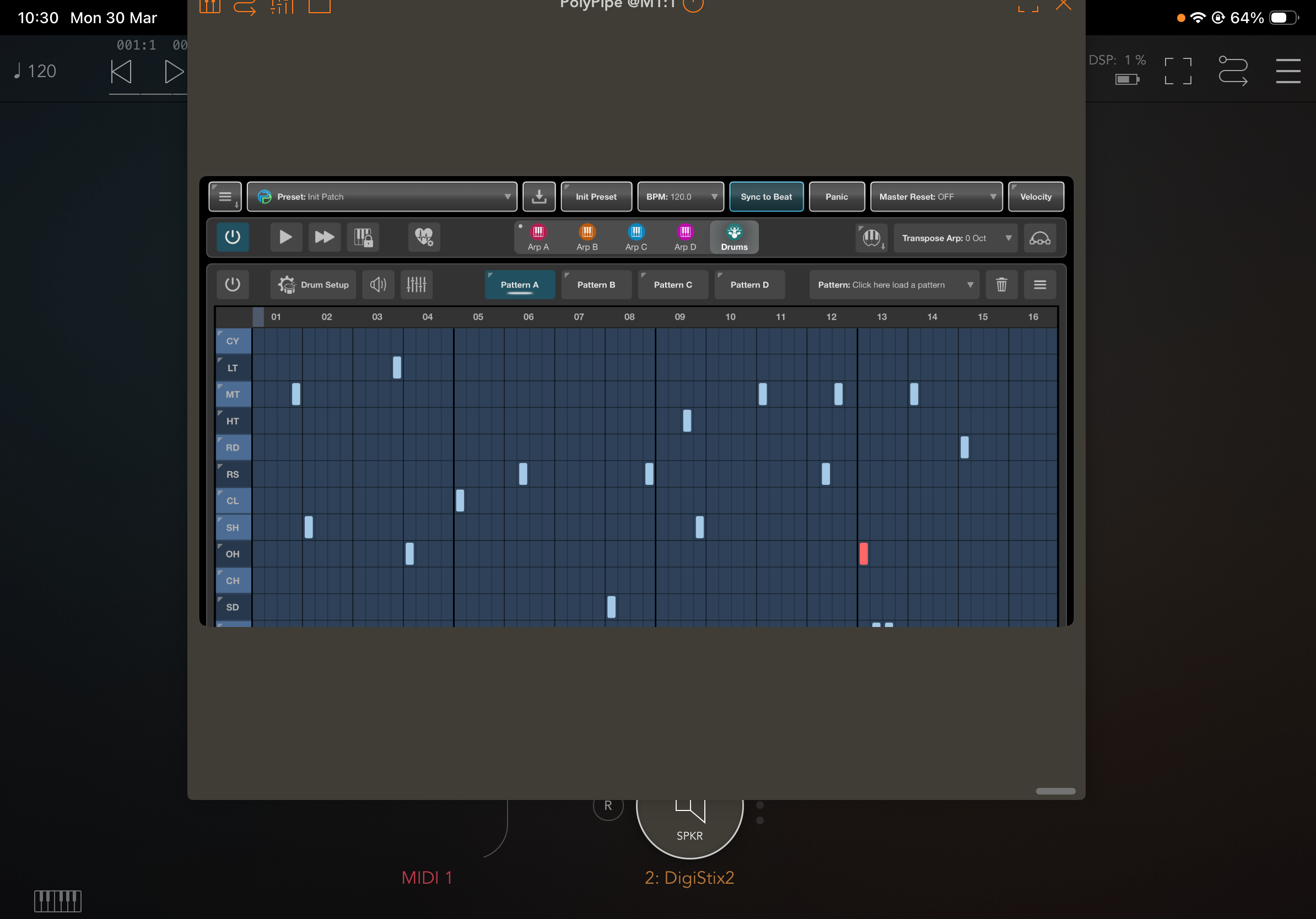
!
And here she is.... straight from the boss himself:
I think Battalion sounds fantastic with PolyPipes drum sequencer.
Hi hi .. is there anyway to format the PianoRoll for just 8 tracks , like for Hammerhead.. deleting unused tracks?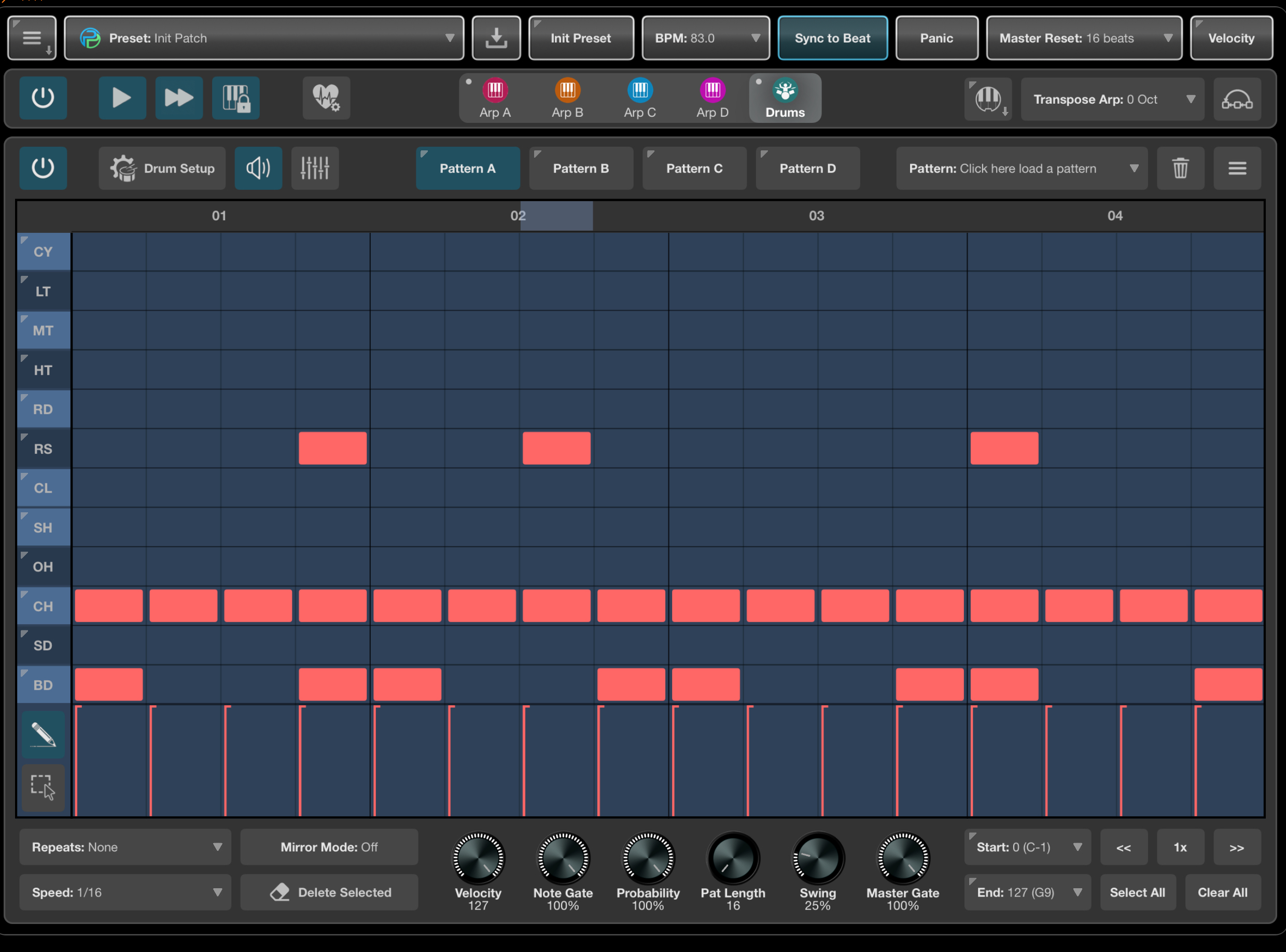
Nice.. one can only imagine midi import on this Gem (both Drum and melody parts) brining in some Lumbeat generated IBassist and Future Drummer..
One can morph, transform like never before..
SWEET…