Loopy Pro: Create music, your way.
What is Loopy Pro? — Loopy Pro is a powerful, flexible, and intuitive live looper, sampler, clip launcher and DAW for iPhone and iPad. At its core, it allows you to record and layer sounds in real-time to create complex musical arrangements. But it doesn’t stop there—Loopy Pro offers advanced tools to customize your workflow, build dynamic performance setups, and create a seamless connection between instruments, effects, and external gear.
Use it for live looping, sequencing, arranging, mixing, and much more. Whether you're a live performer, a producer, or just experimenting with sound, Loopy Pro helps you take control of your creative process.
Download on the App StoreLoopy Pro is your all-in-one musical toolkit. Try it for free today.
What is your ideal features list for iOS DAW ?

What are YOUR "must have" , "nice to have" and "not important" list of features for "Perfect iOS DAW" ? Don't compare with any existing.. just imagine what should be "The One" considering some natural constrains and limitations of this platform when compared to desktop, which cannot be mitigated (limited screen estate, touch screen interface, etc)
Comments
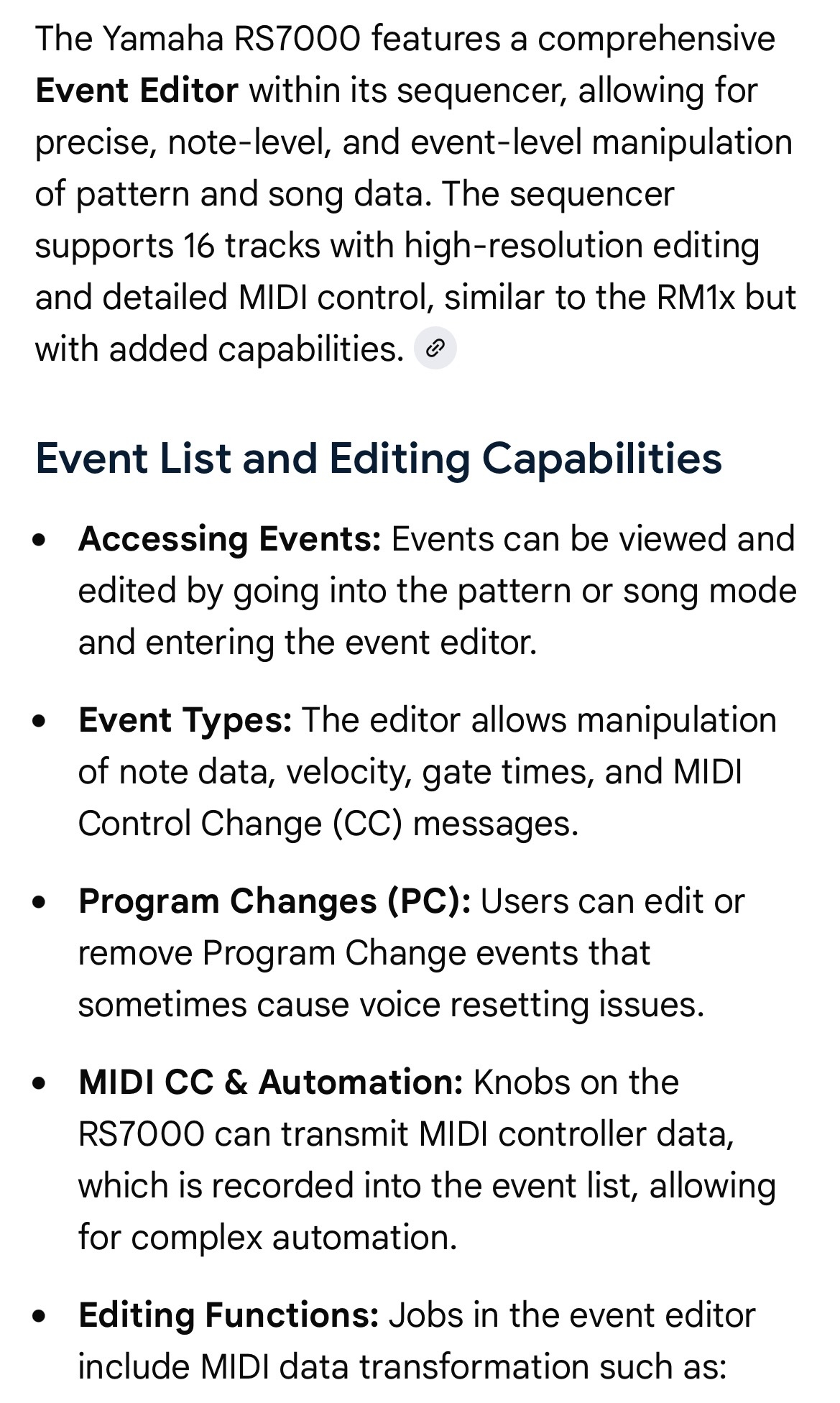
High resolution step sequencer which also records all knob movements.
Like in my Yamaha RS7000.
This:
Comprehensive MIDI and Audio routing a la AUM is a must...
be more speciffic .. what you mean with "high resolution" .. you pean PPQ value of sequencer ? What is enough big based on your opinion ?
so this is basically like classic event list in traditional desktop daws, as alternative to classic piano roll view in clips where you see precise list of all recorded events (notes, cc's, aftertouch, event sysexes) and you can individually delete or edit every one of them, yes ?)
something like this in Reaper ?
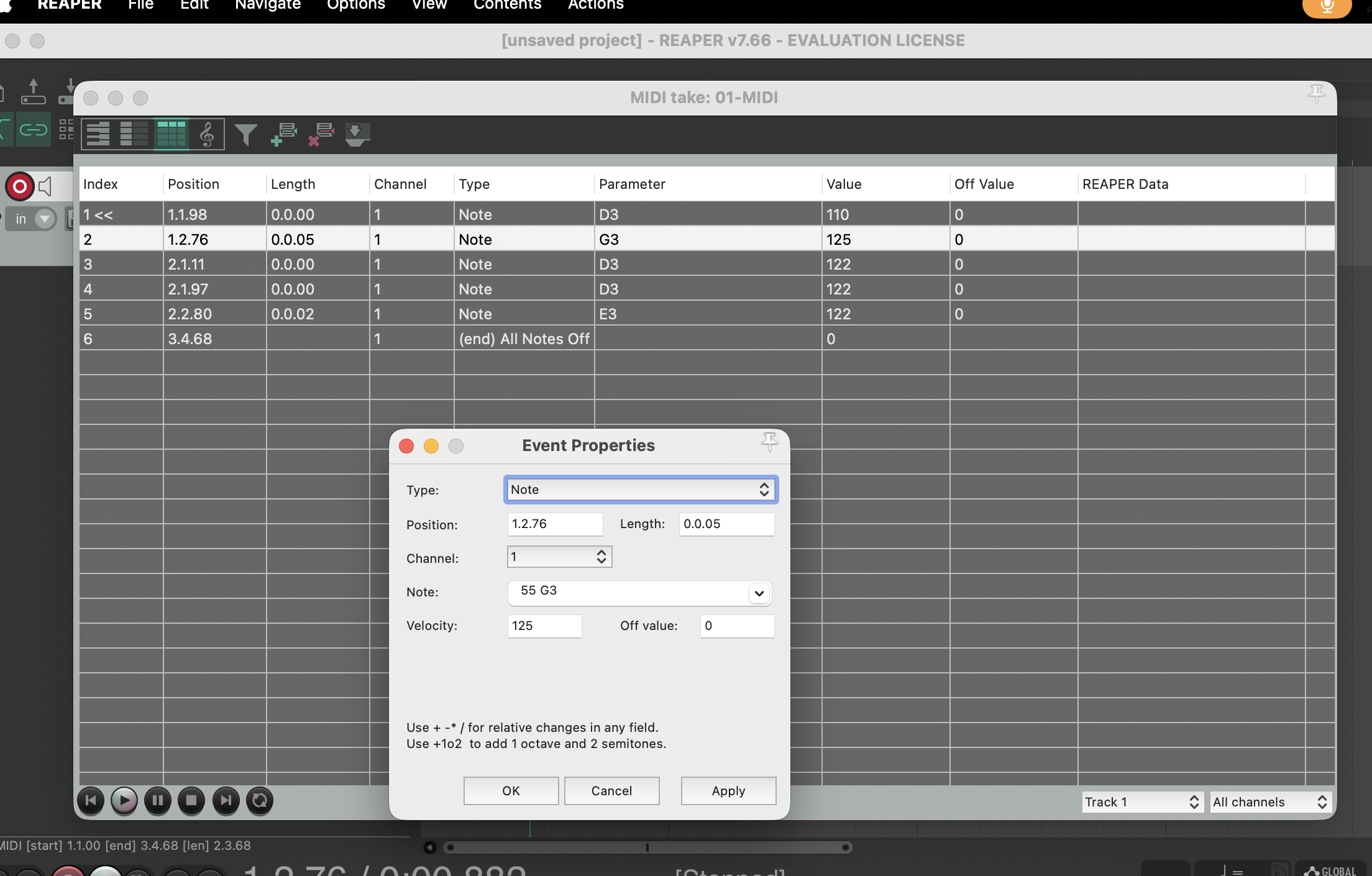
Yes I mean ppq value.
Yes something like that would be great.
Nonliear fade type clip handles.
Floating AU windows, freely sizeable, viewable against timeline screen (or any other required screen).
Power spectrum display per track/region selection.
Ripple edit mode, selectable track by track or over multiple tracks together as required.
‘Resume last state’ option from opening screen.
I don’t know the actual term for it (I thought it was called “plocks” in Drambo but I was corrected that that is something else) but being able to record the knob and slider movements on the fly in things like Drambo and Cubasis. Maybe “parameter automation recording”? 🤷🏻♂️ It’s the main thing I wish AUM had
-proper file structure and browser
-flexible routing (ala, Ableton or AUM)
-ability to “Warp” audio (high quality). Bonus points for REX support
-FULL FEATURED sampler instrument. Has to do timestretched loops AND keygroups
-native suite of professional quality effects and processors
-MIDI controller scripting
-modulation system
There are apps that do all that individually, but to date nobody has put it all together in a comprehensive, cohesive package (Logic, kind of). Which is why I stick to my MBP plus Ableton for DAW duties. Plenty of amazing production/beatmaking apps in iOS.
@Apex : Here’s hoping Logic Pro for iPad puts it all together in one place before too long . Feeling hopeful for some kind of major upgrade as per WEDC in June .
I’ve never been a big Logic fan TBH. But what they did with Logic Pro for iPad is impressive (although, I’m not doing a subscription). I’m excited for all the Logic users. Personally I’m looking at touchscreen laptops to run Ableton or Bitwig on. Probably Bitwig because they support Linux and touch. I understand Apple doesn’t want to cannibalize their iOS ecosystem, but I would pay ANY amount for a “MacBook Pro Touch”. (Insert take my money meme). I can dream.
All the “features” already exist in desktop/laptop DAWs.
RS7000 uses 480 PPQ
Gadget UI and ability to host AU's
Ape Matrix Routing
AUM routing appeareance
Supports Rex, SF2
Embedded Twisted Wave with AU support
Prism Quality
fugue machine playback
This is tricky... I could spend hours trying to deconstruct the original mission statement. I don't think any one DAW could even rule out all others. I would want a hub to tie everything together (mainly exported audio). I would still want to use the other glorified grooveboxes we have, errr, I mean "DAWs" (lots of heavy lifting on those quotes)
But yah I could describe one more "DAW" that would be crazy useful to me, but probably no way to pack in everything so I only use one forever.
Must: Universal, AUv3 support, multi-out, quantizing, swing, piano roll, local and iCloud storage options, master bus with effect slots
Nice: multiple busses with various send options, built-in instruments and effects, built-in scales/chords generators, built-in mappable LFOs
Oh, I don’t even know where to start, you’ve triggered some very painful thoughts
TBH right now I’m even OK with no-audio DAW for MIDI + AUv3 composing. But with these things:
Automation lanes for AUv3 instrument and FX params and MIDI CC
Multi out instruments support
To be honest having this, I’d use it as a main iPad composition tool and if by any chance I need audio - I would just attached Neon, Drambo or Loopy as an instrument. Or for really complex things I always can export clips as audio and arrange them in AEMS/Cubasis. I don’t need built in FX and instruments, I have a ton of bought SWAM instruments and synths, classical education, eager to compose tracks myself, without loops or midi-packs and not too much of free time to fight with inconvenient pianorolls.
I’m really close to load Claude Code with all modern LLM bells ans whistles and vibecode such thing for myself, because I’m really tired of having so many cool instruments on iPad but absolute absence of composing-oriented DAWs. All sorts of euclidean-generative-esoteric-organic sequencers just don’t work for me, as well as sample-chopping for-on-the-floor machines
All the items on the To Do list for NS2.
Ableton, basically.
FL Studio Mobile, but with the ability to load AUv3 instruments.
Everything about FLSM is pretty perfect for me. It has audio tracks, MIDI effects, great built-in synths. I just wish I could have the ability to load Beathawk and Korg Module Pro inside of FLSM, or at least a built-in Soundfont player. I also wish FLSM had Edison (audio editing tool) built in as well. Other than those minor nitpicks, FLSM is really great.
Logic Pro but with the option to buy outright.
A lot of things have already been mentioned, I'll focus on some critical features that people often forget about.
Incoming MIDI clock sync: crucial for anyone using external sequencers. Apple hates it for some reason, they removed it from Logic right after acquiring it.
Multicore audio processing: Cubasis can handle 3x more plugins than Drambo or AUM on the same iPad, so it's a life saving feature for us with older iPads.
An intuitive user interface that is also nice to the eye.
No weird colour combinations and not something that looks like software from 1995.
Will this do the job? https://apps.apple.com/gb/app/midimixer-for-aum-auv3-plugin/id1542209150
Integrated sampler (think Logics QuickSampler, Abletons Simpler or the Cubase Sampler Track) with direct access to any 'audio source' (audio-files, plug-in/track outputs & hardware inputs) being used within the project.
Looked into that one before and unfortunately not. That app only works for the AUM track volume sliders and stuff, not auv3 parameters and whathaveyou. I did find a way to host drambo within AUM, set up a buncha knobs, send their ccs throughout, and record the movements through tracks in drambo, but over time it just became tedious (even typing that all out felt like a lot haha). My closest approximation so far has been the app CCPAL, but it’s IAA only so not ideal.
Good one
+1
Must have:
16 tracks
Built in sampler with time stretch, slicer, modulations and sample editing tools (crop, normalize…)
Easy resampling
Built in high quality effects
Auv3 instruments, fx and midi
Linear timeline
A couple of sends
Automations
Virtual keyboard and pads
Browse and preview samples from any location (iPad, iCloud...)
Looks almost like Groove Rider 2, apart for the browser thing
Must have:
Exactly.
My setup probably just means transfering stems to a DAW ( without crashes and cpu issues )