Loopy Pro: Create music, your way.
What is Loopy Pro? — Loopy Pro is a powerful, flexible, and intuitive live looper, sampler, clip launcher and DAW for iPhone and iPad. At its core, it allows you to record and layer sounds in real-time to create complex musical arrangements. But it doesn’t stop there—Loopy Pro offers advanced tools to customize your workflow, build dynamic performance setups, and create a seamless connection between instruments, effects, and external gear.
Use it for live looping, sequencing, arranging, mixing, and much more. Whether you're a live performer, a producer, or just experimenting with sound, Loopy Pro helps you take control of your creative process.
Download on the App StoreLoopy Pro is your all-in-one musical toolkit. Try it for free today.
CACHE - AUv3 Sample Browser by Lewis Le Val (Released)

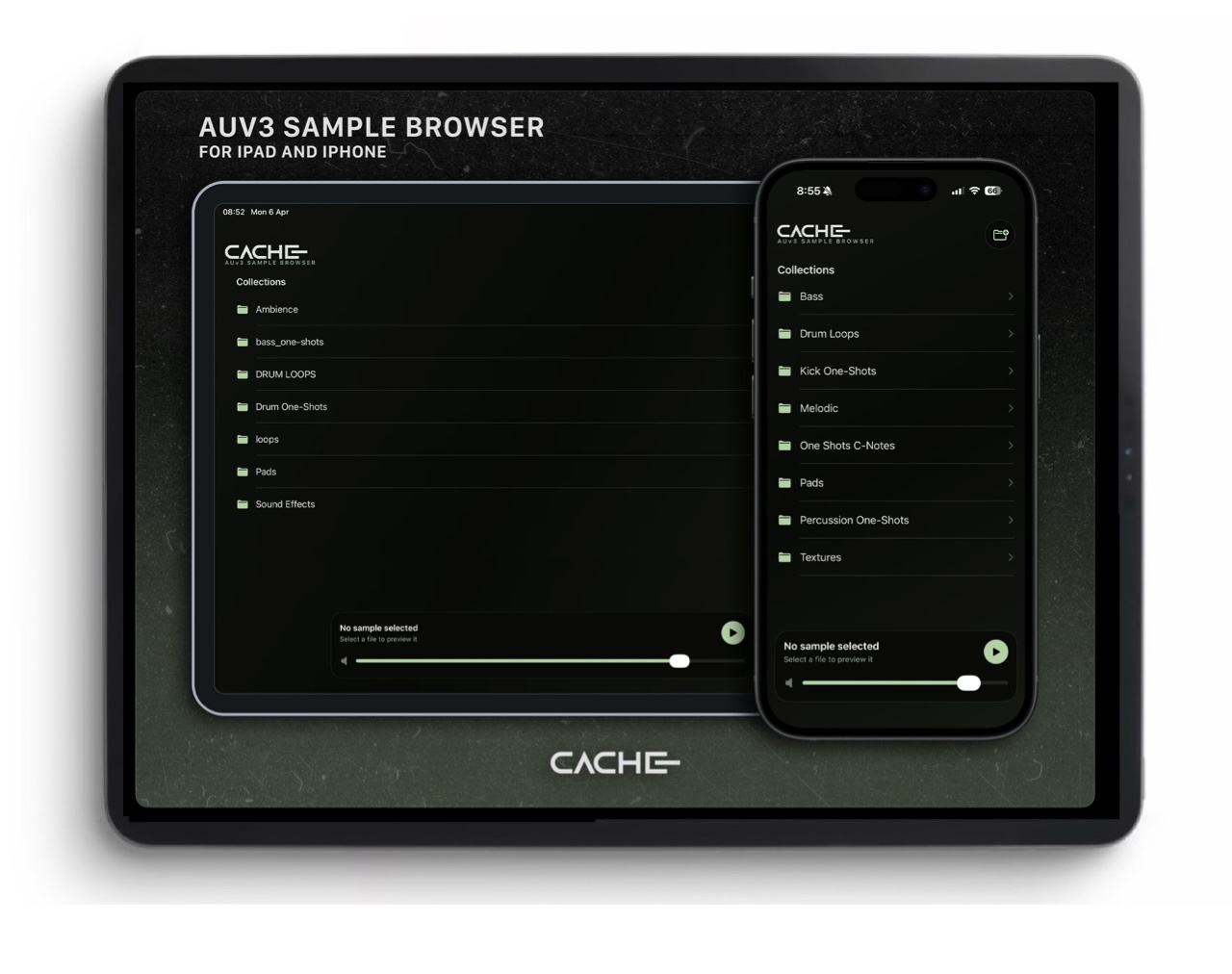
https://apps.apple.com/us/app/cache-auv3-sample-browser/id6760597087
CACHE is a fast and simple sample browser for iPhone, iPad, and AUv3 hosts. It lets you open your own sample folders, browse collections instantly, preview audio files, detect sample key, and drag sounds straight into compatible apps and hosts.
Built for producers who work across iOS and iPadOS, CACHE solves a problem that has been strangely overlooked for years: some DAWs and AUv3 hosts still don't include a proper sample browser. Until now, that often meant digging through Files, switching between apps, and dragging samples in from outside your music workflow. CACHE puts that missing browser exactly where you need it.
Use CACHE to:
Browse your own sample folders and subfolders
Preview one-shots and loops quickly
Detect likely sample key for one-shots
Drag samples directly into compatible DAWs, hosts, and apps
Access collections from local storage, cloud locations, or external drives
CACHE does not include any samples and does not make sound on its own beyond sample preview. You must supply your own sample folders.
CACHE also does not copy or store your samples internally. It simply bookmarks and browses the folders you choose, so it won't take up extra storage space with duplicate sample libraries. That makes it especially useful if your sounds live on external storage or outside the app itself.
Comments
CACHE also does not copy or store your samples internally. It simply bookmarks and browses the folders you choose, so it won't take up extra storage space with duplicate sample libraries.
Thank you.
I wonder if this offers anything over Samplecrate.
Sample Crate isn’t an AUv3 that can be loaded in hosts like AUM. From the description it sounds like this can be, which would be useful for sure
@Gavinski would love to see you cover it!
Ah good point, yeah Samplecrate you gotta do the whole slide over thing.
So I bought it and just tested it in AUM. (You load it into an audio effect slot) and was able to drag a sample right from it, into a Flexi sampler module in the Drambo AUV3 on another channel. Worked smoother than a baby’s bottom!
How is it with accessing and navigating iCloud directories? My "whatever" does "whatever" for as long as "whatever" is ready to play ball. Always thought it was a Koala browser issue- but I get it across all apps.
oh, very cool. I need this
Wonder if it plays nice with any of Igor’s sample-based apps (beatcutter, exosphere, etc)
Hmm lemme test, brb
Damn, AUM users beware - this can’t access Audioshare, which is very inconvenient for me, as most of my samples and recordings are in Audioshare.
Though tbh, at this point I feel ready to cut ties with Audioshare - things like lack of ability to back up to iCloud are making Audioshare much less useful than it could/should be.
Well, I tested both BeatCutter and Exosphere, and in neither was I able to drag and drop a sample. Seems there was nowhere I could find to drop it (where a green + symbol appears).
Yeah, just found that out myself. Bummer. Is that something that could be provided in an update?
No clue, I hope so. SampleCrate can access Audioshare, for example
Thanks for guinea pigging! I kinda figured all his apps were self contained like that. That madman haha
Madman indeed. I realized whilst in the middle of the aforementioned Cache drag and drop test, that I should be using Exosphere. Now Beatcutter? While I may never actually use it in the type of music I like creating, man is it fun exploring!
AudioShare support confirmed for next update. Should be soon
....never mind
Hi friends, thanks for the interest in Cache! Gavinski beat me to it, the next update will support AudioShare. I had completely overlooked it as I only ever use AudioShare to store my AUM recordings. It was a quick fix, so I’ll be able to get an update out pretty soon.
Regarding drag and drop, as long as the app supports it, you’ll be able to drag from Cache into it. It’s really nice to use in Cubasis too. I’m not a fan of the way in which Cubasis handles sample import, so Cache makes the process smoother and quicker.
There’s slightly separate layouts too, so in AUM the app is tall and narrow so it can live as a sort of tool panel off to the side, and in Cubasis it fills the designated window horizontally so that you’re not battling with a vertical view in a horizontal space.
Madman burning it! Good stuff @lewisleval
Interesting! Did you verify that the sample you dropped from Cache wasn’t already downloaded to Drambo’s own Samples folder? In the past I’ve dropped flexi samples onto Koala pads, but vice-versa never worked for me.
@lewisleval: great AU. I am finding that if samples are on a cloud drive, selecting one doesn’t download it and it won’t play or drag/drop and I don’t see a way to force it to download.
I guess this is an audio files only preview. Any midi preview included ?
Really appreciate the attention to detail in layouts! Clean UI and AU is nice. With slideover apps in jeopardy OS update after update this is a great choice.
Thank you! Great observation, I’ll be looking into this today. Currently, Cache has no authority over any files, it’s essentially a “path host”, so it can only access what’s readily available. I will see if I can give it some permissions to pull from cloud storage when necessary.
Yeah, all my samples are on google drive which I can’t add as folder. Will that be able to happen in the future?
Tested in stand alone mode. Has the audioshare update been released? I can see the folder but it’s greyed out and cannot access it. iPhone 15 and iOS 26.
Any chance you could add a loop function and auto-play to the transport
Absolutely, I’ll look into it today and try and get it ready for you with the next update
Not to worry, the update is coming I fixed the AudioShare compatibility last night and today I’m working through a couple of extra fixes that I’ve received from feedback, and then I’ll be sending the update to Apple. After that, it usually takes Apple a few hours to approve an update, and then it’ll be available. I’ll let you know as soon as it’s ready