Loopy Pro: Create music, your way.
What is Loopy Pro? — Loopy Pro is a powerful, flexible, and intuitive live looper, sampler, clip launcher and DAW for iPhone and iPad. At its core, it allows you to record and layer sounds in real-time to create complex musical arrangements. But it doesn’t stop there—Loopy Pro offers advanced tools to customize your workflow, build dynamic performance setups, and create a seamless connection between instruments, effects, and external gear.
Use it for live looping, sequencing, arranging, mixing, and much more. Whether you're a live performer, a producer, or just experimenting with sound, Loopy Pro helps you take control of your creative process.
Download on the App StoreLoopy Pro is your all-in-one musical toolkit. Try it for free today.
Comments
It's in the Spain store:
https://apps.apple.com/es/app/dh-noise/id6769611341
It's in the Spanish Store. That's where I bought it
Ah, sorry. I was so eager to test it that I tried to install it on the iPhone, not realizing it was only available for iPad
I will wait until I can do it on the iPad. Thanks!
Ha ha! I see France hasn't changed. It used to be a major pain, more than any other country to work with back in my corporate days.
this app is a work of love:) but one needs to consult a manual for this.
amazing interface and chopping features.
took me few minutes to make a square-pusher-ish pattern
with no manual reading
( even me, a guy who started making music on Amiga ...:)
plenty of features.
big thnx David for this app!
Hey @dblonde just a quick mention that I noticed this is not on the China appstore but your other apps are, any reason for that? Cheers
@Gavinski i sent you pm
@waka_x im travelling right now and so away from my imac. PDF manual in the works and will be ready in about 2 weeks
.
dh-NOISE is now a complete standalone app — no host required — and everything still works as an AUv3 in your favourite DAW.
• Standalone app: play, sequence, record and mix without a host
• Layers grow with the song: start with one, add up to eight — each with its own sample, patterns and FX
• Record straight into a layer from the mic or a USB interface — input and channel pickers, live meters with clip hold, latency control, auto-normalize
• Perform to the pattern: count-in with locked timing, and monitor yourself through the amp with a cue spring reverb while the take records dry
• AMP: a full guitar and bass rig — real interacting tone stack, compressor and chorus pedals, speaker cab voicings, and an impulse-response loader for your own cabs
• Sampling FX: arm a built-in effect (or the AMP) and record through it; Apply ▸ Take prints it into the sample, then auto-bypasses so nothing is ever doubled
• Host AU instruments: give any layer an AUv3 synth of its own — eight slots, full-screen editors, saved inside the project
• Mixdown FX: a five-slot mastering chain on the render, using built-in or your own installed AU effects — the chain travels with the project
• Mixer view: live beat-synced scopes and bigger volume knobs on every layer — even collapsed strips stay mixable
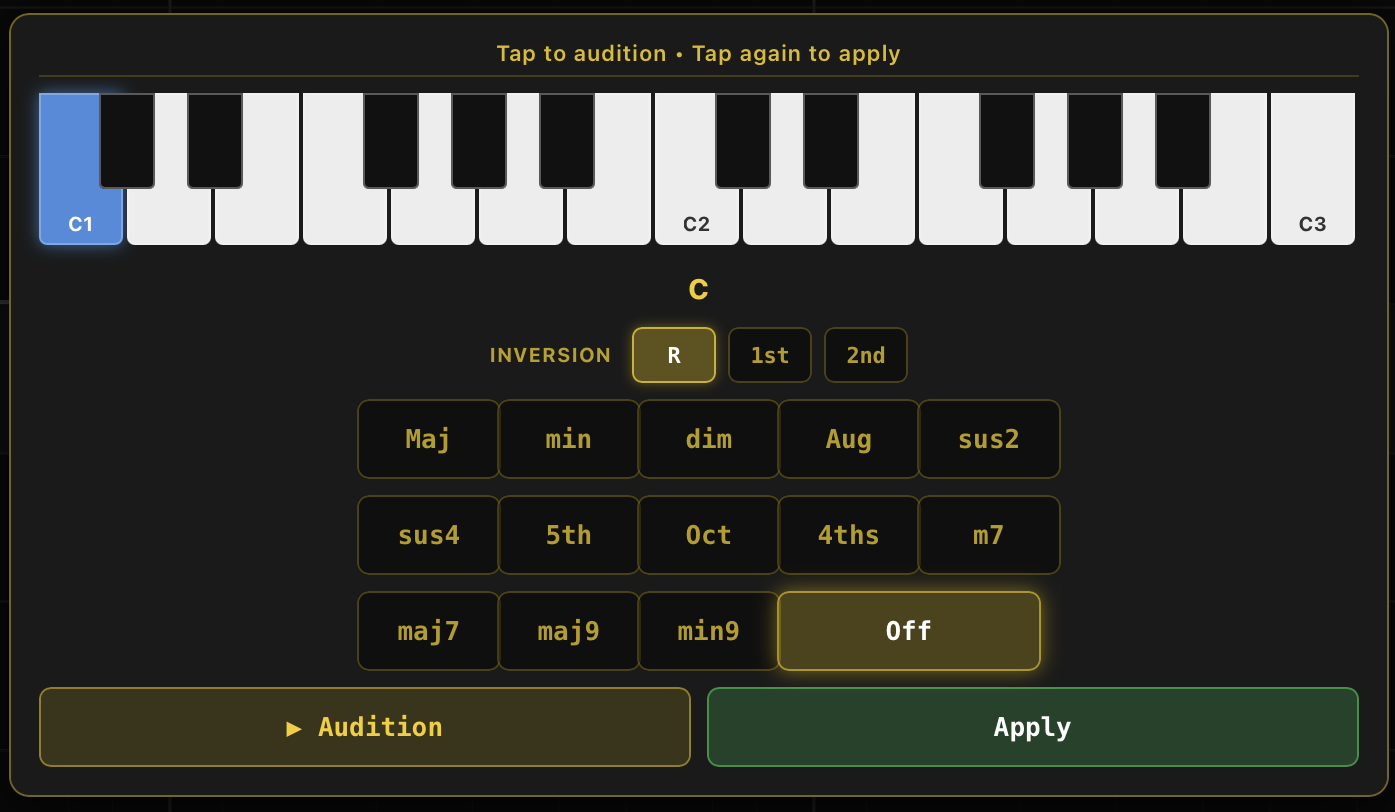
• FreeVoice™ chords: play a chord on any input and it lands in one cell exactly as voiced; reshape it on the chord picker's live piano
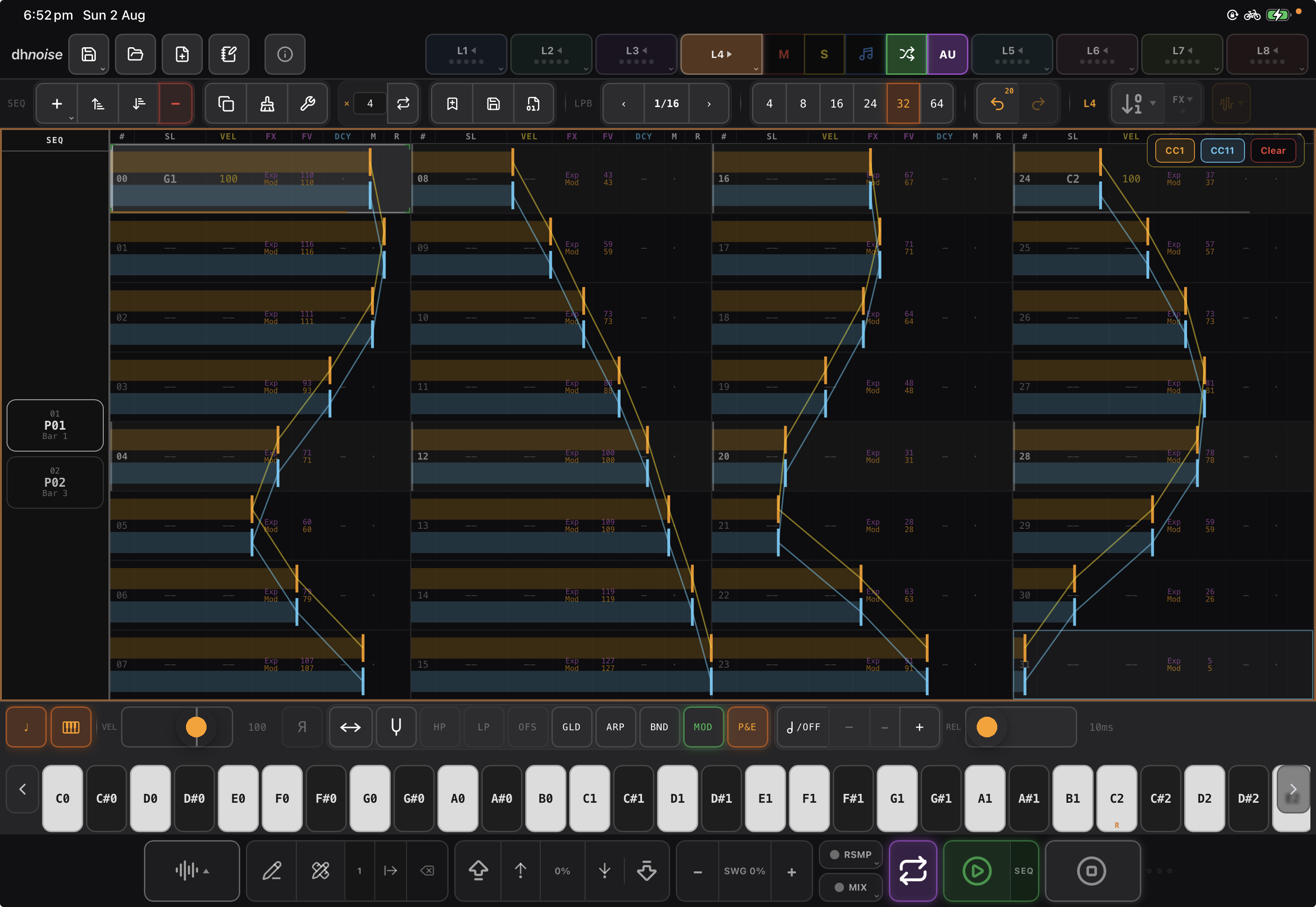
• Draw automation with a finger: pitch bend, mod wheel, pan, glide and five expression lanes, drawn straight onto the pattern grid
• Beat-sync a sample to the tempo, arpeggio directions, glide over MIDI
• Session Notes: a notebook saved inside the project — type, or handwrite with Apple Pencil
• Import samples straight from classic sampler CD-ROM (ISO) images
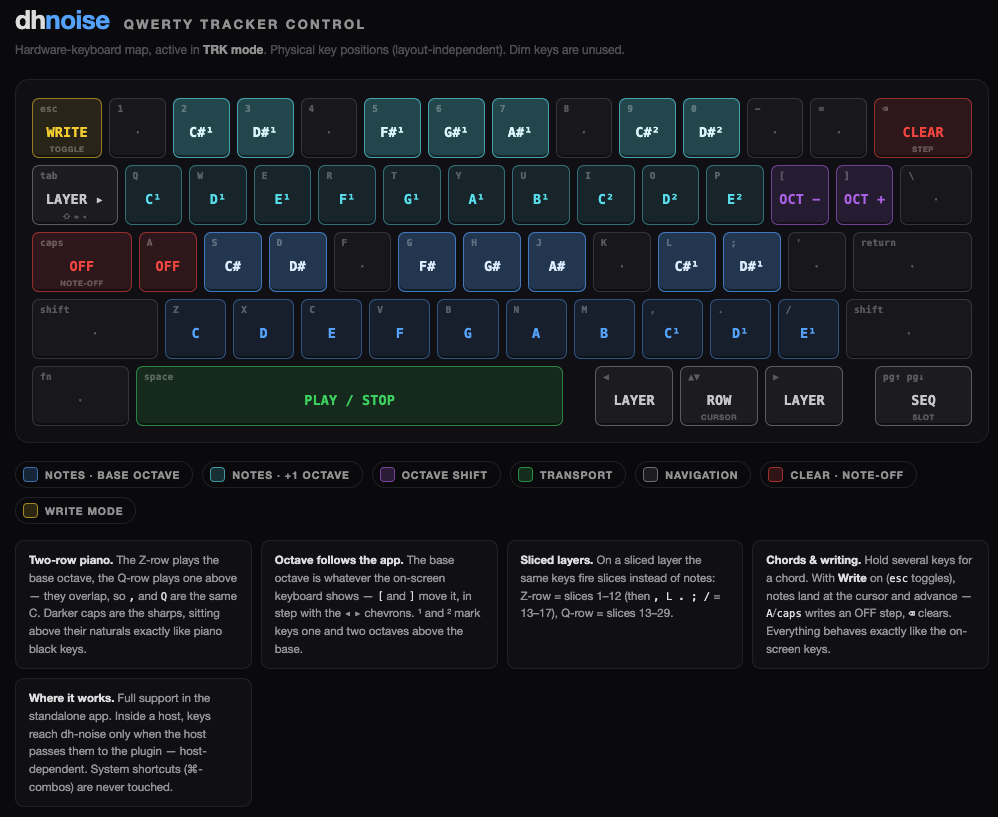
• Hardware keyboard note entry, layer renaming, a new Quick Start guide, and the full manual now exports to PDF
Plus dozens of fixes and refinements throughout. PDF manual export into your iPad files app so you can then print etc without any internet or external web hosting site from me
Some screenshots:
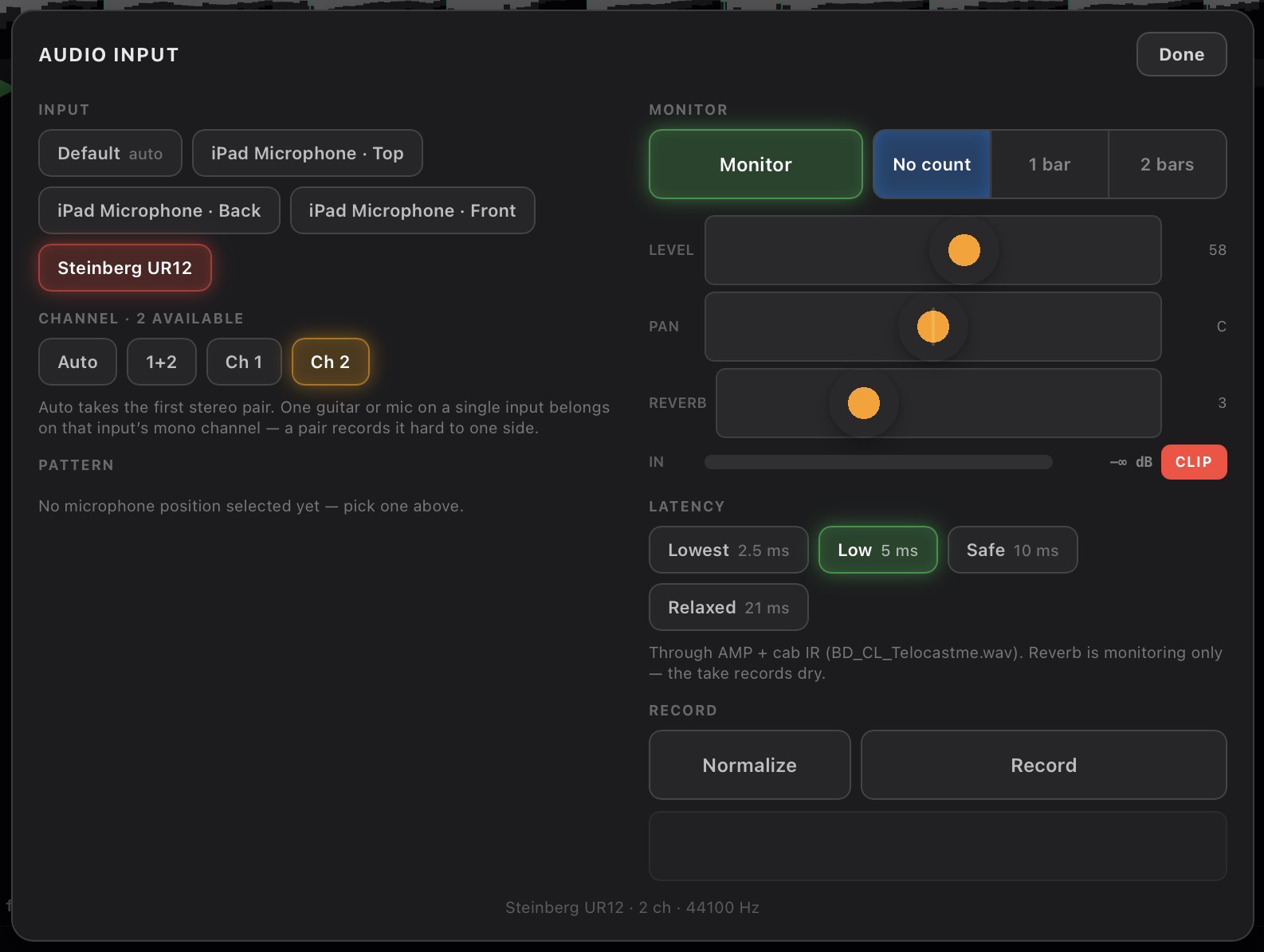
Input mic or USB device recording -
Chord maker to let you play/record triads into the pattern editor -
Automation recording and input from external hardware controller or finger touch directly into the pattern cells -
AMP card for colouring the input sound - great for a guitarist songwritter

Akai iso import and samples browser - which you can favourite your most used resources -

Now supports tracker qwerty input -
Mixer now has waveform scopes so you can zoom in or out of the sound -
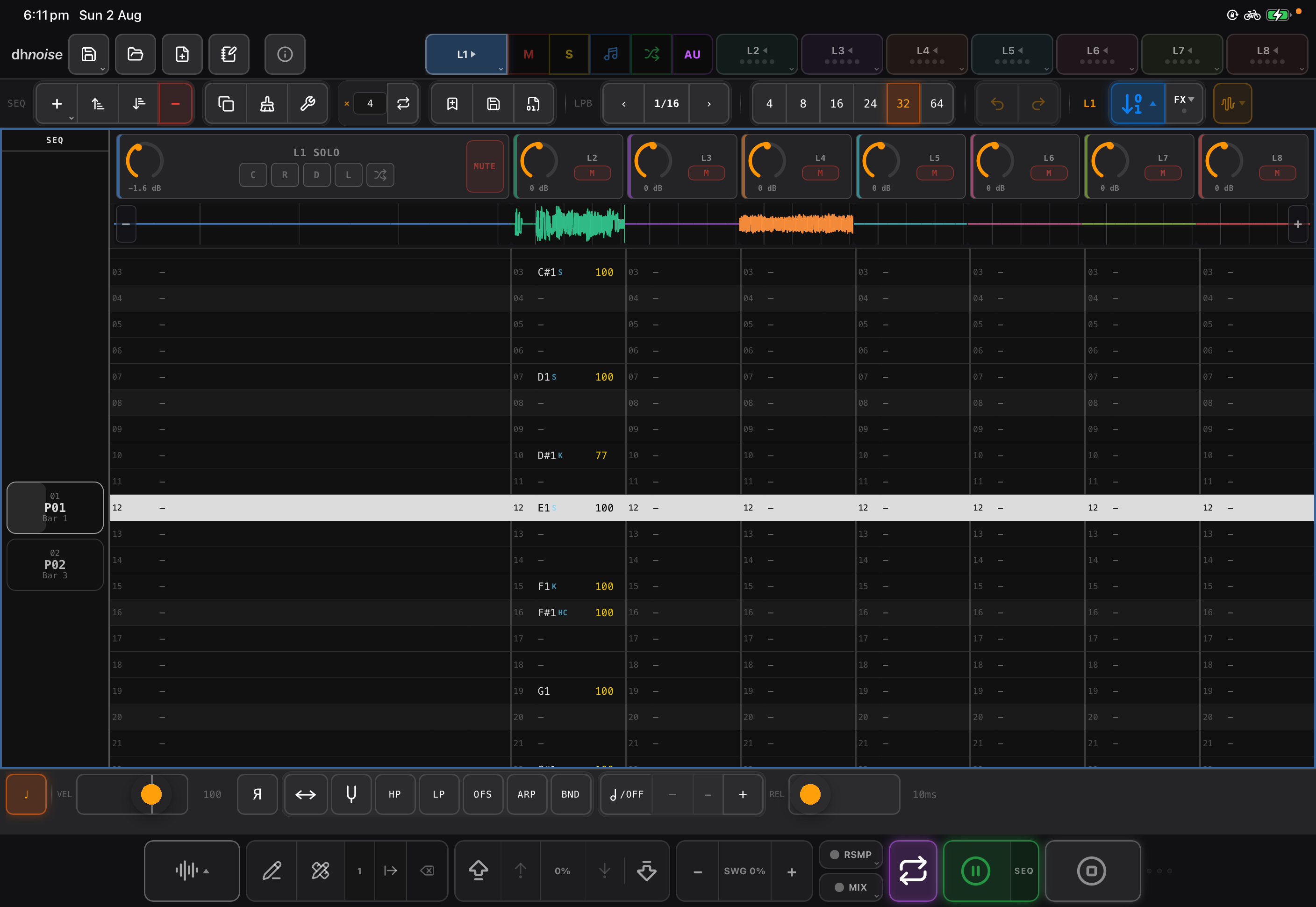
Will be submitted to Apple this week
love this feature, use it all the time in Drambo and have requested it in Koala also. so useful for leaving notes to your future self about to-dos, plans, or even just the scale/key you're using
OMG fabulous update @dblonde cant wait for it to drop. You have been busy!
Beautiful thing
Trackers Forever
Your app is tempting me to try a tracker - your tracker
Might as well start at the top of the platform’s tracker tier.
All of a sudden trackers are showing up in that AppStore, and great ones each into themselves.
But @dblonde you are doing something amazing here.
wow such a compliment and I thank you for that, to all of you who are using it.
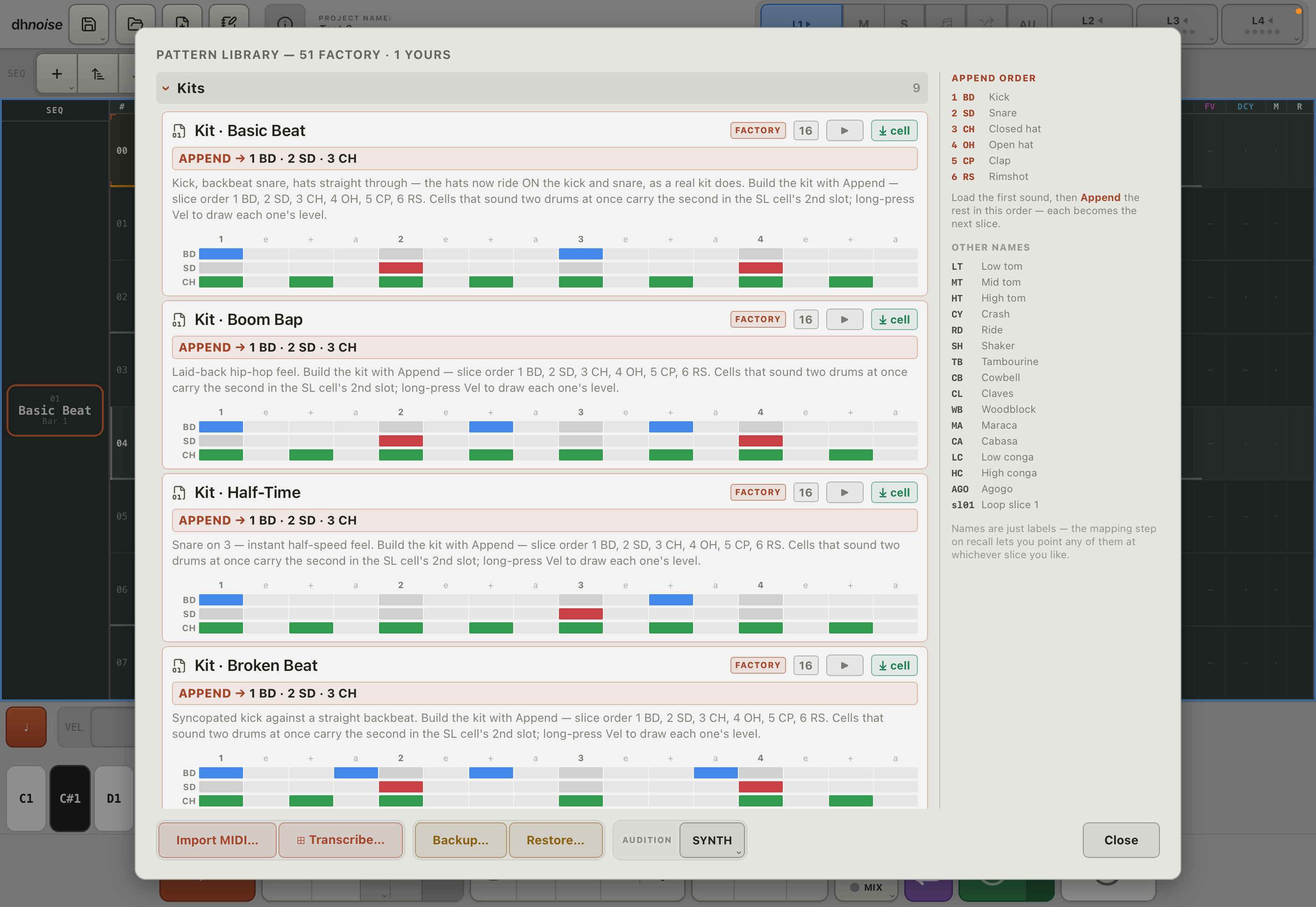
Theres another suplimental update coming that adds a library for drum patterns, but its tricky with IP for the beats so Im treading carefully.
Looking so good now! Do you use NAM for the amp sims?
oh gosh no, thats part of IP so I cannot. Its all EQ settings found on the internet and use the Apple AUs that are native within ios, the IR loader was added so user can add their own. I found a very good free one on the internet and load that for myself - its called "BD_CL_Telocastme"
Sweet update is out. @dblonde Thanks for adding multi folder support on iCloud that’s great.
I think NAM is licensed so that anyone can use it, which is why I asked. Looking forward to trying your amp sim out though!
If you add a png image to your sample folders they will load in the sample picker as a background image, makes looking through your samples more fun, you can add a familiar image to help you etc.
@dblonde
Probably finger problems but after selecting a AU instrument and having notes in the columns how do I trigger and HEAR the AU instrument. As it doesn’t appear as easy to just select an instrument press play and away you go ? Can you run through the steps ? I thought selecting the cross arrows button next to AU sorted it but that’s stopped working now !
Where’s the layers Mi ? Setting
Second can you add AU effects pre mix down or is it just post mix down ?
Thats a bug i also encountered yesterday and its from the update. What you need to do is save your project and then completely delete the app from your device. Then re-download and install. It should all be fine then. Im working on a fix at moment that looks at that update issue
The saved project will load fine. Mi is midi out - the cross arrows you already pointed to.
AU fx are only for sliced layers and not midi slots, you have to wait for that in a later update.
Sorry for the issues but I am looking into them since yesterday and have an update to address the update midi issue as we speak.
@dblonde Brilliant thanks for explaining.
I submitted what is hopefully the fix for the update disabling the Mi-midi out to the AU.
If anyone still has an issue the sure fix is to ensure you save your project and then delete/reinstall the app as that fixes things just fine.
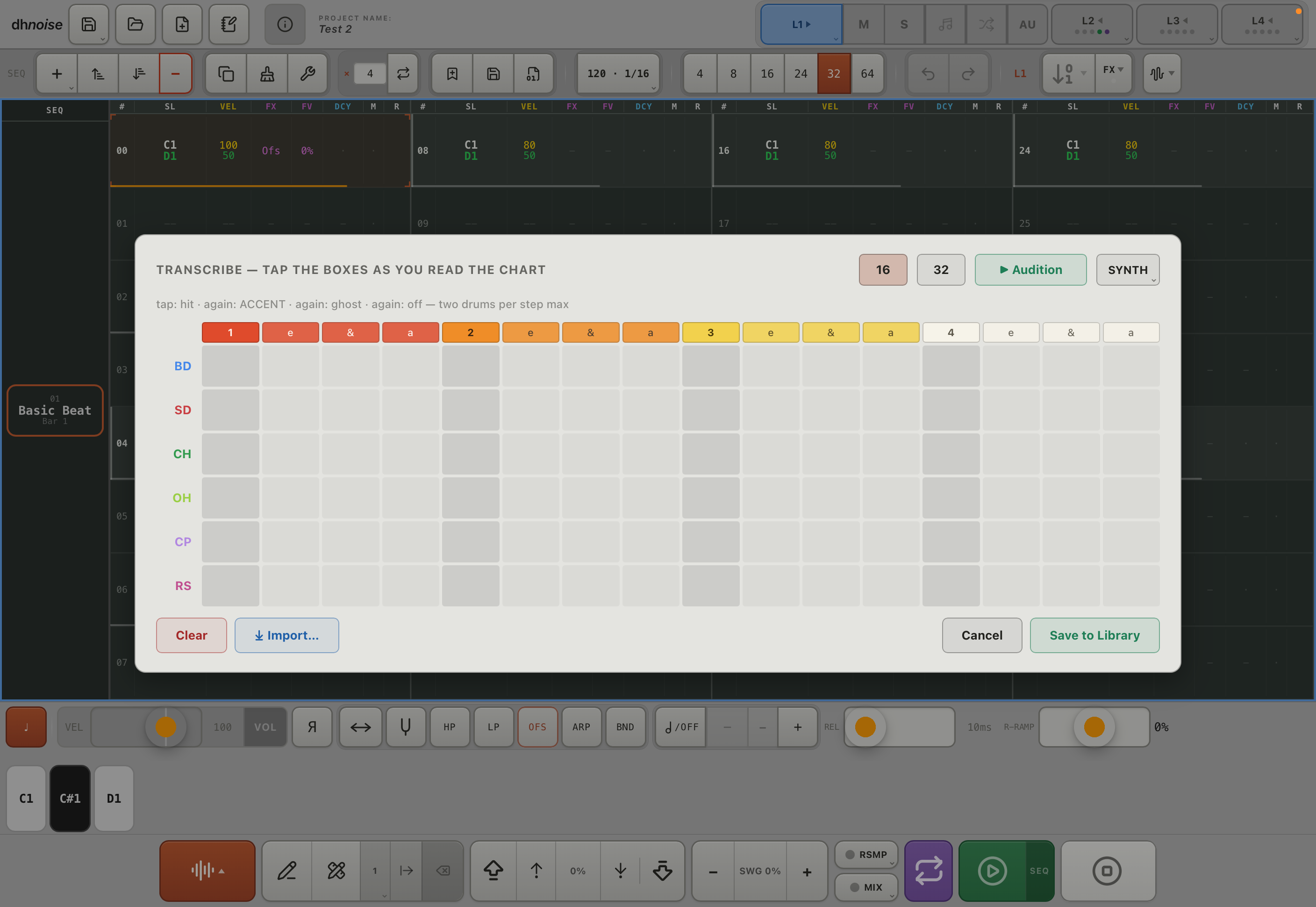
On another note this supplimental update also includes many more pattern templates and midi drum loop import - but it has some caveats but does work. Would be interested in some user feedback if you feel happy to take the time
New update nearly ready, just testing this week before submitting to Apple:

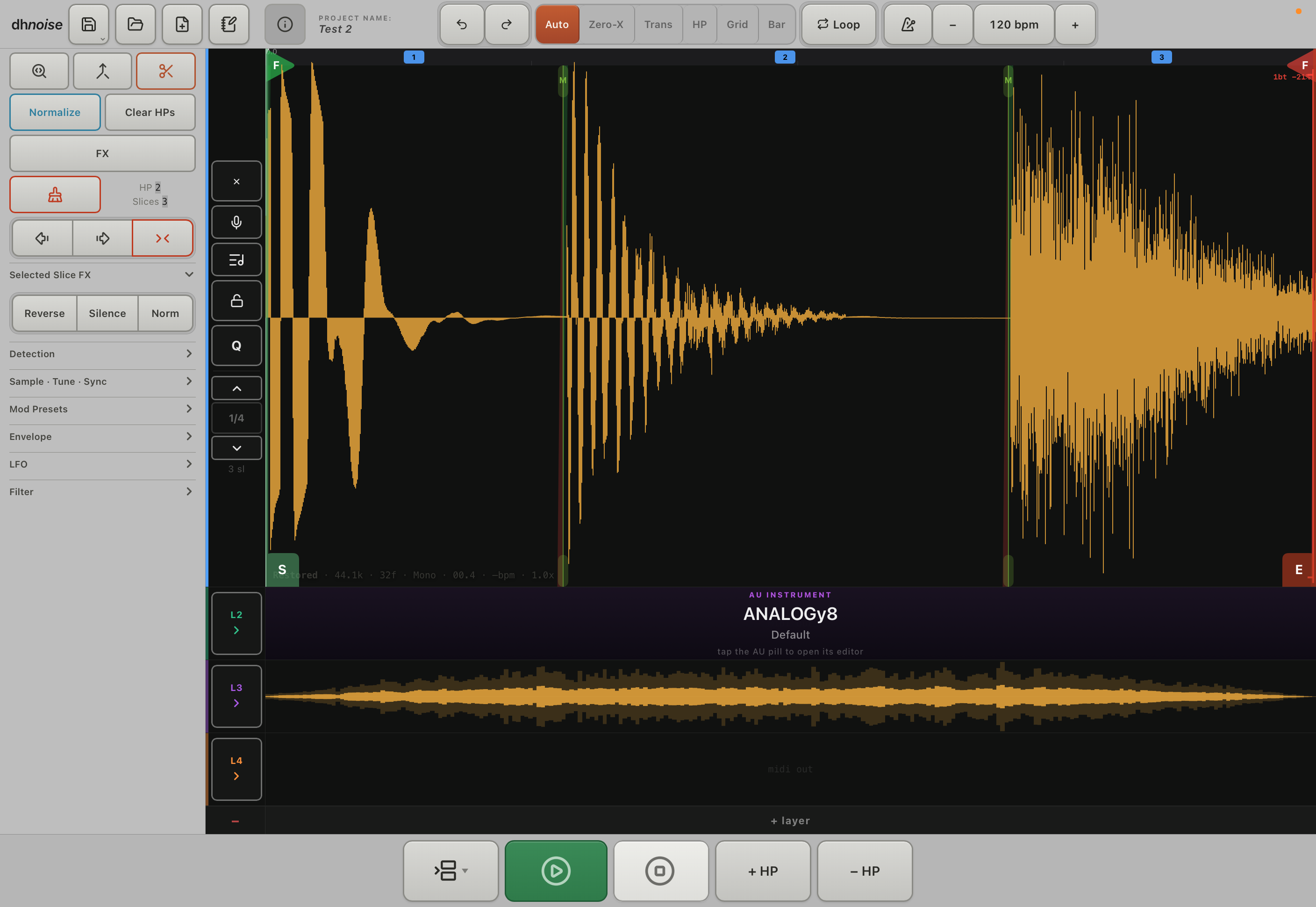
Many bug fixes and a UI toggle i have called redux.
New drum pattern library with native player built in and layer audition.
TUBS transcriber and drum midi file import.
Looks fab
almost 4 months later, still wonderful. The sample edition is top tier, and generally very homey and inspiring. Does what it does the way I like it done