Loopy Pro: Create music, your way.
What is Loopy Pro? — Loopy Pro is a powerful, flexible, and intuitive live looper, sampler, clip launcher and DAW for iPhone and iPad. At its core, it allows you to record and layer sounds in real-time to create complex musical arrangements. But it doesn’t stop there—Loopy Pro offers advanced tools to customize your workflow, build dynamic performance setups, and create a seamless connection between instruments, effects, and external gear.
Use it for live looping, sequencing, arranging, mixing, and much more. Whether you're a live performer, a producer, or just experimenting with sound, Loopy Pro helps you take control of your creative process.
Download on the App StoreLoopy Pro is your all-in-one musical toolkit. Try it for free today.
Comments
i’d love note repeat easily available for the whole sample bank at once. it’s buried a bit deep and only being able to use it on one pad at a time is a big limitation.
I’d like a toggle in the settings that kept the pads mapped to the same set of midi notes no mater the portrait / landscape orientation of the iPad.
Realtime Resample Loop so you can modify FX or synth parameters while it records - also the option to wrap the tail to get a seamless loop.
+1 to be able to set the key of a scale in the play surface. I know that doesn’t make sense for samples that can be tuned to who know what & I know you can retune synths. But now that you can control synths from the play surface it would save a LOT of time to not have to retune all software oscillators to play in tune. Plus that would remove the mental load of keeping track of “ok the piano roll says we’re in a minor, but really were in f# minor”
Yep. Surprising how annoying not being able to stop playback from the Sample screen is. If it’s just a UI design concern that’s stopping you @elf_audio , just have it out of the way in the bottom left area maybe? It could even be optional from the settings and not there for those who didn’t want it (everyone wants it!).
Agree with this as well, automation would be great. Maybe the ability to live record/playback touch interaction on parameters could be a way of doing it which would remain easy and user friendly?
Yes to that.
Anyone else think Koala's stem splitter needs improving? Logic Pro for iPad does a much better job.
Totally.. Logic is clean
Sometimes I like a few grungy artifacts on vocals etc but Logic is my go-to stem splitter, way better.
@drewinnit ,thanks!
Much appreciated!
I read one can change characteristics of one's voice. To myself, I hear a normal bass tone in my voice but when recorded it sounds very nasal. is it possible to change this??
Nothing really specific that koala does to de-nasalify a voice sound. More generally, you could try altering your singing technique or mic position, or use a different mic if one you’re using has a presence boost, you coun try to pull out some of the honk with EQ, but there’s nothing really koala specific that will help
Just seeing this for first time! What a great idea
Update
Piano roll notes match pad colors= fantastic! Arpeggiator!
Thanks, elf audio.
New update, with a HQ stem splitter and a few bug fixes
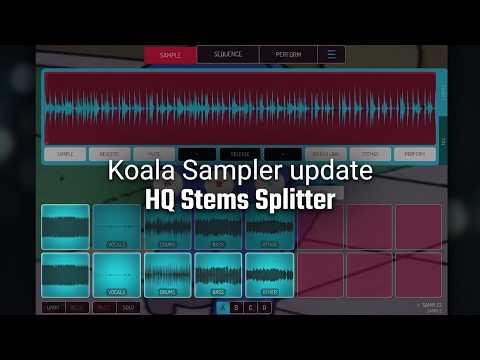
That's a great update, from the video seems it has improved a lot
That's a significant improvement, Koala keeps giving
Can someone please compare this stem export quality vs Wavebox? Is there a remarkable difference?
Using koala on a 9th gen iPad here. I’ve been unable to use the HQ stem separation, Even on a really small 2 second sample with all other pads clear, no other apps open, im crashing as soon as the HQ separation starts. Perhaps my device doesn’t have enough ram to load it. Anyone else on a 9th gen got it to load?
I'll tag @elf_audio to come take a look.
Yeah, it died after about 5 seconds on my 9th gen with all four splits enabled. It can handle splitting one track at a time though, even on a full length song.
Thanks for the workaround, @wim! I just tried that and yes the HQ single stem works for me too. The resulting stem is higher quality than the standard stem output. A lot less bleeding. Sounds great.
@Dav @wim pls update to latest koala (just came out in the last hour - version 2.0.11 - it has some memory improvements for the new stem splitter - basically offloading a bunch of memory to disk - 9th gen iPad has 3GB ram which used to be plenty, but stem splitting is a bit of a memory hog - pls lmk if you have better luck
Updated. It’s working great! No more crashing here. It split a 3minute song into 4 HQ stems. The output sounds fantastic. THank you!