Loopy Pro: Create music, your way.
What is Loopy Pro? — Loopy Pro is a powerful, flexible, and intuitive live looper, sampler, clip launcher and DAW for iPhone and iPad. At its core, it allows you to record and layer sounds in real-time to create complex musical arrangements. But it doesn’t stop there—Loopy Pro offers advanced tools to customize your workflow, build dynamic performance setups, and create a seamless connection between instruments, effects, and external gear.
Use it for live looping, sequencing, arranging, mixing, and much more. Whether you're a live performer, a producer, or just experimenting with sound, Loopy Pro helps you take control of your creative process.
Download on the App StoreLoopy Pro is your all-in-one musical toolkit. Try it for free today.
Comments
I’ve been leaving the NA IR Loader set at what I believe is its default level, around 2/3 of the way up. Depending on the amp capture, it may be important to adjust the output level of the NAM player.
I personally prefer NAM pedal much more than other NAM. It works just like on a desktop. If ou want to change , just go through your own library with the iOS file picker. No need to import stuff in batch inside the app. I think it is a much better way to keep your own library organised the way you want. It is just personal, but I hate to scroll through an endless list of profiles accumulated randomly inside the app's library. Studio camera, NamXt and gigfast all do this inner library , I am happy this NAM pedal doesn't.
This can be useful to gain stage visually to the grid especially on the desktop version where I think you can blend multiple IR. But the iOS version sticks to one IR, so I don't use and leave it in its initial position which I think is -12dB. I could use it but since I balance my IR blend in a summing stack inside logic i prefer to leave it untouched to keep a consistent workflow.
Thanks. I wasn't sure if I was messing with the impulse response itself since when I lower the increase the dB it shows the IR shape shifting up and down. Wanted to make sure I wasn't messing with the sonic character of the IR beyond adjusting the volume.
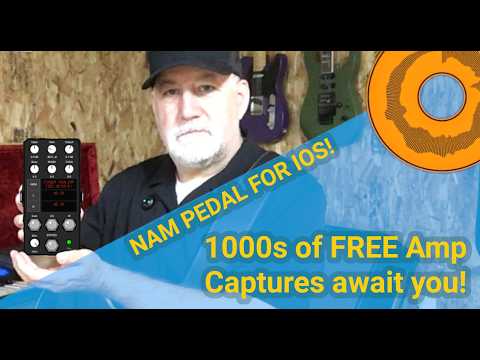
Video demo of NAM Pedal in loopy pro and a giveaway!
I saw these mentioned earlier in the thread and just had a chance to run through a few of them.
Blackstar Captures: https://www.tone3000.com/blackstaramps
These are incredible. I feel like I just downloaded several thousands of dollars worth of amps.
Yeah, they did a great job.
If you dig the Blackstar captures of the Artisan 15 and Artisan 30 you might want to check this guy's captures too. He went very deep
https://www.tone3000.com/redplatecaptures
Thanks! I’ll check those out this evening.
Sorry I might not be super informed but what is the advantage of this app over the NAM loader in studio camera? I only see that the UI is slightly different. Is there any other reason to switch?
The only added feature I can think of is the stereo IR loader. For me I like it better because the UI is nicer.
This app is no longer working for me as a standalone connection to the tone3000 site. It asked me for an email and then I have to enter a code every time which is annoying, but then once I get in no matter what I search for nothing is returned. Is anyone else having this problem?
UPDATE: I emailed the developer and he responded quickly and told me that the developers updated the API and that he’s aware it’s broken. He’s got a new version waiting for approval in the App Store.
Hey guys, ye, I also think it’s annoying having to enter the code everytime, in the past I had just a deeplink but Apple forced me to do this way because in their minds “you shouldn’t leave the app”, in the future I’ll add both options and feature flag it when it goes to AppStore reviews.
Speaking of AppStore review the version from the video is weeks being rejected by them asking silly requirements, but I guess it will be out next week. Tone 3000 guys changed the api so I had to fix it.
Regarding the internal library, I’ll model something that works great, I also think it’s a bit messy, specially when capture has multiple versions. Tkx for all the feedback.
Hi Rafael,
I’m loving the NAM Loader Pedal.
I have found one small but frustrating bug though. When I load a project in Loopy Pro, all of the knobs snap back to their centre positions instead of recalling their saved positions. I’d like to control the EQ using Loopy Pro widgets, but because the knobs reset to centre whenever the project is loaded, the saved settings aren’t restored correctly.
Would it be possible to fix this so the plugin recalls the last saved parameter values when a project is reopened?
That way my Widgets would be in their positions i last saved them in.
Video showing the bug:
Thanks for all your work on the plugins.
Cheers,
Andy
Possible workaround? Save an auv3 preset with your preferred settings. In loopy pro, menu->clip settings->follow actions->load project. Add a select preset action to load your preset.
Like Wadog said, the only way is working with presets. I don’t have much experience with loopy pro myself, but at least on host app the way to save and restoring auv3 parameters is thru presets.
Typically, when a host asks an AUv3 for its state information, the AUv3 will provide state info that the host can use to restore the state. Most hosts, including Loopy Pro, will ask each AUv3 for its state when they save projects. When they reopen projects, they will send each AUv3 a request to restore the state (and provide each AUv3 with the save state info). This should work whether using presets or not. If you need a copy of Loopy Pro to test your Auv3 with, send me a private message and I will set you up.