Loopy Pro: Create music, your way.
What is Loopy Pro? — Loopy Pro is a powerful, flexible, and intuitive live looper, sampler, clip launcher and DAW for iPhone and iPad. At its core, it allows you to record and layer sounds in real-time to create complex musical arrangements. But it doesn’t stop there—Loopy Pro offers advanced tools to customize your workflow, build dynamic performance setups, and create a seamless connection between instruments, effects, and external gear.
Use it for live looping, sequencing, arranging, mixing, and much more. Whether you're a live performer, a producer, or just experimenting with sound, Loopy Pro helps you take control of your creative process.
Download on the App StoreLoopy Pro is your all-in-one musical toolkit. Try it for free today.
Drambo - “visual extension” Lessons

Hi, could you help me understand VE and achieve results like this? 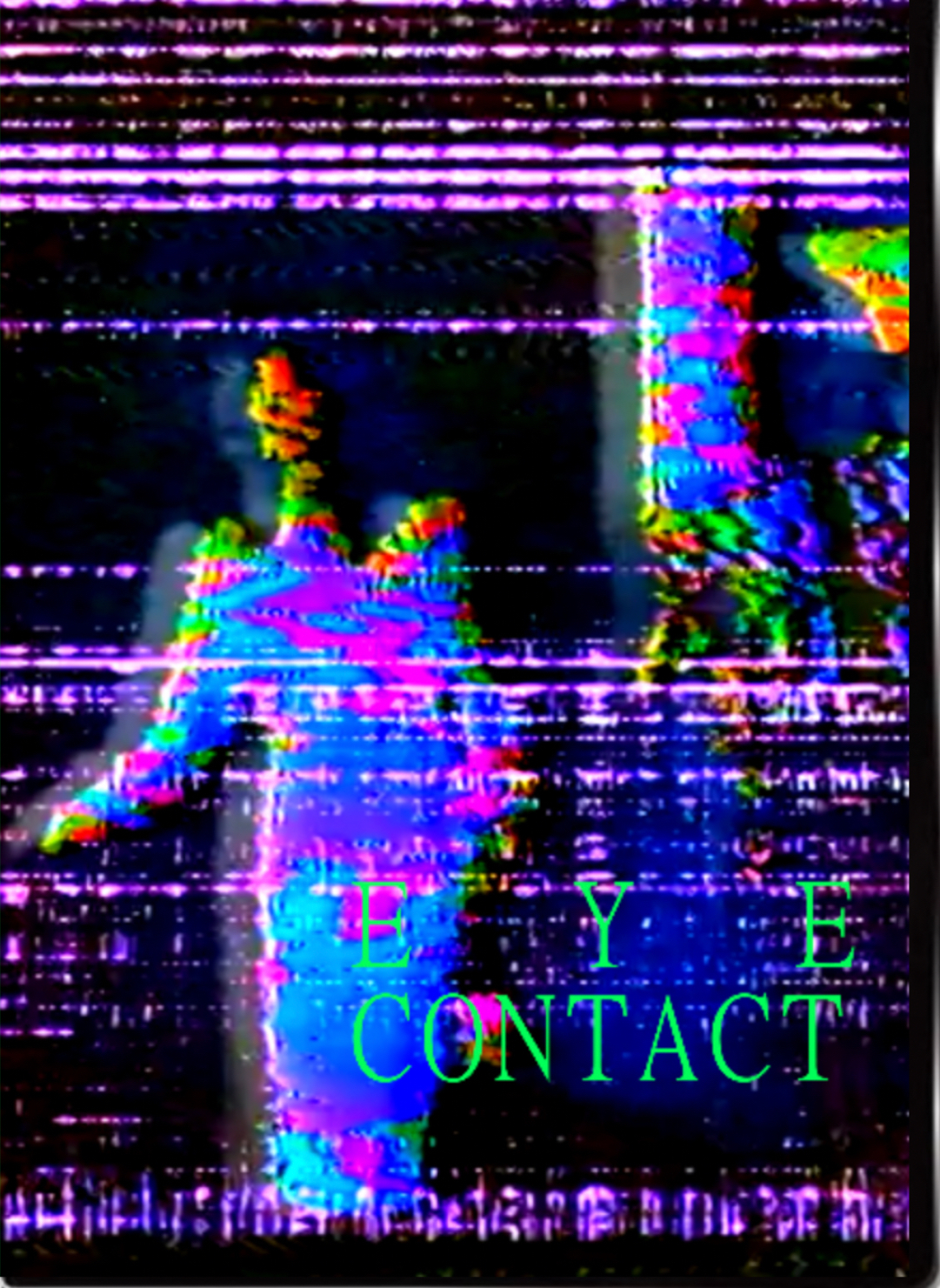
@bcrichards I can’t see XY transform for example in my extension (?)
I’m totally noob as it comes to Drambo and not sure how to connect those modules
Comments
Just from the look of it, it has a video module, then one or several shader processors after it for the glitchy part. Finally it has a text module (for the text, of course), and a mixer module to see both the shader effected video and the text overlay
There’s much more that can be done to make it more dynamic, that’s when you start using masks and modulating stuff (shader parameters/knobs) but that’s really the bare bones of it.
Overall creating something like that shouldn’t be hard at all, drambo would be perfectly capable of that and much more.
If you want I can try to work out a proof of concept you can toy with
@Mateusz
Here's the dRambo Visual manual
https://www.beepstreet.com/drambo-visual/drambo-visual.html
There are 42 Tutorials inbuilt into dRambo Visual which you can find in the Visual extension section.
Open up the Visual Rack presets and look for the folder Tutorials.
@pedro Yes, I would be very gratefull. But I don’t have original material..
This is just a quick half-arsed project I whipped out in a couple of minutes. Of course you can go much more sophisticated but the principle remains.
If you mean by original material, you don’t have any original videos to start with, there’s plenty of public domain videos you can mangle beyond recognition.
Like @gravitas suggests, the inbuilt tutorials would be a good starting point
Another variation:
Here is the first step. You can add a Text module and mix it in later using a Mixer module.
The final Shader module has the Color preset loaded. It generates only a solid color defined by Hue, Saturation, Brightness, and Alpha.
Next comes the core concept behind Drambo Visual: per-pixel modulation. The video output modulates the Hue, and the modulation is applied individually to each pixel. This creates an X-ray like effect.
I then added another Shader module with the “Binary Loader” preset to apply an additional layer of hue modulation.
And then when you are there, go wild, experiment freely, and try unexpected combinations. That’s the most fun part, and it really helps everything click sooner.
Play with different presets, modules, per-pixel modulations between them.
e.g. You can add Processor Shader / Transform to move, scale a texture, but then when you apply per-pixel modulation knob, the video can displace itself or can be displaced by it's processed version. In this example the video gets pixelated, but the pixelation is used only as a modulation source for another simple Transform preset.
You can do the same with Colors, Distortions, effects, use another video or shader to modulate processing presets. You can use many of them and stack different combinations.
Things can get wild even with just two simple modules. Below: two Shaders using the Mandala preset, the first modulates the scale and rotation of the second on a per-pixel basis. Feel free to modulate other params, like Speed or Glow or add a processor driven by the first Shader. (pity I can't post the video)
then try the Feedback rabbit hole:
Or drive 3D Shaders with Video texture if you like Aphex twin
Remember to learn Drambo first. Signal flow, sockets, color coding and modulations.
It takes just a little effort to get started, but the creation is truly yours. You’re not paying just to modify pre-made visuals and you don't need to code.
@giku_beepstreet Much love 🫶 , thank you for examples I will chew on and hopefully expand on.
Yeah, I found going through each of those helped me get my head around this a lot.
@giku_beepstreet How can I set feedback loop? And why sometimes movie freeze?
For example I don’t know how to use color processor. I get no effects. Tried various connections
Post your project, better yet, post it on beepstreet forum. It’s hard to give you a solid answer for such an open question. I mean, you tried various connections, but what connections?
Don't hesitate to write me a PM or email.
Feedback is like in audio - you put modules between Receive and Send modules, then connect Send to Receive. You can also use the Feedback rack module.
Colors - I suspect you mix Shader Kit with Texture processing. If you work with textures (not making a custom Shader), use the Processor Shader / Color.
I hope the manual explains this clearly, but your questions will also help me improve it.
For example here, Color Processor doesn’t work. I connected „in color” to any output from video and no results.
First: Feedback Receive comes first, then Feedback Send (feedback goes from Send to Receive). it’s the opposite of what you have in your picture.
Then the flow is:
Feedback Receive > Processor Shader > Feedback Send
In this setup, the Processor Shader receives only the feedback signal. Connect it to Video, and use Feedback Receive to modulate its parameters, or mix in some input earlier in the feedback loop. It's exactly like with audio feedbacks.
Warning, this is gonna blink and oscillate (thats natural with direct feedback like this). Use Processor Shader / Feedback / Time Average after processor shader to tame it.
Thank you @giku_beepstreet
Could you, when have some time, explain to me why I can’t get to work Color Processor?
The Color processor belongs to the Shader Kit library, it's a shader element, that should be used in the Shader Rack - shader works with it's own data types (I hope it's well explained in the manual). It's input is C not texture, it's also marked with 3 dots symbol (shader element). - say low level.
You need a Processor Shader / Color instead to work with texture input. - high level (easy and insant)
Oh, that’s useful to know, I don’t think I read that in the manual about the 3 dots? So, just to be clear @giku_beepstreet, the 3 dots seen here next to Mask mean that the module only reads/works with a code input (other shader kit element)?
I’m sorry I still don’t get it. Tried various connections and I have no control over color 😞
Do I need to use presets from color in shader section?
Yes, you will find the same RGBA Shift preset in the Processor shader / Color presets folder.
Just bumping my own question as it seemed to be missed by you @giku_beepstreet. Is that what the three dot symbol indicates?
Three dots mark every Shader Kit library module. These modules operate in a separate processing realm, designed for internal shader work. They can also be used to quickly extend existing Shaders.
Unlike the top-level library, which works with Texture signals, Shader Kit modules operate on shader data primitives such as masks (values), XY coordinates, and Color (C).
You can't connect Color (C) to Texture input. It needs to be processed within the Shader Rack, that reads color and turns it into a texture.
Great, thanks for the details @giku_beepstreet. Cheers.
Sorry, I feel dumb and I really want to get it. Nothing is happening whatever preset I use in color processor and however I connect it.
it should work when you kick out the color processor. the one with the 3 dots
So when can I use the color processor, I would like to use it. I’m confused
Inside the Shader, it's a shader construction element, not Texture processor.
You build shaders when you want custom low level processing.
For high level (textures) processing use Processor Shader it has exactly the same Color presets + more.
If you want to XOR 2 textures, like on your image, use Mixer/Combine module.
Thank you I understand it now better
@giku_beepstreet one thing that would help is some clarification about how exactly masks (V) and color (C) signals differ from the higher-level texture signal. V definitely seems to be a 2-dimensional signal, almost (but not quite?) a monochromatic texture, and C can be used to generate a texture like you mentioned above (and can be gleaned from the output of a Shader container being a C), but what's missing from it that doesn't make it texture?
It's explained in the manual: https://beepstreet.com/drambo-visual/shaders.html
V and C are not images themselves. They are values calculated for the pixel currently being processed: V is a single value, while C is a single RGBA color. Although these values can vary with XY and therefore form spatial patterns across the image, they are still per-pixel shader values. A Texture is the complete 2D image produced when the Shader evaluates all pixels and writes their resulting colors to its output.
Inside the Shader, for the current pixel:
XY > V > C > written into Texture at XY - then shader outputs the Texure
V = one number
C = one RGBA color
Texture = all the resulting pixels
Shader processor is a high level equivalent that works with entire texture. You will find corresponding Color presets in it.
But your doubts are a signal that I need to improve this description a bit.
Hi, sometimes I can add automation to parameter, and sometimes can’t. What is wrong, what am I doing wrong? Now I can’t
Another problem I’d like to solve. I added transition from A to B it shows movement on knob but it doesn’t move it position as should
Just PM’d you. I don’t think we should bump this thread constantly with detailed, lengthy discussions.”
Counterpoint: posting here teaches everyone who reads it, not just one person? Isn’t the whole point of this thread to give ‘visual extension lessons’?