Loopy Pro: Create music, your way.
What is Loopy Pro? — Loopy Pro is a powerful, flexible, and intuitive live looper, sampler, clip launcher and DAW for iPhone and iPad. At its core, it allows you to record and layer sounds in real-time to create complex musical arrangements. But it doesn’t stop there—Loopy Pro offers advanced tools to customize your workflow, build dynamic performance setups, and create a seamless connection between instruments, effects, and external gear.
Use it for live looping, sequencing, arranging, mixing, and much more. Whether you're a live performer, a producer, or just experimenting with sound, Loopy Pro helps you take control of your creative process.
Download on the App StoreLoopy Pro is your all-in-one musical toolkit. Try it for free today.
Comments
Out of curiosity, how do you render/mix/capture your audio? I quite enjoy Xequence but have mostly been using it for early sketching and composition and then exporting the MIDI which I use in a DAW. But am interested in other workflows.
@espiegel123 so far I've always hosted my sound generators in AUM and then just hit the Rec button on the master channel there, and then hit Play in Xequence... (there's no way for Xequence to do a "proper" offline mixdown because it doesn't know anything about the audio side).
I understand. Focus on the "Tracker" label and you miss the complete capabilities of what Alexander Zolotov has created:
a Musical Creation World that works on:
And has a feature list to boggle the mind:
and more ...
And it costs $6. You could get lost there and just switch to the
warmplace.ru/forum/
And stop buying more Apps.
He's going to look into making it an AUv3 too.
PS - His "Virtual ANS" synth for $6 is "wonder in a box". Not strictly musical but astral in scope: Convert colors in 2D to sounds. Paint universes of sound. Spray cans provided.
Yes but it's not pretty and gives us The Headache.
Fast tracker, A500 user here also...
Old times...Anyway.
I'm discovering this app, looking good...Got a couple of questions.
1.Does it respond to MMC ?
2.is there any part midi controllable ? I think about the loop point, that could be set on/off, the swing, muting tracks.
3.are you planning to add multiple loop points on the main timeline ? (that could be reach then by an external midi controller ?) a bit like patterns, where you may define number of looping, or set to infinite.
Thanks !
Thanks very much for this update. For me the light interface is much more pleasant to use.
I know I asked in the past about the chance of using glissando in « black keys » chromatic mode to do slides from note to note and was told it wasn’t possible; the strange thing is it worked in one track this morning, but I can’t replicate it. Is there something I’m missing?
And again - THANKS!
The combo of SunVox and Xequence is a pretty neat match.
Match the colours of Xequence and SunVox and it feels like the are 'built to be together'
I must be one of the crazy ones since I do not get a headache from SunVox even though my eyesight is degrading?!
(I can easily prepare the .sunvox files on my Mac using a big screen and dump the files to my iPad when needed).
SunVox is deep and not for everyone. There are 10 types of users, those who get it and those who don't...
Nice! I have more than a bit of admiration for anyone who can keep 'track' of that many tracks.
Everyone: There's a little bug in 1.7.4 which makes it think most MIDI files are "empty" and won't import them, so if you absolutely depend on MIDI file import, you should wait until 1.7.5 hits the store, which I'm uploading to Apple right now.
@Samu: by "headache" @JohnnyGoodyear might mean the modular approach, not the visuals? But yeah, while I admire Sunvox technically, that hanging on to the "tracker retro look" without anti-aliasing and retina resolution support is pretty... err... stubborn
@crony: Sorry, currently I have to say "no" to all of those... no MMC / other ways to control Xequence's UI via MIDI. Multiple loop points sounds interesting, but to be honest, there's sooo many sequencers already that are made for "live" situations... Xequence is really meant to excel at "normal" offline composition.
@purpan2: you're welcome! Glissando for black keys has not been implemented yet, if it worked for you for a brief moment, then that must be a bug
Doesn’t bother me at all and if I recall correctly higher resolution would increase screen render times. The 10’5 and 12’9 iPads are supported and can fit more on the screen but are rendered in non-retina. It’s 1/4th of pixels that need to be pushed compared to full retina.
For me I’d tather have more CPU free for audio processing than spend it on higher resolution graphics...
Then again, I prefer pixel art in favour of vector stuff anyway
My SunVox has the solarized color theme I configured for PC (and imported to my iPad, can't recall how lol). Doesn't exactly match Xequence on it's dark theme, but fits the ligth one
I see what you did there
That was fast! Thanks!
  (only 8 hours to go
  )
)
Anxious to get home from work and play with it some more
Lol. I’ve saved the file with the « bug » so ar least I can always repeat the dysfunction!
Now i'm thinking this is awesome. But imagine some tracks being controlled by Xequence, but at the same time, you trigger play on SunVox, so you can make use of tracker parameter effects...
Hope this is possible, but not sure if sunvox receives transport controls
One way to make use of the tracker effects is to use a MetaModule and trigger it from the main .sunvox file.
This way one can put the sample on the first step of the pattern inside the meta-module and when the main module triggers the meta-module the sample will play with the tracker effects
I would love to see an additional module similar to Renoise's phrases/instrument macros.
(ie. it's easy to create a 'pattern' in the instrument that is treated like a sample).
The most logical way to add this to SunVox would be a 'Pattern Module' that could be triggered with the MultiSynth module. But this is already how triggering the MetaModule works so I doubt we'll get a simpler way of doing this.
@senhorlampada If Apple is really fast, you should have the update by tonight
@purpan2 thanks for saving the MIDI file I guess it's fine though!
@Samu / @senhorlampada so far I haven't yet hit a situation where I would have needed the tracker effects, MIDI learning the normal module controls has been sufficient so far (except that one time when I wanted to modulate sample start via MIDI, but luckily NightRadio helped out immediately ) (if you haven't seen it, you can modulate sample start via MIDI by connecting a MultiSynth to the Sampler and the "Phase" parameter of the MultiSynth will actually control sample offset.
@SevenSystems , when do you plan for a host button? That would increase the ease of using Xequence within a host like AUM rather than clicking the home button all the time.
The Audiobus update will take care of that. In fact, it's already done in the current development version See here starting at 1:38
@SevenSystems do you have any more info about what the AudioBus integration should look like? Does it only mean the easier app switching or can we expect something more e.g.:
What is absolutely certain is app switching via the sidebar, and transport controls in the sidebar. State saving is also very likely. Transport is already "synced" via Ableton Link, the only thing missing there is Play/Stop sync. Which is also... slightly likely
Sounds great! Fingers crossed and thank you for your awesome work!
yes!
@Samu and @SevenSystems
Thanks for the awesome ideas
@SevenSystems I understand, but just the feature of MMC would be very useful, to slave Xequence in a busy AUM multiple iPads environment and would integrate perfectly my actual workflow
This is another crazy idea... (I really dig Pavel's videos on SunVox).
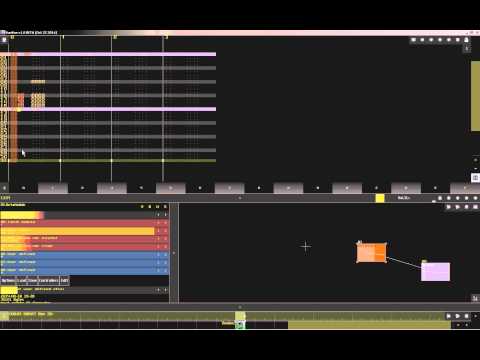
Pavel is a lovely beast.
I could watch all the YouTube videos in the world on SunVox and still be like. Huh. 😳
@SevenSystems Thanks so much for the light mode...much easier on the eyes. Is it possible to have an option for raising the size of the font also?
@coolout glad you like it! Increasing the font size would "in theory" be easy, but then you run into all sorts of problems with buttons not fitting in toolbars, etc... So in effect it would be a huge undertaking...
Understandable, but do you think you could maybe look at increasing the piano roll CC controllers' label and cc# sizes a bit on smaller resolutions? They are minuscule on my iPhoneX and, being dynamic, can be different on every track.