Loopy Pro: Create music, your way.

What is Loopy Pro?Loopy Pro is a powerful, flexible, and intuitive live looper, sampler, clip launcher and DAW for iPhone and iPad. At its core, it allows you to record and layer sounds in real-time to create complex musical arrangements. But it doesn’t stop there—Loopy Pro offers advanced tools to customize your workflow, build dynamic performance setups, and create a seamless connection between instruments, effects, and external gear.

Use it for live looping, sequencing, arranging, mixing, and much more. Whether you're a live performer, a producer, or just experimenting with sound, Loopy Pro helps you take control of your creative process.

Download on the App Store

Loopy Pro is your all-in-one musical toolkit. Try it for free today.

Tell me about your live setup / workflow!
Hello!

I am relatively new to the world of iOS music making, and while there are plentiful tutorials as to how to make use of the iPad in a studio environment, I'm struggling to find information as to how I can fit an iPad in to a live setting, which is a goal of mine. So, I'd like to ask - if you play live, what is your workflow like? Are there any apps you think are especially suited towards live performance? Anything you wish you knew when you were first starting out?

As for what I'm trying to do personally... I just got my iPad a couple of months ago and I've been having fun exploring various apps (Gadget, Loopy, Fugue Machine, AB3, various soft synths, etc.), along with a hardware synth I've been sequencing through Taipei in gadget, but I'm struggling to find a way to put them all together in a seamless "one take" manner. I see all these "iPad live jam" videos on Youtube but of course no one ever focuses on the screen itself so I can't see exactly how they're able to bring everything together. Thanks ya'll!

«1

Comments

  • Maybe try xequence to write everything to.

    Or add more hardware so ipad is an additional instrument.

    Add another ipad as a dedicated drum machine.

    Arrange on a desktop or laptop.

    Combine with recorded audio tracks.

    Add midi controllers.

    Or practice more so that you learn composition in the realms of ipad.

    Maybe a hardware drum or an app like Eg pulse that has song mode, along with xequence triggers and mutes.

  • Not sure if it helps, or if it's what you would want. But check this post, where MonkeyDrummer shared his approach to performance. https://forum.audiob.us/discussion/36084/my-ugly-baby

  • @senhorlampada said:
    Not sure if it helps, or if it's what you would want. But check this post, where MonkeyDrummer shared his approach to performance. https://forum.audiob.us/discussion/36084/my-ugly-baby

    Yeah, this is great stuff! I'd love to be able to make things like this live. But, I'm still left wondering how to actually do it? This user mentions something called MDP? I tried googling "MDP ios", "MDP music ios", etc. and I get nothing but rubbish.

  • @nabelnabel said:

    @senhorlampada said:
    Not sure if it helps, or if it's what you would want. But check this post, where MonkeyDrummer shared his approach to performance. https://forum.audiob.us/discussion/36084/my-ugly-baby

    Yeah, this is great stuff! I'd love to be able to make things like this live. But, I'm still left wondering how to actually do it? This user mentions something called MDP? I tried googling "MDP ios", "MDP music ios", etc. and I get nothing but rubbish.

    He's using Midi Designer Pro
    https://mididesigner.com/

    It's an app in which you can build your own midi controller interface.
    There are others in that style, like TB Midi (and I guess Lemur). But I don't know the differences :sleepy:

  • @senhorlampada said:

    @nabelnabel said:

    @senhorlampada said:
    Not sure if it helps, or if it's what you would want. But check this post, where MonkeyDrummer shared his approach to performance. https://forum.audiob.us/discussion/36084/my-ugly-baby

    Yeah, this is great stuff! I'd love to be able to make things like this live. But, I'm still left wondering how to actually do it? This user mentions something called MDP? I tried googling "MDP ios", "MDP music ios", etc. and I get nothing but rubbish.

    He's using Midi Designer Pro
    https://mididesigner.com/

    It's an app in which you can build your own midi controller interface.
    There are others in that style, like TB Midi (and I guess Lemur). But I don't know the differences :sleepy:

    Okay, thanks so much!

    @sigma79 said:
    Maybe try xequence to write everything to.

    Xequence looks really nice - is there a way to have looping scenes triggered on demand, similar to Gadget?
    To be honest I feel like I could do exactly what I’m looking to do in Gadget if it weren’t for the fact that you’re locked in to specific length bars in the sequencer.

  • Hey! AUM or Camelot pro come to mind. I’m not sure what exactly you want to do live but I’m using AUM as my rig where I can connect/combine a number of instrument and effect apps.
    Camelot pro looks like a good rig for keyboard players that want to perform prepared set lists.
    So to avoid switching back and forth between all your apps it helps to get a host app like the two I suggested. Hope that helps :)

  • edited December 2019

    Hey all, sorry to bump my old thread but I've believe I've found a solution that works but I want to run it by you all before I shell out the money on apps. It's the holiday season, money is tight, you know how it is...

    I was looking at this video in particular
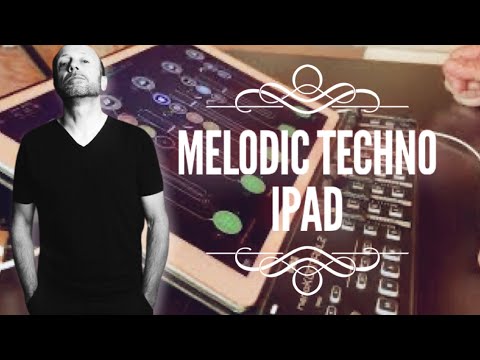
    and it seems like what he's done is used AUM to load in various Auv3 synths, drum machines, and effects, and then has them sequenced in to loops using Atom and Rozeta, which he can fade in and out on demand and adjust the cutoff and such with the nanokontrol, and that's the "jam". Am I understanding this process right? To be honest I still don't really understand the difference between AB3 (which I have) and AUM (which I don't), but it seems like AUM is the key here? Thanks!

  • You haven't given too much information about what you need.
    If you want to limit yourself to one iPad and external hardware and have everything Live-capable, I would rather go for Gadget. You prepare your songs and triggering scenes that start beat-synced is exactly what I would need live. Many people use AUM but as good as it is as a modular composition playground, as bad I find it for having an easy-to use clip launcher in front of you. There's a reason for many musicians relying on Ableton Live for doing live gigs and Gadget comes close to that.
    AUM also lacks one essential feature: Presenting the AUv3 plugin windows that you may have spent some time positioning on the screen to have the perfect live setup, especially sequencer windows. You save your project and the next time you open it, the window sizes and positions are gone.
    apeMatrix does better in supporting save and reload of the windows' setup and as long as you don't change your setup live, it might be the better option, although I'd prefer Gadget anyway.
    I have never needed clips with more than 8 bars length, I guess the request to be able to go over 16 bars in Gadget comes from people that prefer linear over pattern-based workflow but linear isn't a good way to support spontaneous arrangement decisions that you'll want when going live.

    Gadget can also record audio clips from your external gear, it's bare bones but it works.

    What kind of music are you going to use it with?

  • @rs2000 thanks for those insights re AB3 / AUM / apeMatrix

  • edited December 2019

    Hi, I use various keyboard apps (Ravenscroft for piano, Neo Soul Studio for Rhodes, Galileo 2 for Hammond, and various synths (still trying to choose the best as they all have issues for me - LayR, D1, Synthmaster One, Pure Synth, Factory etc). These apps are 'hosted' by AUM, and these are all controlled by a midi controller (which is actually another app called Midi Designer Pro on the same iPad). I have designed the interface on Midi designer Pro for my live use. I come out of the iPad via USB into a focusrite soundcard and out into the PA's. I hope this and the photo helps.

  • @rhaley said:
    Hi, I use various keyboard apps (Ravenscroft for piano, Neo Soul Studio for Rhodes, Galileo 2 for Hammond, and various synths (still trying to choose the best as they all have issues for me - LayR, D1, Synthmaster One, Pure Synth, Factory etc). These apps are 'hosted' by AUM, and these are all controlled by a midi controller (which is actually another app called Midi Designer Pro on the same iPad). I have designed the interface on Midi designer Pro for my live use. I come out of the iPad via USB into a focusrite soundcard and out into the PA's. I hope this and the photo helps.

    What is this?

  • Midi Designer Pro (MDP)

    @RUST( i )K said:

    @rhaley said:
    Hi, I use various keyboard apps (Ravenscroft for piano, Neo Soul Studio for Rhodes, Galileo 2 for Hammond, and various synths (still trying to choose the best as they all have issues for me - LayR, D1, Synthmaster One, Pure Synth, Factory etc). These apps are 'hosted' by AUM, and these are all controlled by a midi controller (which is actually another app called Midi Designer Pro on the same iPad). I have designed the interface on Midi designer Pro for my live use. I come out of the iPad via USB into a focusrite soundcard and out into the PA's. I hope this and the photo helps.

    What is this?

  • @rhaley said:
    Hi, I use various keyboard apps (Ravenscroft for piano, Neo Soul Studio for Rhodes, Galileo 2 for Hammond, and various synths (still trying to choose the best as they all have issues for me - LayR, D1, Synthmaster One, Pure Synth, Factory etc). These apps are 'hosted' by AUM, and these are all controlled by a midi controller (which is actually another app called Midi Designer Pro on the same iPad). I have designed the interface on Midi designer Pro for my live use. I come out of the iPad via USB into a focusrite soundcard and out into the PA's. I hope this and the photo helps.

    This looks great and very useful. Do you have the MDP template shared anywhere @rhaley ?

  • edited December 2019

    Its actually a large file as I use images to create the nice look, so too big to email generally. they are just knobs, slider and buttons, with a lot of shape (lines) and image elements to get it looking like this, but its purely cosmetic playing around :-)

  • @rhaley said:
    Midi Designer Pro (MDP)

    @RUST( i )K said:

    @rhaley said:
    Hi, I use various keyboard apps (Ravenscroft for piano, Neo Soul Studio for Rhodes, Galileo 2 for Hammond, and various synths (still trying to choose the best as they all have issues for me - LayR, D1, Synthmaster One, Pure Synth, Factory etc). These apps are 'hosted' by AUM, and these are all controlled by a midi controller (which is actually another app called Midi Designer Pro on the same iPad). I have designed the interface on Midi designer Pro for my live use. I come out of the iPad via USB into a focusrite soundcard and out into the PA's. I hope this and the photo helps.

    What is this?

    Did you do the template?

    Wow impressive.

    I have done some bluetooth controllers for apps with it but damn...shit is correct!

    Hat off

  • @rhaley said:
    Hi, I use various keyboard apps (Ravenscroft for piano, Neo Soul Studio for Rhodes, Galileo 2 for Hammond, and various synths (still trying to choose the best as they all have issues for me - LayR, D1, Synthmaster One, Pure Synth, Factory etc). These apps are 'hosted' by AUM, and these are all controlled by a midi controller (which is actually another app called Midi Designer Pro on the same iPad). I have designed the interface on Midi designer Pro for my live use. I come out of the iPad via USB into a focusrite soundcard and out into the PA's. I hope this and the photo helps.
    ![](https://forum.audiob.us/uploads/editor/8k/

    I was/am sooo tempted to make a photoshop background for my mixer thing, but I change it too often!

    Your’s looks really nice. Not sure why MDP is so god awful ugly ootb... the glow theme is just horrible and the backgrounds are from a 90’s 3D modeling app! :)

    Needs a basic, line based minimal theme...

  • Yep - most of the controls are 'classic'. No photo shop though, I just googled images of wood, vinyl etc. and use MDP 'image' control.

    @MonkeyDrummer said:

    @rhaley said:
    Hi, I use various keyboard apps (Ravenscroft for piano, Neo Soul Studio for Rhodes, Galileo 2 for Hammond, and various synths (still trying to choose the best as they all have issues for me - LayR, D1, Synthmaster One, Pure Synth, Factory etc). These apps are 'hosted' by AUM, and these are all controlled by a midi controller (which is actually another app called Midi Designer Pro on the same iPad). I have designed the interface on Midi designer Pro for my live use. I come out of the iPad via USB into a focusrite soundcard and out into the PA's. I hope this and the photo helps.
    ![](https://forum.audiob.us/uploads/editor/8k/

    I was/am sooo tempted to make a photoshop background for my mixer thing, but I change it too often!

    Your’s looks really nice. Not sure why MDP is so god awful ugly ootb... the glow theme is just horrible and the backgrounds are from a 90’s 3D modeling app! :)

    Needs a basic, line based minimal theme...

  • And like you - I change this all the time! - (I hate to add up the hours)

    @rhaley said:
    Yep - most of the controls are 'classic'. No photo shop though, I just googled images of wood, vinyl etc. and use MDP 'image' control.

    @MonkeyDrummer said:

    @rhaley said:
    Hi, I use various keyboard apps (Ravenscroft for piano, Neo Soul Studio for Rhodes, Galileo 2 for Hammond, and various synths (still trying to choose the best as they all have issues for me - LayR, D1, Synthmaster One, Pure Synth, Factory etc). These apps are 'hosted' by AUM, and these are all controlled by a midi controller (which is actually another app called Midi Designer Pro on the same iPad). I have designed the interface on Midi designer Pro for my live use. I come out of the iPad via USB into a focusrite soundcard and out into the PA's. I hope this and the photo helps.
    ![](https://forum.audiob.us/uploads/editor/8k/

    I was/am sooo tempted to make a photoshop background for my mixer thing, but I change it too often!

    Your’s looks really nice. Not sure why MDP is so god awful ugly ootb... the glow theme is just horrible and the backgrounds are from a 90’s 3D modeling app! :)

    Needs a basic, line based minimal theme...

  • Thank you

    @RUST( i )K said:

    @rhaley said:
    Midi Designer Pro (MDP)

    @RUST( i )K said:

    @rhaley said:
    Hi, I use various keyboard apps (Ravenscroft for piano, Neo Soul Studio for Rhodes, Galileo 2 for Hammond, and various synths (still trying to choose the best as they all have issues for me - LayR, D1, Synthmaster One, Pure Synth, Factory etc). These apps are 'hosted' by AUM, and these are all controlled by a midi controller (which is actually another app called Midi Designer Pro on the same iPad). I have designed the interface on Midi designer Pro for my live use. I come out of the iPad via USB into a focusrite soundcard and out into the PA's. I hope this and the photo helps.

    What is this?

    Did you do the template?

    Wow impressive.

    I have done some bluetooth controllers for apps with it but damn...shit is correct!

    Hat off

  • edited December 2019

    @rs2000 said:
    If you want to limit yourself to one iPad and external hardware and have everything Live-capable, I would rather go for Gadget. You prepare your songs and triggering scenes that start beat-synced is exactly what I would need live. Many people use AUM but as good as it is as a modular composition playground, as bad I find it for having an easy-to use clip launcher in front of you. There's a reason for many musicians relying on Ableton Live for doing live gigs and Gadget comes close to that.

    What kind of music are you going to use it with?

    This is all great stuff to consider. I had thought about just using Gadget along with Taipei because I agree a clip launcher is exactly what I need. But I find the setup would be too confusing for a live environment because I would have to have an exhausting amount of scenes to keep track of for every pattern variation I wanted to work with. I spent a lot of time looking for a midi clip launcher that would let me loop things independently - just have an easy to use bank of four drum patterns, four bass patterns, four lead patterns to mix and match for example - and I was surprised to find that such a thing doesn't really exist. If anyone knows of anything that would do this I'd love to be proven wrong.

    To answer your question I'm mostly interested in house and acid type stuff.

  • edited December 2019

    @nabelnabel said:

    @rs2000 said:
    If you want to limit yourself to one iPad and external hardware and have everything Live-capable, I would rather go for Gadget. You prepare your songs and triggering scenes that start beat-synced is exactly what I would need live. Many people use AUM but as good as it is as a modular composition playground, as bad I find it for having an easy-to use clip launcher in front of you. There's a reason for many musicians relying on Ableton Live for doing live gigs and Gadget comes close to that.

    What kind of music are you going to use it with?

    This is all great stuff to consider. I had thought about just using Gadget along with Taipei because I agree a clip launcher is exactly what I need. But I find the setup would be too confusing for a live environment because I would have to have an exhausting amount of scenes to keep track of for every pattern variation I wanted to work with. I spent a lot of time looking for a midi clip launcher that would let me loop things independently - just have an easy to use bank of four drum patterns, four bass patterns, four lead patterns to mix and match for example - and I was surprised to find that such a thing doesn't really exist. If anyone knows of anything that would do this I'd love to be proven wrong.

    To answer your question I'm mostly interested in house and acid type stuff.

    I also love and use gadget but in your situation you might want to look at Modstep.
    If you’re not to use the internal synth hosting it’s very stable and works great with outboard gear.

  • edited December 2019

    @nabelnabel said:

    @rs2000 said:
    If you want to limit yourself to one iPad and external hardware and have everything Live-capable, I would rather go for Gadget. You prepare your songs and triggering scenes that start beat-synced is exactly what I would need live. Many people use AUM but as good as it is as a modular composition playground, as bad I find it for having an easy-to use clip launcher in front of you. There's a reason for many musicians relying on Ableton Live for doing live gigs and Gadget comes close to that.

    What kind of music are you going to use it with?

    This is all great stuff to consider. I had thought about just using Gadget along with Taipei because I agree a clip launcher is exactly what I need. But I find the setup would be too confusing for a live environment because I would have to have an exhausting amount of scenes to keep track of for every pattern variation I wanted to work with. I spent a lot of time looking for a midi clip launcher that would let me loop things independently - just have an easy to use bank of four drum patterns, four bass patterns, four lead patterns to mix and match for example - and I was surprised to find that such a thing doesn't really exist. If anyone knows of anything that would do this I'd love to be proven wrong.

    To answer your question I'm mostly interested in house and acid type stuff.

    I have another idea for you.
    Have you thought about using a combination of the Launchpad app and Gadget?
    I say that because Launchpad has two features that make it a worthy consideration for live use:

    • Launchpad can join Gadget using Ableton LINK
    • Loops and samples in Launchpad can be started/stopped/triggered by the hardware Launchpad (Mini)
    • With loops in Launchpad alone you can already have a lot of variation in a song, have 48 buttons for 48 loops and keep Gadget free for the more advanced stuff.

    You can even go really bananas and have Launchpad sync with Gadget and, say Groove Rider, all on one iPad. I've just tried that with a guitar loop from Launchpad, a sliced breakbeat in Groove Rider and a bass line from Gadget. They all follow tempo changes nicely and you're free to use each app the way you find them best for doing the sounds of your choice.

  • @nabelnabel said:
    spent a lot of time looking for a midi clip launcher that would let me loop things independently - just have an easy to use bank of four drum patterns, four bass patterns, four lead patterns to mix and match for example - and I was surprised to find that such a thing doesn't really exist. If anyone knows of anything that would do this I'd love to be proven wrong.

    You want Genome. Oldie, but hands down best live performance midi sequencer and midi clip launcher on iOS. Multiple launch quantization options, midi binding etc.

  • Hey guys I Play Guitar, Had a lot of Real equipment with tubes And everything. Now I am working on my first iPad setup and am reading about apps and midi :# I had some pedals that supported midi but until now to me It was like when they put 9v battery In a delay pedal :) extra feature you never use
    So I got my new ipad air 3, irig pro and a blueboard and all I want for christmas isto do what is in the picture, using midi my garageband and audiobus, is it possible?

  • edited December 2019

    @MonkeyDrummer said:
    You want Genome. Oldie, but hands down best live performance midi sequencer and midi clip launcher on iOS. Multiple launch quantization options, midi binding etc.

    Yes! This is absolutely perfect. Exactly what I'm looking for. Thank you so much.

  • @nabelnabel said:

    @MonkeyDrummer said:
    You want Genome. Oldie, but hands down best live performance midi sequencer and midi clip launcher on iOS. Multiple launch quantization options, midi binding etc.

    Yes! This is absolutely perfect. Exactly what I'm looking for. Thank you so much.

    Happy to help. Shame it hasn’t been touched in years. Could kick ass with modern update. Well, more ass anyway.

    It’s ui and navigation can take a bit of getting used to.

    I found that the old skool apc40 pairs well with it as you can also control synths with all those knobs and use pads to launch clips.

  • @MonkeyDrummer said:
    I found that the old skool apc40 pairs well with it as you can also control synths with all those knobs and use pads to launch clips.

    Oooh, that's a tempting prospect. Just so I'm understanding it correctly, I could use a MIDI routing tool like AUM to have each column of buttons and faders control a different app?

  • @NemanzgbKaj said:
    Hey guys I Play Guitar, Had a lot of Real equipment with tubes And everything. Now I am working on my first iPad setup and am reading about apps and midi :# I had some pedals that supported midi but until now to me It was like when they put 9v battery In a delay pedal :) extra feature you never use
    So I got my new ipad air 3, irig pro and a blueboard and all I want for christmas isto do what is in the picture, using midi my garageband and audiobus, is it possible?

    Unless something has changed, garageband doesn't respond to midi control of the transport. There are other options of course. What are you trying to do exactly?

  • @nabelnabel said:

    @MonkeyDrummer said:
    I found that the old skool apc40 pairs well with it as you can also control synths with all those knobs and use pads to launch clips.

    Oooh, that's a tempting prospect. Just so I'm understanding it correctly, I could use a MIDI routing tool like AUM to have each column of buttons and faders control a different app?

    Yup.

    You'd use Genome's midi mapping to map the pads on the APC to the clips

    Then use AUM's midi learn for any exposed CC stuff for any au installed in AUM.

Sign In or Register to comment.