Loopy Pro: Create music, your way.

What is Loopy Pro?Loopy Pro is a powerful, flexible, and intuitive live looper, sampler, clip launcher and DAW for iPhone and iPad. At its core, it allows you to record and layer sounds in real-time to create complex musical arrangements. But it doesn’t stop there—Loopy Pro offers advanced tools to customize your workflow, build dynamic performance setups, and create a seamless connection between instruments, effects, and external gear.

Use it for live looping, sequencing, arranging, mixing, and much more. Whether you're a live performer, a producer, or just experimenting with sound, Loopy Pro helps you take control of your creative process.

Download on the App Store

Loopy Pro is your all-in-one musical toolkit. Try it for free today.

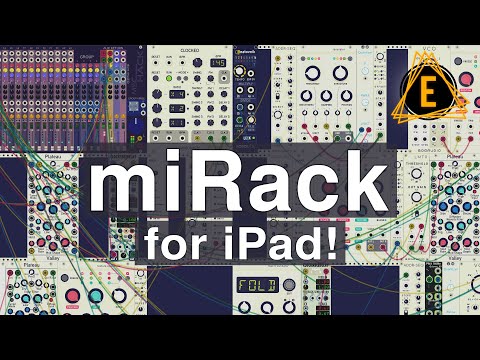
miRack by mifki Limited - Live!!!

1717274767781

Comments

  • @cian said:
    Omri Cohen's channel is good for understanding modular.

    Yehaa I really like his channel and I tell every beginner to go there to watch the early videos and specially the mutable instrument tutorials.
    Nowadays he use a lot of very new modules. I wish we could get the Vult modules, too☺️🙈.

  • @TheVimFuego said:
    I pronounce it AWESOME.

    Correct answer right here.

  • I pronounce it "addictive time-suck". (in a good way)

  • @DarkAum said:

    @GovernorSilver said:

    @Gavinski said:
    Thank you! That was my guess, like the pronunciation of xiaomi phones.

    So I see now that the youtubers I've watched on this so far have been in error, 😜. I'm finally getting ready to dip a toe in these virtual modular waters. Good to know that even though I don't know how to use this yet, at least I know how to pronounce it.

    Wow, given the expertise you've shown on your YT vids, I assumed you were already virtual modularing.

    It took me two weeks to go from zero virtual modular patching skills to this - I'm sure you'll get there a lot faster:

    Wow...I think I have to check the random sampler again and in detail 🙏🏽👍🏽🙏🏽

    Thanks for checking that out.

    I had to devote about a week to tutorial videos and manual reading on the Marbles module alone, because I was so confused at first. But after learning how to use it, I am a real big fan now of the genius behind the design of Marbles.

    I'm excited that mifki is taking a look into implementing more of the Marbles functionality in Random Sampler - namely the extra functions you get in Marbles when you hold down any of 4 particular buttons.

  • edited September 2020

    @mifki A port of Valley Audio's new module: Terrorform would be amazing.

  • 👆🏻 Yes please!!!

  • @GovernorSilver said:

    @Gavinski said:
    Thank you! That was my guess, like the pronunciation of xiaomi phones.

    So I see now that the youtubers I've watched on this so far have been in error, 😜. I'm finally getting ready to dip a toe in these virtual modular waters. Good to know that even though I don't know how to use this yet, at least I know how to pronounce it.

    Wow, given the expertise you've shown on your YT vids, I assumed you were already virtual modularing.

    It took me two weeks to go from zero virtual modular patching skills to this - I'm sure you'll get there a lot faster:

    I'll watch that later, thnx, looking forward to seeing what you have been doing. I'm far from any kind of expert on anything 😂, still have a lot of stuff to learn about absolutely tons of things, the channel is just me sharing what I learn as I go, I'm definitely not setting myself up as any kind of expert. But hopefully a few years or ten from now that might be a fair description.

  • The user and all related content has been deleted.
  • @wim said:
    I pronounce it "addictive time-suck". (in a good way)

    Equally true.

  • Just wondering does this need to be connected to the internet to use as was suggested in one review?

    And does it come with any presets? Thanks.

  • @Ailerom said:
    Just wondering does this need to be connected to the internet to use as was suggested in one review?

    And does it come with any presets? Thanks.

    You don’t need to be online to use it. Where did you see a review that said that?

    There are some example patches and there are quite a few more on patchstorage.

  • @espiegel123 said:

    @Ailerom said:
    Just wondering does this need to be connected to the internet to use as was suggested in one review?

    And does it come with any presets? Thanks.

    You don’t need to be online to use it. Where did you see a review that said that?

    There are some example patches and there are quite a few more on patchstorage.

    Great, thank you. The review was Electronisounds. He was quite specific about needing to be on line to use it but it is possible he was saying you can't save patches to the iPad. i.e. iCloud only.

  • About the 7.15 mark.

  • @Ailerom said:

    @espiegel123 said:

    @Ailerom said:
    Just wondering does this need to be connected to the internet to use as was suggested in one review?

    And does it come with any presets? Thanks.

    You don’t need to be online to use it. Where did you see a review that said that?

    There are some example patches and there are quite a few more on patchstorage.

    Great, thank you. The review was Electronisounds. He was quite specific about needing to be on line to use it but it is possible he was saying you can't save patches to the iPad. i.e. iCloud only.

    He was mistaken. He probably overlooked the preference for the default storage location (which can be overridden, too.)

  • @espiegel123 said:
    He was mistaken. He probably overlooked the preference for the default storage location (which can be overridden, too.)

    Thanks, appreciate the info.

  • Could we get the clouds clone with the parasites firmware? I‘m always confused when I used a clouds that only puts reverb on the granular stuff because I have forgotten that the original clouds worked that way. I need the clouds reverb on the „dry“ signal :)

  • The user and all related content has been deleted.
  • built some OK patches with interzone, where do I share it , Patchstorage?

  • @noob said:
    built some OK patches with interzone, where do I share it , Patchstorage?

    Patches are always welcome🙏🏽🖤🙏🏽

    https://patchstorage.com/platform/mirack/

  • @espiegel123 said:

    @Ailerom said:

    @espiegel123 said:

    @Ailerom said:
    Just wondering does this need to be connected to the internet to use as was suggested in one review?

    And does it come with any presets? Thanks.

    You don’t need to be online to use it. Where did you see a review that said that?

    There are some example patches and there are quite a few more on patchstorage.

    Great, thank you. The review was Electronisounds. He was quite specific about needing to be on line to use it but it is possible he was saying you can't save patches to the iPad. i.e. iCloud only.

    He was mistaken. He probably overlooked the preference for the default storage location (which can be overridden, too.)

    Dean pinned a comment that corrects him in that review video. He also explains that he got it wrong in the follow-up video at 0:56.

  • @Owgill said:

    @Owgill said:
    Was I dreaming when I saw The XOR Klee sequencer a few months ago? I updated to the latest version and I can’t find it anymore.

    Bump

    No I never added those modules.

  • @Ailerom said:
    Just wondering does this need to be connected to the internet to use as was suggested in one review?

    Just tested with iPad in Airplane mode. Nope. Still works.

    And does it come with any presets? Thanks.

    Yes there are presets

  • edited September 2020

    @GovernorSilver said:

    @Ailerom said:
    Just wondering does this need to be connected to the internet to use as was suggested in one review?

    Just tested with iPad in Airplane mode. Nope. Still works.

    However, after the last update or two, I cannot load any patches I made other than the one already preloaded into miRack.

    I made and saved a bunch of patches from working through tutorial videos. They all seem to have disappeared. The only patch I have left is the preloaded one which I saved. I did not update to IOS 14 yet.

  • @GovernorSilver said:

    @GovernorSilver said:

    @Ailerom said:
    Just wondering does this need to be connected to the internet to use as was suggested in one review?

    Just tested with iPad in Airplane mode. Nope. Still works.

    However, after the last update or two, I cannot load any patches I made other than the one already preloaded into miRack.

    I made and saved a bunch of patches from working through tutorial videos. They all seem to have disappeared. The only patch I have left is the preloaded one which I saved. I did not update to IOS 14 yet.

    Have you checked in your miRack folders both On my iPad and on the cloud drive. At some point, the default changed to cloud drive. I had a situation where I thought I had lost files, but it was because they were in the folder On my iPad rather than in the cloud drive folder which had become the default.

  • It's easy to save presets in the wrong folder since it defaults whichever folder you accessed last. I keep loading samples from somewhere else, then accidentally saving presets there. It'd be kind of nice if there was an option for a default preset save folder, but still the memory of the last folder used for sample loading.

  • The user and all related content has been deleted.
  • @espiegel123 said:

    @GovernorSilver said:

    @GovernorSilver said:

    @Ailerom said:
    Just wondering does this need to be connected to the internet to use as was suggested in one review?

    Just tested with iPad in Airplane mode. Nope. Still works.

    However, after the last update or two, I cannot load any patches I made other than the one already preloaded into miRack.

    I made and saved a bunch of patches from working through tutorial videos. They all seem to have disappeared. The only patch I have left is the preloaded one which I saved. I did not update to IOS 14 yet.

    Have you checked in your miRack folders both On my iPad and on the cloud drive. At some point, the default changed to cloud drive. I had a situation where I thought I had lost files, but it was because they were in the folder On my iPad rather than in the cloud drive folder which had become the default.

    I found the patches. I was initially confused because I couldn't find the miRack folder under "On My iPad", so I created a new miRack folder and saved my one patch there. Today, I looked again and now see two miRack folders. One of them has all the patches from before.

    No idea what happened.

  • edited September 2020

    -A search feature like in VCV rack could be welcome to find modules.
    -Can’t move multiple modules too 😟
    -Can’t save presets too, I know we can but it’s not really a presets but it’s a copy to past.
    -Bogaudio doesn’t have options like in VCV rack example volt range like in the screen capture.

    Thx in advance

  • @Owgill said:
    Thanks for letting me know @mifki. Would it be possible to add XOR’s modules’ one day?

    Yes please!

  • @Hkor said:
    -A search feature like in VCV rack could be welcome to find modules.
    -Can’t move multiple modules too 😟
    -Can’t save presets too, I know we can but it’s not really a presets but it’s a copy to past.
    -Bogaudio doesn’t have options like in VCV rack example volt range like in the screen capture.

    Thx in advance

    Improvements to module browser and to preset management are coming soon.
    Bogaudio will be updated to the latest version with all the options in a week or so.

Sign In or Register to comment.