Loopy Pro: Create music, your way.

What is Loopy Pro?Loopy Pro is a powerful, flexible, and intuitive live looper, sampler, clip launcher and DAW for iPhone and iPad. At its core, it allows you to record and layer sounds in real-time to create complex musical arrangements. But it doesn’t stop there—Loopy Pro offers advanced tools to customize your workflow, build dynamic performance setups, and create a seamless connection between instruments, effects, and external gear.

Use it for live looping, sequencing, arranging, mixing, and much more. Whether you're a live performer, a producer, or just experimenting with sound, Loopy Pro helps you take control of your creative process.

Download on the App Store

Loopy Pro is your all-in-one musical toolkit. Try it for free today.

Drambo by BeepStreet released

1959698100101110

Comments

  • @Max23 said:

    when u record p locks into patterns they always do exactly the same thing at the same time,
    that gets very repetitive quick, you can hear it looping.
    morphing is taking the sounds for a new walk out of the door everytime

    That's a really good analogy.

    I took the scenes for a walk this evening.
    The permutations are much more musical.

  • so this wave table is released.... does she have some cool presets or just a list of waves?

  • Those shortcut updates are really a low key life saver, also can’t wait to dive into the wavetable tonight. Incredible updates as always

  • O M G !! 🤣 🥳 🤪

  • There’s some really good presets :)

    It’s out!

  • @bcrichards said:
    There’s some really good presets :)

    It’s out!

    ty man!

  • It’s also now able to upload serum presets, which are wavetables you can find for free and for pay at many sample, preset, patch, production sites. They are all over.

  • Just a little side note: Serum presets that contain new wavetables are often in VST "fxp" or "fxb" format which can only be loaded with the Serum desktop synth. When you buy one of the packs, make sure the wavetables are actually available as WAV files as well ... or just buy Serum if you don't know anyone who could do it for you 😉

  • Mind blown. 🤯

  • @reasOne said:
    so this wave table is released.... does she have some cool presets or just a list of waves?

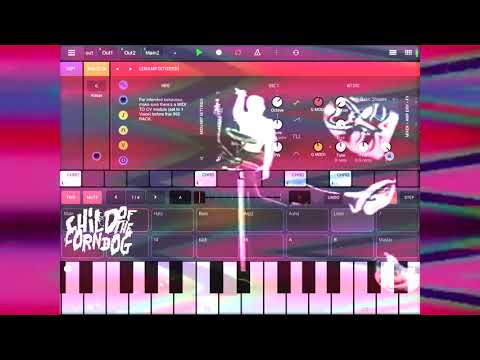
    Little jam with a few of the Factory presets 🏄‍♂️

  • Someone can explain me the new pattern feature of the flexi sampler? Thanks.

  • Flexi sampler starts with pattern and ignores gate input.

  • @Yalexein said:
    Someone can explain me the new pattern feature of the flexi sampler? Thanks.

    There are three pattern-related features: Clip launching, playback speed synchronisation and recording a perfectly cut loop.

    • Clip launching: Launch a clip at every start of a pattern without requiring a note on the sequencer so it's free for something else happening on the same track
    • Playback speed synchronisation: Make the sample length fit a fixed number of beats. If you load a loop with a certain number of beats, you can adjust its length on the Sync field and if you combine this with Launch = Pattern, the loop will always be re-pitched to stay in sync with Drambo's transport and bpm.
    • To record a perfectly cut loop: Switch to REC mode, choose the correct input source and set Sync = Pattern. When transport is running, hitting REC to start recording and hitting REC again to stop it will both be synced to the pattern boundaries. If you don't stop recording before the pattern has ended, Flexi will continue recording until you stop it before one of the next pattern boundaries.
    • If you hit REC while a loop is already loaded, Flexi will overdub this loop with the new recording. The original file won't be overwritten unless you explicitly save it under the same name.
    • The upper right "Sync" field on the recording page has no effect on the recording. Maybe it should only be shown on the playback page.
  • @giku_beepstreet Maybe the upper right Sync field should not be shown on the REC page?

  • @childofthecorndog said:

    @reasOne said:
    so this wave table is released.... does she have some cool presets or just a list of waves?

    Little jam with a few of the Factory presets 🏄‍♂️

    sweet! jamming now

  • edited November 2020

    So every time I open drambo, I am mesmerized by the beautiful ui. It's sleek, modern and appealing to the eye. I haven't really taken the time to dig in. Only created the most basic synth with it. With that being said I'm wondering if it's possible to create a juno 106/60ish project? I haven't kept up with all the additions. I thought at one point @giku_beepstreet had mentioned adding analog modules. Have they been added? Love TAL and would be great to "have it" on my phone.

  • edited November 2020

    @Yalexein said:
    Someone can explain me the new pattern feature of the flexi sampler? Thanks.

    There are three pattern-related features: Clip launching, playback speed synchronisation and recording a perfectly cut loop.

    • Clip launching: Launch a clip at every start of a pattern without requiring a note on the sequencer so it's free for something else happening on the same track
    • Playback speed synchronisation: Make the sample length fit a fixed number of beats. If you load a loop with a certain number of beats, you can adjust its length on the Sync field and if you combine this with Launch = Pattern, the loop will always be re-pitched to stay in sync with Drambo's transport and bpm.
    • To record a perfectly cut loop: Switch to REC mode, choose the correct input source and set Sync = Pattern. When transport is running, hitting REC to start recording and hitting REC again to stop it will both be synced to the pattern boundaries. If you don't stop recording before the pattern has ended, Flexi will continue recording until you stop it before one of the next pattern boundaries.
    • If you hit REC while a loop is already loaded, Flexi will overdub this loop with the new recording. The original file won't be overwritten unless you explicitly save it under the same name.
    • The upper right "Sync" field on the recording page has no effect on the recording. Maybe it should only be shown on the playback page.

    So it’s like having an automatic “gate” mode plus a note on the first step spanning the whole pattern. Very useful.
    But I can’t see a way to trigger or not per pattern, meaning it will go on forever during a project no matter the pattern. Right?. I wonder if there’s a way to have the sample play on some scenes but not others.

  • @tahiche

    But I can’t see a way to trigger or not per pattern, meaning it will go on forever during a project no matter the pattern. Right?. I wonder if there’s a way to have the sample play on some scenes but not others.

    Using mutes between scenes comes to mind.

  • edited November 2020

    Maybe a switch button > VCA after the sampler? You could lock the switch to different scenes, or simply lock the VCA value.

    @tahiche said:

    @Yalexein said:
    Someone can explain me the new pattern feature of the flexi sampler? Thanks.

    There are three pattern-related features: Clip launching, playback speed synchronisation and recording a perfectly cut loop.

    • Clip launching: Launch a clip at every start of a pattern without requiring a note on the sequencer so it's free for something else happening on the same track
    • Playback speed synchronisation: Make the sample length fit a fixed number of beats. If you load a loop with a certain number of beats, you can adjust its length on the Sync field and if you combine this with Launch = Pattern, the loop will always be re-pitched to stay in sync with Drambo's transport and bpm.
    • To record a perfectly cut loop: Switch to REC mode, choose the correct input source and set Sync = Pattern. When transport is running, hitting REC to start recording and hitting REC again to stop it will both be synced to the pattern boundaries. If you don't stop recording before the pattern has ended, Flexi will continue recording until you stop it before one of the next pattern boundaries.
    • If you hit REC while a loop is already loaded, Flexi will overdub this loop with the new recording. The original file won't be overwritten unless you explicitly save it under the same name.
    • The upper right "Sync" field on the recording page has no effect on the recording. Maybe it should only be shown on the playback page.

    So it’s like having an automatic “gate” mode plus a note on the first step spanning the whole pattern. Very useful.
    But I can’t see a way to trigger or not per pattern, meaning it will go on forever during a project no matter the pattern. Right?. I wonder if there’s a way to have the sample play on some scenes but not others.

  • @bcrichards said:
    There’s some really good presets :)

    It’s out!

    Ben... really really Love your videos. Very helpful. It sometimes seems like there is someone else in the room with you laughing at you though at times and you start to giggle..... 😂. Or maybe you are just high on Drambo!!!

    Thanks for all the videos!

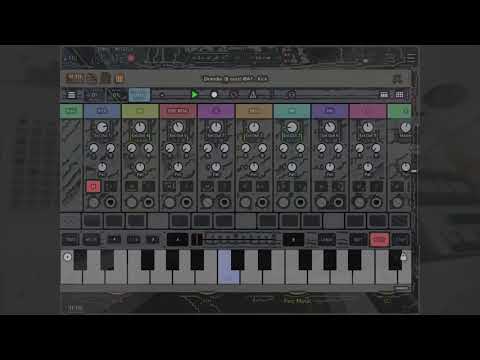
  • This is by far one of the best Drambo Tracks I've heard in a long time...
  • @Gravitas said:
    @tahiche

    But I can’t see a way to trigger or not per pattern, meaning it will go on forever during a project no matter the pattern. Right?. I wonder if there’s a way to have the sample play on some scenes but not others.

    Using mutes between scenes comes to mind.

    @aleyas said:
    Maybe a switch button > VCA after the sampler? You could lock the switch to different scenes, or simply lock the VCA value.

    I really don’t want to use scenes for this, to me it doesn’t make sense. I might be wrong but patterns should define what plays or not, whereas scenes are more like “modifiers”.
    So a pattern is something like “intro, verse, chorus”. That’s notes, samples.... Scenes in turn will do a rise, fills, cutoffs or modify the sound in any way.
    If I’m building a song mode, I switch patterns, not scenes. And switching both patterns and scenes to decide if a sample plays or not is confusing and doesn’t seem right.
    Could I add a p-lock note on a pattern to control the vca and mute/unmute the sample per pattern?. That might work but it poses additional issues like immediate pattern switching.
    I wish there was a p-lock condition for patterns, as there is for scenes. That would provide a way to play a sample in one scene but not another.
    All the above comes from trying to use a flexi sampler to play “stems”, as in a long audio file, like a guitar chorus... so I guess it’s pushing a sampler to use it in a manner that it’s not intended for. Comes down to “play this guitar intro file while in intro pattern, and this verse guitar file while in verse pattern”. Which sounds straightforward but it’s not. Everything’s fine with short samples but doesn’t work quite right with long files.

  • @tahiche said:

    You've actually described it yourself.

    You can do this already though it does require thinking ahead.

    I view ,'Patterns', as midi note or gate information.

    When I press a button or key that sound will play and is
    recorded in the Patterns using the sequencer or routed out
    to a multi timbral synth etc...

    'Change the Pattern, change the notes',

    Whereas ,'Scenes', store p-locking information or step automation.

    'Change a Scene, change the mix'.

    The thing with dRambo is that you can record
    automation in a ,'Pattern', as well as in the ,'Scenes'.

  • @Samu said:
    This is by far one of the best Drambo Tracks I've heard in a long time...

    that is very nice

  • @onerez thanks! Just laughing at my goofs and sometimes just giddy at a sound that comes out of this thing. Maybe the spirit of Drambo is in the room.

  • @bcrichards said:
    @onerez thanks! Just laughing at my goofs and sometimes just giddy at a sound that comes out of this thing. Maybe the spirit of Drambo is in the room.

    You're not the only one laughing to themselves whilst creating sounds.
    I do it all the time as well as quickly pulling the headphones or turning
    the volume down when a loud sound comes through.

    By the way I looked at your tutorial for the ,
    'feedback and receive', modules the other day and learnt a lot.
    It was the first tutorial I've looked at since starting ,'dRambo',
    though I have had plenty of assistance from @rs2000, @aleyas, @Max23
    and The Invisible Man over on the Beepstreet forum.
    @giku_beepstreet is for when I'm really grasping at straws.

    Thank you.

  • @Gravitas are all here to learn from each other. Thanks for sharing all of your knowledge on your awesome channel!

  • @Lil_Stu07 said:
    So every time I open drambo, I am mesmerized by the beautiful ui. It's sleek, modern and appealing to the eye. I haven't really taken the time to dig in. Only created the most basic synth with it. With that being said I'm wondering if it's possible to create a juno 106/60ish project? I haven't kept up with all the additions. I thought at one point @giku_beepstreet had mentioned adding analog modules. Have they been added? Love TAL and would be great to "have it" on my phone.

    Juno 106 was may first project when Drambo came out. Emulating my discontinued Epic Synth, which was a 106 clone. Was able to match the presets from that synth. Drambo has all the components: saw or pulse oscillator, PW modulation, single ADSR generator, applied to VCA and filter (optionally inverted), filter cutoff modulation by LFO and KB. What do you feel is missing from Drambo?

  • @uncledave said:

    @Lil_Stu07 said:
    So every time I open drambo, I am mesmerized by the beautiful ui. It's sleek, modern and appealing to the eye. I haven't really taken the time to dig in. Only created the most basic synth with it. With that being said I'm wondering if it's possible to create a juno 106/60ish project? I haven't kept up with all the additions. I thought at one point @giku_beepstreet had mentioned adding analog modules. Have they been added? Love TAL and would be great to "have it" on my phone.

    Juno 106 was may first project when Drambo came out. Emulating my discontinued Epic Synth, which was a 106 clone. Was able to match the presets from that synth. Drambo has all the components: saw or pulse oscillator, PW modulation, single ADSR generator, applied to VCA and filter (optionally inverted), filter cutoff modulation by LFO and KB. What do you feel is missing from Drambo?

    Analog filter with different models (soon). I would say the chorus is pretty close.

  • @uncledave said:

    @Lil_Stu07 said:
    So every time I open drambo, I am mesmerized by the beautiful ui. It's sleek, modern and appealing to the eye. I haven't really taken the time to dig in. Only created the most basic synth with it. With that being said I'm wondering if it's possible to create a juno 106/60ish project? I haven't kept up with all the additions. I thought at one point @giku_beepstreet had mentioned adding analog modules. Have they been added? Love TAL and would be great to "have it" on my phone.

    Juno 106 was may first project when Drambo came out. Emulating my discontinued Epic Synth, which was a 106 clone. Was able to match the presets from that synth. Drambo has all the components: saw or pulse oscillator, PW modulation, single ADSR generator, applied to VCA and filter (optionally inverted), filter cutoff modulation by LFO and KB. What do you feel is missing from Drambo?

    I don't think it's missing anything, I think I didn't have a reason to dig in. No goal. This might motivate me. Thanks for your reply! Very much appreciated!

This discussion has been closed.