Loopy Pro: Create music, your way.
What is Loopy Pro? — Loopy Pro is a powerful, flexible, and intuitive live looper, sampler, clip launcher and DAW for iPhone and iPad. At its core, it allows you to record and layer sounds in real-time to create complex musical arrangements. But it doesn’t stop there—Loopy Pro offers advanced tools to customize your workflow, build dynamic performance setups, and create a seamless connection between instruments, effects, and external gear.
Use it for live looping, sequencing, arranging, mixing, and much more. Whether you're a live performer, a producer, or just experimenting with sound, Loopy Pro helps you take control of your creative process.
Download on the App StoreLoopy Pro is your all-in-one musical toolkit. Try it for free today.
Comments
Have u seen this.... and it’s free for vcv, amazing modules, would love this for mirack.
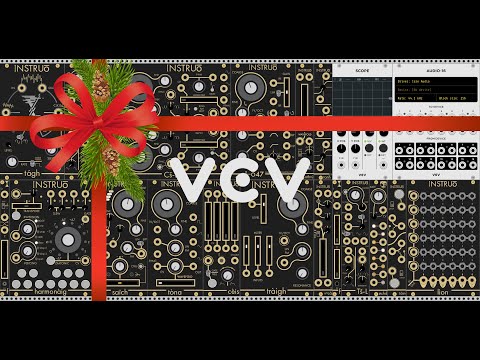
I saw this too, lovely stuff but I think they’re closed source, no arbhar either...
Yeah, Instruo on VCV is huge!
Maybe @mifki could get permission to convert them... it’s good marketing after all. Hope
I don’t think they will ever risk exposing the code for arbhar, it’s too good.
Yeah I’ll have a closer look at the license later, arbhar might not have been up there when I looked as well...
Amazing
I was wondering, does MiRack do polyphony? Is it planned?
They stated on Twitter that lots of stuff is in the future of miRack this year!
Ok. Interesting.
I asked because I see some new modules that I know have polyphony in vcv rack.
Time to download it again just to see how things are going
miRack already has multi (16) channels of audio out and multi channel of midi out.
I was thinking more in terms of VCV Rack and polyphonic cables, so you can send x number of notes to the same synth, etc
I believe it’s a fork of VCV before the license was made more restrictive, and at this point VCV didn't have polyphony. So MiRack would have to re-implement this while avoiding license infringement.
@MadGav : does that mean that MiRack will always be restricted to a subset of VCV? Even if some of the VCV racks use open source licencing?
@sambo I've just disappeared down a rabbit hole refreshing my memory of this, I’ll try to summarise...
VCV Rack 1.0 onward are GPL3 with exemptions, one reason being to prevent forking and selling. However previously the license was BSD which does allow this. So MiRack is a fork before this license change.
MiRack cannot duplicate new VCV Rack features added in 1.0 onward which includes polyphony. A new implementation of polyphony could be added, of course that would be far more work.
Thanks MadGav - I appreciate the reply - helps me understand a little about where things are with Mirack / VCV - I’m so impressed with Mirack and am gradually learning how to work with it. Knowing where the Mirack project stands gives me some additional impetus to go further. I guess we have to balance the limitations of Mono vs the way that Mirack is currently able to integrate so well with other apps in the iOS / MacOs environment.
Really interested to see how it will work on the new Apple M1 chips. Could be a game changer.
Excited to see what the updates for 2021 bring...
Shouldn't be forgotten that you can use multiple instances of mirack and one of the the poly-to-multiple mono utilities to turn multiple mirack instances into a polysynth.
I'm trying to get MiRack to sync with my hardware system - using Mirack in stand alone mode.
No matter what I try, I cannot get Clocked to respond to incoming midi clock.
I can get it to start, stop and reset (although it's a little fiddly.. lol)
I'm sending clock from an Elektron Digitakt (Yes, I checked it's settings to make sure it is sending midi clock).
I've tried over 5pin midi and USB midi, but the Clocked module just stays on 120bpm no matter what I do.
It' not actually syncing at all.
Anyone know of a video on this, or have any suggestions?
Thanks for reading!
@ junbug: With the app 'Midi Link Sync' I can get Mirack to sync to the DT's clock using the 'Stellar Modular Link' module. Obeying the DT transport start stop is a bit rough - it seems to operate 50% of the time - so would work in a studio but not live setting.
@ junbug: okay so this works in terms of sync and clock start stop. Midi Link Sync sets the tempo for both Mirack and the DT. And everything starts stops with the Run button on the CLOCKED. DT set to slave mode - cant get it to reliably act as a master in this context though.

So there is no way to sync BPM without using an extra app? That's a workflow killer and not stable. No other options?
I'm able to do it without issue other than MIDI Clock jitter. Set the midi input clock 1 rate to 24 PPQN, then ress the Mode button in the Clocked module repeatedly until you see P24.
Honestly though, sending the midi clock to Audiobus and then letting Audiobus bridge to Link is better. Audiobus does clock smoothing quite well, and presents no stability problems at all.
Thank you for your help!
I see what you mean about the clock jitter now! Whoa~!
It's following tempo for me now, though - really appreciate the help!
It doesn't seem to stop when I press stop on the Digitakt now though...

Does it matter if i'm using 5pin midi, not USB midi?
Do you have midi input Run patched to Run in Clocked? Try toggling "Momentary RUN input" from the menu in Clocked.
Sorry, just guessing here. My external midi clock I was testing with isn't available at the moment.
Ultimate advice though is just to use use Audiobus. You'll be much happier I think.
Among the many advantages is excellent clock smoothing and adjustable timing offset per app/hardware.
Really appreciate the help! Thanks!
No problem. If Momentary RUN doesn't fix it for you, let me know and I'll bust out my hardware and see if I can remember how I had it working. It definitely works some how.
Elektron gear heads recommeded to me to reverse the sync, ie have AUM be master, and send the clock to my Analog Four, and Mirack/samplr/drambo... My initial thought would be to have the hardware clock run things but i will see if this is an easier and more robust solution.
wim is correct.
DT: set as clock master sending Stop / Start transport to Mirack
Audiobus: set DT as midi clock sync source using usb midi
Mirack: have Audiobus set in midi input module. Set Clocked to 24ppqn as per wim's suggestions. Start goes to Run on Clocked Stop goes to Reset on Clocked. The jitter is visually noticable but sonically seems okay. At least the DT's transport now controls the Mirack Clock.
I think Midi Link Sync might have less jitter though but I'm not sure the DT's transport works in that configuration.
I read in the thread sometime ago that the bluetooth connection din't work and it seems it is still broken.
My favourite ios app, thanks for the great work
Yes, that is probably the best way. The sync to miRack and Drambo should be perfect if they're hosted in AUM. I can't say for the sync to Samplr, but probably others can comment. Sync out from AUM should be pretty good. With iOS and hardware, it seems best to have iOS be the master. However, many people don't want to do that. In that case, using Audiobus as the clock to Link bridge is ideal.