Loopy Pro: Create music, your way.
What is Loopy Pro? — Loopy Pro is a powerful, flexible, and intuitive live looper, sampler, clip launcher and DAW for iPhone and iPad. At its core, it allows you to record and layer sounds in real-time to create complex musical arrangements. But it doesn’t stop there—Loopy Pro offers advanced tools to customize your workflow, build dynamic performance setups, and create a seamless connection between instruments, effects, and external gear.
Use it for live looping, sequencing, arranging, mixing, and much more. Whether you're a live performer, a producer, or just experimenting with sound, Loopy Pro helps you take control of your creative process.
Download on the App StoreLoopy Pro is your all-in-one musical toolkit. Try it for free today.
Comments
In the update from a few days ago the key is now saved with the song.
Yes, I noticed that - cheers Mike @wim
Koala update. Riker Sample generator
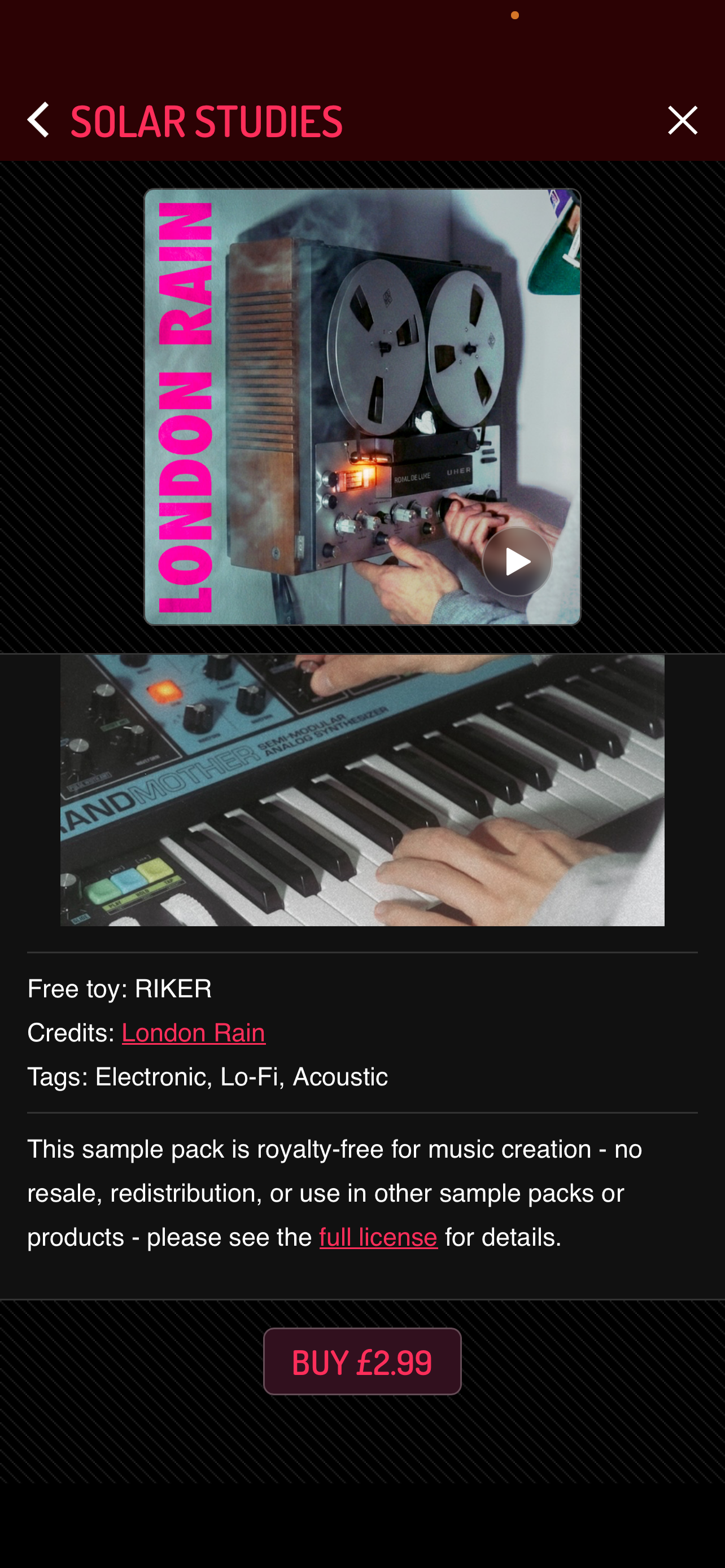
Riker just made koala my favourite noise/ drone synth on iOS
it started as a reverb algorithm gone wrong
Koala itself? Or do you mean the Riker sample gen?
Lol! I instabought the pack. Koala is indispensable for my Ambient workflow. ❤️ I feel a self-imposed "Koala Only" challenge coming soon. 😂
You should do it!
Bet! 😎 Next piece I make once I return to music making (currently on sabbatical) will be Koala-only Ambient.
Could I be so forward as to add another twist to your challenge?
Do tell, mate.
I was thinking to join you on this one, since I'm on break for another week.
So if you're game, I call it "The Negative Space Challenge".
Rule: at least half the piece has to be carried by leftover sound: no new notes, just decay, drift, and resonance.
Interesting. I'll see what I can do. 😎
Knowing you and your work - I'm sure it will be epic.
Gotta love the happy accidents!
Haven't tried Riker yet, but here's a 4 flips demo of the sample pack
I’m really enjoying this Riker included with Solar pack. And I know it’s a “toy”, but I wish you could save presets of knob settings. Taking screenshots is a work around I suppose. Really cool feedback/dub stuff!
Anyone still triggering Koala via koala pads and using Drambo midi feedback to record to Drambo sequencer.
Since Koala added pads can send midi.
Dosent seem like you can use Drambo feedback module because of midi feedback echo.
So adding midi out to Koala pads actually makes it so you cant midi out now but you could when it didnt have this functionality.
Is there a shortcut/hack/workaround for changing the attack and release parameters for all the pads at once? Otherwise, adding a little attack/release individually for, say, a 64-pad set would be a colossal pain.
Using Loopy Pro.
The AUV Attack Softener managed to do an ok job with the attack, but the release still cuts off.
Maybe there’s a Mozaic patch that can to this at the MIDI level rather than the audio.
Thanks!
I'm setting Goals up to work with my old Nanokontrol2 like this:
But I'm having trouble with the momentary/toggle settings for play and record.
Still works for me! I’m not using the new midi instrument in koala though. Have you tried using different midi channels for those?
If you press and hold EDIT you can select multiple pads. You can then adjust the parameters for all of the selected pads together, either on the touch screen or by midi mapping to the parameters.
I just bought a midi controller called the Synido Tempo Pad C16, to use specifically with Koala. It’s very cool. Lots of options to midi map pads/knobs/faders to Koala parameters. However, I can only figure out how to map to the Vanilla/Strawberry effects, and I want to map physical knobs to the knobs in the other fx…the ones in the drop down menu in the bus channels (that you get with the Mixer IAP, I believe). Anyone know why these aren’t mappable? @elf_audio
The other thing I want to know is why can’t I map the A/B/C/D bank change buttons to buttons on my controller? It’s bizarre. I can play all 64 pads by changing to the relevant bank on the C16 controller, but the screen on the ipad stays on whichever bank is selected - so I have no visual reference for the pads I am playing. I’m triggering fairly long samples, in a kind of sound collage, and I need to see the names of the samples. Of course, I can press the button on the ipad to switch the view, but that kinda defeats the object! @elf_audio
Any recommendations on setting up a guitar fx chain using AUv3s in Koala? Something like:
Electric Guitar -> Audio Interface -> GtrEQ -> Silver Bullet -> EchoFlower. Is that doable?
These are only available as keyboard shortcuts and can't be midi mapped. I use a Novation Launchpad X. They can map to keystrokes. (also works on the Launchpad mini). Literally just finished setting up with the keyboard shortcuts and It's good. I midi mapped the pads and can also use them in keyboard mode. Just mapping keyboard shortcuts - I'm using like 28 pads. Very powerful combo.
So if you got a 2nd hand Launchpad X or mini bluetooth keyboard/keypad that would be a good addition to your setup.
Thanks @dmori . I actually heard back from Marek earlier today - apparently there are some cool updates regarding midi mapping on the horizon.
However, I don’t exactly understand what you mean. I just bought one of these:

So, what’s the difference between this and the Launchpad/keyboard/keypad that you’re referring to?
The only workaround I’m finding is loading AUM and routing audio to Koala via AudioPipeline, then adding those fx on a bus in koala. Am I over complicating it?
Great, can't wait to see some of these midi updates.
If you go to Settings > Extras in Koala there is a QWERTY Map (keyboard shortcuts for different functions)
Now I mainly use Koala standalone now, I decided to change my Launchpad template to use the QWERTY shortcuts.
Launchpads can do MIDI CC and QWERTY shortcuts.
Here's my Koala setup on the Launchpad X
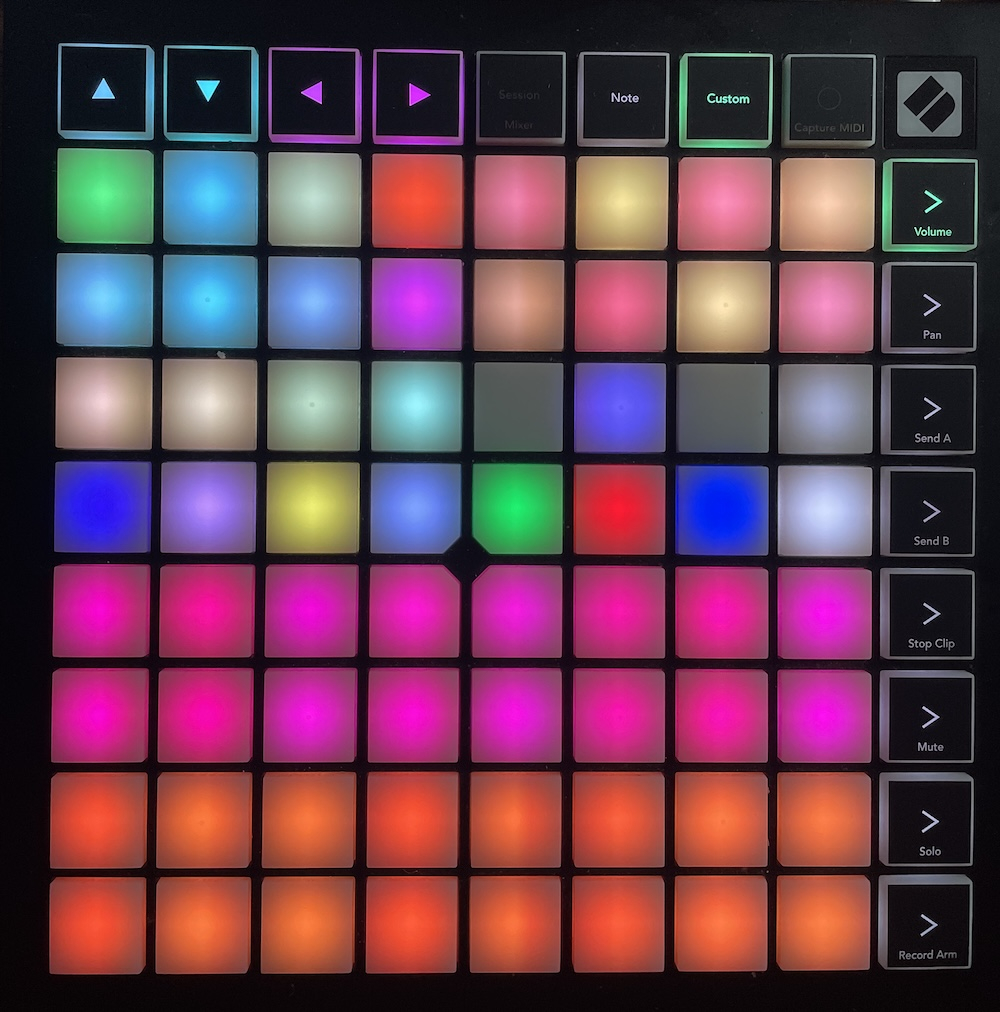
Rows 1/2 = Bank A
Rows 3/4 = Bank B
These are midi mapped to notes. Change Octaves to access Banks C/D
The rest is mapped to things in Koala, like keyboard/sample browser/left/right arrows/previous/next bank / first 8 sequences etc...
The only other things I kept midi mapped is play/record as I want them as toggles so I can see it.
The Synido looks ideal for Koala with the sliders and knobs. Hopefully his update will make all the difference for you.
Eh? You should be no reason not to be able to route your audio interface directly into Koala. Have you checked the audio settings?
Alternatively, you can add Koala as an FX in AUM, but of course can't use AUv3 plugins in Koala when it's running as a plugin.
Right, I can route it in, but how do I get live audio from my input to route through fx before hitting record? I see I can add the effects on the busses in the Perform tab, and I see my interface. But can I only apply bus effects after I record a guitar part to a pad? If that’s the case you would only hear the direct input before it goes to your effect bus, so only dry signal.
My ultimate question is: can I route the interface input to a bus and preview the effect chain?