Loopy Pro: Create music, your way.
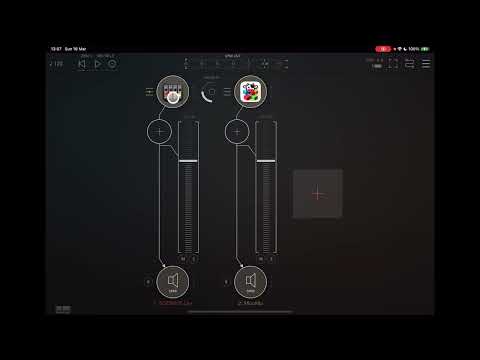
What is Loopy Pro? — Loopy Pro is a powerful, flexible, and intuitive live looper, sampler, clip launcher and DAW for iPhone and iPad. At its core, it allows you to record and layer sounds in real-time to create complex musical arrangements. But it doesn’t stop there—Loopy Pro offers advanced tools to customize your workflow, build dynamic performance setups, and create a seamless connection between instruments, effects, and external gear.
Use it for live looping, sequencing, arranging, mixing, and much more. Whether you're a live performer, a producer, or just experimenting with sound, Loopy Pro helps you take control of your creative process.
Download on the App StoreLoopy Pro is your all-in-one musical toolkit. Try it for free today.
Comments
Fun it is. And thanks for letting iOS 16.x sneak through the door. And thanks for the manual, very helpful for this Modular challenged user.
Great tutorials. When you midi map to a knob, you don't see it refelected on the screen right? It works fine tho besides that, or am I trippin? No biggie. I am loving this and actually I thanks you for allowing a lower bit rate as my iPad is old! That way I can add more mayhem and modules. In a dream world I/d rock 48 but for now I like the lower bit rates. Cheers, keep us old iPad users alive haha! I still have rebirth and it's a godsend even with all the wonk. I Think this app may be on the list of 'uber dope modulars. Maybe some small graphical bells and whistles, but that's least important. Do the cables do multi stacking ins and outs? Like 2 cables into one input etc? Cheers!
I am trying to replicate the issue. The only way I can get a low sample rate is when I have a Bluetooth headset connected. With no external sound cards connected, I only get the option of 48 kHz.
Are you still getting this issue with no devices connected?
I am currently working on two finger pan and zoom, to improve the current experience. This is what's currently on my desk, as it still needs a bit more polish and testing before I can release. A lock button is a good idea; it's an idea that was implemented in an early version and shall be reinstated.
I am hoping to get these features added to the beta testing in the next few days. If you would like to be added to the list of testers, please DM me an email address.
I agree that the graphics could do with some sparkle, and it's on my list. I am currently prioritising functionality and issues reported by users, but it shall happen.
Currently, only outputs can be stacked. Stacked inputs are a good idea and have recently become available in other modular synths on the desktop, these are also on my to-do list. Currently, if you want to send two signals to an input, you can use an "Alpha Mixer" to mix the signals before sending them to the destination.
Thanks for checking this. The problem has solved itself. I don’t know what happened but after another iOS update the 48K sample rate came back.
Just me having an impromptu session, where I make an FM drone.
Sickness, such a cool synth your rollin.
Just out of curiosity how easy are the leads to attach/detach? I have a few apps that have modular function like this and the leads are often very finicky for an old geezer like me.
@Ailerom
The leads can be attached and moved by simply dragging the end of the lead. The next update, due in a few days, also has an option to lock the cables to stop any accidental changes while navigating the patch. When connecting cables, the ui shows an enlarged socket when your finger is close enough to make the connection.
And the capture area? I find I struggle to grab leads on some apps.
It's about 1.5 times the size of the visible port.
That seems like it might be a tad easier to grab. Thanks.
MooMu has just gone on Sale, was $12.99 now $9.99
You can grab Moomu today on the App Store:
https://apps.apple.com/us/app/moomu/id6738391665
Not quite sure if someone mentioned it earlier on,
but it seems that the minimum iPadOS is now 13.0.
That worked out nicely. I was about ready to give a try so what better time than right now.
-update- The UI is excellent. Wires are the easiest to grab I can recall using.
just picked it up. Pretty impressive so far, and a steal at the price. Looking forward to learning this puppy!
Jade Star Music has just done a review on YouTube:
New tutorial just posted:
New tutorial just dropped
MooMu has just had an update.
Here is a tutorial on the new Analyser module, along with the updated Scope module:

You can grab Moomu today on the App Store: https://apps.apple.com/us/app/moomu/id6738391665
We are still looking for votes for PatchStorage: https://patchstorage.com/requests/moomu/
Doug, from The Sound Test Room, has just posted an overview of MooMu
On sale until the end of May
Latest MooMu tutorial: AM and RM sounds
You can grab Moomu today on the App Store: https://apps.apple.com/us/app/moomu/id6738391665
We are still looking for votes for PatchStorage: https://patchstorage.com/requests/moomu/
Upcoming interview with Jade Star:
Nu-Trix the Synth Guy has started a series of tutorials using MooMu .
Would I be able to set MooMu up to be a straightforward MIDI controller in AUM? What would a patch in AUM look like with an XY pad sending MIDI CC out to other synths?
Its On sale too!
Hey Z, I have never learned to use MooMu but, reading this, I wonder why you'd want to use it if you want an xy pad sending midi cc to other synths? Do you have Bram Bos Rozeta Suite? It has a handy little XY module, along with many other modules, perfect for that task.
I do have Rozeta - I forget a lot of tools in that suite exist. Part of the reason I’m asking is simply to learn a bit more of MooMu. I like the keyboard in it and want to see what kind of control I can pull from it.
Maybe @Curlymorphic has a quick answer. I’ll report back if I figure anything out.
MooMu works get in host apps like AUM etc. as a midi controller.

I learned how to set it up watching this video