Loopy Pro: Create music, your way.

What is Loopy Pro?Loopy Pro is a powerful, flexible, and intuitive live looper, sampler, clip launcher and DAW for iPhone and iPad. At its core, it allows you to record and layer sounds in real-time to create complex musical arrangements. But it doesn’t stop there—Loopy Pro offers advanced tools to customize your workflow, build dynamic performance setups, and create a seamless connection between instruments, effects, and external gear.

Use it for live looping, sequencing, arranging, mixing, and much more. Whether you're a live performer, a producer, or just experimenting with sound, Loopy Pro helps you take control of your creative process.

Download on the App Store

Loopy Pro is your all-in-one musical toolkit. Try it for free today.

KiraStudio by BleuBleu OU

2

Comments

  • edited February 8

    Is there a way to switch generator. Eg. I have a track set to play triangle. Can I quickly audition other generator types or change the generator? It seems to me I'd have just add another generator and then delete the old one. Is that the only way to do this?

    Edit: Load button works for importing midi files. Still awaiting info on whether you can quickly switch through different generators

  • edited February 8

    I’ll see if I can answer some of the questions that people posted here, but I’m a bit busy right now.

    Both FamiStudio & KiraStudio have quite active Discord servers, if you guys are interested. The dev, Mathieu / matbleubleu, is also pretty active on there since that’s where they share development updates. There’s still much less members on the KiraStudio discord since it’s new, so you may be able to get more help in the FamiStudio one.

    I’m not sure if they know this forum exists lol. FamiStudio came out in 2019 but only came to iOS last year.

    FamiStudio:

    https://discord.gg/QRCMe595Pv

    KiraStudio
    https://discord.gg/Pbzw2Cwsb6

  • edited February 8

    After playing around a bit with the desktop version of KiraStudio, I have to say I’m a bit disappointed that they tied each channel to only using one instrument/preset. My favorite part of trackers and tracker-influenced software (like FamiStudio) is being able to assign a different instrument/preset to each note in a pattern. Kind of like program changes but more intuitive in FamiStudio due to the visual indicator of piano roll notes being color-coded by instrument.

    Although I guess this is aimed less at chiptune/tracker purists and more at people more acquainted with how traditional DAWs work.

    Edit: On an unrelated note, I love how 2 of the 5 demo songs are the main theme of Celeste and the main theme of Mega Man Battle Network 6. Probably 2 of my favorite games of all time lol.

  • edited February 8

    .

  • @Gavinski said:
    Is there a way to switch generator. Eg. I have a track set to play triangle. Can I quickly audition other generator types or change the generator? It seems to me I'd have just add another generator and then delete the old one. Is that the only way to do this?

    This is something I’ve noticed as well that doesn’t seem to have translated well from FamiStudio.

    The NES basically has a specific “generator” (to borrow KiraStudio’s terminology) for each channel, so this limitation made some sense in FamiStudio. The original NES* had 2 dedicated channels for square, one for triangle, one for noise, and one for samples. Additionally, the only parameters you control are volume & pitch (& pulse for the square channels), and envelopes for these could be saved separately and easily assigned to different instruments. I guess that’s why switching “generators” never really came up as a problem in FamiStudio.

    With the expanded list of sound-shaping tools for each generator in KiraStudio, however, it does seem to be kind of a pain in the ass. At the very least, the 4 basic waveforms should totally have been combined into one generator that let you switch waveforms easily. They mostly share the same controls anyway.

    *Some Japanese games had expansion audio chips that added more channels to the NES (e.g. saw, fm, more squares). One of them is even a kind of wavetable synth. These expansion chips are also available in FamiStudio.

  • @thecalimaki said:

    @Gavinski said:
    Is there a way to switch generator. Eg. I have a track set to play triangle. Can I quickly audition other generator types or change the generator? It seems to me I'd have just add another generator and then delete the old one. Is that the only way to do this?

    This is something I’ve noticed as well that doesn’t seem to have translated well from FamiStudio.

    The NES basically has a specific “generator” (to borrow KiraStudio’s terminology) for each channel, so this limitation made some sense in FamiStudio. The original NES* had 2 dedicated channels for square, one for triangle, one for noise, and one for samples. Additionally, the only parameters you control are volume & pitch (& pulse for the square channels), and envelopes for these could be saved separately and easily assigned to different instruments. I guess that’s why switching “generators” never really came up as a problem in FamiStudio.

    With the expanded list of sound-shaping tools for each generator in KiraStudio, however, it does seem to be kind of a pain in the ass. At the very least, the 4 basic waveforms should totally have been combined into one generator that let you switch waveforms easily. They mostly share the same controls anyway.

    *Some Japanese games had expansion audio chips that added more channels to the NES (e.g. saw, fm, more squares). One of them is even a kind of wavetable synth. These expansion chips are also available in FamiStudio.

    As someone who's used to aum, tbh this kind of limitation is a bit of a deal breaker for me, mega pain in the ass!

  • @Gavinski said:

    @thecalimaki said:

    @Gavinski said:
    Is there a way to switch generator. Eg. I have a track set to play triangle. Can I quickly audition other generator types or change the generator? It seems to me I'd have just add another generator and then delete the old one. Is that the only way to do this?

    This is something I’ve noticed as well that doesn’t seem to have translated well from FamiStudio.

    The NES basically has a specific “generator” (to borrow KiraStudio’s terminology) for each channel, so this limitation made some sense in FamiStudio. The original NES* had 2 dedicated channels for square, one for triangle, one for noise, and one for samples. Additionally, the only parameters you control are volume & pitch (& pulse for the square channels), and envelopes for these could be saved separately and easily assigned to different instruments. I guess that’s why switching “generators” never really came up as a problem in FamiStudio.

    With the expanded list of sound-shaping tools for each generator in KiraStudio, however, it does seem to be kind of a pain in the ass. At the very least, the 4 basic waveforms should totally have been combined into one generator that let you switch waveforms easily. They mostly share the same controls anyway.

    *Some Japanese games had expansion audio chips that added more channels to the NES (e.g. saw, fm, more squares). One of them is even a kind of wavetable synth. These expansion chips are also available in FamiStudio.

    As someone who's used to aum, tbh this kind of limitation is a bit of a deal breaker for me, mega pain in the ass!

    I’ll let you know if I figure something out. The online documentation for KiraStudio currently doesn’t seem to be as detailed as it is with FamiStudio. The part explaining the features of each generator still seems to be blank.

  • @thecalimaki said:

    @Gavinski said:

    @thecalimaki said:

    @Gavinski said:
    Is there a way to switch generator. Eg. I have a track set to play triangle. Can I quickly audition other generator types or change the generator? It seems to me I'd have just add another generator and then delete the old one. Is that the only way to do this?

    This is something I’ve noticed as well that doesn’t seem to have translated well from FamiStudio.

    The NES basically has a specific “generator” (to borrow KiraStudio’s terminology) for each channel, so this limitation made some sense in FamiStudio. The original NES* had 2 dedicated channels for square, one for triangle, one for noise, and one for samples. Additionally, the only parameters you control are volume & pitch (& pulse for the square channels), and envelopes for these could be saved separately and easily assigned to different instruments. I guess that’s why switching “generators” never really came up as a problem in FamiStudio.

    With the expanded list of sound-shaping tools for each generator in KiraStudio, however, it does seem to be kind of a pain in the ass. At the very least, the 4 basic waveforms should totally have been combined into one generator that let you switch waveforms easily. They mostly share the same controls anyway.

    *Some Japanese games had expansion audio chips that added more channels to the NES (e.g. saw, fm, more squares). One of them is even a kind of wavetable synth. These expansion chips are also available in FamiStudio.

    As someone who's used to aum, tbh this kind of limitation is a bit of a deal breaker for me, mega pain in the ass!

    I’ll let you know if I figure something out. The online documentation for KiraStudio currently doesn’t seem to be as detailed as it is with FamiStudio. The part explaining the features of each generator still seems to be blank.

    Just before I saw your last message here, the dev had already confirmed on discord that it is indeed currently not possible. The workaround is not ideal tbh:

    "Yeah, that is the only way at the moment, sorry 🙁. You could create an entire new channel next to the original and drag/copy the patterns. To do some A/B test (mute one or the other). One day I hope we can mute individual generators/effects. One day I hope we can mute individual generators/effects"

  • @Gavinski said:

    @thecalimaki said:

    @Gavinski said:

    @thecalimaki said:

    @Gavinski said:
    Is there a way to switch generator. Eg. I have a track set to play triangle. Can I quickly audition other generator types or change the generator? It seems to me I'd have just add another generator and then delete the old one. Is that the only way to do this?

    This is something I’ve noticed as well that doesn’t seem to have translated well from FamiStudio.

    The NES basically has a specific “generator” (to borrow KiraStudio’s terminology) for each channel, so this limitation made some sense in FamiStudio. The original NES* had 2 dedicated channels for square, one for triangle, one for noise, and one for samples. Additionally, the only parameters you control are volume & pitch (& pulse for the square channels), and envelopes for these could be saved separately and easily assigned to different instruments. I guess that’s why switching “generators” never really came up as a problem in FamiStudio.

    With the expanded list of sound-shaping tools for each generator in KiraStudio, however, it does seem to be kind of a pain in the ass. At the very least, the 4 basic waveforms should totally have been combined into one generator that let you switch waveforms easily. They mostly share the same controls anyway.

    *Some Japanese games had expansion audio chips that added more channels to the NES (e.g. saw, fm, more squares). One of them is even a kind of wavetable synth. These expansion chips are also available in FamiStudio.

    As someone who's used to aum, tbh this kind of limitation is a bit of a deal breaker for me, mega pain in the ass!

    I’ll let you know if I figure something out. The online documentation for KiraStudio currently doesn’t seem to be as detailed as it is with FamiStudio. The part explaining the features of each generator still seems to be blank.

    Just before I saw your last message here, the dev had already confirmed on discord that it is indeed currently not possible. The workaround is not ideal tbh:

    "Yeah, that is the only way at the moment, sorry 🙁. You could create an entire new channel next to the original and drag/copy the patterns. To do some A/B test (mute one or the other). One day I hope we can mute individual generators/effects. One day I hope we can mute individual generators/effects"

    TBH, I’m not sure why they couldn’t have at least combined generic saw/square/sine/triangle into one generator and generic 2-op/3-op/4-op fm into another.

  • edited February 8

    @thecalimaki said:

    @Gavinski said:

    @thecalimaki said:

    @Gavinski said:

    @thecalimaki said:

    @Gavinski said:
    Is there a way to switch generator. Eg. I have a track set to play triangle. Can I quickly audition other generator types or change the generator? It seems to me I'd have just add another generator and then delete the old one. Is that the only way to do this?

    This is something I’ve noticed as well that doesn’t seem to have translated well from FamiStudio.

    The NES basically has a specific “generator” (to borrow KiraStudio’s terminology) for each channel, so this limitation made some sense in FamiStudio. The original NES* had 2 dedicated channels for square, one for triangle, one for noise, and one for samples. Additionally, the only parameters you control are volume & pitch (& pulse for the square channels), and envelopes for these could be saved separately and easily assigned to different instruments. I guess that’s why switching “generators” never really came up as a problem in FamiStudio.

    With the expanded list of sound-shaping tools for each generator in KiraStudio, however, it does seem to be kind of a pain in the ass. At the very least, the 4 basic waveforms should totally have been combined into one generator that let you switch waveforms easily. They mostly share the same controls anyway.

    *Some Japanese games had expansion audio chips that added more channels to the NES (e.g. saw, fm, more squares). One of them is even a kind of wavetable synth. These expansion chips are also available in FamiStudio.

    As someone who's used to aum, tbh this kind of limitation is a bit of a deal breaker for me, mega pain in the ass!

    I’ll let you know if I figure something out. The online documentation for KiraStudio currently doesn’t seem to be as detailed as it is with FamiStudio. The part explaining the features of each generator still seems to be blank.

    Just before I saw your last message here, the dev had already confirmed on discord that it is indeed currently not possible. The workaround is not ideal tbh:

    "Yeah, that is the only way at the moment, sorry 🙁. You could create an entire new channel next to the original and drag/copy the patterns. To do some A/B test (mute one or the other). One day I hope we can mute individual generators/effects. One day I hope we can mute individual generators/effects"

    TBH, I’m not sure why they couldn’t have at least combined generic saw/square/sine/triangle into one generator and generic 2-op/3-op/4-op fm into another.

    Only one of several things that would be extremely hard for me to get used to. Another is the way that many simple actions kill the transport and you have to press Play again manually. This has been done intentionally to save cpu but, again, seriously throws me out of the zone. Beautiful looking app for sure, it does some things very well, but AUM has gotten me too used to certain ways of working, can't compromise that much

  • @Gavinski said:

    @thecalimaki said:

    @Gavinski said:

    @thecalimaki said:

    @Gavinski said:

    @thecalimaki said:

    @Gavinski said:
    Is there a way to switch generator. Eg. I have a track set to play triangle. Can I quickly audition other generator types or change the generator? It seems to me I'd have just add another generator and then delete the old one. Is that the only way to do this?

    This is something I’ve noticed as well that doesn’t seem to have translated well from FamiStudio.

    The NES basically has a specific “generator” (to borrow KiraStudio’s terminology) for each channel, so this limitation made some sense in FamiStudio. The original NES* had 2 dedicated channels for square, one for triangle, one for noise, and one for samples. Additionally, the only parameters you control are volume & pitch (& pulse for the square channels), and envelopes for these could be saved separately and easily assigned to different instruments. I guess that’s why switching “generators” never really came up as a problem in FamiStudio.

    With the expanded list of sound-shaping tools for each generator in KiraStudio, however, it does seem to be kind of a pain in the ass. At the very least, the 4 basic waveforms should totally have been combined into one generator that let you switch waveforms easily. They mostly share the same controls anyway.

    *Some Japanese games had expansion audio chips that added more channels to the NES (e.g. saw, fm, more squares). One of them is even a kind of wavetable synth. These expansion chips are also available in FamiStudio.

    As someone who's used to aum, tbh this kind of limitation is a bit of a deal breaker for me, mega pain in the ass!

    I’ll let you know if I figure something out. The online documentation for KiraStudio currently doesn’t seem to be as detailed as it is with FamiStudio. The part explaining the features of each generator still seems to be blank.

    Just before I saw your last message here, the dev had already confirmed on discord that it is indeed currently not possible. The workaround is not ideal tbh:

    "Yeah, that is the only way at the moment, sorry 🙁. You could create an entire new channel next to the original and drag/copy the patterns. To do some A/B test (mute one or the other). One day I hope we can mute individual generators/effects. One day I hope we can mute individual generators/effects"

    TBH, I’m not sure why they couldn’t have at least combined generic saw/square/sine/triangle into one generator and generic 2-op/3-op/4-op fm into another.

    Only one of several things that would be extremely hard for me to get used to. Another is the way that many simple actions kill the transport and you have to press Play again manually. This has been done intentionally to save cpu but, again, seriously throws me out of the zone. Beautiful looking app for sure, but AUM has gotten me too used to certain ways of working, can't compromise that much

    It's all good, maybe sometimes a quick fling is enough to make you appreciate the old missus more 😜

  • @Gavinski said:

    @Gavinski said:

    @thecalimaki said:

    @Gavinski said:

    @thecalimaki said:

    @Gavinski said:

    @thecalimaki said:

    @Gavinski said:
    Is there a way to switch generator. Eg. I have a track set to play triangle. Can I quickly audition other generator types or change the generator? It seems to me I'd have just add another generator and then delete the old one. Is that the only way to do this?

    This is something I’ve noticed as well that doesn’t seem to have translated well from FamiStudio.

    The NES basically has a specific “generator” (to borrow KiraStudio’s terminology) for each channel, so this limitation made some sense in FamiStudio. The original NES* had 2 dedicated channels for square, one for triangle, one for noise, and one for samples. Additionally, the only parameters you control are volume & pitch (& pulse for the square channels), and envelopes for these could be saved separately and easily assigned to different instruments. I guess that’s why switching “generators” never really came up as a problem in FamiStudio.

    With the expanded list of sound-shaping tools for each generator in KiraStudio, however, it does seem to be kind of a pain in the ass. At the very least, the 4 basic waveforms should totally have been combined into one generator that let you switch waveforms easily. They mostly share the same controls anyway.

    *Some Japanese games had expansion audio chips that added more channels to the NES (e.g. saw, fm, more squares). One of them is even a kind of wavetable synth. These expansion chips are also available in FamiStudio.

    As someone who's used to aum, tbh this kind of limitation is a bit of a deal breaker for me, mega pain in the ass!

    I’ll let you know if I figure something out. The online documentation for KiraStudio currently doesn’t seem to be as detailed as it is with FamiStudio. The part explaining the features of each generator still seems to be blank.

    Just before I saw your last message here, the dev had already confirmed on discord that it is indeed currently not possible. The workaround is not ideal tbh:

    "Yeah, that is the only way at the moment, sorry 🙁. You could create an entire new channel next to the original and drag/copy the patterns. To do some A/B test (mute one or the other). One day I hope we can mute individual generators/effects. One day I hope we can mute individual generators/effects"

    TBH, I’m not sure why they couldn’t have at least combined generic saw/square/sine/triangle into one generator and generic 2-op/3-op/4-op fm into another.

    Only one of several things that would be extremely hard for me to get used to. Another is the way that many simple actions kill the transport and you have to press Play again manually. This has been done intentionally to save cpu but, again, seriously throws me out of the zone. Beautiful looking app for sure, but AUM has gotten me too used to certain ways of working, can't compromise that much

    It's all good, maybe sometimes a quick fling is enough to make you appreciate the old missus more 😜

    got you fantasizing about AUM lol

  • Not being able to loop a section of the song is a quite odd omission?!

    Hopefully recording will get added at some point…

    I do enjoy the sound-shaping tools and using multiple generators per instrument.

    It’s a very nice tool for creating sampler fodder for use with other apps :sunglasses:

  • @Samu said:
    Not being able to loop a section of the song is a quite odd omission?!

    Hopefully recording will get added at some point…

    I do enjoy the sound-shaping tools and using multiple generators per instrument.

    It’s a very nice tool for creating sampler fodder for use with other apps :sunglasses:

    Not the same thing, exactly, but it does have this:

    "Each song can have a loop point which is where the song will jump to when the end is reached...To set the loop point to a specific bar, simply right-click (long-press on mobile) on the bar number in the timeline and choose the Set Loop Point option."

    But yeah, I'd like to just have the usual braces that you have in an app like Atom2, just quickly adjust the start and end points for the loop.

  • I wonder if the iPad version will replace my Liven 8Bit Warps.

  • edited February 8

    Samu or other chiptune-heads: despite the limitations, what do you think are the main strengths of this? (Apart from the collection of sounds, which seem pretty great - so lemme rephrase that: when I ask about the strengths, I'm asking more about workflow or other features)

  • No way to quantise the piano roll to a certain scale either I think?

  • So, the more I play around with KiraStudio, the more I'm getting to know the limitations too (especially the ones pointed out). Honestly? KiraStudio is great for a $9 iPhone app, beautiful UI, but I wouldn't really use this on an iPad.

    I'm noticing many parallels between KiraStudio and GR-II in many ways. GR-II also has built-in synths, the ability to host AUv3 instruments, and can load soundfonts much like KiraStudio can. Soon, one will be able to load AUv3 effects in a track, which will be a godsend.

    GR-II also has a wavetable synth I forgot about when trying to build Ambient in it yesterday. 🫣 A wavetable synth which can load in your own wavetables! And if I need something like the Game Boy's wavetable synth thing, I can simply load in Gadget's Kamata as an AUv3 into GR-II. Problem solved. 😂

    However, KiraStudio's strengths to me are that it's a quarter of the price of GR-II, and it can be used on iPhone. If the dev can address and fix the aforementioned limitations, I will probably revisit KiraStudio. I won't be asking for a refund, because this app still has a lot of potential.

    All that said, I'll see if I can work within those limitations and build up a piece of music in KiraStudio. One of those "app challenges" I like to do from time to time to push my boundaries a little.

  • No ability to import a midi file into an existing project. Importing midi files just opens a new project. Jeez the limitations here are driving me fkn bonkers

  • This is version 1.0 and I'm quite sure it'll evolve over time...
    ...I've yet not seen any app that is 'totally flawless' on initial release :sunglasses:

  • @Samu said:
    This is version 1.0 and I'm quite sure it'll evolve over time...
    ...I've yet not seen any app that is 'totally flawless' on initial release :sunglasses:

    Yeah, which is why I didn't put in for a refund. Its limitations are frustrating, but what it can do currently it does well. :) I'm torn between KiraStudio and GR-II for today's musical endeavor, but I'll decide after a short late morning nap. 😂

    (I took a walk today, and the sidewalks were full of fucking snow. So I'm all worn out from trying not to slip and fall flat on my back! 🤣 )

  • lol @Gavinski

    also, it looks like they got right to work with that midi import thing
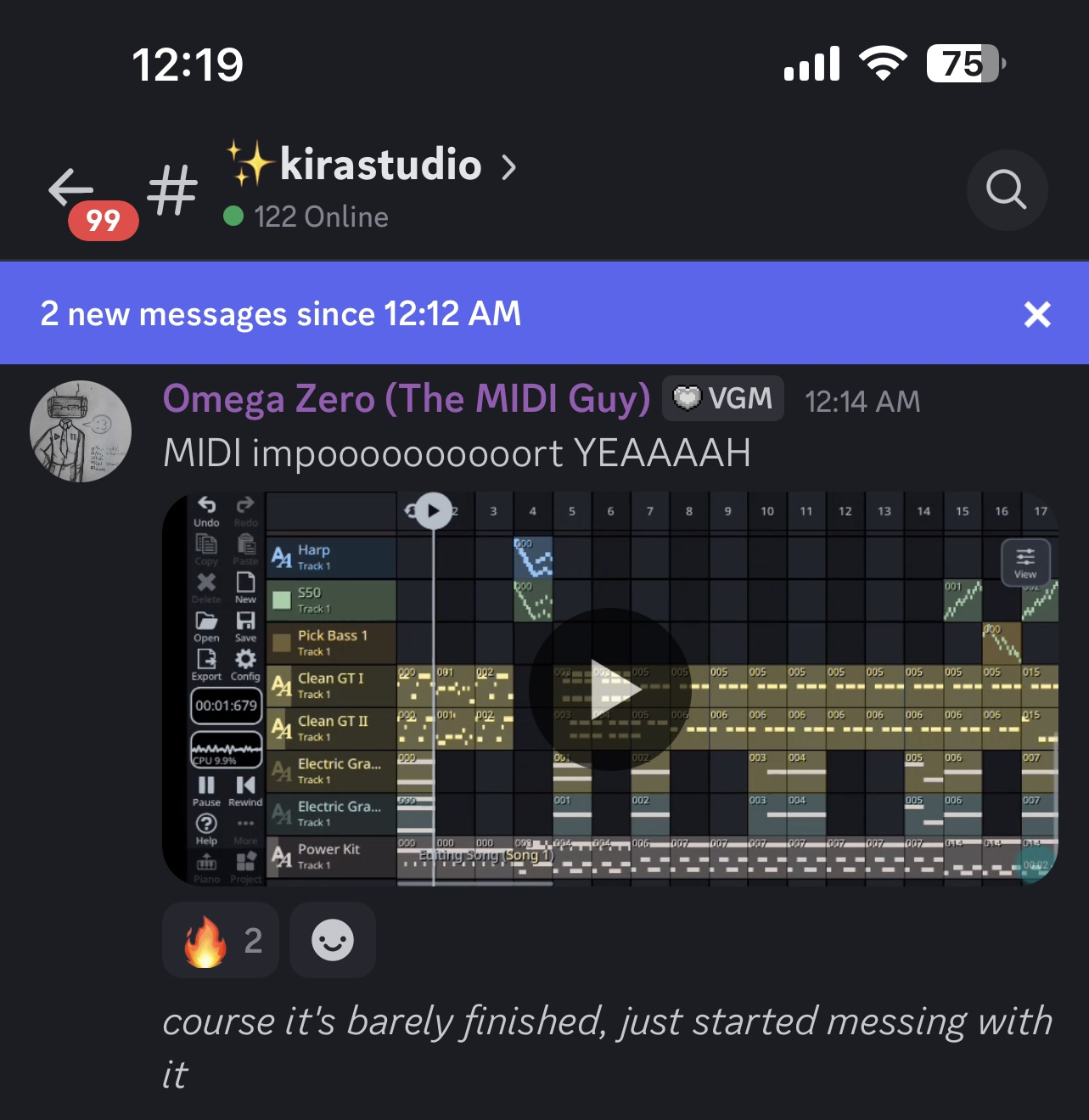
  • @thecalimaki said:
    lol @Gavinski

    also, it looks like they got right to work with that midi import thing

    Haha. Oh good! I don't doubt that lots will be added, but I really do find myself wishing Mat had done a bit more research into other daws first to have an understanding of some really basic but necessary features.

  • edited February 8

    @Gavinski said:

    @thecalimaki said:
    lol @Gavinski

    also, it looks like they got right to work with that midi import thing

    Haha. Oh good! I don't doubt that lots will be added, but I really do find myself wishing Mat had done a bit more research into other daws first to have an understanding of some really basic but necessary features.

    If I were to guess, all of the people who helped make and test KiraStudio have also been using FamiStudio for a long time, so they were probably already used to certain quirks that would make an outsider bat an eye.

    FamiStudio was pretty much made to replicate FamiTracker* but in DAW format, so it didn’t add too many features that would make project files incompatible between the two apps. (*and we all know trackers can be quite obtuse for musicians/producers from a more modern background lol)

    However, since the point of KiraStudio is to be free of those retro hardware limitations, it could definitely use some more modern DAW conveniences.

  • edited February 8

    @thecalimaki said:

    @Gavinski said:

    @thecalimaki said:
    lol @Gavinski

    also, it looks like they got right to work with that midi import thing

    Haha. Oh good! I don't doubt that lots will be added, but I really do find myself wishing Mat had done a bit more research into other daws first to have an understanding of some really basic but necessary features.

    If I were to guess, all of the people who helped make and test KiraStudio have also been using FamiStudio for a long time, so they were probably already used to certain quirks that would make a newcomer bat an eye.

    Probably, yes. Definitely a cool bunch tho and it's nice to see the enthusiasm on the Discord (though my tolerance for how many times I can stomach reading the words 'peak' and 'lowkey' in one day is being very non-lowkeyly sorely tested 😅)

  • Wow, this does look like a well designed app/DAW with some interesting features. It definitely looks like it was at least inspired by NS2 with the piano roll note handles and stuff, as does their previous app.

    I’m gonna pass though, as I don’t listen to, nor create “Chiptune”…

    I think im with @Samu though, as in I’m trying to be more responsible with my “instapurchases”, as I already have plenty to make all the music styles that I make. Plus not to mention that AUBE is reporting 925 AUV3s on the widget. I really don’t know if I should be proud or embarrassed.. damn I’ve spent a lot of money on these things. I’d hate to see the total all added up.

  • edited February 8

    @Gavinski said:

    @thecalimaki said:

    @Gavinski said:

    @thecalimaki said:
    lol @Gavinski

    also, it looks like they got right to work with that midi import thing

    Haha. Oh good! I don't doubt that lots will be added, but I really do find myself wishing Mat had done a bit more research into other daws first to have an understanding of some really basic but necessary features.

    If I were to guess, all of the people who helped make and test KiraStudio have also been using FamiStudio for a long time, so they were probably already used to certain quirks that would make a newcomer bat an eye.

    Probably, yes. Definitely a cool bunch tho and it's nice to see the enthusiasm on the Discord (though my tolerance for how many times I can stomach reading the words 'peak' and 'lowkey' in one day is being very non-lowkeyly sorely tested 😅)

    When I suggested the discord, it did cross my mind that you might feel out of place there haha.

    I mostly just lurk, I don’t think I’ve ever even sent a message there.

  • @thecalimaki said:

    @Gavinski said:

    @thecalimaki said:

    @Gavinski said:

    @thecalimaki said:
    lol @Gavinski

    also, it looks like they got right to work with that midi import thing

    Haha. Oh good! I don't doubt that lots will be added, but I really do find myself wishing Mat had done a bit more research into other daws first to have an understanding of some really basic but necessary features.

    If I were to guess, all of the people who helped make and test KiraStudio have also been using FamiStudio for a long time, so they were probably already used to certain quirks that would make a newcomer bat an eye.

    Probably, yes. Definitely a cool bunch tho and it's nice to see the enthusiasm on the Discord (though my tolerance for how many times I can stomach reading the words 'peak' and 'lowkey' in one day is being very non-lowkeyly sorely tested 😅)

    When I suggested the discord, it did cross my mind that you might feel out of place there haha.

    I mostly just lurk, I don’t think I’ve ever even sent a message there.

    Makes me feel hella ancient dude

  • @Gavinski said:

    @thecalimaki said:

    @Gavinski said:

    @thecalimaki said:

    @Gavinski said:

    @thecalimaki said:
    lol @Gavinski

    also, it looks like they got right to work with that midi import thing

    Haha. Oh good! I don't doubt that lots will be added, but I really do find myself wishing Mat had done a bit more research into other daws first to have an understanding of some really basic but necessary features.

    If I were to guess, all of the people who helped make and test KiraStudio have also been using FamiStudio for a long time, so they were probably already used to certain quirks that would make a newcomer bat an eye.

    Probably, yes. Definitely a cool bunch tho and it's nice to see the enthusiasm on the Discord (though my tolerance for how many times I can stomach reading the words 'peak' and 'lowkey' in one day is being very non-lowkeyly sorely tested 😅)

    When I suggested the discord, it did cross my mind that you might feel out of place there haha.

    I mostly just lurk, I don’t think I’ve ever even sent a message there.

    Makes me feel hella ancient dude

    But hey, we all know Gen X way cooler than Gen Z 🤫😉

  • @Edward_Alexander said:
    Wow, this does look like a well designed app/DAW with some interesting features. It definitely looks like it was at least inspired by NS2 with the piano roll note handles and stuff, as does their previous app.

    I’m gonna pass though, as I don’t listen to, nor create “Chiptune”…

    I think im with @Samu though, as in I’m trying to be more responsible with my “instapurchases”, as I already have plenty to make all the music styles that I make. Plus not to mention that AUBE is reporting 925 AUV3s on the widget. I really don’t know if I should be proud or embarrassed.. damn I’ve spent a lot of money on these things. I’d hate to see the total all added up.

    You should see the number of Steam games my friends have. It would put 925 to shame.

    I do kind of look at it from a gamer perspective: these aren’t all serious tools, and some can bring a weekend’s worth of entertainment for a few bucks and that’s fine. I typically get more mileage out of my “sit on the shelf” apps than with games.

Sign In or Register to comment.