Loopy Pro: Create music, your way.
What is Loopy Pro? — Loopy Pro is a powerful, flexible, and intuitive live looper, sampler, clip launcher and DAW for iPhone and iPad. At its core, it allows you to record and layer sounds in real-time to create complex musical arrangements. But it doesn’t stop there—Loopy Pro offers advanced tools to customize your workflow, build dynamic performance setups, and create a seamless connection between instruments, effects, and external gear.
Use it for live looping, sequencing, arranging, mixing, and much more. Whether you're a live performer, a producer, or just experimenting with sound, Loopy Pro helps you take control of your creative process.
Download on the App StoreLoopy Pro is your all-in-one musical toolkit. Try it for free today.
Comments
@Grandbear I did reply to your message on 13th March, pls check your spam folder. The message said:
understood, thanks!
hold doesn't work in the sequencer or midi afaik
there is a new clipper FX, nice!
Hi all, I am running into an issue with some sampled sounds. I like to record sounds or voices, then zoom in on a single cycle wave from that sound and just have that play (by using “Loop”). This works well enough for single notes, but if I am playing a chord, there’s always some weird phasing going on in the sound (basically the volume goes up and down, cyclically) which makes it a bit buzzy.
What’s a good way to avoid this? I assume it’s happening because different notes are played at different speeds (since they are different pitches) and that unevenness is causing this issue.
I’ve tried using crossfade but it doesn’t make much difference.
(I wanted to attach a video with my question, but I get a format not supported error - is there a proper format to use for videos?)
Attaching videos directly won’t work. The best way is usually to upload to YouTube and then post the share link. You can make the video “unlisted” if you don’t want it showing in your channel. If you don’t have a channel it’s free to make one.
@Oregano probably best get in touch with koala sampler support if you think it's a koala issue: https://www.koalasampler.com/contact - it could be a few things, but it's difficult to say without the video you've made. If you've uploaded it somewhere pls post a link to it.
Thank you @wim and @elf_audio!
I don’t know it’s a Koala issue per se, it might just be a sampling issue in general. Here is the uploaded video:
https://youtube.com/shorts/lgxvfhIQA0o?feature=shared
It looks like koala is behaving as normal - I think the undulations are just the 3 oscillations interacting with each other - could be to do with the beat frequency phenomenon (https://en.wikipedia.org/wiki/Beat_(acoustics)) - notes in a scale using the equal temperament (which is what koala and most other music software uses) means that intervals don't fit perfectly into each other (kind of hard to explain https://en.wikipedia.org/wiki/Equal_temperament), so playing any 2 non-octave notes will create slight deviations like this. Not 100% sure this is correct, but I think that's what's going on. Using a more complicated sound than a single cycle waveform will mitigate this but if you're looking to work with clean tones, you will always hit this problem I think.
Thanks @elf_audio! This is pretty cool from an acoustics angle, even if it’s less so from a music-making one. It doesn’t seem like there’s much I can do from what I see, at least with these samples.
I’ve tried to use longer samples in the past, but then the looping is more noticeable, even with crossfade.
I’ll just embrace the lo-fi nature of working with found sounds.
Some of you will know all of this but this channel has some good, short, basic videos on using Koala with other apps + general Koala videos:
There's also some interesting non-Koala vids too.
Don't forget to give a "thumbs up" if you watch the videos - the guy deserves some more praise for his work.
Hopefully someone will find it interesting.
That’s genius they should be selling them !!!
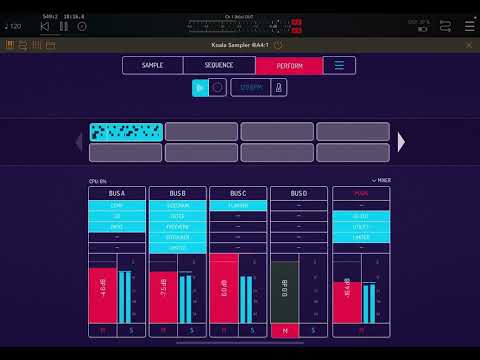
A new Koala update adds a plate reverb bus effect! 🥳 Can't wait to do a 100% Koala-driven piece of Ambient.
Thanks @elf_audio !
Wow!
Fantastic, thanks for the heads up.
It's so nice how much elf audio have added to Koala over time. I think of Koala as my iOS daw at this point.
I mostly use Auxy for music creation of all genres except Ambient. For Ambient, Koala is my go-to. Especially now I no longer need to use AUM to sample AUv3s into Koala in the first place. 😆 Koala just works perfectly for Frippertronics.
Right? Long live Koala Sampler!
Ah thx for the kind words! Thought it might be good to take a small poll here to hear what you lot feel are missing from koala. Not so much massive features but quality of life stuff. Any thoughts?
Well, It would be nice when multiple samples could be loaded onto one single pad. So when I select BD1,BD2,BD3 and BD4 I can place them:
All I want is a Play button on every page, not just the sequencer page!
+1
Sample fade in + out on the edit page would be awesome too.
This for sure. +1
Also, if it's feasible or even doable, maybe some sort of automation system for the standalone version.
I’ve emailed you recently @elf_audio , and it sounds like my request is coming ; midi mapping of the bank selection buttons, so that when I change banks on my midi controller, the visual representation on Koala changes accordingly.
And I’d also really like to have some way of telling which samples are playing. I’m using long samples, some are longer than a minute, to create dense sound collage. Sometimes, in a live context, I accidentally press a pad that’s already playing and it totally disrupts the flow….so if there was some way of indicating that a pad was still playing that would be soooo cool.
Seriously. I can't complain because Koala is really such insane value and keeps giving and giving and giving, but this strikes me as an inexplicable omission.
Full-fledged envelopes for volume, pitch, and filter. I’ve been asking for this for years)
Yes the play button is always first priority. A link button so if I hit one pad it plays another pad. Chords also. And single channel mixer for pads.
After that I’m golden!!!
Being able to use MIDI FX plugins would be a nice addition. Maybe being able to link 2 pads together, so 1 pad has for example Scaler 3 and it’s linked to another pad which has an AUv3 instrument. Another idea is having a MIDI FX module, where inside you can add the Fx and then and the instrument that it triggers.
Having the play/rec buttons on each tab would be useful too.
One more: Be able to set chromatic as default in keyboard mode.
This and only this.