Loopy Pro: Create music, your way.
What is Loopy Pro? — Loopy Pro is a powerful, flexible, and intuitive live looper, sampler, clip launcher and DAW for iPhone and iPad. At its core, it allows you to record and layer sounds in real-time to create complex musical arrangements. But it doesn’t stop there—Loopy Pro offers advanced tools to customize your workflow, build dynamic performance setups, and create a seamless connection between instruments, effects, and external gear.
Use it for live looping, sequencing, arranging, mixing, and much more. Whether you're a live performer, a producer, or just experimenting with sound, Loopy Pro helps you take control of your creative process.
Download on the App StoreLoopy Pro is your all-in-one musical toolkit. Try it for free today.
Comments
My take is Blofeld for pads and Microwave for everything else (especially fat bass sounds).
I must admit that I’m trying to like the sounds of this. Hmmm…
for me it’s blofeld without hesitation, most complex best sounding iOS synth for me
It IS really good. And I’m only realizing this after reading through the manual (which is very well written btw), and by starting a new init patch. Deep deep deep capabilities. I mean three oscillator layers per part, and up to 16 parts? That’s crazy complex capable.
Never had the hardware version of this, so this is my first experience with this synth.
Try not to let the included presets influence your opinion or decision on this either. The first time I started it up and started going through the presets, there’s a bunch of “meh” drum/percussion presets at the top of the list that had me bored quickly.
Again, it wasn’t until I skimmed through the manual and started my own patch, that I realized the power here.
I’m a huge fan of their Microwave synth as well, but have to agree with @dendy on this one. As far as sound design potential, Blofeld is the clear winner here.
Microwave has a more attractive UI and is a little more touch friendly, easier to control.
I’ve never bought one, but I’m now considering an Apple Pencil just for this.
I don't know if this has been shared before, but you really need the sounds by Jexus aka WC Olo Garb. The best thing is that they're free!
https://sounds-for-synths.com/jexus-synth-patches/
I was also surprised to find how well some of my .wav wavetables (resynthesized in Icarus) worked in this app.
Thanks, yeah it was shared earlier in this thread.
I downloaded it, but then realized it was a RAR file, and I thought “hmmm, a RAR file, I guess i’ll figure that out later”, but never did. I imagine if these got mentioned more than once, they must be pretty good, so..
I suppose I could email it to myself, and open it on my Windoze desktop, decompress it with the famously unlimited free version of WinRAR, then send it back to my iPad.
Or is there a decent “iPadOSRAR” app that everyone is using these days?
You can just change the file extension from RAR to zip. It worked for me. However, I couldn't find the sample content.
The sound is definitely growing on me.
Same!
This thing goes pretty deep, especially when you activate the Multi-channels.
That's some inspiring text there Ed. I usually do open the manual if I don't understand something or can't find the subject at hand on here. I'm going to do what you say and go through it from the 'init' state. Thank you.
As for the Apple pencil, I never did not have one and feel really awkward using my fingers on iPad. I do get a bit annoyed when I can't use it as expected.
Hmmm, that didn’t work for me. Perhaps I’m trying to import them incorrectly?
I changed the RAR extension to ZIP, and that worked fine, but when I try to import the syx files, Blofeld gives the message “not a Blofeld bank or preset”
.
Aw, man. Blofeld has started crashing when loading an AUM session.
Same in Gr2!
Did you update yesterday? I did anyway and I just did a quick test with 3 Bloffs in Aum.
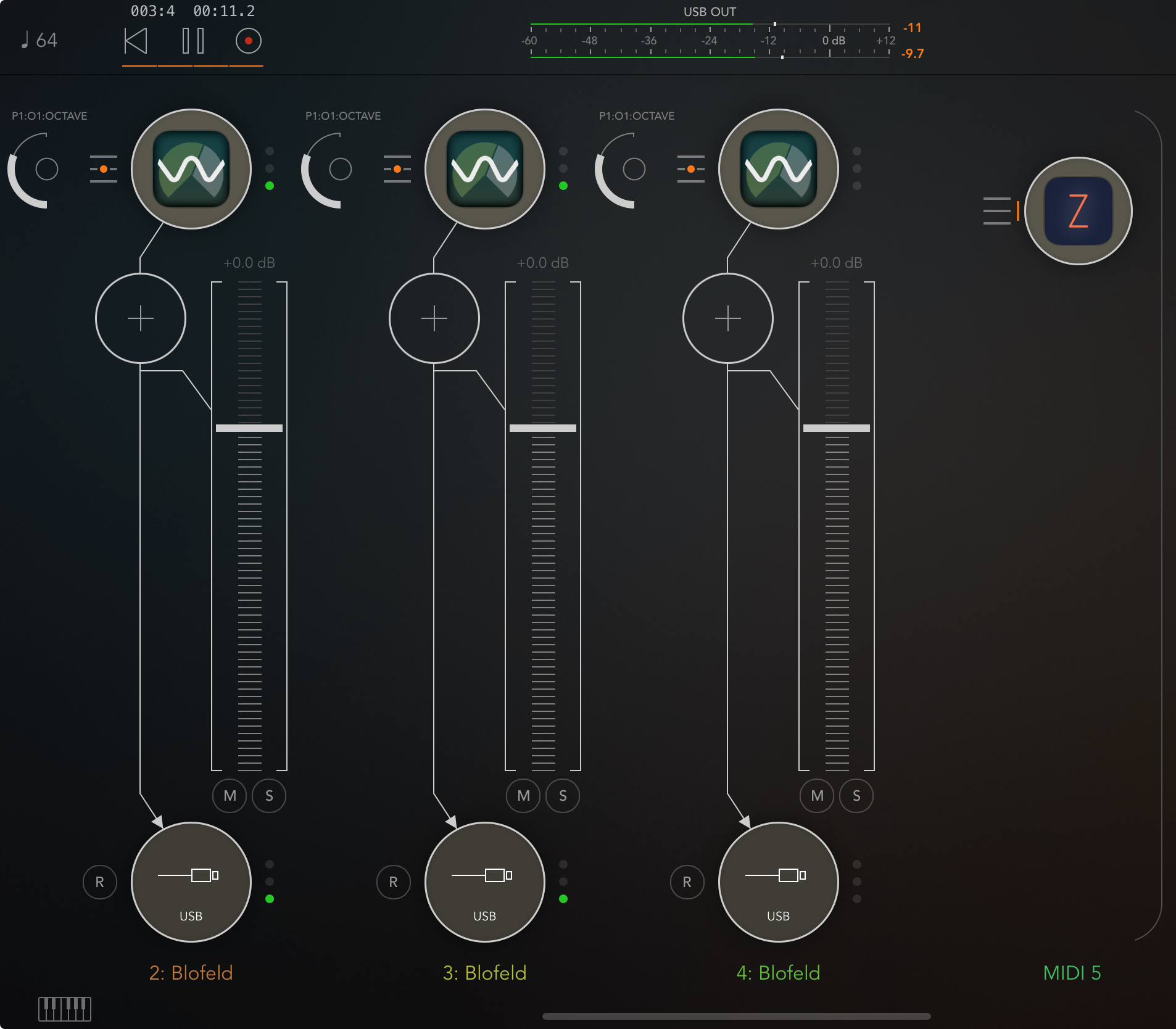
No issue (had none before the update either)
Yeah, I update nearly every day.
The project has over 30 nodes, and Blofeld loads late. Might have something to do with that.
Hmm, so I have this project in AUM with, amongst others, 3 Blofeld. The main midi engine is Zoa. Now I wanted the CC outs of Zoa (21 -29 I think) and added it to MIDI Control. Then I noticed things are moving in the Blofelds, not my intention.
How do one now what those CC's are? I'm trying to search the manual but, not easy to search two letters that can be in e.g accident.
@Edward_Alexander Sorry to tag you, do you have a clue i.e have you gotten that far in the manual?
If one know one can use it I guess, saving on work adding CCs manually.
The Blofeld app responds to the same CC's as the hardware does which is quite a bunch
https://midi.guide/d/waldorf/blofeld/
IF you don't want you need to filter out CC's from the midi-stream reaching the Blofeld AUv3.
@Pxlhg I really haven’t got that far in the manual, but you may have already seen the list of CCs available in the main settings MENU/MIDI mapping.
The list @Samu linked to is actually better though, as it shows the ranges.
I ran into some frustration the other day when I was trying to build a “mod wheel controller” for this in Drambo. Seemed easy enough, but while the CC #1 for the MW in Blofeld has a range of 0 - 127, my Drambo knob would start at 0, and go all the way up to 127 fine, but then wouldn’t go all the way back down… for some reason it bottomed out at like 12-15. While the onscreen wheel in Blofeld worked as it should.
(On a side note; I hope that one of these days @giku_beepstreet will bring the pitch and mod wheels back to Drambo, and make them recordable.. like what’s possible in Grooverider 2)
Thank you guys! Well appreciated.
I joined the beta and actually they work on that problem
Cool, I didn't find any links to join the beta but would be happy to assist in testing if needed...
I also got this loading issue in AUM (I have 3 Blo and 1 Micro among a lot of other shite (Transit!😁😁)). I did a restart and tried again and project loaded. Of course I rather see it stable but this is not unusual in AUM with some plugins. Fluss is one that often wont load and thus require you to restart, either just the project (might work) or the iPad.
Does this not work for you?
Make sure the knob minimum is set to 0 rather than the default -1.
Thanks @timfromtheborder
It works fine.. I can’t even reproduce what I was doing wrong now for some reason.
Happy to see an update for Blofeld this morning, and if I’m not mistaken, they’ve updated the manual as well, with iPadOS specifics.
Been so busy with other things, I’ve almost forget about this amazing synth.
Still wish there was a way to hide that onscreen keyboard.
Yeah, that would be nice (in Microwave as well).
Was wondering how stable this was currently . Might pick this up this holiday season
I really like the sound of Blofeld. Thank you, Waldorf, for porting it and Streichfett to iOS.
Do Waldorf apps go on sale during black friday, christmas? Would love to try the Blofeld.