Loopy Pro: Create music, your way.
What is Loopy Pro? — Loopy Pro is a powerful, flexible, and intuitive live looper, sampler, clip launcher and DAW for iPhone and iPad. At its core, it allows you to record and layer sounds in real-time to create complex musical arrangements. But it doesn’t stop there—Loopy Pro offers advanced tools to customize your workflow, build dynamic performance setups, and create a seamless connection between instruments, effects, and external gear.
Use it for live looping, sequencing, arranging, mixing, and much more. Whether you're a live performer, a producer, or just experimenting with sound, Loopy Pro helps you take control of your creative process.
Download on the App StoreLoopy Pro is your all-in-one musical toolkit. Try it for free today.
Comments
In the settings menu there is an option to enable 48MP for the wide angle lens. I have this on my 14 Pro and use it all the time. Does this option also enable 48MP on the iPhone 16's ultra-wide angle? Will it also enable 48MP on the iPhone 17's telephoto lens if this comes to fruition or will that need an update to the app?
Thanks,
Lee
Further to my question above, I am aware that the iPhone 15 Pro and 16 Pro also take 24MP images. Are there any plans to enable this resolution in XP4N?
Thanks
Lee
Maybe we should start a kickstarter to have a coffee table book published 😅 proceedings would well, proceed to Bram and Michael as they would see fit sharing them, one being the one that gave us the means, other being the one that gave us the storage and platform, and finally a reasonable commission for users with names starting with P
Btw how do you downsize pictures so they can be posted here, now there’s a limit (and for good reason 😅)
This is amazing!
There’s a thread about that here @pedro
https://forum.loopypro.com/discussion/65825/recommended-ios-image-resizer-and-video-compression-apps
The iPhone 16's Ultra-Wide sensor only has 12MP.
But resolution can be increased by shooting a panorama.
Ah thanks, I missed that one. The shortcuts thing is useful, as are the apps you (and others) suggest.
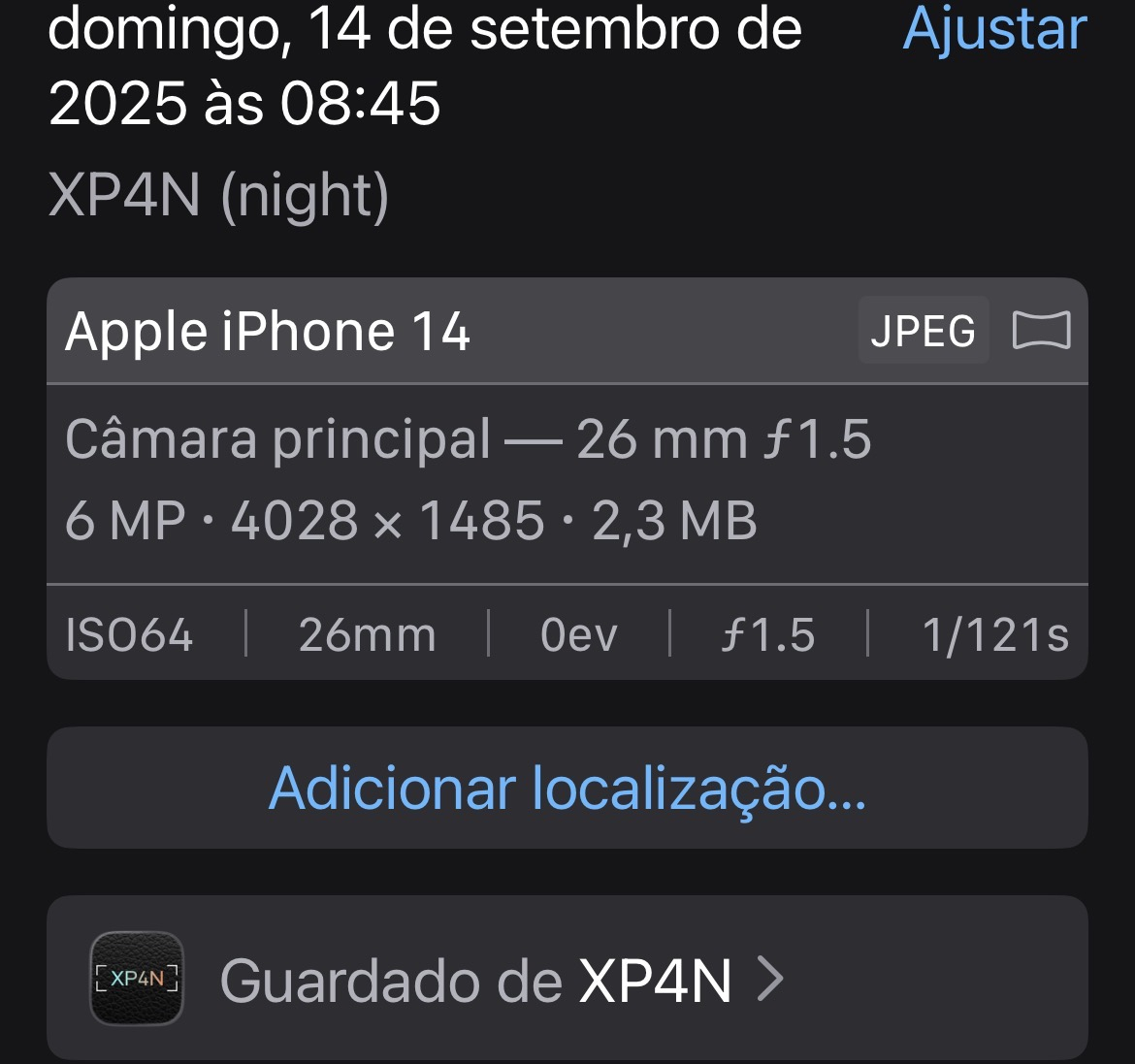
But those are about losing resolution (shrinking the pic), I was thinking of compressing it more while keeping resolution. I think the forum limit is 2Mb and here’s an example photo
It’s 2.3Mb so a little more compressed would fit the limit, without reducing pixels (which honestly I don’t know if it would be preferable or not)
^^^^^^^^ wow!!!
I bought this app the very first day it was released. I loved the challenge it offered - creating great pictures using only what you had, with no settings, focus button, contrast controls, or anything else. Then things changed. The new features did make the images more beautiful, but I started using the app less and less.
For me, it’s not really because of the new features, but because I can’t properly view the photos I take. Even if I shoot a picture horizontally, it always shows up vertically in the Photos app. And when I turn my phone to view it horizontally, it flips back to vertical. I even made a video to explain what I mean.
Maybe this issue has already been discussed in this thread, but honestly, with 69 pages mostly filled with (very large) pictures, it’s hard to follow any actual discussion about the app. If you have a clue what to do, please share!
Thanks and cheers,
Click on the link, not on the start button of the player : https://files.catbox.moe/focl99.mp4
I don't think there is anything XP4N can do about the orientation that iOS decides to display a photo*.
You have to hit the edit icon, then the rotate icon three times on each photo. There's no other way around this.
(* is there @brambos?)
Haha… For some reason, I never thought of using the rotate function in edit. Thanks!
I remember that in the beginning I didn’t have any orientation issues. It started happening later (or maybe I changed phones somewhere along the way…)
Thanks for your reply!
It happens on my phone and even on my MacBook. It'd be cool if there was some meta data that @brambos could embed in the image. I don't figure there is, but maybe ...
Normal Panorama…
Would be awesome! Cheers,
The orientation info with apple photos is embedded in the picture metadata by apple itself. Depends what position your phone is while taking the picture. You can easily edit and rotate 90° though
Except that doesn't work with XP4N. Photos taken in portrait don't display that way without editing.
I've tried programmatically altering the metadata in the captured photo, but no matter what I did there Apple's Photo app would completely ignore it, so after a bunch of attempts I didn't pursue it any further.
So arrogant to think that you, a lowly app developer, would know better than Apple which way a photo should be displayed.
I'll bet you even think removing headphone jacks is a bad idea.
Still working good with the new 17 Pro telephoto.