Loopy Pro: Create music, your way.
What is Loopy Pro? — Loopy Pro is a powerful, flexible, and intuitive live looper, sampler, clip launcher and DAW for iPhone and iPad. At its core, it allows you to record and layer sounds in real-time to create complex musical arrangements. But it doesn’t stop there—Loopy Pro offers advanced tools to customize your workflow, build dynamic performance setups, and create a seamless connection between instruments, effects, and external gear.
Use it for live looping, sequencing, arranging, mixing, and much more. Whether you're a live performer, a producer, or just experimenting with sound, Loopy Pro helps you take control of your creative process.
Download on the App StoreLoopy Pro is your all-in-one musical toolkit. Try it for free today.
Comments
Had to pick this up to support the Maple Woodsman. Someone mentioned my favourite midi sequencer, Quantum, so here’s a comparison table. Apologies to the developers for any inaccuracies.
Thnx Gus, think there are a few things off there, as usual with AI. One thing I noticed was that this says Woodpeckr sequences can move in reverse. But I realized after making my vid was that Woodpeckr seems to lack any kind of control over direction, apart from random jumps. Unless I somehow missed it but I was pretty thorough
@woodman would maybe be good to add reverse and ping pong?
Thanks Gav - good catch.
@woodman are you up for the challenge of incorporating more of the mighty Quantum’s features? The developer has said that he will not be porting it to AUv3 and it feels like you’re close with Woodpecker (great name by the way!).
Yes the other thing I badly want is the great gating features of quantum - seems Woodman will likely add that. He's very open to suggestions, which is nice
@Telstar5 : you could do this by using the delta time on all the steps of 1 sequencer, however I just realise this is not very user friendly, I 'll think of a better way to do this
@gusgranite : tnx for the support ! yes I will have a good look at what is still missing and add as much as possible. It will be spread over a number of updates as Gavinski gave me already a ton of ideas :-)
Don’t listen to him. He always gets his requests in first 🤣
You wanna see the length of the list of suggestions I just sent, poor Wim!
Why not share them here?
If this will get closer to Quantum… might have to reconsider picking it up
IKR! Wouldn’t that be grand. Gotta sweet talk the Woodsman 🥰
An edited version, btw Wim agrees with many of these and lots of this will come in future updates, he says:
Note Input & Editing
• No gate length control for notes
• Note values can’t be entered with swipes, only via dropdown menus or keyboard input (this will be added, I know, but the implementation will be key to whether this speeds things up significantly. Grid entry of notes would be so much better, for my tastes (see for example the app Xynthesizr)
• Note entry requires either mentally auditioning intervals or using trial and error. Picking notes from a list may be challenging for users without strong music theory. Keyboard entry is the solution here but shouldn’t be needed I feel. And the keyboard entry itself is not perfect - no way to manually select a single step an enter a note there, for example.
• Recording notes via keyboard addresses some issues, but users won’t hear what they’re playing unless they separately route MIDI to an instrument. This makes even keyboard-based note entry require more skill than many users willl be comfortable with.
• Note entry range for the first note seems limited to two octaves (C3 to C5) without an obvious way to access lower or higher octaves. I feel like I must be missing something, as that is really obviously problematic, I think.
• When entering notes, maybe there could also be an option for entering mutes and skips? Also, part of why the drop down with all the notes is so tiring to use is because it's a long vertical list. It is really fatiguing on the eyes to have to do much of that. Perhaps it could be a different shaped box with notes organized in rows, say 5 rows, each row with all the notes from a different octave. And give users options.
Eg. Only see notes from the key and scale scale selected. Or see all notes, but still see the notes from the selected scale highlighted, so it's easy to see what's in scale but also easy to pick out of scale notes.
Velocity & Modulation
• Can’t draw velocity faders with horizontal swipes - each one needs to be dragged individually
• Velocity slider range doesn’t go low enough to create smooth fades down to silence
• No lag/slew option for modulation sequencers to smooth value transitions (compare with the app Stacks, by John Howes, for example)
Playback & Timing
• No reverse mode for playing sequences backwards, no ping pong
• Using the on/off switch changes sequence phase or resets position, so isn’t suitable for this purpose. There should, by the way, I think, be an option where when you turn a sequence off and on again, the sequence begins from the place where it would have been if it hadn’t been turned off.
• No mode to advance sequence with any received note (like the Step button function does)
Sequence Management & Workflow
• No quick solo function for individual sequencers, very strange omission, to me!
• No quick way to clear a single sequence without manually changing every note
• Can’t copy settings from one sequence to another, only the sequence parameters - not efficient. Maybe need options when pressing copy and paste as to whether the user wants to copy just settings, just the main sequence, or both.
• No function to nudge all notes in a sequence left or right together - I really want this, it is so useful on so many levels
• No undo/redo functionality
Visual Layout & Navigation
• Scrolling uses a scrollbar rather than dragging empty UI spaces, which interrupts workflow
• Can’t view all sequences simultaneously in a stacked layout - switching between them with radio buttons is necessary. This is a real limitation, particularly for visual thinkers. Again, it’s very cerebral. The app seems designed for the kind of people who could think of a guitar lead line in their head and write the notes or intervals out on a piece of paper.
• Sometimes can’t see the active/muted/skipped steps when you scroll down the UI, this is really not optimal, I need to see what’s happening!
• AUv3 doesn’t resize optimally in hosts like AUM, making users more dependent on scrolling than necessary.
User Interface & Learning Curve
• Setting names aren’t always intuitive or memorable, needing frequent manual checking during the learning process. Setting names often seem like a memory device for someone already very familiar with the app, than a guide for new users. Means that users have to check the manual unnecessarily, and may have difficulty remembering what something does if they come back to the app after some time away, which is very common in our niche, most people have too many apps. More descriptive naming could help new users.
MIDI & External Control
• Not all functions exposed as AUv3 MIDI parameters for external control (e.g., the Step button)
Overall User Experience
• Not ideal for users who want fast results, rely heavily on randomizers, or have limited music theory knowledge (though keyboard entry helps to some extent, with the caveats mentioned above about monitoring)
• Overall, the app requires a thoughtful, analytical approach rather than intuitive experimentation. This can be rewarding for users with time to invest, but it’s a very slow workflow compared to many of the alternatives.
here is the vid from SoundForMore :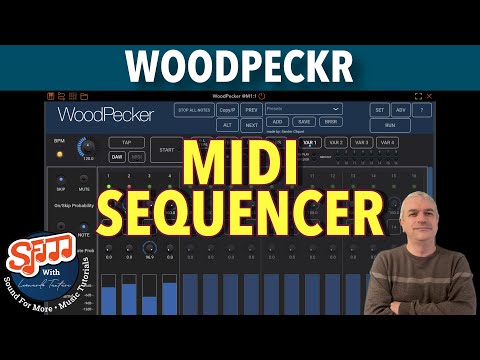
tnx Leo !
This is likely the first sequencer I would consider as my default, since MidiDreams. My only gripe right now is the note selection method. Other than that, damn near perfect.
@woodman I know I can start a sequence with a MIDI note message but there is no way to stop a sequence with a note message or make it run as a one-shot, right?
Thanks @woodman : After years of clamoring for this feature (mixing time signatures ) Cubasis finally implemented it in their newest update . Logic Pro for iPad has it too. (Ability to set time signature within patterns independently.
AEM (Audio Evolution Mobile) also has mixed time signatures and tempo ramping.
WoodPecker is a very nice sequencer!
@lasselu : no but it is on the TO DO list ...
Great!
@woodman. Love the sequencer. I’d like to throw in my feature requests. It would be nice to be able to directly / dynamically adjust the length without opening a menu. Similar to note mute or skip, perhaps a button that would set the end of the sequence. So one might set a 16 notes sequence in the menu but we could temporarily drop it to 8.
Another feature that would be nice would be if the other sequencers could be used to sequence velocity, ratchets or octaves of the “base” sequencer. Ie sequencer 2 can sequence octave shifts of sequencer 1 and sequencer 4 can be used to sequence ratchets of sequencer 3. Or sequencers 2,3, and 4 could sequence various parameters of sequencer 1.
Thanks
@Raydiognome : very nice ideas, I'll definitely think of how to implement them in one of the next versions.
Nice idea!
This sequencer is so much more powerful than any of the many other iOS alternatives I have, it’s a shame it’s not getting more buzz, considering what an achievement it is. For 7.99? As of yesterday anyway.
Hope more people can get hep to it , so that woodman is encouraged to continue updating. Really great stuff. That is all.
*later edit — I forgot briefly about the beast that is Fugue Machine “Rubato,” indeed in a class by itself. But 10 times the price or so of this one. I consider them both essential.
@gravytop : v2.0 is coming in +- 2 weeks :-)
Wow. Fun ahead! Thx, woodman
👍
@all : V2.0 was released today, a lot of the feedback and requests were added (and there is always a next update :-)
all feedback and more requests welcome !
Wow. Really impressive update @woodman ! 🙏
Great update!
@gusgranite : tnx Gus, and if you still see essential features Quantum has and are still missing here, send me a message.