Loopy Pro: Create music, your way.
What is Loopy Pro? — Loopy Pro is a powerful, flexible, and intuitive live looper, sampler, clip launcher and DAW for iPhone and iPad. At its core, it allows you to record and layer sounds in real-time to create complex musical arrangements. But it doesn’t stop there—Loopy Pro offers advanced tools to customize your workflow, build dynamic performance setups, and create a seamless connection between instruments, effects, and external gear.
Use it for live looping, sequencing, arranging, mixing, and much more. Whether you're a live performer, a producer, or just experimenting with sound, Loopy Pro helps you take control of your creative process.
Download on the App StoreLoopy Pro is your all-in-one musical toolkit. Try it for free today.
Comments
Bro, you are determined to use those sysex. You know that it's not sex related right?
Kidding. Curious what other apps you've tried. I wonder if Drambo can do that too.
@rs2000 sir, can Drambo do that?
The original presets should just be overwritten now. With the Update we will also show the DX 7 preset names, but that's not happening at the current store version
You give me food for joyful phantasies 😉
Drambo can send sysex at least in MIDI mapping, to support controllers that rely on it for initialization. And yes, there's also a dedicated Sysex message generator but tbh I don't have an AUv3 that would even receive sysex, at least I don't remember owning one that I could test.
KQ Dixie can send Sysex for sure, but I don't know if it can receive it.
Maybe someone can help but for the life of me I cannot find the import DX button on my version of the app nor will it open sysex for DX7 files in the browser as they are greyed out?
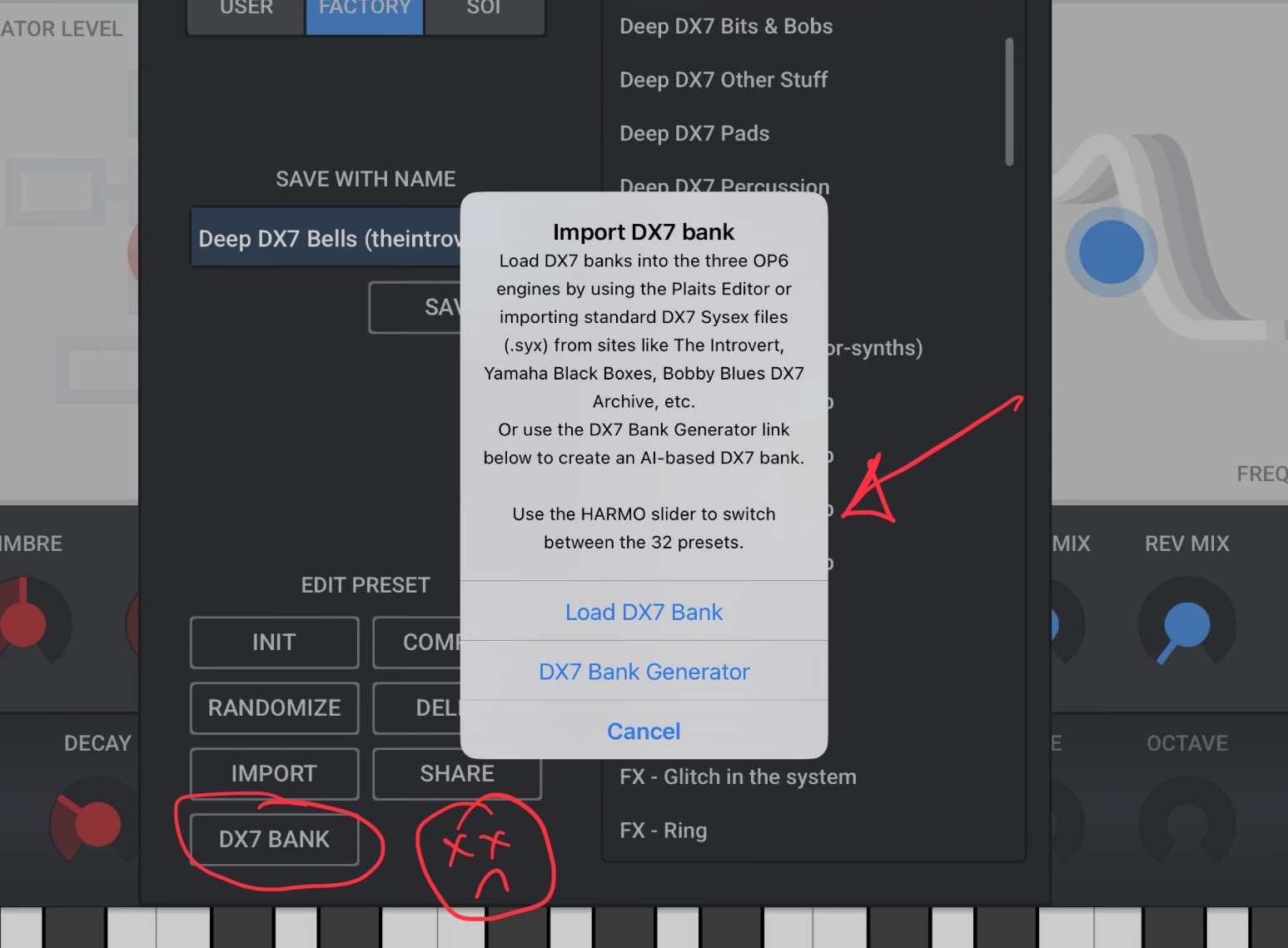
Mine looks like this:
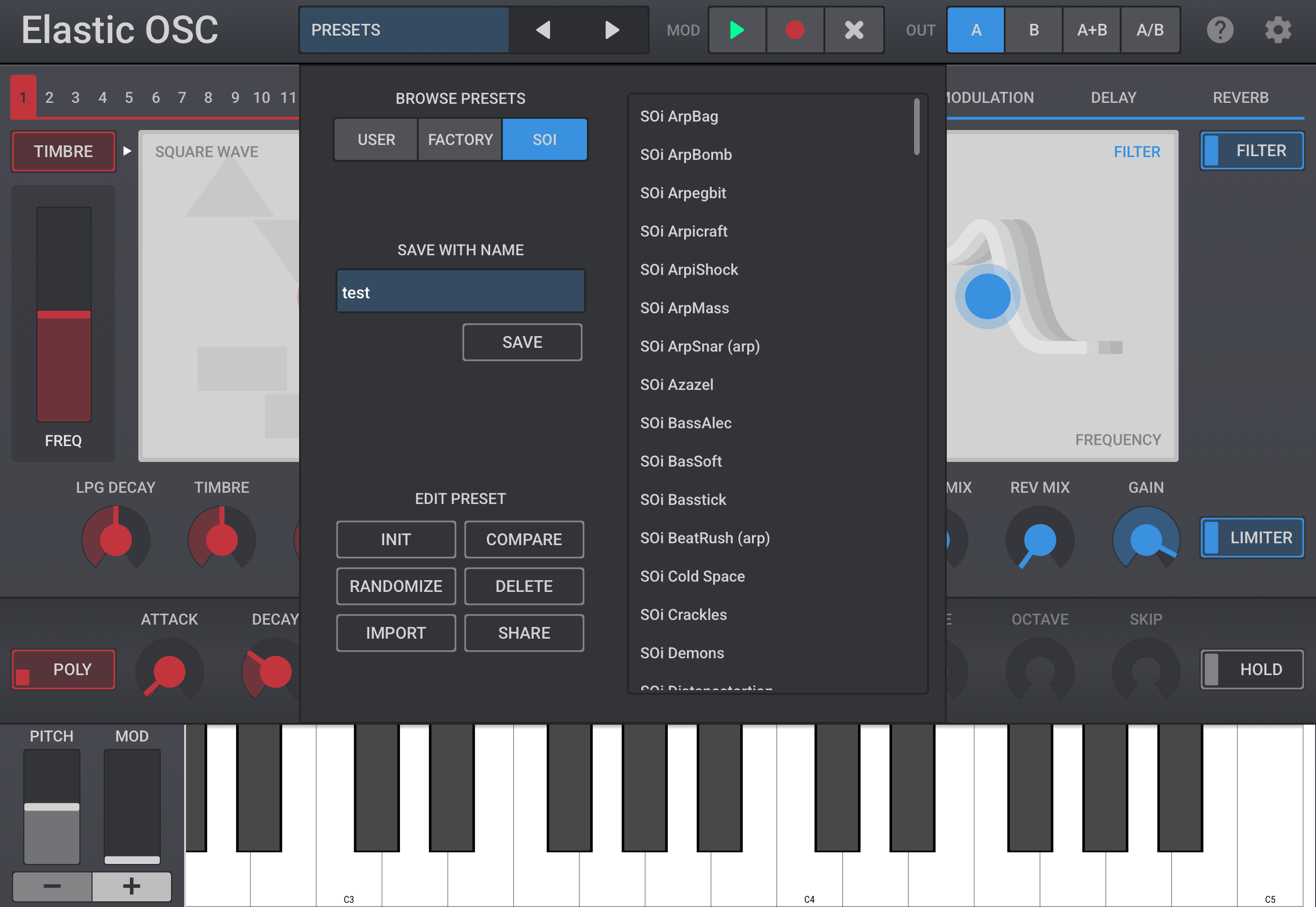
In order to show the DX7 Bank in the browser you must have one of the DX7 'oscillators' (19-21) selected as the oscillator for the preset.
Same goes if you want to import wave-tables in that case oscillator 6 must be selected in order for the wave-table import to pop up.
fabulous and fun to play/perform synth:)
I just wish (as above confusions)
to be a better/simpler/cleaner/faster way to manage dx7 presets and wavetables...:)
@Samu thank you sir so much that makes perfect sense now.
Thank you for taking time to respond to me
No worries, I'm having a blast doing beta on the next update
Is anyone else here having trouble actually purchasing the multiple LFOs IAP? When I go to the in-app store and try to buy more LFOs, the button just turns grey and nothing else happens after that.
Yep. Same issue here.
Didn't even know the update already got released, maybe wait for a while until the Appstore is in sync everywhere...
same
Hey everyone,
I’m wondering why the update is already available for some of you - it actually shouldn’t be, since I restricted it to Germany only.
The transfer of the LFO In-App Purchase to the Apple Store has been a complete mess - partly on my side, but honestly also on Apple’s. I’ve had several phone calls with them over the last two days.
So yes, in the current version the In-App Purchase is not working!
Please be patient for Version 1.2.2.
It hopefully pass the Apple review soon, and the In-App Purchase should work as expected.
Of course, if you already updated, you can still play around with the free LFO 1 in the meantime.
Sorry for the inconvenience,
Oli
🙏
Updated in the UK just fyi.
Updated in Sweden as well (wasn't at first). It's a great addition to an already powerful synth so thanks and congrats on the release
How much will the additional 3 LFOs cost? Updated last night and played with the 1 LFO - tons of fun!
@elasticdrums
$3.99
Thanks @Pxlhg
All of a sudden the In App Purchase seems to work, even I did not change anything.
Looks Apple did some changes without telling me or it just needed super long to go through all servers
@elasticdrums
buy works now
Restore button doesnt
but if one BUYs it again - it works as a restore...
Thanks for the info.
What do you mean with Restore doesn't work?
It only works if you bought it of course. You mean installing on another device?
You can also tap buy again, as often as you like.
Apple will only charge you once ... Restore is famous for working a bit buggy unfortunately
"You mean installing on another device?"
yes.
but buying again is as good as Restore:)
thnx
Here is a little promo video thingy
Purchase all good in the UK.
@elasticdrums So how does one assign an LFO to a parameter?
And can we only assign LFOs to the 5 blue knobs on the right hand side? Nothing else?
You already have automation on everything so the LFO's are an addition to the global sound which you control with 6 knobs (green) and each LFO has some internal setting too (yellow) and you can then mix all 4 (Red).
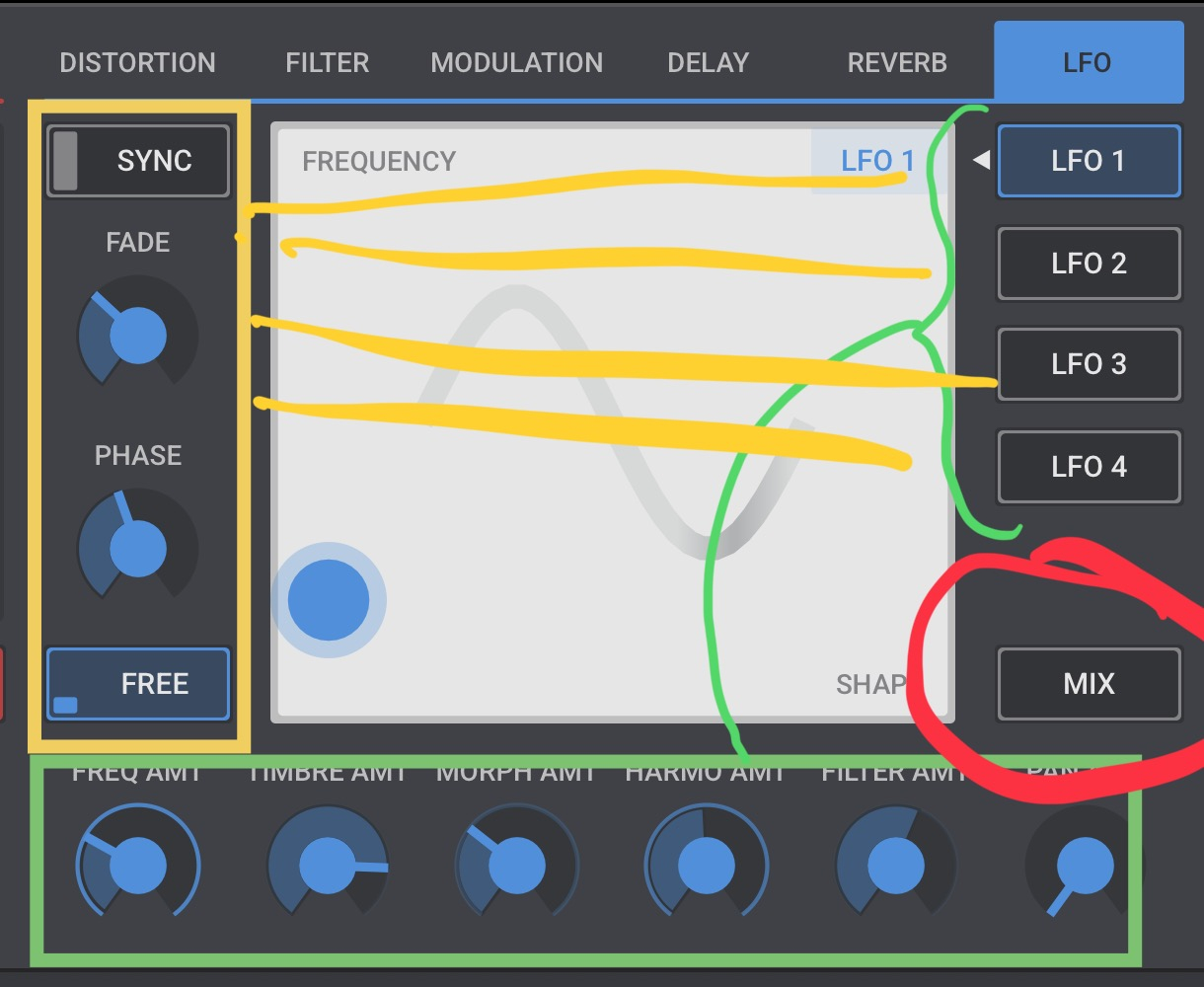
One thing I do miss is that it's not possible to use multiple LFOs to modulate the same parameter (For example one LFO does 'octave arp' modulating the Frequency at +/- 6 semitones while another LFO does a 'Pitch Dive'(from +24 to -24 semitones) also modulating the Frequency) setting the 'blob' half way between the LFOs won't work as they would require separate 'Amounts' to work as intended.
This is where the 'mix' way of doing things and a full 'mod matrix' collide.
But it's not a biggie, thankfully the Plaits oscillator is also available in Drambo so I can have my 'playground' there
@Kashi Yes, you can "only" sign to 6 Core parameters, that's the concept of keeping it simple. You still can "Automate" almost every parameter with the Record Modulation feature
@Samu "use multiple LFOs to modulate the same parameter" but that's possible with the MIX view?
Tutorial Video by SoundTestRoom