Loopy Pro: Create music, your way.
What is Loopy Pro? — Loopy Pro is a powerful, flexible, and intuitive live looper, sampler, clip launcher and DAW for iPhone and iPad. At its core, it allows you to record and layer sounds in real-time to create complex musical arrangements. But it doesn’t stop there—Loopy Pro offers advanced tools to customize your workflow, build dynamic performance setups, and create a seamless connection between instruments, effects, and external gear.
Use it for live looping, sequencing, arranging, mixing, and much more. Whether you're a live performer, a producer, or just experimenting with sound, Loopy Pro helps you take control of your creative process.
Download on the App StoreLoopy Pro is your all-in-one musical toolkit. Try it for free today.
Comments
It might be good to mention that everyone is invited to go to https://midiweb.cc/ and buy them a coffee…

Hehe yes, thanks again for that 🙏
Fantastic - I’ve got a Launchpad X and would love to try it out.
Forgot to say, the public TestFlight link is here: https://testflight.apple.com/join/f7YNhJ3j
The new 1.7.2 build isn't there yet, but hopefully soon...
This is amazing. Thank you so much.
Excellent work! I’m seeing 1.7.2 in TestFlight now. I’ll give it a try with Components over the weekend.
Looks like it's working in 1.7.2 hopefully... A mate just tried out on a Circuit Rhythm...
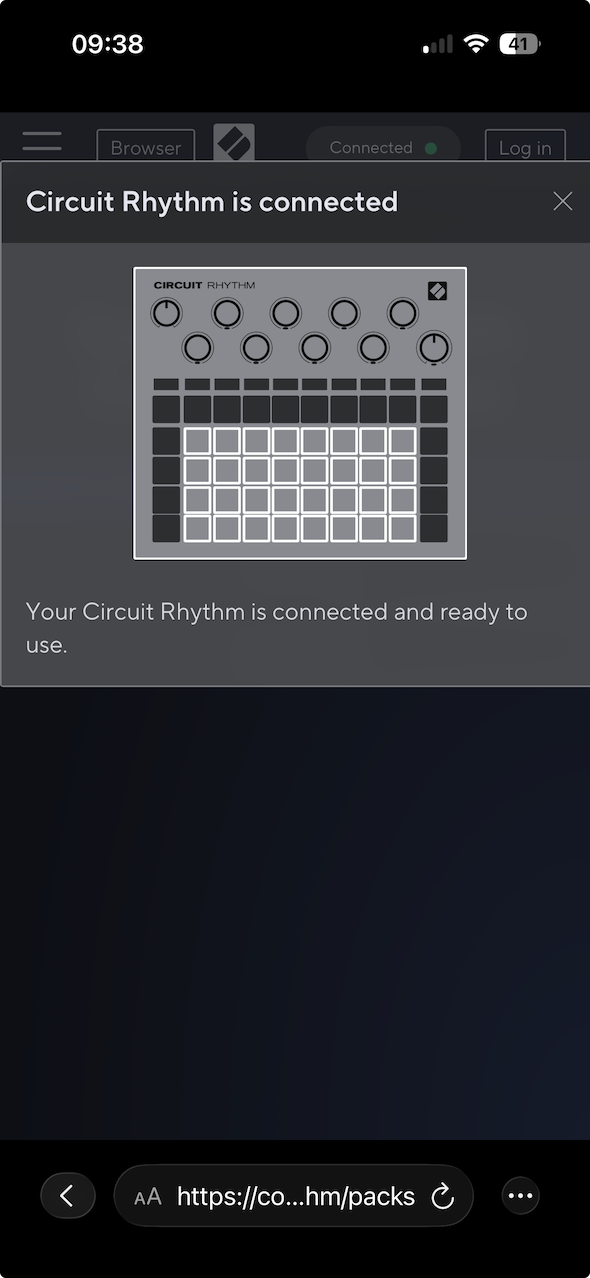
@ant5of12 excellent work! I just installed the Testflight and basically everything works. As you can see I even tried with two launch devices connected via USB hub and components detected both. This worked even dynamically when powering up the second device with components already open in MidiWeb. And everything related to the actual device configuration works as well:
Here is my question: Would it be possible to make the tweaks you added (user agent, OS, desktop page loading) accessible in the settings? I am asking because there might be other sites that require certain system configurations (Browser, OS, Desktop...) to get them to work.
Three is company... I forgot about the Circuit Rhythm. All perfect!
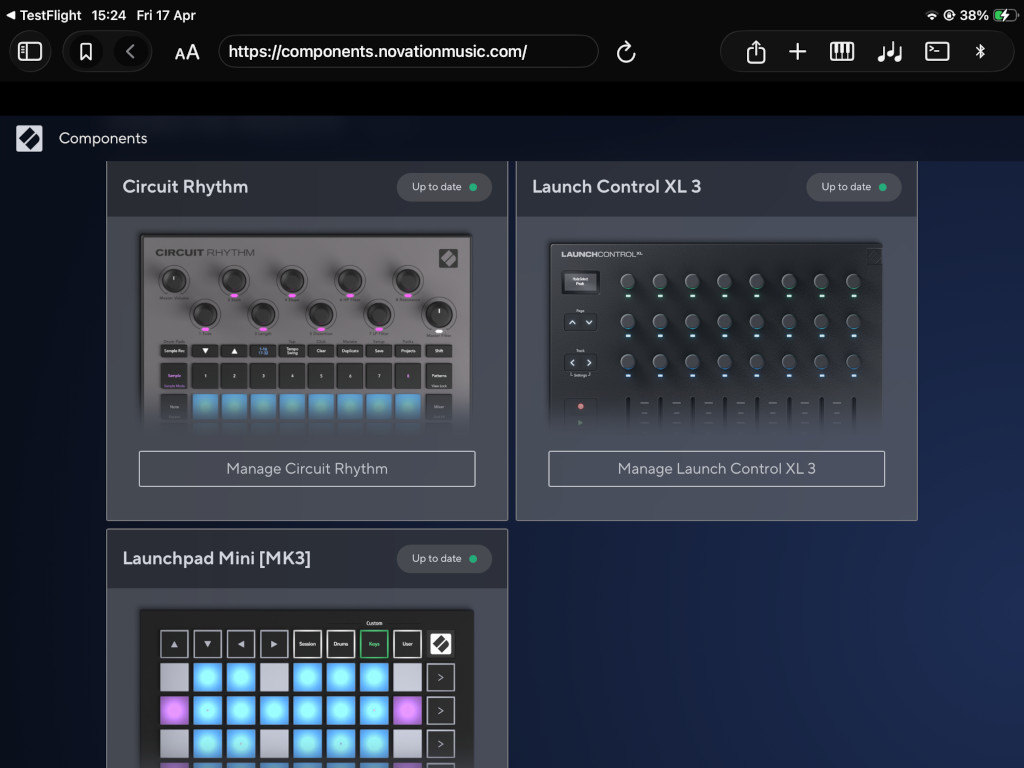
That’s awesome!!!
@catherder - yes plan is to add a button similar to “Request Desktop Site” on Mobile Safari. Probably makes sense for there to be a user defined list of sites that you can override like you say yup.
Will have a think about that for 1.7.3 🙂
FYI - The Onemotion site has two apps that I really enjoy and I’ve been using them on PC for years. Tested it out today with the current beta version and it works great. The developer is great and very supportive. Totally free.
Chord Player
https://www.onemotion.com/chord-player/
Drum Machine
https://www.onemotion.com/drum-machine/
**Edit: This app is brilliant. Thanks so much to the devs and the team ❤️
@ant5of12
The webmidi version of the Orca sequencer would be an interesting one to use, if it can work with MidiWeb.
https://hundredrabbits.itch.io/orca
webmidi Orca:
https://hundredrabbits.github.io/Orca/
The bookmark page function is working here. Anyone else have this problem?
OOOo I wasn't expecting this - this is so good - I just (incautiously, yet successfully) upgraded my old Circuit Tracks firmware and backed up a project pack via my bloody ipad!!! Awesome, thank you.
Decent webmidi has been a missing part of ios for too long!
Thanks.
Yea i love both of these especially the web app chord player
Welcome, thanks for creating this app, cheers!
@ant5of12 FIY: I see differences on my iPads using MIDIWeb to acces components.
Mainly, I can manage to make it work on my iPad mini 7 on iPadOS 26.0.1 (I can access, log in, plug my Launchpad X, see my templates and modify them… or… let’s better say I can change settings on already placed widgets (like which message they send, colors,…), but I can’t drag and drop new widgets, neither with finger touch nor with a mouse (is that expected?).
When I try to make the same things on my iPad Pro M1 12.9 on iPadOS 18.3, nothing works: Launchpad X doesn’t get recognized (“no product connected”) and if I try to “Log in with Novation” the app crashes and exit. I can only use Show all products and chose the device to see the sample templates.
2 other differences I see:
On iPad mini, the Components page gets opened in a new tab, while on iPad 12.9 it opens in a popup window (see images below).
On iPad mini the Request midi site is “automatic” with a popup request when I opened the site, while on iPad 12.9 I had to open the settings and use the button there.
All of this is with the AppStore version released yesterday
Oooops…I forgot the screenshots…
How it appears on iPad mini:
How it appears on iPad 12.9:
Thanks for the detailed report @LostInFoundation !
The biggest thing from your bug report is that the crash is occurring in a pre-OS 26 version (iOS 18.3).
I can look into the iOS 18 crash at the very least.... I originally only wanted to support iOS 26 because of the new SwiftUI view available, but lots of folks still on pre-iOS 26...
I don't have a Novation Device to test with so flying blind a bit here sorry folks..
In all honesty, I don't think Novation's component site is really built to work nicely with touch devices, so it's probably worth getting in touch (ha) with the Novation folks to see if they can improve the experience on a non-Desktop system.
I also believe the differences I noticed are due to the different OS installed. I reported just because, as you said, many people are not on OS 26. And the apps says it requires 17.6, therefore many will expect it to work.
What I really find strange (and not so surely relied to the OS version) is why the Launchpad X is not even detected on the iPad 12.9 when using MIDIWeb Browser (even because the iPad itself DOES detect it. I can use it without problems by opening my apps, therefore it gets recognized, but Components opened in MIDIWeb seems not able to see it.
Quite strange
Meant to write "isn't working". Can someone please confirm if this function is or isn't working?
@Butterfrog , which OS and device are you using? There’s currently no animation to show the bookmark being added but it should get added to the bottom of the Bookmarks list.
Ffs you’re right. The lack of conformation through animation’s or symbols and the fact that it had been added to the bottom of a list I didn’t know I had to scroll had me so frazzled that I thought it didn’t work!
BTW. Fenomenal app and seems to work more reliable on most pages than webmidi does. Thank you for this great contribution to IOS!
Thanks @Butterfrog - you've prompted me to to add some more confirmation (a dialog that let's you choose the name for the bookmark), so that you're more in control
That's great @ant5of12! Looking forward to the future of this great app
Quite a cool site I couldn’t get the first synth module MEGAPARSEC to fit on the browser page to make the transport controls accessible @ant5of12
https://microworld.space/
Edit actually the web midi browser top over layer cuts off a lot of the page controls for each instrument! Is there a way of hiding it ?
Can you share a screen grab @Jumpercollins ? Which build, device and iOS are you on? (There are so many variables that affect websites like this ☺️)
I can repro what you're seeing on iPad. The 'fix' for now, is to open a new tab with the '+' button. I will look into improving the fullscreen/top bar behaviour @Jumpercollins - thanks for your report!
I've add this to the Github Issue for Fullscreen support: https://github.com/5of12/MIDIWeb-Hub/issues/10