Loopy Pro: Create music, your way.
What is Loopy Pro? — Loopy Pro is a powerful, flexible, and intuitive live looper, sampler, clip launcher and DAW for iPhone and iPad. At its core, it allows you to record and layer sounds in real-time to create complex musical arrangements. But it doesn’t stop there—Loopy Pro offers advanced tools to customize your workflow, build dynamic performance setups, and create a seamless connection between instruments, effects, and external gear.
Use it for live looping, sequencing, arranging, mixing, and much more. Whether you're a live performer, a producer, or just experimenting with sound, Loopy Pro helps you take control of your creative process.
Download on the App StoreLoopy Pro is your all-in-one musical toolkit. Try it for free today.
Comments
Well. you're wrong there...
The direct connection between the sequencer and built-in modulation was the killer feature for me, and Augur might be unique in that sense - it's great to be able to sync modulation to the notes being played.
Happy to beta test the iOS version if you need someone already familiar with the Max for Live version.
Totally agree with you and I've sent you a PM where we can perhaps chat about this further!
ahhh thank you for your support
No formal benchmark yet, but in my own AUM testing I’m usually seeing roughly 0–10% depending on the patch. Denser grain settings, more reverb, and some of the heavier Magic modes use more CPU, while simpler patches stay lighter.
On iOS 15 so no good for me
Looking forward to it!
@ianjojo : Augur in iOS TOO? Good lord .. What an awesome time for iOS? Definitely interested..
Pre ordered! Cant get to many granular apps!
I heard @ianjojo in Field Tone Audio - Second Pass No. 3 that your planing to realease your Max for Live devices for iOS.
I hope that the iOS scene treats you nicely Looking forward to Celestine. And in the near future - ambi
Had a chance to “kick the tires” of Celestine yesterday on my 17.7.10 iPad Pro. Y’all are gonna love this one… very well optimized for a granular fx, super deep with the many modes, easy to dial in great sounds. For all those that have been looking for “microcosm on iOS” Celestine is for sure a contender. Lookin forward to release day and hopefully more apps on iOS from the dev cause this one is niiiiice
I pre ordered it as well, I liked the sounds and the demos.
Looking forward to the release!
Hi @ianjojo 😀 Any chance this’ll be Universal/have iPhone support?
Thanks!
I'd really like to but Augur with Max4Live is somewhat unique because it allows to very easily map its modulations to other instruments/devices in Live. This is much trickier to solve as an AUv3 and it will have to use MIDI learn which doesn't feel as glamorous. It's a work in progress and I will likely reach out for some testing help if/when I get there.
Thank you! It was great to chat with Anders from Fieldtone, he's such a nice guy! And yes, Ambi would be a cool one to port! It's on my list.
Thanks so much, really glad to hear this!
It will launch as iPadOS only because that's what I have done all my testing with. Several people have asked about iPhone support and I don't want to do it in a way where I just "tick a box" and say that yep, it supports iPhone. I'd rather it feel artisanal and "made for iPhone" so I want to take some time and get it right. But yes, it's on my list!
Hey @ianjojo. Are the parameters of Celestine revealed for automation as AU parameters?
I'm in love with this beautiful and well thought out creative gem.
They all are 🤘
Great, thanks @Squishy.
Thanks @Squishy ! Been a busy couple days here. But yes, everything is exposed.
Thank you for saying so.
I'm relatively new to this forum but I'm overwhelmed by how nice everyone is. I feel lucky to be here in the position I'm in... working from home.. making devices that make bleeps and bloops and being accepted by other musicians. Thank you all. I appreciate you.
@ianjojo Hi everyone, here is a link to my premiere for Celestine.
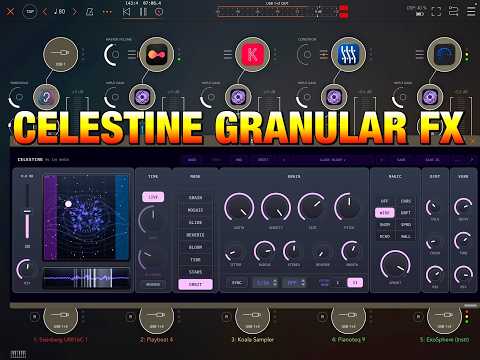
I will be on YouTube on Tuesday, 26th May (today) at 8.00 pm UK time.
I hope some of you can make it along and join in the chat.
It's out and it sounds pretty cool but damn: top row has so small cerise text, and on a black bottom, unreadable. Well, I might not need to read it ha ha
Oh, and I must give extra cred to dev for adding undo, such a rare feature on instruments/fx for some weird reason.
Love it apart from the top row can’t read it. Hope the wording can be made bigger ! And not on a black background.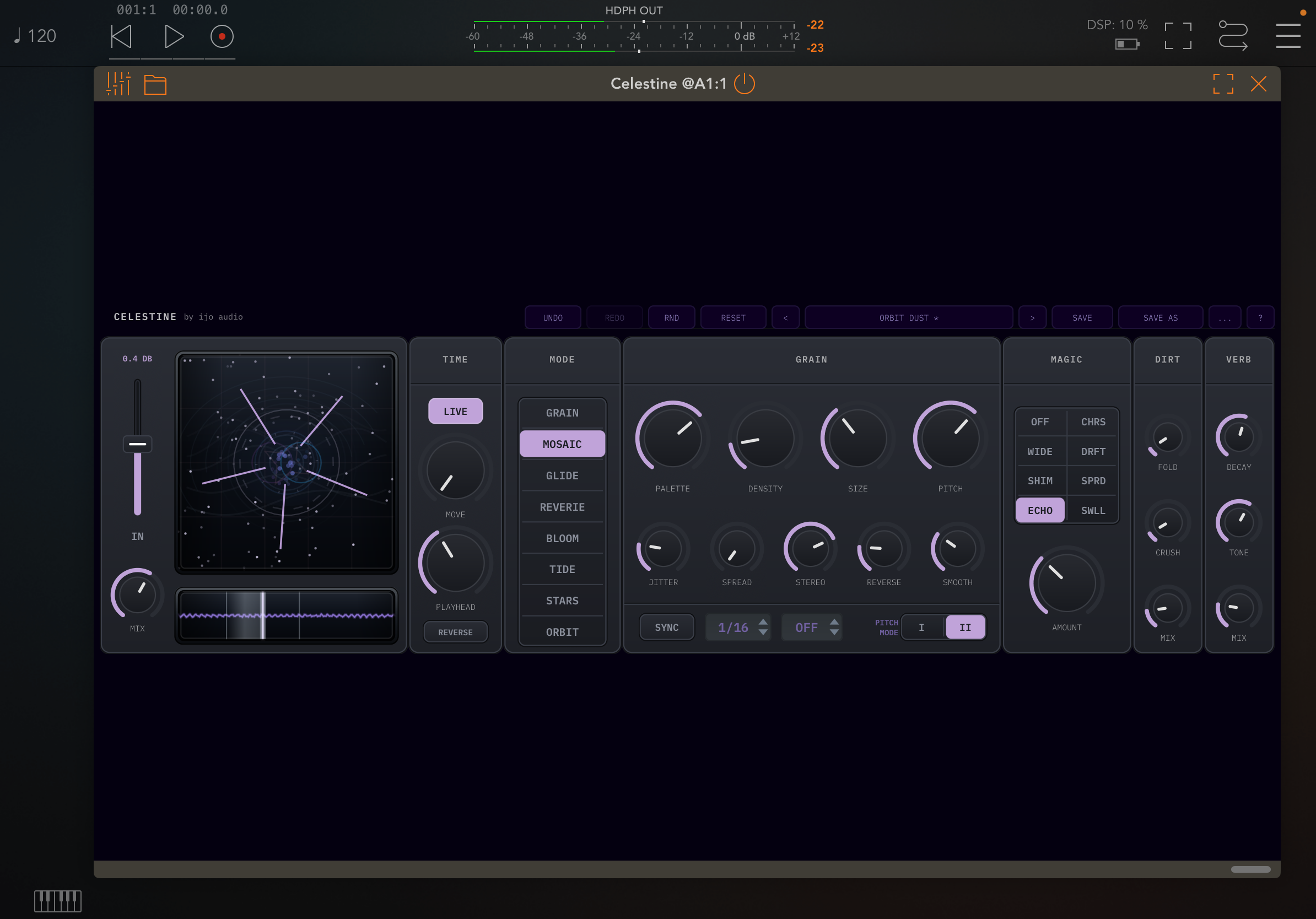
My 30 minute walkthrough with tons of musical examples on different audio inputs. Definitely a nice addition to the granular FX scene with plenty to differentiate it from other granular FX on iOS. iPad only for now, but it's very likely the dev will get it running on iPad and Mac soon:
Yes, font could be a bit bigger, contrast could be better, I agree.
its a great port!
thnx @ianjojo
one wish:
wish that xy view/pad and buffer view/pad
would be in a diffrent screen too
so one can resize/use it on full screen
for better controll...
It's a bit of a strange choice when the rest is a dark grey with white bigger text that would fit very well on that row as well, nothing there that needs to be so separated, imo. Anyway, played with for a few hours now and agree, it stands well on it's own in the grain genre.
I don't think there's any lack of control at the current size tbh. But I'd certainly love to have this app take advantage of the full iPad screen and the visualiser would look so good sized larger
I really think this is a very musical and interesting granular (needs skill from the user, of course, to dial things in tastefully!)
@Gavinski
I have big fingers and weaker eyes
as I morph into stone and dust...:)
Agree with the top section readability issues - surprised beta testers didn’t pick that up, but this sounds fantastic - I find it so much easier to get usable sounds from this one, compared to the Max 4 Live version.
@ianjojo - congratulations on the release, I hope you can carry across some of the improvements in the iOS version to the original, for example randomisation and presets.
Hi all, thanks! And yes, the consensus speaks loudly! I think sometimes developing software is sort of like working on a song.. after months you get lost in the mix and it's hard to see (or hear) it all with fresh eyes (and ears). I think my reasoning for the dimmed buttons was that these are sort of "secondary" buttons, but I totally agree with you all - they're hard to see. I'm already working on an update to address this and it should be out in a day or two.
If you don't know me from my Max4Live stuff, you should know that I don't take this stuff lightly and I appreciate every customer and every bit of feedback. I feel like getting feedback and ideas from other talented musicians always makes the devices better for everyone, so I really try to be a present dev and to listen.
This is an interesting idea! I guess I've been a Max4Live dev for so long that I'm always thinking of devices as long rectangles, but yes, I see what you're saying about how it could be interesting to have Celestine occupy more of the iPad's 4:3 dimensions. I'll do some thinking on this!
@ianjojo
your great fx is programmable indeed
but also VERY performable on the touch screen:)
that's why it would be really handy to have
a proper large performing part of the GUI
at some point...:)
ps.
I really don't like most m4ls interfaces.
some are kind and provide a detachable large window
but most are just castles for ants, interface-wise...
tons of fab m4l devices with horrible small and cramped GUIs...
for me, a good audio-tool interface
is one that, when I play live,
I know exactly what and where to touch:
good strong contrast, large enough knobs smartly grouped, everything readable fast etc
( a good-ish example would be in this case Unfiltered Audio Silo,
even if it doesnt have an xy pad or proper large performing window yet but
has a generally good clean interface
too many (most unfortunately...) audio fx or synths nowadays just don't take advantage of
iPad touch screen and gestures and screen estate
and its quite a pitty...
Keep hearing great things about this fella.