Loopy Pro: Create music, your way.
What is Loopy Pro? — Loopy Pro is a powerful, flexible, and intuitive live looper, sampler, clip launcher and DAW for iPhone and iPad. At its core, it allows you to record and layer sounds in real-time to create complex musical arrangements. But it doesn’t stop there—Loopy Pro offers advanced tools to customize your workflow, build dynamic performance setups, and create a seamless connection between instruments, effects, and external gear.
Use it for live looping, sequencing, arranging, mixing, and much more. Whether you're a live performer, a producer, or just experimenting with sound, Loopy Pro helps you take control of your creative process.
Download on the App StoreLoopy Pro is your all-in-one musical toolkit. Try it for free today.
Comments
I see it now. I gave it another vote. It's not at the top of the request list, but hopefully is something that will get done eventually. . .
today another update came. i can load and play projects now. thanks
Uhm.... Even with the latest update 3.02 its impossible to record Midi FX plugins correctly as they were played. Mosaic doesn't work at all (you can hear the processed notes but doesn't record anything), other plugins like Housebud are recording only half of the played notes.... POST MIDI PLUGINS was turned on of course in the recording settings.
Also tried to route a Chord plugin from another midi track to and instrument track --> nothing....
Hi @Basscleff , I just tested recording from Mozaic and other plugins, I can't reproduce the issues. Can you share with me some more details? Maybe the project file or a video? Email to [email protected] . Thanks!
@Darkstring thank you for your patience! Yes they're on my todo list
What about PDC?
Hi @Sand
Thanks for your fast answer and sorry about my rant, but IOS is so frustrating in general that I am nearly giving up on this platform...
I am on the latest OS26, iPad Pro M1.
Indeed a few mosaic chord presets doesn't work at all (which I used in other Daws w/o a problem) Tried it now with a few other mosaic presets and they seem to work. Other apps like Scaler have weird sustained notes when recorded, Chordbud has now worked ok, sometimes not....
Ah btw: why do you have to change the midi recording settings AFTER recording from "post midi" to "Pre midi" even when it's in playback mode? Otherwise the processed notes are going twice processed.
In other DAWs the processing only affects the recordings.... and its also labeled in Sand as "Recording options".
Ok.... now I tried it again with Housebud. The processed (recorded) notes showing up in the clip but they don´t play at all. Silence....

Does Housebud allow midi input to go through? Or is it output only? In case, could you try disabling it and test playback of the recorded notes?
I have very similar issue. Using Scaler 3 and Chordpond both -- only records SOME of the notes not all.
Newest ipad M5 latest IOS 26 everything is updated.
BTW thanks for the updates so far. I love the way this app works, just needs a few more bugs worked out.
thank you! I can now reproduce the problem with Chordpond, will provide a fix shortly
@SAND
Indeed, switching off Housebud solved the problem.
Tried now the same Setup in Cubasis, and when I press "Rec to Track" (which means basically print MIDI FX to Track) the notes where correct recorded and played back as they should (even when the Midi Thru button which is available on Cubasis was not pressed and Chord bud was ON).
... AND the processed (recorded) notes are not going through the Chord plugin again, which makes absolutely sense.
Thanks for your engagement!
Out of curiosity I tried Mosaic on Cubasis with the Patchstorage Preset "Intervalic_Chord" and it records perfectly. That's the one which didn't work on SAND.
Thought I was trippin but I was correct.
On IOS there are so many bugs, flaws, weird things I never encountered on MAC OS or PC with tons of plugins in Ableton.
I can imagine the problem with Intervalic_Chord is the same as the one I fixed for ChordPond. I'll release the new version as soon as possible.
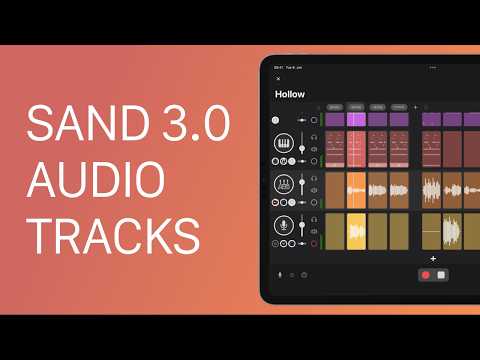
Now that it has audio tracks, would SAND be a good choice as a guitar effect chain and riff sketchpad? I was hoping Koala getting AUv3 would do the trick but seems not, so maybe SAND will do what I want.
Thanks SAND!
Just curious, what can you not do in koala?
@Edward_Alexander thats the gist, you can check the main thread for more details. Essentially though, it doesn’t seem like you can route live audio input through a bus on Koala, only pads. Since there’s no way to assign an input onto a pad, you’d be recording dry guitar onto a pad and then applying effects to that pad. So no way to live preview wet audio input.
https://forum.loopypro.com/discussion/35446/koala-tips-tricks-tutorials-and-demos-koala-sampler-by-elf-audio/p5
My hope for Koala was to have drum, bass, and synth on pads along with live guitar input. Then just record some riffs to pads and piece it all together. Maybe SAND can act similarly?
Yes you can totally do that in SAND, I'm also a guitar player and this is one of the reasons I made SAND and audio tracks
Just setup the audio input, arm the guitar track and press record. When you're ready to record tap the clip you want to record.
You can also record one clip right after another by using the sections in song mode. I'll have a video shortly on how to do that
Ok this last comment got me intrigued & I just picked up the iaps.
I’m running iPad Air m2, iOS 26.5 & getting consistent crashes when selecting audio regions in the audio editor. What’s odd is that sand doesn’t fully crash, I can still see it in the app picker, but it kicks me out of sand to the “desktop”.
Very keen to learn how you can turn midi clips into audio for fast/committed work.
Oh word? By dragging & dropping the midi clips to an audio track? 💥🤘🏻💥
I need another sequencer/arranger like I need another hole in my head, but wow, Sand looks really good.
@SAND
Thanks for the super fast update. Now it records everything as it should, even the mosaic ones which weren't working before.
One little suggestion: Its running the processed midi notes again trough the Midi chord plugin (as before) so you always have to deactivate the chord plugin before it plays back correctly. As I said earlier the Chord plugin should only effect recording and not playback. Best!
That's great to now 👍
Thank you for the suggestion, I'll revise the MIDI plugin workflow soon
Matteo
Have you checked for crash logs? They could help the dev. Just search for Analytics in iPadOS Settings, open Analytics Data, and scroll down to SAND. These are plain text files despite their funny extension.
I haven’t been aware of crash logs on the iPad like this, Thanks Uncle Dave!
Yes that would help a lot thanks.
Anyway the crash when selecting audio regions in the audio editor should be fixed in 3.0.3
Great news! Thanks for your hard work on this!
video is up: