Loopy Pro: Create music, your way.
What is Loopy Pro? — Loopy Pro is a powerful, flexible, and intuitive live looper, sampler, clip launcher and DAW for iPhone and iPad. At its core, it allows you to record and layer sounds in real-time to create complex musical arrangements. But it doesn’t stop there—Loopy Pro offers advanced tools to customize your workflow, build dynamic performance setups, and create a seamless connection between instruments, effects, and external gear.
Use it for live looping, sequencing, arranging, mixing, and much more. Whether you're a live performer, a producer, or just experimenting with sound, Loopy Pro helps you take control of your creative process.
Download on the App StoreLoopy Pro is your all-in-one musical toolkit. Try it for free today.
Comments
Lol, @Seangarland is one of the reasons I couldn't wait any longer and spent an extra $40 to get it from Japan! But, looks like they will finally be available in the rest of the world sometime next week.
Yeah Korg released a BT MIDI connect utility that allows it to show up as a standard IOS MIDI controller: https://itunes.apple.com/us/app/bluetooth-midi-connect/id1108321791?mt=8
I received emails this morning from B&H, Sweetwater and Kraft Music that the Nanokey Studio is in stock!
Yes, mine shipped from zzounds today.
She sounds like she'd be fun to hangout with!
This is a good video. Has English captions.
This or McMillian K mix?
(nevermind)
Got mine Saturday. Gadget implementation is awesome with the nanoKontrol and nanoKey. So many awesome features.
I received mine yesterday. Due to other pressing matters, I've only been able to briefly play with it.
First impressions -
The plastic keys are not an issue for me. I was afraid that they would be, but they are very playable.
The X/Y pad has a very slight "textured" feel to it, which actually kinds of help if you are looking to play somewhat incrementally. I've never used a physical KORG product that had an actual Kaoss Pad, so I don't know if this is typical or not, but I like it.
The Chord Function alongside the Smart Scale allows you to use the grey keys ("black keys" in actual piano parlance) as chords, and play the "white" keys in a scale. As a middling music theory guy, this makes it very easy to play some accompaniment along with some hack lead melody. This feature will change the way I think about writing songs, which is something I always welcome.
As @mgmg4871 mentioned, the integration with KORG Gadget (my favorite app) is immediate and awesome. The 8 knobs on the nanoKey Studio pre-map to knobs in the individual gadgets, so no need for messing with MIDI learn or searching online for KORG's CC charts. My main desire for this keyboard was to use it alongside Gadget, so I'm thrilled that KORG spent time making these two complimentary.
One minor downside for me is that you need to plug into a PC/Mac in order to change parameters on the nanoKEY Studio in their software editor. I know that this is how this is done normally, but I'd love to see KORG create a software editor app for iOS. One of the big selling points of this device is its "mobility". To have to plug in to a PC to adjust keyboard sensitivity, velocity settings, etc. means that I am still somewhat tied to a PC. Again, minor minor point that isn't a dealbreaker at all.
If you do buy the nanoKEY Studio, KORG has a free "Bluetooth to MIDI" app that syncs the keyboard with your device. So, you can also use the keyboard with your other favorite synth apps as well.
Long story short, I really like it so far. I've previously owned an M-Audio Oxygen 25 and currently own a Novation Remote SL 37, and I see this one getting used a lot. The Novation Remote will be used when I'm at home and need more than two octaves readily available. But, any time I'm planning on creating with Gadget (which is more often than not my "go-to" app), I'll always be using the nanoKEY Studio. If you use Gadget a lot, this MIDI keyboard seems like a no-brainer to me.
thanks for the review!
I'm interested in this as well.
Amazon has them in stock. I just ordered for next day delivery, and somehow as a prime customer, got next day delivery for free.
Glad to see you got yours. @Seangarland. Nice how they made the controls specific to each gadget.
Thanks for the review.
On the chords (black keys) and scale (white keys) function you mentioned:
It all sounds rather good - so any info on the above would be most appreciated.
@Matt_Fletcher_2000 Matt - I'm acknowledging your questions, but really won't have a chance to test these out until tomorrow night US time (big certification exam for me tomorrow that is requiring all of my time right now).
But, I will do my best to answer all shortly.
Wow. Thanks Sean. No worries. And thanks.
Whenever... Dude. Concentrate on your exam - and good luck.
I wonder how's the build quality of the keys. I've bought at least 3 nanokontrols and a Gen 1 nanokey over the years. I used them in my DJ sets, which was often a club/party environment and they often didn't last long. The usb port get loose and stop working (not an issue with bluetooth of course). The nanokey in particular had a pretty bad key mechanism that wasn't rugged at all. Keys would snap and break off all the time. I had to hold them together with gaffers tape.
I switched to Novation Dicers a couple of years ago and have had zero problems since.
BTW- If any of you guys are looking for some cheap, simple midi buttons that you can stick anywhere, check out the Dicers. Although they were originally designed for use with DJ software, the Dicers works great for generic midi triggering. They're class-compliant, bus-powered and offer 3 layers, so you have something like 30 midi notes available on each one (they come in pairs). They also come with this putty that allows you to securely mount them anywhere. The only downsides are you can't change the midi note numbers and you need a powered hub, but I was able to easily assign Loopy and a bunch of other apps to them. It's much more convenient and ergonomic to have them mounted directly on my mixer instead of trying to find a space for another midi controller.
The Nanokey v1 is notoriously questionable re: build quality and Nanokey v2 -which has similar / same keys at the Nanokey Studio- seems to be unanimously voted as superior both in action and physical key placement.
@Matt_Fletcher_2000 questions 1,2, and 4 are all yes. Not sure about 3.
This guy from /r/synthesizers doesn't like it at all:
PSA: nanoKEY Studio build quality is really, really bad. (more info inside)
https://www.reddit.com/r/synthesizers/comments/4p6myy/psa_nanokey_studio_build_quality_is_really_really/
Lol. He begins his review with "I just received my nanokey studio, almost an hour ago at work". Real in depth review.
The key reveal of reviewers misleading and unfortunate ignorance:
"First, while it may look very similar to the new Electribe models in terms of build, it is not close at all."
This cat did Not do his Hardware Homework.
I'm just worried about them breaking off. If korg fixed the design flaw of v1 keys them I'm game.
I think this might have the info you need:
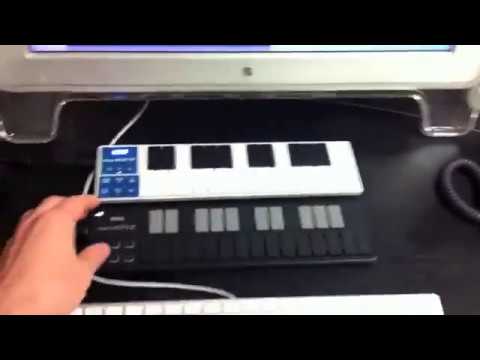
(Check from 1:35" on)
I wish the nanoKEY Studio could connect with the new Yamaha Bluetooth MIDI adaptor (below), so that it could also function as a portable keyboard controller for hardware, without iOS or computer. But I'm guessing it wouldn't be possible without any software to connect the two.
http://usa.yamaha.com/products/musical-instruments/keyboards/accessories/interfaces/md-bt01/
finally decided against getting this, I just don't like those keys at all. Probably gonna get the Bluetooth Microkey, I used to have the old USB version and they were the best feeling keys I've ever played, until one of the pins on the USB connector broke off.
I really wanted it for the knobs and XY pad though. I'll probably change my mind a few more times and ultimately buy nothing cuz I'm broke anyways.
.
Just got it. The keys are the same exact size, but a little bit taller, as the nanoKey2. I love the weird little plastic buttons on the nK2. Jury is still out on if this is an improvement or not. Technically it's probably a little bit better action but got to get used to change.
I use a Bluetooth foot controller with my iPad iOS setup. I believe I can only have one Bluetooth connection at a time, which means I couldn't connect the Nanokey or Nanokontrol Studio in addition to the foot controller?
I only have the one device, so I can't confirm ...but I thinkn from the product demos for the nanoKONTROL and nanoKEYStudio that you can use both of those devices in tandem, so I'm guessing more than one device is possible?