Loopy Pro: Create music, your way.
What is Loopy Pro? — Loopy Pro is a powerful, flexible, and intuitive live looper, sampler, clip launcher and DAW for iPhone and iPad. At its core, it allows you to record and layer sounds in real-time to create complex musical arrangements. But it doesn’t stop there—Loopy Pro offers advanced tools to customize your workflow, build dynamic performance setups, and create a seamless connection between instruments, effects, and external gear.
Use it for live looping, sequencing, arranging, mixing, and much more. Whether you're a live performer, a producer, or just experimenting with sound, Loopy Pro helps you take control of your creative process.
Download on the App StoreLoopy Pro is your all-in-one musical toolkit. Try it for free today.
Comments
So then can we all agree that SunVox is the all-around best DAW recommendation for beginners on iOS?
I thought "Drambo" is what we said when we want people to stop asking questions
😂 on the real, SunVox is absolutely incredible, even if it requires lots of practice. Hell I still haven’t wrapped my head around every feature and I’ve had for idk how long now.
warning - another zombie thread ressurection
It's fascinating that for years most discussed topic about n-Track is people wondering why it get not much attention and why almost nobody really uses it
I was just watching this. If I wanted to create a step phaser effect would it be using a similar method, with a phaser instead of filter, and then a waveshape in increments (12 step phaser etc)? It feels like it would use a literal steps shaped wave like a triangle wave whose slope rather than a smooth line is lots of little mini square wave steps
Coincidentally n-track has just updated to version 10 a couple days ago. 10 includes a new song file system (that reminds me of LP4I) a Shimmer and a Diffuser effect, a way a to create & modify your own samples that can be played as a drum or keyboard sound, and a nice feature to save effects chains….
Make of that what you will.
I'm trying N-Track Studio (in a free version now) and I found I'm not able to get AU instruments to full screen and can't see all controls. It happens with e.g. Neo SoulKeys2, Pure Synth Platinum, King Of FM/Digital, XinematiX, ...


Is there a way to hide the keyboard on the bottom? Can someone else check this issue please?
Here’s the manual: https://ntrack.com/ios-multitrack-manual.php
Scroll down a bit to “1.1.3 - The main Toolbar” and you’ll find the answer near the bottom of that section. (Try clicking the little keyboard icon near the upper left corner of your screen.) n-Track is an excellent DAW and I might still be using it if I hadn’t fallen for Logic Pro.
@yellow_eyez : I dabble a bit on guitar and electric bass but they’re not my main instruments . I sing some , play piano some and play the drums . I even rap when persuaded . (Have an old video of me doing that that went viral ) Me on drums in 2017.. Yes, at 72 I’m one of the oldest members on here . That’s Andy Berman on guitar and yes I know .. he takes after Holdsworth. He plays around town in NYC… Really top notch .
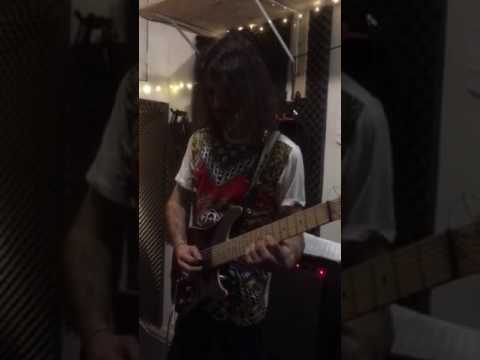

Me also in 2017 keyboard though I don’t play anymore . I was extremely rusty here
@yellow_eyez : Don’t forget that AEM has one of the best owner’s manuals to date.
https://www.audio-evolution.com/manual/ios/Audio Evolution Mobile User Manual for iOS.pdf
Hey something I’ve noticed in new-ish versions of n-Track Pro on iOS is where I can record an audio track with no metronome and n-Track will automatically figure out the tempo and a pop up appears that asks if I want to set the metronome to that tempo. It goes down to the hundredth place (120.53 example) so it’s pretty darn accurate and extremely useful for those people who want to start with no click track. Also useful if I’m importing a drum track that doesn’t synch up exactly to a basic tempo.
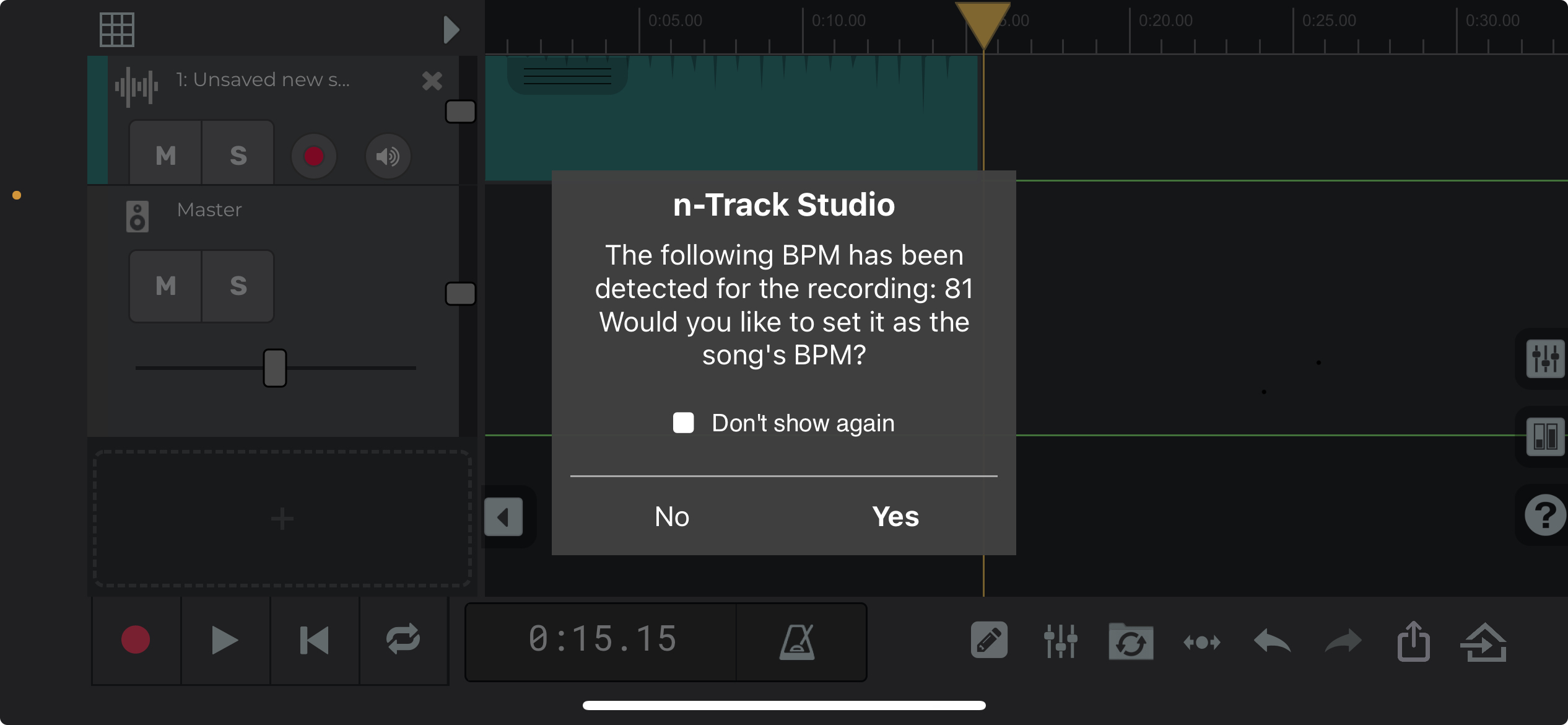
This surprise feature makes me wonder what other features are hidden in n-Track Pro???
@NoiseHorse Ntrack needs to publish a more comprehensive manual where EVERY parameter is highlighted and explained a la Logic Pro or Cubase
Good luck with that. I’ve asked before. They’re a bit shy.
Yeah I know
https://drive.google.com/file/d/1tbXeNQGrqUylyVh9yE8iIhiE8RGFQhNW/view?usp=drivesdk
Show or hide AU3 keyboard. Got this from ntrack support.
Pppp> @dblonde said:
Thanks for the heads up, this is a pretty cool DAW…
I haven’t used the iOS version of N-Track, but are there any other old-timers that used N-Track for PC back in the day? Besides midi-only Cakewalk, N-Track was my first daw, and back around 2003 a fantastic community grew up around it. Pre YouTube, I basically learned everything I knew about recording from the AudioMinds and N-Track forums and the fantastic people there. Eventually the app got buggier and buggier and the alternatives got better, and the community slowly dwindled and died. I’ll always have a soft spot for those N-Track days!
Just picked up N-track a week + ago.
Seems to crash often and exhibit flaky behavior. Trying to Love it But…
I started n-Track on Windows in 1995 with version 2.14. They’ve definitely made some updates since then.
Yeah I remember the first version around 95 just had 4 recording slots and volume sliders, but it was still very exciting at the time!