Loopy Pro: Create music, your way.

What is Loopy Pro?Loopy Pro is a powerful, flexible, and intuitive live looper, sampler, clip launcher and DAW for iPhone and iPad. At its core, it allows you to record and layer sounds in real-time to create complex musical arrangements. But it doesn’t stop there—Loopy Pro offers advanced tools to customize your workflow, build dynamic performance setups, and create a seamless connection between instruments, effects, and external gear.

Use it for live looping, sequencing, arranging, mixing, and much more. Whether you're a live performer, a producer, or just experimenting with sound, Loopy Pro helps you take control of your creative process.

Download on the App Store

Loopy Pro is your all-in-one musical toolkit. Try it for free today.

2025 iOS App Sales & Discussions

1125126128130131259

Comments

  • edited August 2025

    @Johnmayo said:
    Baby audio on sale

    Update - removed comment, thought you meant Audiothing. My bad. Will post details.

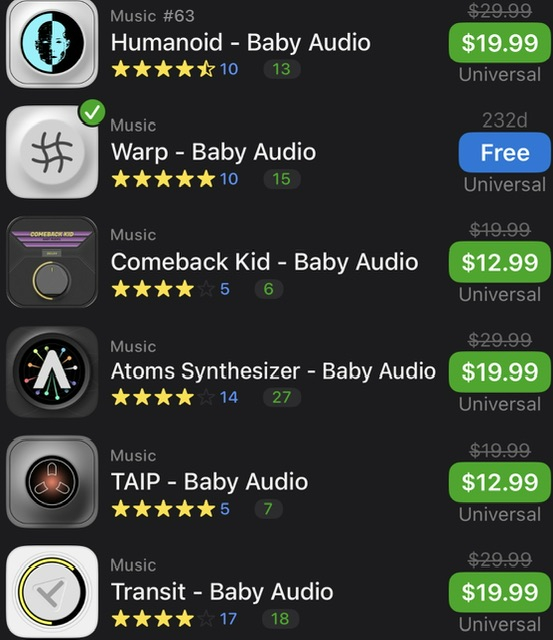
  • BABY AUDIO SALE! All Apps! Plus the several free off if

    https://apps.apple.com/us/developer/baby-audio-inc/id1674621630

  • Music App with IAP Subscription Sale

  • Recent Release - AI

    Skribr - Local AI Chat is a free, private, on device ai chat app
    https://apps.apple.com/us/app/skribr-local-ai-chat/id6746748353

  • edited August 2025

    FontStack is a good pickup. Allows you to layer multiple soundfonts across your keyboard, built in effects. Euclidean is also top notch if you lack one.

    Anyone picking up FontStack or wanting to revisit soundfonts. The app took me down a rabbit hole of an absurdly large directory of soundfonts. Some really great guitars, bells, even bird types.

    Also, the free midi directories that are available on GitHub for free (chords and progressions) was updated in April 2025.

    It says the two directories come bundled with Helium, but mine didn't.

    It's only like 8mb and absolutely worth the drive space. Link BELOW

    Anyone wanting some good sf2 resources, message me. All are welcome

    https://github.com/ldrolez/free-midi-chords

    Also, hit me up if u need help figuring out how to incorporate midi into your apps.

  • edited August 2025

    @egobeats said:
    FontStack is a good pickup. Allows you to layer multiple soundfonts across your keyboard, built in effects. Euclidean is also top notch if you lack one.

    Anyone picking up FontStack or wanting to revisit soundfonts. The app took me down a rabbit hole of an absurdly large directory of soundfonts. Some really great guitars, bells, even bird types.

    Also, the free midi directories that are available on GitHub for free (chords and progressions) was updated in April 2025.

    It says the two directories come bundled with Helium, but mine didn't.

    It's only like 8mb and absolutely worth the drive space. Link BELOW

    Anyone wanting some good sf2 resources, message me. All are welcome

    https://github.com/ldrolez/free-midi-chords

    Also, hit me up if u need help figuring out how to incorporate midi into your apps.

    Good catch on the update. Thanks for sharing. I’m totally blanking on downloading the collection, I’ve downloaded from GitHub before… do you have to be signed in maybe?

  • Free Lifetime IAP - Listening /Watching

    Music - Simple Music Streaming

    https://apps.apple.com/us/app/music-simple-music-streaming/id1481685496

  • Listening

    Cloud Music Video Player is free usually $.99
    https://apps.apple.com/us/app/cloud-music-video-player/id6470197366

  • @Poppadocrock said:

    @egobeats said:
    FontStack is a good pickup. Allows you to layer multiple soundfonts across your keyboard, built in effects. Euclidean is also top notch if you lack one.

    Anyone picking up FontStack or wanting to revisit soundfonts. The app took me down a rabbit hole of an absurdly large directory of soundfonts. Some really great guitars, bells, even bird types.

    Also, the free midi directories that are available on GitHub for free (chords and progressions) was updated in April 2025.

    It says the two directories come bundled with Helium, but mine didn't.

    It's only like 8mb and absolutely worth the drive space. Link BELOW

    Anyone wanting some good sf2 resources, message me. All are welcome

    https://github.com/ldrolez/free-midi-chords

    Also, hit me up if u need help figuring out how to incorporate midi into your apps.

    Good catch on the update. Thanks for sharing. I’m totally blanking on downloading the collection, I’ve downloaded from GitHub before… do you have to be signed in maybe?

    You can usually download the package under "releases":
    https://github.com/ldrolez/free-midi-chords/releases

    Alternatively, under "Code" there is a "download zip" option.

  • Does MidiMixer work in Loopy or other apps besides AUM?

    BONUS DEAL FOR AUM USERS:
    The classic Midi Mixer app - $9.99 down to just $4.99

    MidiMixer is an AUv3 plugin specifically designed for AUM which allows you to control your mix and record automation synced to AUM's timeline. You can control up to 12 AUM channels at once and create up to 8 snapshots of the mixing desk. You can smoothly fade from one snapshot into another at the touch of a button and even record these transitions as part of the automation for your song.

    Offers start Fri 1st August and end on Wed 6th August.

  • @danbun said:

    @Poppadocrock said:

    @egobeats said:
    FontStack is a good pickup. Allows you to layer multiple soundfonts across your keyboard, built in effects. Euclidean is also top notch if you lack one.

    Anyone picking up FontStack or wanting to revisit soundfonts. The app took me down a rabbit hole of an absurdly large directory of soundfonts. Some really great guitars, bells, even bird types.

    Also, the free midi directories that are available on GitHub for free (chords and progressions) was updated in April 2025.

    It says the two directories come bundled with Helium, but mine didn't.

    It's only like 8mb and absolutely worth the drive space. Link BELOW

    Anyone wanting some good sf2 resources, message me. All are welcome

    https://github.com/ldrolez/free-midi-chords

    Also, hit me up if u need help figuring out how to incorporate midi into your apps.

    Good catch on the update. Thanks for sharing. I’m totally blanking on downloading the collection, I’ve downloaded from GitHub before… do you have to be signed in maybe?

    You can usually download the package under "releases":
    https://github.com/ldrolez/free-midi-chords/releases

    Alternatively, under "Code" there is a "download zip" option.

    Thanks. Cheers!

  • Hi all, I need some help and advice please.
    I have an AUM session that I have created and want to keep and I would like to use Midimixer to automate volume control etc. I can add Midimixer in a midi channel and set up connections between it and all of my other channels but that’s the limit of my knowledge!
    In simple terms (if possible), how do I finish setting this up?

    Thanks

  • @jking said:
    Hi all, I need some help and advice please.
    I have an AUM session that I have created and want to keep and I would like to use Midimixer to automate volume control etc. I can add Midimixer in a midi channel and set up connections between it and all of my other channels but that’s the limit of my knowledge!
    In simple terms (if possible), how do I finish setting this up?

    Thanks

    https://www.youtube.com/@PaultheMusicMan/search?query=midi mixer

  • @Simon said:

    @jking said:
    Hi all, I need some help and advice please.
    I have an AUM session that I have created and want to keep and I would like to use Midimixer to automate volume control etc. I can add Midimixer in a midi channel and set up connections between it and all of my other channels but that’s the limit of my knowledge!
    In simple terms (if possible), how do I finish setting this up?

    Thanks

    https://www.youtube.com/@PaultheMusicMan/search?query=midi mixer

    I’ve already checked Paul’s videos. There aren’t many on Midimixer and unless I’m mistaken there’s nothing to help me do what I’ve asked for help on.

  • edited August 2025

    @jking said:

    @Simon said:

    @jking said:
    Hi all, I need some help and advice please.
    I have an AUM session that I have created and want to keep and I would like to use Midimixer to automate volume control etc. I can add Midimixer in a midi channel and set up connections between it and all of my other channels but that’s the limit of my knowledge!
    In simple terms (if possible), how do I finish setting this up?

    Thanks

    https://www.youtube.com/@PaultheMusicMan/search?query=midi mixer

    I’ve already checked Paul’s videos. There aren’t many on Midimixer and unless I’m mistaken there’s nothing to help me do what I’ve asked for help on.

    Here's a proper tutorial..

  • @special_k said:

    @jking said:

    @Simon said:

    @jking said:
    Hi all, I need some help and advice please.
    I have an AUM session that I have created and want to keep and I would like to use Midimixer to automate volume control etc. I can add Midimixer in a midi channel and set up connections between it and all of my other channels but that’s the limit of my knowledge!
    In simple terms (if possible), how do I finish setting this up?

    Thanks

    https://www.youtube.com/@PaultheMusicMan/search?query=midi mixer

    I’ve already checked Paul’s videos. There aren’t many on Midimixer and unless I’m mistaken there’s nothing to help me do what I’ve asked for help on.

    Here's a proper tutorial..

    Thanks, I’ve also checked out Leo’s videos as well! I’m beginning to think that you’re not supposed to do what I’m trying to do!

  • Music Health

    Drum Journey is free usually $1.99
    https://apps.apple.com/us/app/drum-journey/id337500892

  • Music Apps with IAP Sales

  • What are you trying to do? It basically lets you automate the volume on any channel

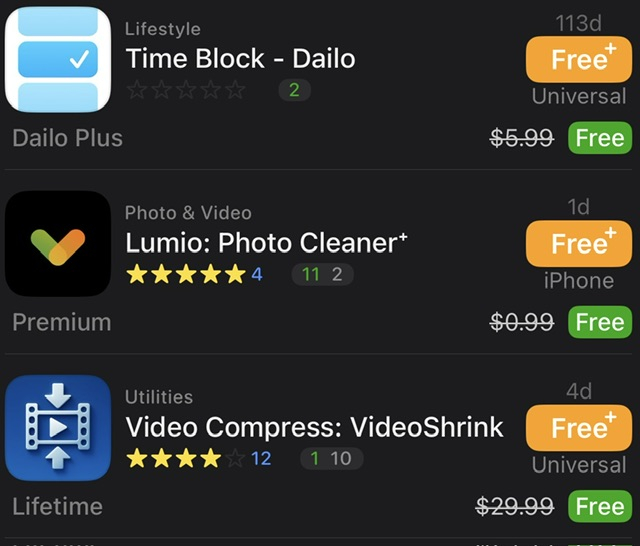
  • Miscellaneous Free IAPs


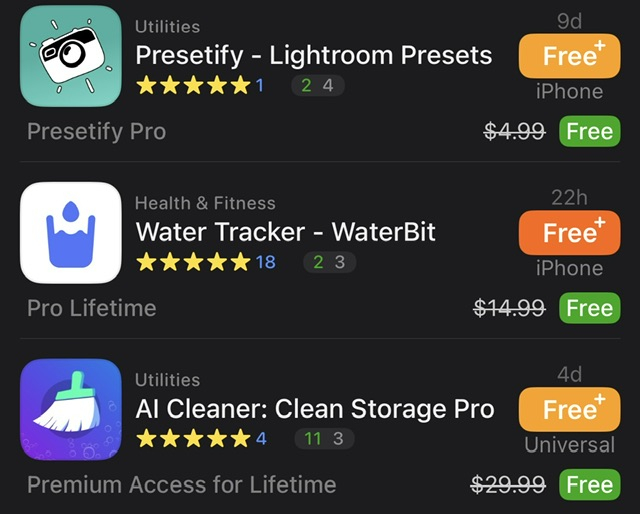
  • Another Miscellaneous Free IAP

  • @Simon said:

    @jking said:
    Hi all, I need some help and advice please.
    I have an AUM session that I have created and want to keep and I would like to use Midimixer to automate volume control etc. I can add Midimixer in a midi channel and set up connections between it and all of my other channels but that’s the limit of my knowledge!
    In simple terms (if possible), how do I finish setting this up?

    Thanks

    You should be able to do this. MIDI mixer comes with several AUM templates for use or reference. And if connected properly you can automate the volume inside midi mixer.

    You can also merge AUM sessions. If that helps too. Maybe merge your session with a template, then copy and paste the audio nodes to the MIDI mixer template locations.

  • New Release - Simon Alexander

    Red Nova - Spatial Compressor is $7.99
    https://apps.apple.com/us/app/rednova-spatial-compressor/id6749191303

  • @jking said:
    Hi all, I need some help and advice please.
    I have an AUM session that I have created and want to keep and I would like to use Midimixer to automate volume control etc. I can add Midimixer in a midi channel and set up connections between it and all of my other channels but that’s the limit of my knowledge!
    In simple terms (if possible), how do I finish setting this up?

    Thanks

    I think the solution is this:

    STEP ONE: Route “Midi Mixer” to MIDI Controls

    STEP TWO: Open the MIDI Control menu in AUM and select the App in slot #1
    BA-1 in my test case.

    STEP THREE: Select the “Channel Controls” submenu:

    STEP FOUR: It appears that every Mixer Volume slider is preconfigured to Channel 1 CC 7 already

    Move the MIDI Mixer Slider #1 and you should see the AUM “BA-1” slider move up and down.
    I’m assuming that MIDI Mixer let’s you automate these sliders.

  • @Poppadocrock said:

    @Simon said:

    @jking said:
    Hi all, I need some help and advice please.
    I have an AUM session that I have created and want to keep and I would like to use Midimixer to automate volume control etc. I can add Midimixer in a midi channel and set up connections between it and all of my other channels but that’s the limit of my knowledge!
    In simple terms (if possible), how do I finish setting this up?

    Thanks

    You should be able to do this. MIDI mixer comes with several AUM templates for use or reference. And if connected properly you can automate the volume inside midi mixer.

    You can also merge AUM sessions. If that helps too. Maybe merge your session with a template, then copy and paste the audio nodes to the MIDI mixer template locations.

    @McD said:

    @jking said:
    Hi all, I need some help and advice please.
    I have an AUM session that I have created and want to keep and I would like to use Midimixer to automate volume control etc. I can add Midimixer in a midi channel and set up connections between it and all of my other channels but that’s the limit of my knowledge!
    In simple terms (if possible), how do I finish setting this up?

    Thanks

    I think the solution is this:

    STEP ONE: Route “Midi Mixer” to MIDI Controls

    STEP TWO: Open the MIDI Control menu in AUM and select the App in slot #1
    BA-1 in my test case.

    STEP THREE: Select the “Channel Controls” submenu:

    STEP FOUR: It appears that every Mixer Volume slider is preconfigured to Channel 1 CC 7 already

    Move the MIDI Mixer Slider #1 and you should see the AUM “BA-1” slider move up and down.
    I’m assuming that MIDI Mixer let’s you automate these sliders.

    Thanks for your kind help, I’ll try out what you suggest 😁👍

  • @jking said:
    Thanks for your kind help, I’ll try out what you suggest 😁👍

    The AUM MIDI Control section is something I didn’t even see until 4 years of use. I got into it when I start wanting to
    put LFO’s on almost everything to insure maximum chaos. It supports MIDI Learn for easy set ups for Knobs, PADs,
    Sliders and Digital Theramins (or so I imagine).

  • @McD said:

    @jking said:
    Thanks for your kind help, I’ll try out what you suggest 😁👍

    The AUM MIDI Control section is something I didn’t even see until 4 years of use. I got into it when I start wanting to
    put LFO’s on almost everything to insure maximum chaos. It supports MIDI Learn for easy set ups for Knobs, PADs,
    Sliders and Digital Theramins (or so I imagine).

    Good to know, thanks 👍

Sign In or Register to comment.