Loopy Pro: Create music, your way.
What is Loopy Pro? — Loopy Pro is a powerful, flexible, and intuitive live looper, sampler, clip launcher and DAW for iPhone and iPad. At its core, it allows you to record and layer sounds in real-time to create complex musical arrangements. But it doesn’t stop there—Loopy Pro offers advanced tools to customize your workflow, build dynamic performance setups, and create a seamless connection between instruments, effects, and external gear.
Use it for live looping, sequencing, arranging, mixing, and much more. Whether you're a live performer, a producer, or just experimenting with sound, Loopy Pro helps you take control of your creative process.
Download on the App StoreLoopy Pro is your all-in-one musical toolkit. Try it for free today.
Comments
@sigma79 : I think what you are calling scaling is different from what some of us mean. In all of those pictures you posted, the u.i. height seems fixed. Whether the full height is displayed seems to be a function of whether the window can be made larger enough.
On the iPhone, vertical scrolling is possible but doesn’t seem to be available on iPad.
In my case I confirm that yeah no scrolling or scaling the AUv3 in Loopy, every other AUv3 I try scales, I wouldn't have noticed before as I tend to open AUv3s and engage the go full screen option
(while my modulation setting works fine as mentioned already)
Tera Pro is ok when full screen but dosent snap to a smaller scale ( of a full screen ) like other apps.
Some apps just set to a different state ( Full screen app to a half screen app )
Nambu. Audiokit. Continua etc.
Then theres apps that dont switch to a different state but instead a different scale.
Not sure about the vertical scrolling question.
Hi all,
the bugfix is now online. This fixes the modulation button problem and also makes the AU view a bit smaller to make it more accessible. A more flexible ui scaling is in the works though...
Harry
Super Thanks!
For the next update consider taking a look at the color-theme being used...
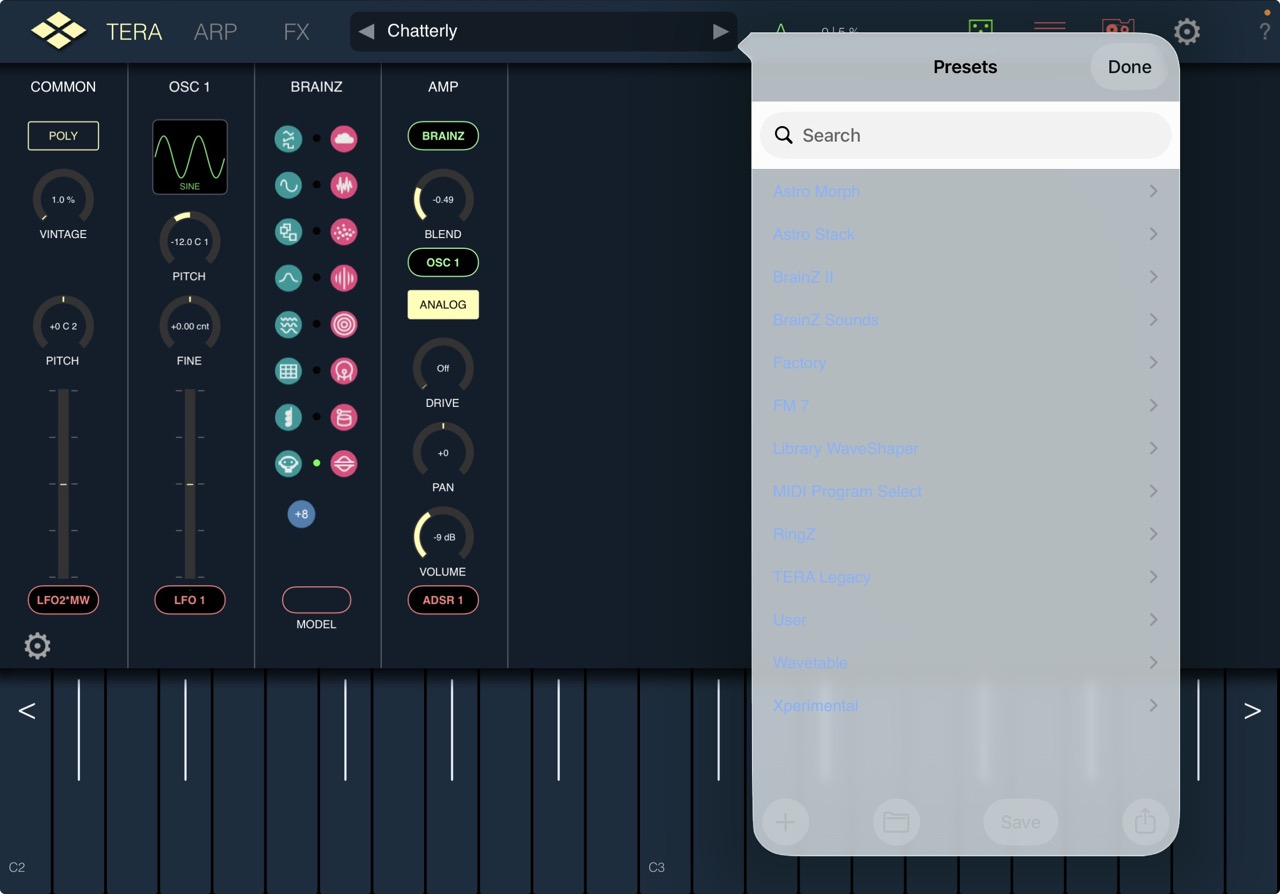
When using 'Light Mode' under iPadOS26.4 the top level preset menu is barely visible and it doesn't really matter which color I use for the TeraPro UI?!
While 'Dark Mode' works quite ok.
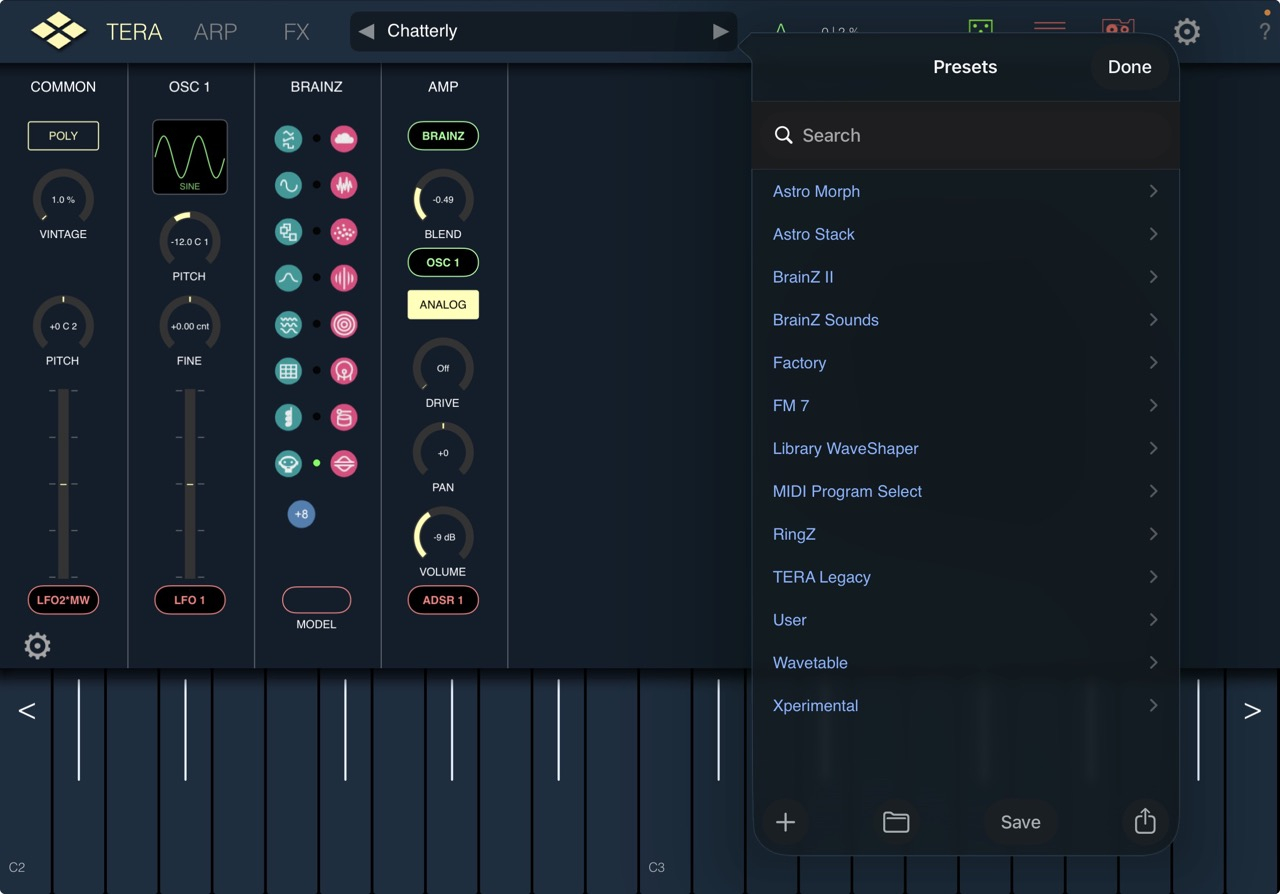
One thing that could work here is to force Dark Mode for TeraPro?
Generally I prefer to use the light mode as it's easier for my eyes to handle.
Naturally the best option would be to consistently use the same color for all the menu levels and remove the 'light blue' menu text from the top level menu as all the other levels already use either back or while depending on whether Dark/Light mode is used.
Cheers!
Odd, I didn’t get the update. What day was it released?
(https://forum.loopypro.com/uploads/editor/my/7n2rm0bk5vcb.png "")
On the 12.9-inch M2 with system version 18.7, the UI becomes a complete mess. The ARP and MFX windows are oversized and display incorrectly. In full-screen mode, keyboard buttons do not work. Please upgrade with caution until these bugs are fixed.
thanks for the warning
See screenshots above. There seem to be issues still for some screen sizes.
sorry...
I'm looking at it and hopefully don't need to revert to last version.
Thank you for the update @VirSyn! Tera Pro is a fantastic synth, one of my favourites!
Could you please look at the FM module? There seem to be a problem for some of us with voices that don’t release. It drives the CPU up and makes it unusable for me at the moment. https://forum.loopypro.com/discussion/67462/tera-pro-fm7-goes-silent
@VirSyn
i updated just now
and Tera Pro auv3
doesnt show in Aum no more:(
iOS 17, ipad air 3
thnx
Thank you for scrolling in the plugin @VirSyn 👍🏼
It'll be much nicer if/when scaling is possible, but this'll do, for me anyway.
Have you tried rebooting?
You may need to open it stand-alone first, so it can register the AUv3.
silly me:(
sorry
works ok after rebooting!!!
thnx
update is available now and should remove the ui problems with 12.9 iPads.
In addition i added vertical scrolling in the AU version.
Thank you!
Most of the presets using only the FM module have no envelope routed to the AMP volume. Therefore each voice is running always and burning CPU...
The reason was to have 1:1 the exact same sounds on the original and on Tera Pro.
There are two solutions for this dilemma:
1) reduce the total number of voices in preference down to 16 ( the value of the original DX7 ). Works on most devices.
2) add an envelope (ADSR or EGx) to the AMP volume and adapt the envelope to fit your needs.
I should have made this more clear in the beginning...
Harry
That explains everything! Good to know it’s not a bug. Maybe it’s better to limit the voices to 16 by default for the fm module? That would prevent users from getting high cpu. Anyway, I’m happy to use it again now!
Edit: adding an ADSR to the amp works great!
By any chance, does anyone have any good routing application ideas for this input module? I'm only now about to spend time trying to make it do something hopefully interesting as well as "good" or at least "not bad", and wondering if anyone else already came up with something also not terrible?
Amplitude modulation of an oscillator. Unfortunately, internal feedback does not appear to be possible.
Hey, new to Tera Pro. I been grocking the basics this past week and learning my way around a bit. So i purchased the IAP Library Waveshaper, but only see a handful of waves to choose from (15) for the shaper module. I do see that selecting custom then long press allows you to open the editor window, but where do i find the extended library?
Hi. I don't believe there is an "extended library". It is just a waveshaper, not a wavetable oscillator, after all.
Ok, so the “Library Waveshaper” that i bought is only relevant to the wavetable osc? I did suspect that myself, but i thought “Module Waves” was the Wavetable Oscillator adjacent thing. I was unsure so i had purchased both. Problem is, i looked at my available Wave shapes to choose from for the Shaper module before the purchase, but i didn’t do the same for the Wavetable Osc, so i wouldn’t know if both my purchases went towards WVTBL OSC, unless you yourself know. To make things more complicated, the App Store showed only 2 IAPs, while going via the app shows more. Here’s a screen shot of the iapS through the app: It also took many tries for the IAP to with via the app. Actually, i think the purchases via the app didn’t work until i made an IAP through the Apple Store.
Also, regarding “it’s just a waveshaper…”
My only experience with Modular is Drambo, lol, understand it’s not the same but it’s the closest for me. I get that shaper is for distortion, but i was just trying to recreate this for fun: I’m apparently missing this “Coast Folder”. Is this something they just drew in? Cause i certainly don’t see this in my library. I tried this with the factory shapes, but i hear a steppyness going through the octaves and none look like the one on the video. On the video the rise is smoother.
That looks like it might be a manually-created "harmonic" function.
Also, I believe IAPs always work better in the stand-alone version of an app; were you possibly trying to make them in the AUv3?
No, i haven’t even opened this as an AUv3 yet. Thanks for the harmonic function tip.
Internal feedback is possible ... you can use the RingZ module as an input to itself. I often use the Mixer to combine RingZ output with other inputs and then feed that back into the RingZ module with some very interesting results.
Watch your ears though! Best to include an LPF in the loop somewhere and slap on a limiter later in the chain.
Neat!
The Library Waveshaper AFAIK, only relates to the Shaper module, and has no connection with the Waves IAP.
Cool. I don’t see them though. It’s only .99 so maybe them 15 that show are it?