Loopy Pro: Create music, your way.
What is Loopy Pro? — Loopy Pro is a powerful, flexible, and intuitive live looper, sampler, clip launcher and DAW for iPhone and iPad. At its core, it allows you to record and layer sounds in real-time to create complex musical arrangements. But it doesn’t stop there—Loopy Pro offers advanced tools to customize your workflow, build dynamic performance setups, and create a seamless connection between instruments, effects, and external gear.
Use it for live looping, sequencing, arranging, mixing, and much more. Whether you're a live performer, a producer, or just experimenting with sound, Loopy Pro helps you take control of your creative process.
Download on the App StoreLoopy Pro is your all-in-one musical toolkit. Try it for free today.
Comments
Thx for the bloom fix @AnalogMatthew
Good looking out @Gavinski
@Squishy
You wanna see the tagline on the dev's Instagram. 'Sound and music malpractice'.
Not sure he meant it literally when he wrote it, but yes, literally....

Things like that is why I’ll continue to support the “good guys “ like Matthew , the fine folks at AudioThing, Iceworks , Bram Bos, etc , but other folks can take the plunge on unproven devs.
Which why this was an instant preorder , and I’m enjoying it so far ! Did I need it? No, but in this case I’m glad I picked it up , and that No Quarter preset is amazing! Of course there are others but that one immediately stood out
Thanks.
A demo.
None of you are players ( Neither am I )
But the other vid wasnt Sustenuto ( you can do that with 1 hand holding key ) and the other with other hand.
You have to use 2 hands after Sustenuto ( or be ready by using Sustenuto )
Really good @AnalogMatthew, thanks.
Just one thing I wish it had: slide vertically after touch for the keyboard in standalone. It would be great for making patches and quickly trying different after touch configurations. Cheers.
Wow, thanks, that is a nice offer. Please share your patches, I can demo Wurly on desktop.
Shaping sounds and going through 46 of my favorite presets
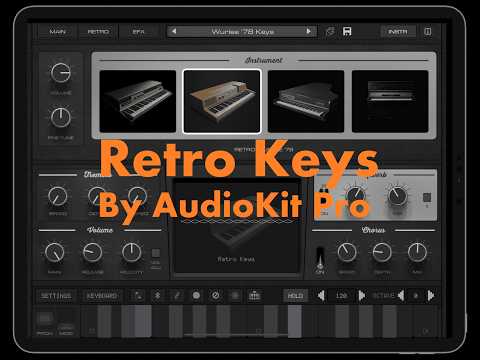
@AnalogMatthew The VHS/RGB channels messed up on the logo animation that appears when launching this hurts my eyes (I recently had to undergo eye surgery, almost lost one eye). Same animation in the info section. Would you consider a setting to switch this off please? Fortunately I don't have seizure but that would be wise to take care of that if possible. Thank you!
Ouch! That's tough about the eye surgery. Sorry you had to go through that. I'll look into it
Did everyone find the Easter Egg? 🐣
Kaleidoscope is great with this!
@AnalogMatthew, I’m sorry to be ‘that person’ but I’m wondering whether there’s any chance of having an option in the settings to turn off the massive glitching text when opening the plug-in and loading an instrument? I find it really jarring and, I’m sorry to say, annoying - I know what plug-in I’m opening and when I’m loading a different instrument, i don’t need it shouting at me. Please consider having it as optional.
v1.0.3 update will have option to turn off intro text. Toggle will be located on "About" page: [i] button in upper right
This is pretty rad
Brilliant, thanks @AnalogMatthew.
Thanks Matthew , the new update has sorted out the Woodpecker sequencer issue .
@AnalogMatthew thx for the Harmony Bloom fix! It sounds phenomenal! What did you think of it w/retro keys?
@Squishy very cool man
Can’t wait to take it for a spin!
Also really enjoying Retro Piano with Piano Motifs, sending each midi channel to a separate instance with differing instruments. The vibe is niiiice 🤙
Much appreciated, thanks!
Harmony Bloom is a treat. Like most middle aged dudes into synths, I appreciate any tools that help me make ambient music
As a fellow middle-aged synth enthusiast, i concur!
Yeah man- I've been spending a lot of time with R.Keys and Piano Motifs. - isolating the channels and letting some motifs ride solo on ch.2 with R.Keys has met some really great bristol-inspired trip hop.
@azul3D_Apps
Your generator combined with Retro Keys is pretty incredible.
I’m middle-aged + a bit; tell me why I need harmony bloom. 🤪
It’s a unique midi arp/melody generator.
You don’t need it. Doubt it would get more use than your current fav.
Riffler flow as a midi driver to retro keys has been really fun.
@AnalogMatthew - loving this app so much.
Minor request: would it be possible to add a swipe left/right to switch between main/retro/efx/preset panels? Not a big deal but it would be a time saver (using this on my phone currently).
Thank you!
@AnalogMatthew Great app. If open to suggestions, could the app open on Favourites when tapping the preset header and could the app remember octave range last played for any factory presets?
That would put the knobs in a scrollview which unfortunately fights for touch control on iOS. So it might scroll when you're trying to turn a knob or vice versa.
Ah, ok, thanks.
Just throwing a thought out there, no idea if it’s possible; can the text/label area between the knobs trigger the scrolling?
The app battlestation scrolls horizontally if the text above the panels is swiped, that’s why I ask.
Again, no biggy, love the app, but I find myself wishing I could swipe to move those panels.
The area I’m referring to is in gray.
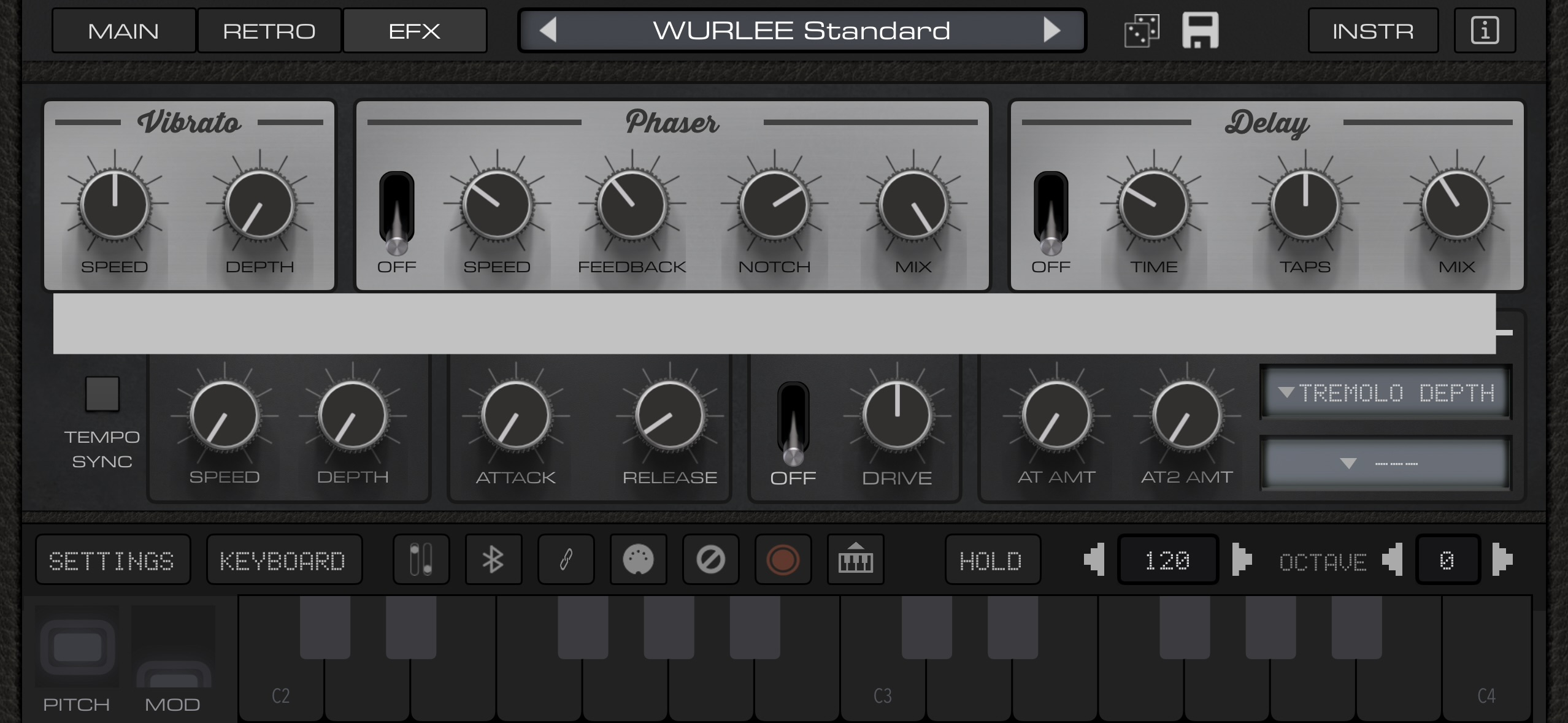
Oh, cool! Didn't know that about Battlestation. Bram Bos makes great UIs.
There is an examples application called the AudioKit Cookbook that has all the code examples from the AudioKit Framework. That is where I tried putting knobs in a scrollview, and noticed the buggy behavior I described. But maybe swiping the area above or below could work. It never hurts to ask. Cheers!