Loopy Pro: Create music, your way.

What is Loopy Pro?Loopy Pro is a powerful, flexible, and intuitive live looper, sampler, clip launcher and DAW for iPhone and iPad. At its core, it allows you to record and layer sounds in real-time to create complex musical arrangements. But it doesn’t stop there—Loopy Pro offers advanced tools to customize your workflow, build dynamic performance setups, and create a seamless connection between instruments, effects, and external gear.

Use it for live looping, sequencing, arranging, mixing, and much more. Whether you're a live performer, a producer, or just experimenting with sound, Loopy Pro helps you take control of your creative process.

Download on the App Store

Loopy Pro is your all-in-one musical toolkit. Try it for free today.

2025 iOS App Sales & Discussions

1107108110112113259

Comments

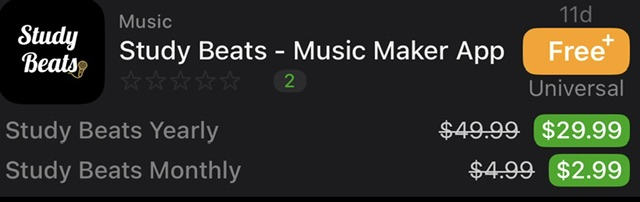
  • Music App with a free IAP

  • A Few More Miscellaneous Free IAPs


  • @Robin2 said:

    @rs2000 said:

    @Robin2 said:
    Ableton Note on sale £4.99.

    https://apps.apple.com/gb/app/ableton-note/id1633243177

    Sorry for the obvious question but is it worth it if you don’t have the extra benefit of also being an Ableton desktop user? Has it got any unique features - looking at the App Store description, I can’t really see any but I might be missing something?

    It's certainly one of the interesting options when you want to have a simple app to compose on your iPhone on the go, more or less like Koala, Gadget, Groovebox etc.
    You can only export audio though, so without Ableton you'll need to use the built-in sounds as they are.

    Thanks, @rs2000. I was thinking surely Koala can do everything it does really. I’m certainly at the stage of not wanting to duplicate functionality unless it’s for something truly spectacular. Cheers.

    The one thing it does better than anything else on iOS (IFAIK) is MIDI capture, and it does it very, very well. You can just noodle around with an instrument or drum kit, and when you hear something you like, hit the capture button and boom! You have a clip that's appropriately trimmed (most of the time) and you've set the BPM for the project based on that first capture. It also has traditional record modes if you prefer. The UI scales very nicely, so Note is very usable on an iPhone, but also takes advantage of the screen real estate on a big iPad.

    For what it's worth, Note includes a license for Ableton Live Lite on desktop, which can be used to extract MIDI clips from Note projects, create presets, create arrangements, etc.

    For $5 Note is a slam dunk IMO. It's a completely different beast than Koala. I'll also mention that it has had significant feature upgrades since its initial release, and the dev team seems very responsive and engaged (on Ableton's Discord). The one thing it has in common with Koala, is that it's kind of ridiculous that you can get an app that's so powerful for so little money.

  • @mjm1138 said:

    @Robin2 said:

    @rs2000 said:

    @Robin2 said:
    Ableton Note on sale £4.99.

    https://apps.apple.com/gb/app/ableton-note/id1633243177

    Sorry for the obvious question but is it worth it if you don’t have the extra benefit of also being an Ableton desktop user? Has it got any unique features - looking at the App Store description, I can’t really see any but I might be missing something?

    It's certainly one of the interesting options when you want to have a simple app to compose on your iPhone on the go, more or less like Koala, Gadget, Groovebox etc.
    You can only export audio though, so without Ableton you'll need to use the built-in sounds as they are.

    Thanks, @rs2000. I was thinking surely Koala can do everything it does really. I’m certainly at the stage of not wanting to duplicate functionality unless it’s for something truly spectacular. Cheers.

    The one thing it does better than anything else on iOS (IFAIK) is MIDI capture, and it does it very, very well. You can just noodle around with an instrument or drum kit, and when you hear something you like, hit the capture button and boom! You have a clip that's appropriately trimmed (most of the time) and you've set the BPM for the project based on that first capture. It also has traditional record modes if you prefer. The UI scales very nicely, so Note is very usable on an iPhone, but also takes advantage of the screen real estate on a big iPad.

    For what it's worth, Note includes a license for Ableton Live Lite on desktop, which can be used to extract MIDI clips from Note projects, create presets, create arrangements, etc.

    For $5 Note is a slam dunk IMO. It's a completely different beast than Koala. I'll also mention that it has had significant feature upgrades since its initial release, and the dev team seems very responsive and engaged (on Ableton's Discord). The one thing it has in common with Koala, is that it's kind of ridiculous that you can get an app that's so powerful for so little money.

    I have to second this. Screen Time tells me this is my most used music app after Koala and AUM.

    It's different than Koala, and there's something about it that aligns very well with the "groovebox" mentality.

    You start a track and you are randomly given three (of a potential eight) tracks, already equipped with a random drum, bass, and keyboard (or blank sampler). You can re-arrange things, but it's nice to have something straight out of the gate. You've got something already in less than a minute that you can shape.

    It's self-contained, so unless you export to Ableton Live, it's kind of stuck there except as mentioned before, a full export.

    I have over 800 sets at this point, it's mostly fun loops without any finished songs. Koala is where I get to start and finish things :)

    In terms of the experience of fun, Note at full price is a steal.

  • @mjm1138 said:

    @Robin2 said:

    @rs2000 said:

    @Robin2 said:
    Ableton Note on sale £4.99.

    https://apps.apple.com/gb/app/ableton-note/id1633243177

    Sorry for the obvious question but is it worth it if you don’t have the extra benefit of also being an Ableton desktop user? Has it got any unique features - looking at the App Store description, I can’t really see any but I might be missing something?

    It's certainly one of the interesting options when you want to have a simple app to compose on your iPhone on the go, more or less like Koala, Gadget, Groovebox etc.
    You can only export audio though, so without Ableton you'll need to use the built-in sounds as they are.

    Thanks, @rs2000. I was thinking surely Koala can do everything it does really. I’m certainly at the stage of not wanting to duplicate functionality unless it’s for something truly spectacular. Cheers.

    The one thing it does better than anything else on iOS (IFAIK) is MIDI capture, and it does it very, very well. You can just noodle around with an instrument or drum kit, and when you hear something you like, hit the capture button and boom! You have a clip that's appropriately trimmed (most of the time) and you've set the BPM for the project based on that first capture. It also has traditional record modes if you prefer. The UI scales very nicely, so Note is very usable on an iPhone, but also takes advantage of the screen real estate on a big iPad.

    For what it's worth, Note includes a license for Ableton Live Lite on desktop, which can be used to extract MIDI clips from Note projects, create presets, create arrangements, etc.

    For $5 Note is a slam dunk IMO. It's a completely different beast than Koala. I'll also mention that it has had significant feature upgrades since its initial release, and the dev team seems very responsive and engaged (on Ableton's Discord). The one thing it has in common with Koala, is that it's kind of ridiculous that you can get an app that's so powerful for so little money.

    Interesting, thanks @mjm1138. I’ll watch some videos on it to see. Dawnbeat also has retrospective MIDI recording so I may already have that covered as well. Cheers.

  • edited July 2025

    @DSZA said:

    @mjm1138 said:

    @Robin2 said:

    @rs2000 said:

    @Robin2 said:
    Ableton Note on sale £4.99.

    https://apps.apple.com/gb/app/ableton-note/id1633243177

    Sorry for the obvious question but is it worth it if you don’t have the extra benefit of also being an Ableton desktop user? Has it got any unique features - looking at the App Store description, I can’t really see any but I might be missing something?

    It's certainly one of the interesting options when you want to have a simple app to compose on your iPhone on the go, more or less like Koala, Gadget, Groovebox etc.
    You can only export audio though, so without Ableton you'll need to use the built-in sounds as they are.

    Thanks, @rs2000. I was thinking surely Koala can do everything it does really. I’m certainly at the stage of not wanting to duplicate functionality unless it’s for something truly spectacular. Cheers.

    The one thing it does better than anything else on iOS (IFAIK) is MIDI capture, and it does it very, very well. You can just noodle around with an instrument or drum kit, and when you hear something you like, hit the capture button and boom! You have a clip that's appropriately trimmed (most of the time) and you've set the BPM for the project based on that first capture. It also has traditional record modes if you prefer. The UI scales very nicely, so Note is very usable on an iPhone, but also takes advantage of the screen real estate on a big iPad.

    For what it's worth, Note includes a license for Ableton Live Lite on desktop, which can be used to extract MIDI clips from Note projects, create presets, create arrangements, etc.

    For $5 Note is a slam dunk IMO. It's a completely different beast than Koala. I'll also mention that it has had significant feature upgrades since its initial release, and the dev team seems very responsive and engaged (on Ableton's Discord). The one thing it has in common with Koala, is that it's kind of ridiculous that you can get an app that's so powerful for so little money.

    I have to second this. Screen Time tells me this is my most used music app after Koala and AUM.

    It's different than Koala, and there's something about it that aligns very well with the "groovebox" mentality.

    You start a track and you are randomly given three (of a potential eight) tracks, already equipped with a random drum, bass, and keyboard (or blank sampler). You can re-arrange things, but it's nice to have something straight out of the gate. You've got something already in less than a minute that you can shape.

    It's self-contained, so unless you export to Ableton Live, it's kind of stuck there except as mentioned before, a full export.

    I have over 800 sets at this point, it's mostly fun loops without any finished songs. Koala is where I get to start and finish things :)

    In terms of the experience of fun, Note at full price is a steal.

    Thanks @DSZA, interesting to read. As I’ve just said, I’ll look up some videos to see whether it grabs me. Cheers.

  • Can Note capture in 3/4, 6/8 etc? All the videos I watch only show 4/4.

  • @Pianisto said:
    Can Note capture in 3/4, 6/8 etc? All the videos I watch only show 4/4.

    You can't can't change time signature, but I have a file or two where I just do 3 bars of 4 beats and it break up like that.

  • @mjm1138 @DSZA Well, I’ve watched a few a and it does seem very well made with some excellent implementation of features.

    If I didn’t have anything like it, I’d definitely grab it but I think I’ll pass as, not being a desktop Ableton user, I do think I would be missing its killer feature from what I’ve seen. Cheers.

  • Visual/Entertainment

    Spaghettify M is free usually $.99
    https://apps.apple.com/us/app/spaghettify-m/id1590206959

  • Listening

    Tape 2 is currently free usually $1.99 - IAPs are skins only
    https://apps.apple.com/us/app/tape2/id6446626855

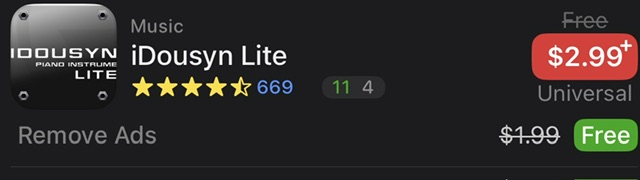
  • Music App with IAP Sale

  • New Release - Free at Launch - Listening

    Spice AI is currently free, personal podcast agent
    https://apps.apple.com/us/app/spice-ai/id6746499156

  • New Release - Free at Launch - Photo

    ChronoSnap is free, multiple pics with one click
    https://apps.apple.com/us/app/chronosnap/id6747997456

  • edited July 2025

    New Releases - Free at Launch - Utilities

    FileUnzipper is free, zip, rar, and 7z
    https://apps.apple.com/us/app/fileunzipper/id6748057107

    Air Flow Cast is free, easy casting with some features
    https://apps.apple.com/us/app/airflow-cast/id6748063872

  • @Robin2 said:
    @mjm1138 @DSZA Well, I’ve watched a few a and it does seem very well made with some excellent implementation of features.

    If I didn’t have anything like it, I’d definitely grab it but I think I’ll pass as, not being a desktop Ableton user, I do think I would be missing its killer feature from what I’ve seen. Cheers.

    Cheers. TBH it made a desktop Ableton user out of me and I’m considering getting a Move, so, maybe best to stay away if you don’t want to start down that path 🤣

  • edited July 2025
    The user and all related content has been deleted.
  • edited July 2025

    Mosaic is 1.99!!!

    @offbrands thx for posting the links. I've been meaning to get it for awhile.

  • Great! Picked up Mosaic too, finally. Also picked up Hyp to play with, .

    Thanks for posting the sales!

  • half the parchstorage for mosaic I saw said “launchpad”. Whazzat? Hardware? Ableton appendage?

  • The user and all related content has been deleted.
  • The Mozaic Update is what I’m excited about! I can finally add subfolders to sort the 150+ scripts I have loaded in there! Sweet! It might take a bit but the drag and drop addition so make it relatively smooth.

    I can’t recommend Mozaic enough for anyone interested in using, altering, creating, controlling midi. If not convinced go to patchstorage website and select Mozaic to see all the free midi fx patches available. There’s over 400 free MIDI scripts, aka presets.

  • @Dav said:
    Great! Picked up Mosaic too, finally. Also picked up Hyp to play with, .

    Thanks for posting the sales!

    Patchstorage, select Mozaic, go nuts.

  • @Squishy said:
    half the parchstorage for mosaic I saw said “launchpad”. Whazzat? Hardware? Ableton appendage?

    That’s the nature of the app, since anyone who learns the Mozaic Code can create their own AU MIDI FX plugin with the features Mozaic has available, there are all kinds of free patches. Some people have created Mozaic patches so the Mozaic app works seamlessly with their hardware. Then shared their work for free so anyone who has that hardware can do the same. So… Yes some patches are specific to certain hardware, but the vast majority are for anyone. There’s currently 371 different midi fx presets, each like its own AU midi fx app. You can search, filter, or scroll for a bit, to find so many possibilities. It’s been out for awhile now so they have accumulated over the years. You might have to search or scroll to find some older ones that work for you. Hope that helps.

    There are also some listed in the Loppy Pro Wiki, under Mozaic, and some even for sale on GumRoad if I recall correctly. Cheers!

  • Dear Friends & Loopy Pro Forum Members,

    It’s the end of the 2nd Quarter of 2025, and I wanted to quickly reach out and ask for your support. So many of you have supported this thread in one way or another over the years and I cannot tell you how much I’ve appreciated all the love that’s been shared.

    To help keep this going I would like to kindly ask for your assistance once more. If you are in a position to donate, no matter the amount, it would be greatly appreciated.

    PayPal is the preferred method, but Ko-fi is also available. You can subscribe to a small monthly payment on Kofi, if you so choose. Cheers to a great summer of sales & freebies!

    Sincerely,

    Chris aka Poppadocrock

    PayPal.me - preferred option 
https://paypal.me/Poppadocrocks?country.x=US&locale.x=en_US

    Kofi
    

https://ko-fi.com/poppadocrock

  • @Dav said:
    Great! Picked up Mosaic too, finally. Also picked up Hyp to play with, .

    Thanks for posting the sales!

    Cheers @Dav

  • Developer

    StackRover is free usually $3.99 - JavaScript Manuals and Quizzes
    https://apps.apple.com/us/app/stackrover/id6454232823

  • Graphics

    Color Decoder is free usually $.99 - developer has a few apps that are free
    https://apps.apple.com/us/app/color-decoder-cyc/id6747297037

  • @Poppadocrock said:
    Dear Friends & Loopy Pro Forum Members,

    It’s the end of the 2nd Quarter of 2025, and I wanted to quickly reach out and ask for your support. So many of you have supported this thread in one way or another over the years and I cannot tell you how much I’ve appreciated all the love that’s been shared.

    To help keep this going I would like to kindly ask for your assistance once more. If you are in a position to donate, no matter the amount, it would be greatly appreciated.

    PayPal is the preferred method, but Ko-fi is also available. You can subscribe to a small monthly payment on Kofi, if you so choose. Cheers to a great summer of sales & freebies!

    Sincerely,

    Chris aka Poppadocrock

    PayPal.me - preferred option 
https://paypal.me/Poppadocrocks?country.x=US&locale.x=en_US

    Kofi
    

https://ko-fi.com/poppadocrock

    I've sent you something, it's not much, but it's what I'm confortable with right now. Your thread has saved me (or cost me :P ) a few dollars already!! Thank you :)

  • Thank you so much @oscillotus It really means a lot. Cheers mate.

Sign In or Register to comment.