Loopy Pro: Create music, your way.
What is Loopy Pro? — Loopy Pro is a powerful, flexible, and intuitive live looper, sampler, clip launcher and DAW for iPhone and iPad. At its core, it allows you to record and layer sounds in real-time to create complex musical arrangements. But it doesn’t stop there—Loopy Pro offers advanced tools to customize your workflow, build dynamic performance setups, and create a seamless connection between instruments, effects, and external gear.
Use it for live looping, sequencing, arranging, mixing, and much more. Whether you're a live performer, a producer, or just experimenting with sound, Loopy Pro helps you take control of your creative process.
Download on the App StoreLoopy Pro is your all-in-one musical toolkit. Try it for free today.
Comments
Yeah, it was me, but I think it drowned in posts upthread, so totally +1 here. I’d so much love a real randomizer in this (and @AnalogMatthew ’s older synths too.)
Are you sure it's clipping and not just internal saturation intentionally added to preset to add drive ? The knob in mixer page ..
Ah yeah.. yes, you are true, this is standard way how all synths handle this.. all modulations are par of patch and there is no reason to bypass some modulation while tweaking any knob just because key is pressed .. so far as i understand it's maybe sort of CPU optimilisation but i don't think it's worth in this case cause it breaks some very important functionality of synthetiser (to behave consistently during live playing). I'm always for top possible quality even for price of higher CPU load. (But i may be completely wrong here, just my speculations based on my limited knowledge)
Is it really going to be 20-30 dollars?
Because it was also said about other audiokit synths but they never went there.
Should I buy this synth now? Is the question.
LFOs also seem to go out of sync with the arpeggiator when changing the BPM using basic 1/16 for the LFO and 1/8 for the arpeggiator. Naturally this could be caused by the fact the LFOs have a limit of how fast they can go but this doesn't explain the behavior when lowering the BPM. At 120BPM things work OK, but going up to 140BPM or down to 80BPM and the sync is well, not in sync anymore...
I was wondering the same and the checked price movements of the last few releases vs their indicated ‘normal price’ as stated in their AppStore descriptions. None of them had ever been at the supposed normal price. Make of that what you will.
Each to their own and, if it works for Matthew, who am I to disagree but I really dislike this marketing approach personally.
i can confirm the clipping. it is also present for me in other audiokit king apps btw.
And it’s a +1 from me too👍
My goodness, the J8 is a fantastic synth, I have not stopped using it from the actual minute it was released, I think everyone on this thread has already answered your question for you 👍
Insta purchase like 90 % of Matt synths and this is a banger. Best one yet and if you are a Roland head just buy it and the rest will work itself out. It’s an amazing synth and the sound is beyond my paltry words.
Yes! This sounds great! Thanks, @AnalogMatthew!
A quick search found a list of the original factory presets with settings and audio examples if anyone is interested.
Oh, nice...thank you...
Oh! Now this is interesting
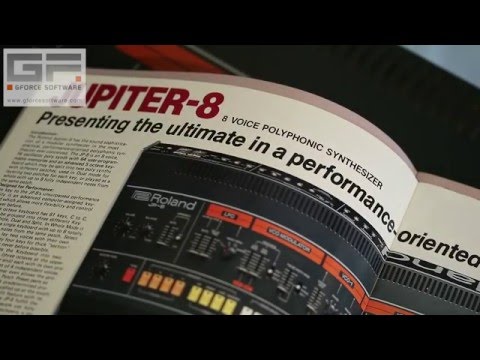
Here's a pretty good walkthrough of the Jupiter 8...
On Clipping:
Since presets are community made there really isn't a set standard on loudness. Mac and iOS allow for volume above 0db in most DAWs while monitoring. Once you record that audio, anything above 0 will clip. In AUv3, the solution is to turn it down or add a peak limiter. Adding a limiter internally in the J8 signal chain would result in a false peak, because in the AUv3 host the user could put a fader above 0 resulting in clipping, or lower the fader compressing the signal well below 0. In standalone, an output limiter could make sense, but in AUv3 it does not. Then you would create a slightly different audio chain in standalone and AUv3 which also isn't ideal.
On Cutoff LFO DSP:
AudioKit the framework is modular in nature. For example, you could have a synth node passed to a reverb node and they each have their own DSP process blocks. Because the LFOs can access most of the parameters, it is safe to assume it lives outside of the synth's DSP process block. So my best guess is that while you're updating the Cutoff value in the synth DSP, the LFO is trying to read that value and adjust it. This could result in parameter smoothing issues or race conditions if the LFO and manual control aren't synced. The challenge is an architectural one, but Matthew is a wizard so I'm sure he could figure it out if that's a feature he chooses to add. It just might have more threading, real-time DSP challenges than it appears from a usability standpoint.
muzines.co.uk is an awesome site for the history of many aspects of music from the “good old days”. It’s always interesting to see the “are computers necessary”, “will MIDI make it”, “analog vs digital” discussions. Check it out and support them if you can.
https://www.muzines.co.uk/articles/eighth-wonder/1996
https://www.muzines.co.uk/articles/roland-jupiter-8/4613
https://www.muzines.co.uk/articles/patchwork/8013
https://www.muzines.co.uk/articles/patchwork/9088
it seems to me the clipping happens in the chain within the apps. i tried to "unclip" some of the presets in the king apps. some by lowering the main volume, some by turning off overdrive or saturation ect. not always i got rid of the clipping. i'll try to find an example...
For me, the clipping seems to occur in the DAW (Cubasis), track level default 0, more so than in the standalone. And not in all presets. Just a quick observation, not tested in every preset etc. But a fantastic app definitely.
I think btw that when devs collect presets from sound designers for a synth app, the dev should probably make sure before release that the levels are set in a sensible way and fairly uniform in volume. Strangely this often seems not to happen!
Maybe the sound designers could take on that task in the first place and give the dev a break so they can enjoy the fruits of their labor in the Maldives? 😎✌🏼
This is a magnificent achievement, and it is truly your best app to date. Really looking forward to the prophet emu, then the ipad synth app circle is complete
One possible bug-
The auv3 version VCF key follow doesn't seem to work, or am I doing something wrong..?
Depending on the patch and the octave it can be subtle. Check out the init preset in the user bank. It should be pretty obvious at C5/C6. Hosted in AUM.
I like presets to have headroom to allow the dynamic range to play full chords on a MIDI Keyboard. Monophonic and 1-note sequences tend to be louder. Sine-based instruments are usually louder too to reach the desirable perceived loudness. Personally, I wouldn't want to have my presets boosted by default since they are designed to be played polyphonic. And similarly I wouldn't expect Brice's awesome, aggressive presets to be lowered. Matthew does give us feedback on the presets.
When I record a demo playing through tons of presets I add a peak limiter. If a preset is sounding too smooshed I lower the instrument's level. This is all in regards to the level clipping. I do this with every synth I demo because there is nothing worse than filming a long YT take only to discover half of it is clipping like crazy. @Gavinski Do you do the same?
It sounds like @nuno_agogo's issue might be a separate one: something distorting the signal potentially DSP related before the final output.
I do!
I have now had the J8 since it was released at midnight on Wednesday (Thursday morning), at first I thought this app is good, but as the hours have rolled by I have discovered I can’t stop playing around with it, it is absolutely phenomenal, the presets that are already in the app are really good, but by just tweaking them and adding vibrato to many of them has now made this my number 1 synth app, it is so exciting to use.
I do agree with others that a random button would be an excellent feature to conjure up new and exciting presets.
Thank you @AnalogMatthew, you have created a diamond among synth apps 👌
Mike
@AnalogMatthew you have outdone yourself . This synth is AMAZING.
And yeah it definitely fits into my sound, which a key selling point for me. That’s always been my first consideration when buying an app…how does it fit into my flow?
Let’s just say I’m already putting it to good use 😎
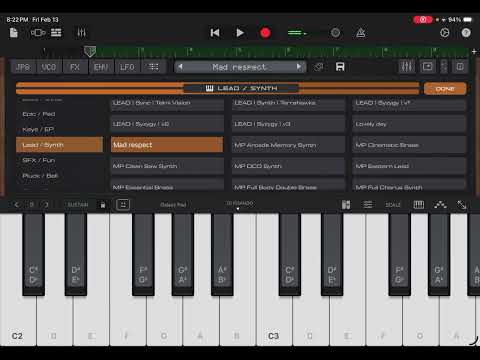
Thank you @pbelgium, all of a sudden all Jupiter 8 information is very welcome, I wonder if the patch setting sheets can be used to recreate presets near to the original keyboard, I am interested to find out 👍
Mike
@AnalogMatthew , please consider adding a tab selection bar for the lower half, for when using an iPad.
I put feedback for the J8 on the App Store three days ago (Thursday) but there is no sign of it! It usually only takes 24 hours to appear.