Loopy Pro: Create music, your way.

What is Loopy Pro?Loopy Pro is a powerful, flexible, and intuitive live looper, sampler, clip launcher and DAW for iPhone and iPad. At its core, it allows you to record and layer sounds in real-time to create complex musical arrangements. But it doesn’t stop there—Loopy Pro offers advanced tools to customize your workflow, build dynamic performance setups, and create a seamless connection between instruments, effects, and external gear.

Use it for live looping, sequencing, arranging, mixing, and much more. Whether you're a live performer, a producer, or just experimenting with sound, Loopy Pro helps you take control of your creative process.

Download on the App Store

Loopy Pro is your all-in-one musical toolkit. Try it for free today.

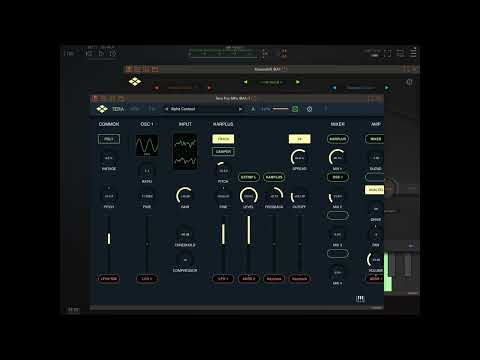
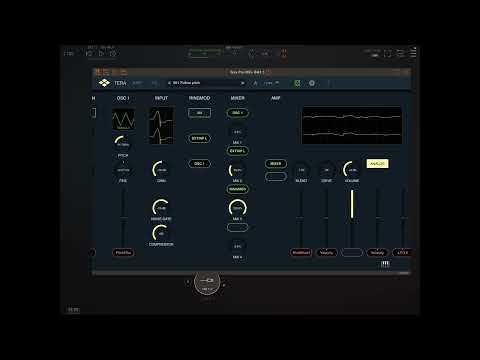
Tera Pro 3.0 free update, audio input, landed on app store

My favourite (and most comprehensive?) synth on the platform just got its audio input update. Anyone done anything hip with this yet?
"Macintosh!!" :smiley:

«134

Comments

  • That is so cool, Tera Pro is definitely one of the best sounding synths! And making it a free update is very generous 😎

  • I think this is awesome! And a free update. If I'm to try and wrap my brain around one new app this year, let it be Tera Pro.

  • seems that modulation source selection and edition isn’t working correctly, at least in AUv3

  • @torrescampalans said:
    seems that modulation source selection and edition isn’t working correctly, at least in AUv3

    lots of parameters in Audiolayer and Xinematix also do not function, this dev provides very half finished products.

  • @jwmmakerofmusic said:
    I think this is awesome! And a free update. If I'm to try and wrap my brain around one new app this year, let it be Tera Pro.

    Bro, what app DON’T you have ? Lol

  • @torrescampalans said:
    seems that modulation source selection and edition isn’t working correctly, at least in AUv3

    In what way?

  • edited March 31

    There’s some color-theme related issues in the stand-alone versions preset-browser when ‘dark mode’ is not being used…

  • wimwim
    edited March 31

    wtf? Can you seriously not scale the plugin interface, or even scroll vertically? I gotta go full screen to see all the controls??

    It didn't used too be this way, did it?

  • @espiegel123 said:

    @torrescampalans said:
    seems that modulation source selection and edition isn’t working correctly, at least in AUv3

    In what way?

    Can’t select or change the modulation source

  • @torrescampalans said:
    seems that modulation source selection and edition isn’t working correctly, at least in AUv3

    I'm not sure what you mean by that, but I've noticed the target area for the modulation buttons is a little off. You have to tap near the very top of them. If you tap the center they don't respond.

  • @wim said:

    @torrescampalans said:
    seems that modulation source selection and edition isn’t working correctly, at least in AUv3

    I'm not sure what you mean by that, but I've noticed the target area for the modulation buttons is a little off. You have to tap near the very top of them. If you tap the center they don't respond.

    Doesn’t work for me. Modulation buttons work ok in standalone mode, but not in AUv3. Anyone else experiencing this?

  • @torrescampalans said:

    @wim said:

    @torrescampalans said:
    seems that modulation source selection and edition isn’t working correctly, at least in AUv3

    I'm not sure what you mean by that, but I've noticed the target area for the modulation buttons is a little off. You have to tap near the very top of them. If you tap the center they don't respond.

    Doesn’t work for me. Modulation buttons work ok in standalone mode, but not in AUv3. Anyone else experiencing this?

    What device, OS version, and host?

  • iPad Pro 3rd gen, iPadOS 26.3.1, same using Drambo or AUM

  • All I can say is for me they're just real hard to hit in the right place. I have to tap just above the button.

  • Thanks. Have just contacted the developer using the contact form in his site

  • Really fast response: thank you for this info. Can reproduce it here and an update will follow very soon

  • @Telstar5 said:

    @jwmmakerofmusic said:
    I think this is awesome! And a free update. If I'm to try and wrap my brain around one new app this year, let it be Tera Pro.

    Bro, what app DON’T you have ? Lol

    Hahaha. 😂 Not many I don't have already.

  • I just wish Tera Pro would allow vertical scrolling when the UI doesn't fit the current view-port (like when used in a DAW such as Cubasis or LogicPro for iPad) as there's currently no UI scaling present which chops of parts of the UI.

    Temporary solution (when the DAW allows) is to rotate the device into portrait mode...

  • @wim said:
    All I can say is for me they're just real hard to hit in the right place. I have to tap just above the button.

    This might be OS or screen size dependent. Accessing the modulators is easy for me using the AUv3 in AUM on iPad 6 2018 9.7", iPadOS 17.7.10. It is almost impossible on iPad Air 6 2024 M2 11", iPadOS 26.3.1(a). This might be due to the oddball 11" screen size, or just another consequence of iPadOS 26.

  • @uncledave said:

    @wim said:
    All I can say is for me they're just real hard to hit in the right place. I have to tap just above the button.

    This might be OS or screen size dependent. Accessing the modulators is easy for me using the AUv3 in AUM on iPad 6 2018 9.7", iPadOS 17.7.10. It is almost impossible on iPad Air 6 2024 M2 11", iPadOS 26.3.1(a). This might be due to the oddball 11" screen size, or just another consequence of iPadOS 26.

    Stand-Alone no issues hitting the modulation source, AUv3 not so successful...
    ...these things happen when apps ar not properly beta-tested prior to release, oh well sh*t happens...

  • @Samu said:

    @uncledave said:

    @wim said:
    All I can say is for me they're just real hard to hit in the right place. I have to tap just above the button.

    This might be OS or screen size dependent. Accessing the modulators is easy for me using the AUv3 in AUM on iPad 6 2018 9.7", iPadOS 17.7.10. It is almost impossible on iPad Air 6 2024 M2 11", iPadOS 26.3.1(a). This might be due to the oddball 11" screen size, or just another consequence of iPadOS 26.

    Stand-Alone no issues hitting the modulation source, AUv3 not so successful...
    ...these things happen when apps ar not properly beta-tested prior to release, oh well sh*t happens...

    For whatever little its worth only as information, of no help though sorry,, no problems for me on iOS18 7 3, either standalone or AUv3 in Loopy, ipad 11", if my finger manages to get anywhere around about the pill shape, left right, bottom, top, anywhere, i can open the dropdowns, select, or hold to expand, as previously. Hopefully the fix comes quick for everyone impacted.

  • wimwim
    edited March 31

    As much as I love the idea and sound of Tera Pro 3, I refuse to use this thing without any scaling or vertical scrolling. It's too damn frustrating. 🤬

    That is NO way to design an AUv3 plugin. I find myself almost pissed enough to leave a negative App Store review.

  • edited March 31

    @wim said:
    wtf? Can you seriously not scale the plugin interface, or even scroll vertically? I gotta go full screen to see all the controls??

    It didn't used too be this way, did it?

    I spoke with Dev.

    Its just for ipad 9 ( the issue )

    Perhaps other similar ipads.

    Just not more modern Ipads I think ( or select models of ipads )

    I had to refund recent IAP ( bought high cpu fmzone/buzzone instead )

    Would buy the IAP again in future.

  • @sigma79 said:

    @wim said:
    wtf? Can you seriously not scale the plugin interface, or even scroll vertically? I gotta go full screen to see all the controls??

    It didn't used too be this way, did it?

    I spoke with Dev.

    Its just for ipad 9 ( the issue )

    Perhaps other similar ipads.

    Just not more modern Ipads I think ( or select models of ipads )

    I had to refund recent IAP ( bought high cpu fmzone/buzzone instead )

    Would buy the IAP again in future.

    How strange. I can't think of any reason something like that should be hardware dependent. That just isn't how iPadOS works.

    Oh well, imma just put it aside for now. No ranting in reviews unless it never gets addressed.

  • @wim said:

    @sigma79 said:

    @wim said:
    wtf? Can you seriously not scale the plugin interface, or even scroll vertically? I gotta go full screen to see all the controls??

    It didn't used too be this way, did it?

    I spoke with Dev.

    Its just for ipad 9 ( the issue )

    Perhaps other similar ipads.

    Just not more modern Ipads I think ( or select models of ipads )

    I had to refund recent IAP ( bought high cpu fmzone/buzzone instead )

    Would buy the IAP again in future.

    How strange. I can't think of any reason something like that should be hardware dependent. That just isn't how iPadOS works.

    Oh well, imma just put it aside for now. No ranting in reviews unless it never gets addressed.

    scaling and scrolling is fine here, iphone 13/cubasis/ios 18.
    scaling gives sometimes headaches to alot of developers. (for different devices)

  • @EnvelopeFollower said:

    @wim said:

    @sigma79 said:

    @wim said:
    wtf? Can you seriously not scale the plugin interface, or even scroll vertically? I gotta go full screen to see all the controls??

    It didn't used too be this way, did it?

    I spoke with Dev.

    Its just for ipad 9 ( the issue )

    Perhaps other similar ipads.

    Just not more modern Ipads I think ( or select models of ipads )

    I had to refund recent IAP ( bought high cpu fmzone/buzzone instead )

    Would buy the IAP again in future.

    How strange. I can't think of any reason something like that should be hardware dependent. That just isn't how iPadOS works.

    Oh well, imma just put it aside for now. No ranting in reviews unless it never gets addressed.

    scaling and scrolling is fine here, iphone 13/cubasis/ios 18.
    scaling gives sometimes headaches to alot of developers. (for different devices)

    Scaling seems fine in the devs demo here.

    Iv got an ipad 9 ( So does wim )

    So could be an issue for some devices.

  • @sigma79 said:

    @EnvelopeFollower said:

    @wim said:

    @sigma79 said:

    @wim said:
    wtf? Can you seriously not scale the plugin interface, or even scroll vertically? I gotta go full screen to see all the controls??

    It didn't used too be this way, did it?

    I spoke with Dev.

    Its just for ipad 9 ( the issue )

    Perhaps other similar ipads.

    Just not more modern Ipads I think ( or select models of ipads )

    I had to refund recent IAP ( bought high cpu fmzone/buzzone instead )

    Would buy the IAP again in future.

    How strange. I can't think of any reason something like that should be hardware dependent. That just isn't how iPadOS works.

    Oh well, imma just put it aside for now. No ranting in reviews unless it never gets addressed.

    scaling and scrolling is fine here, iphone 13/cubasis/ios 18.
    scaling gives sometimes headaches to alot of developers. (for different devices)

    Scaling seems fine in the devs demo here.

    Iv got an ipad 9 ( So does wim )

    So could be an issue for some devices.

    Can You scroll the TeraPro UI vertically with the Cubasis on-screen keyboard is visible?

  • @wim said:
    As much as I love the idea and sound of Tera Pro 3, I refuse to use this thing without any scaling or vertical scrolling. It's too damn frustrating. 🤬

    That is NO way to design an AUv3 plugin. I find myself almost pissed enough to leave a negative App Store review.

    Vertical scrolling works for me on my iPhone 16e but not on my 9.7” iPad 6 or 11” iPad Air. It seems like it must be a bug/oversight.

    My iPhone is on iOS 26 but not the others in case that is relevant.

  • edited April 1

    @Samu said:

    @sigma79 said:

    @EnvelopeFollower said:

    @wim said:

    @sigma79 said:

    @wim said:
    wtf? Can you seriously not scale the plugin interface, or even scroll vertically? I gotta go full screen to see all the controls??

    It didn't used too be this way, did it?

    I spoke with Dev.

    Its just for ipad 9 ( the issue )

    Perhaps other similar ipads.

    Just not more modern Ipads I think ( or select models of ipads )

    I had to refund recent IAP ( bought high cpu fmzone/buzzone instead )

    Would buy the IAP again in future.

    How strange. I can't think of any reason something like that should be hardware dependent. That just isn't how iPadOS works.

    Oh well, imma just put it aside for now. No ranting in reviews unless it never gets addressed.

    scaling and scrolling is fine here, iphone 13/cubasis/ios 18.
    scaling gives sometimes headaches to alot of developers. (for different devices)

    Scaling seems fine in the devs demo here.

    Iv got an ipad 9 ( So does wim )

    So could be an issue for some devices.

    Can You scroll the TeraPro UI vertically with the Cubasis on-screen keyboard is visible?

    Hello Samu.

    Its ok in Cubasis ( Vertical )
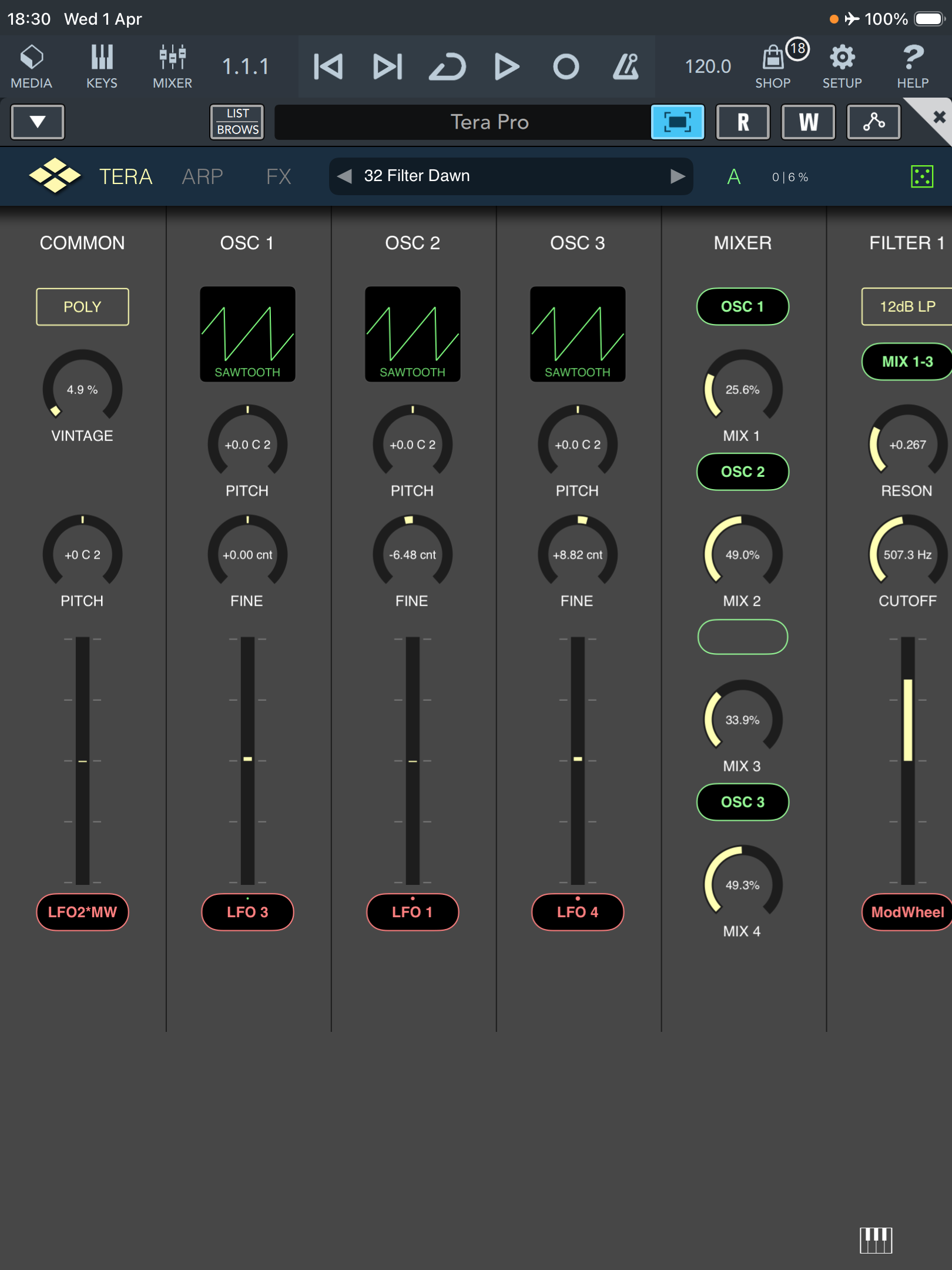
    Its ok in Cubasis ( Horizontal )
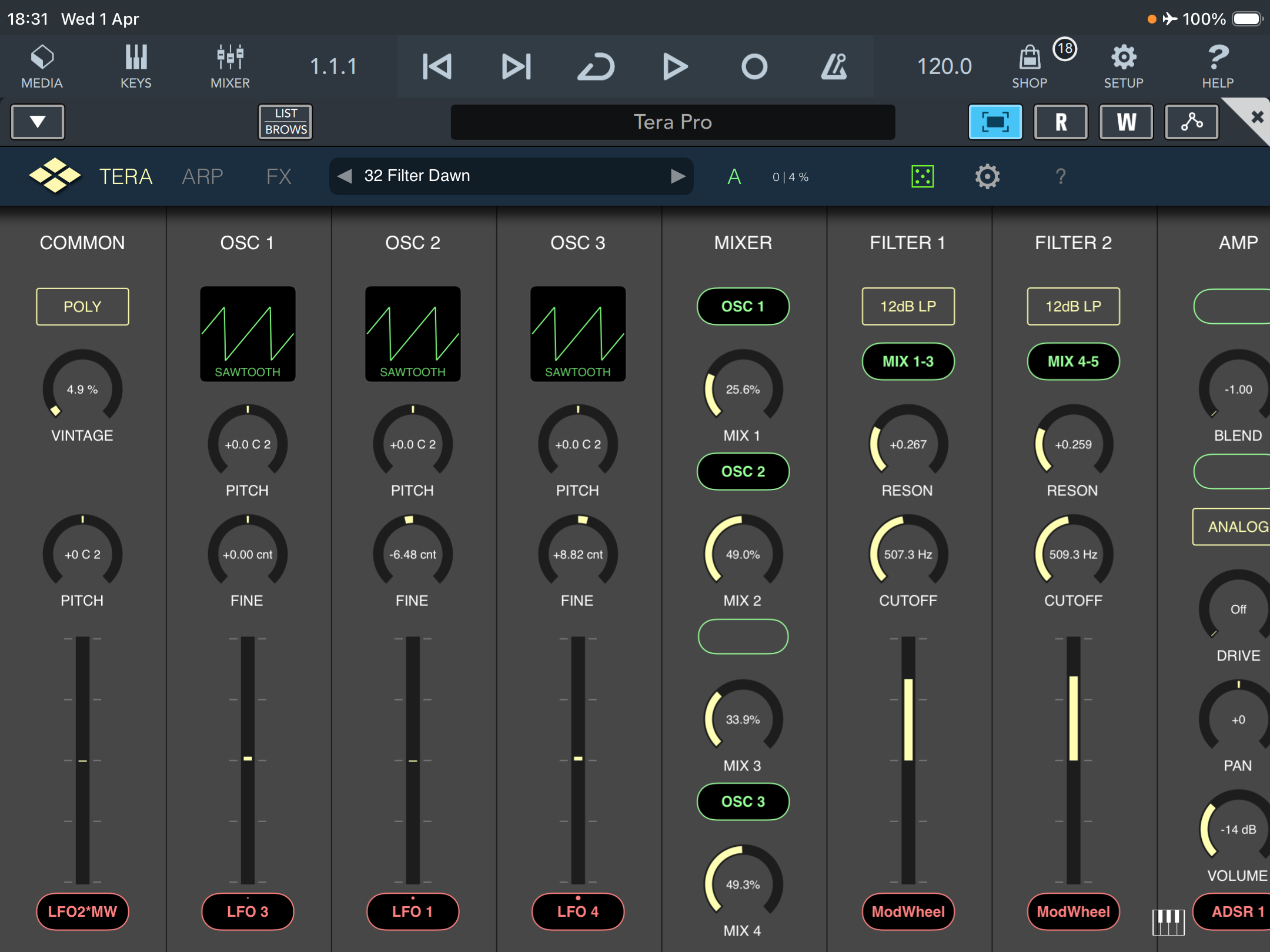
    Its even ok in AUM ( Horizontal ) Full screen.
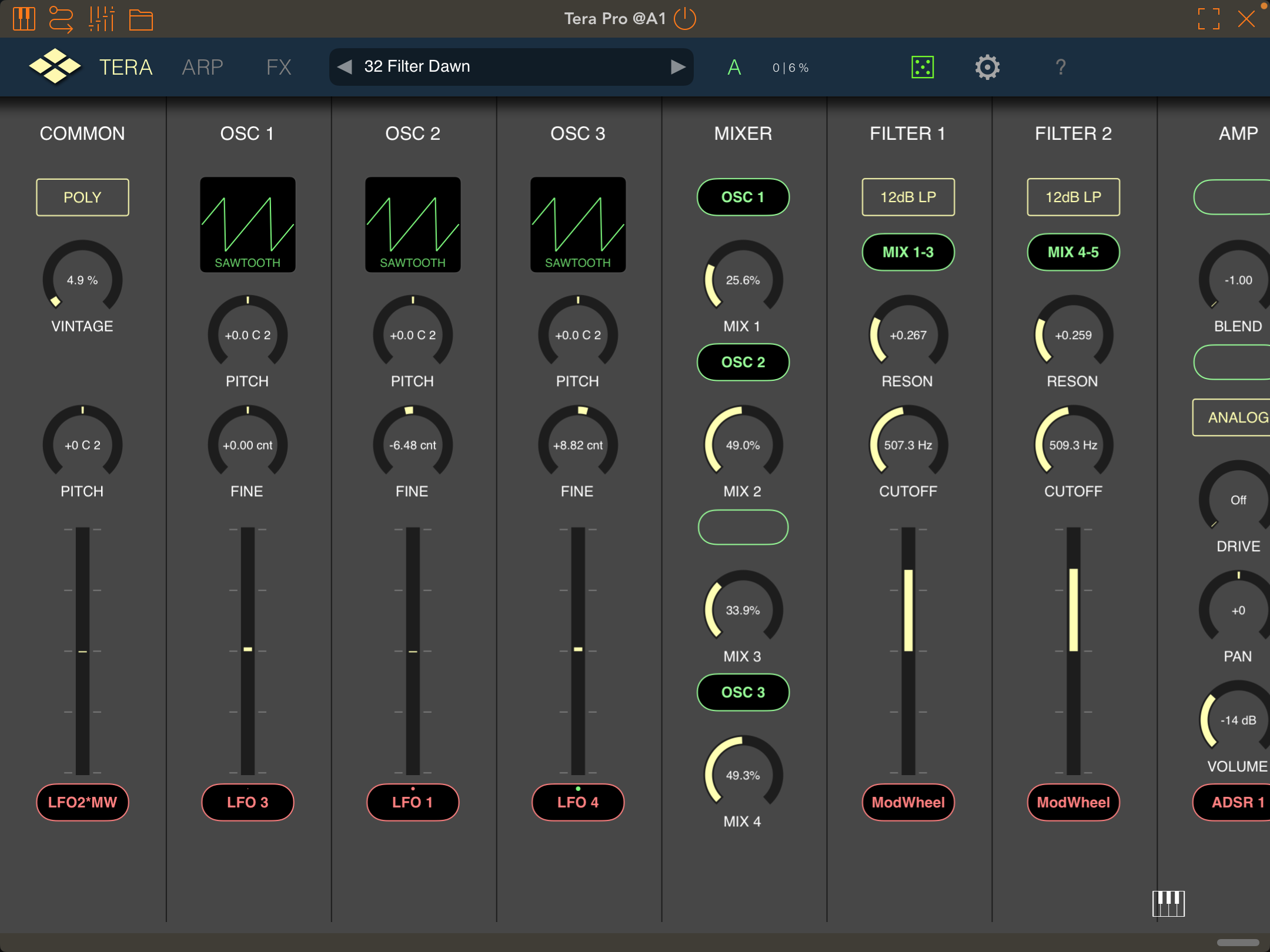
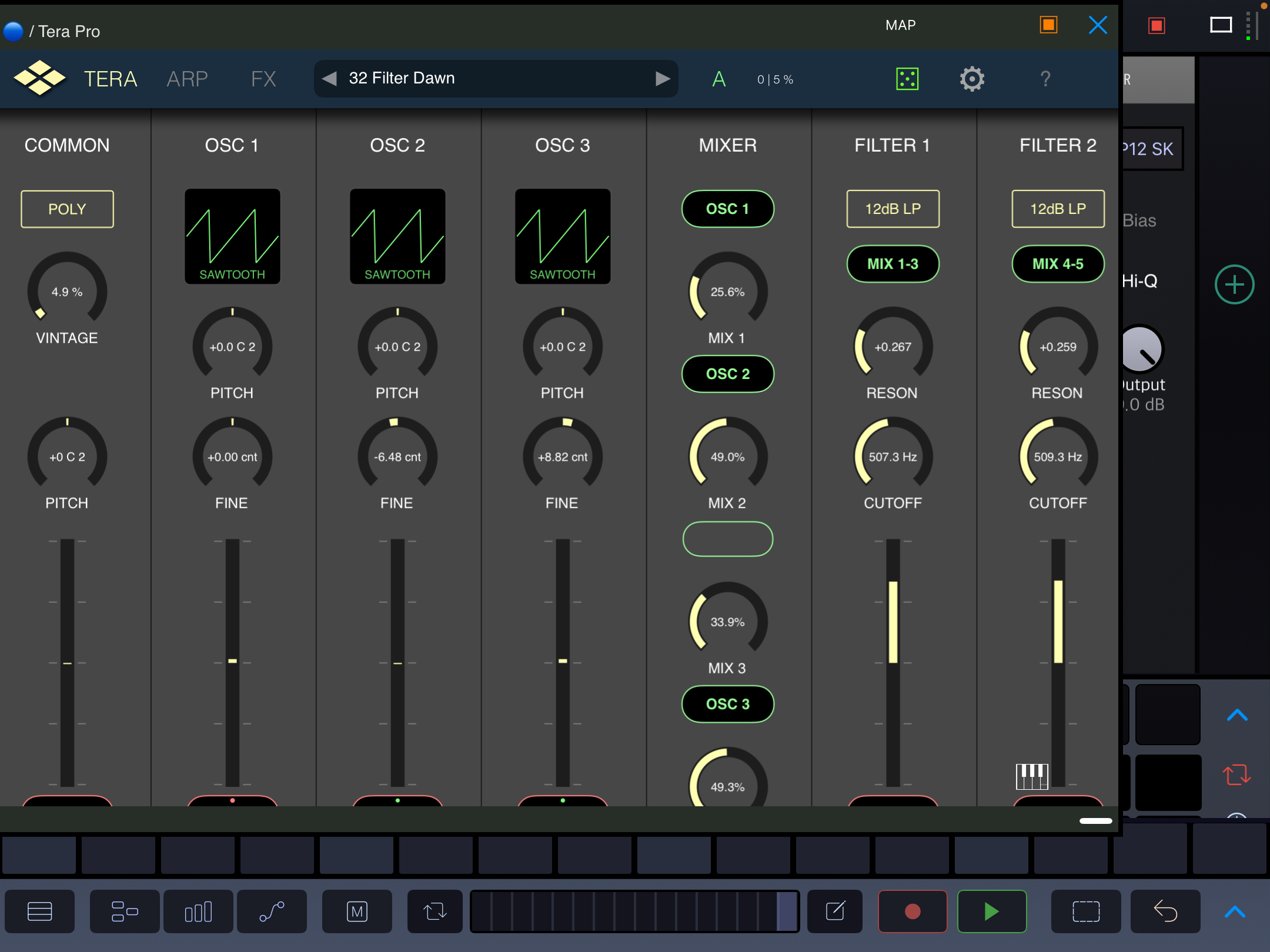
    Drambo and AUM about the same ( Horizontal and adjusted ) Id need space for an mpe keyboard ( even if thin ) underneath app.
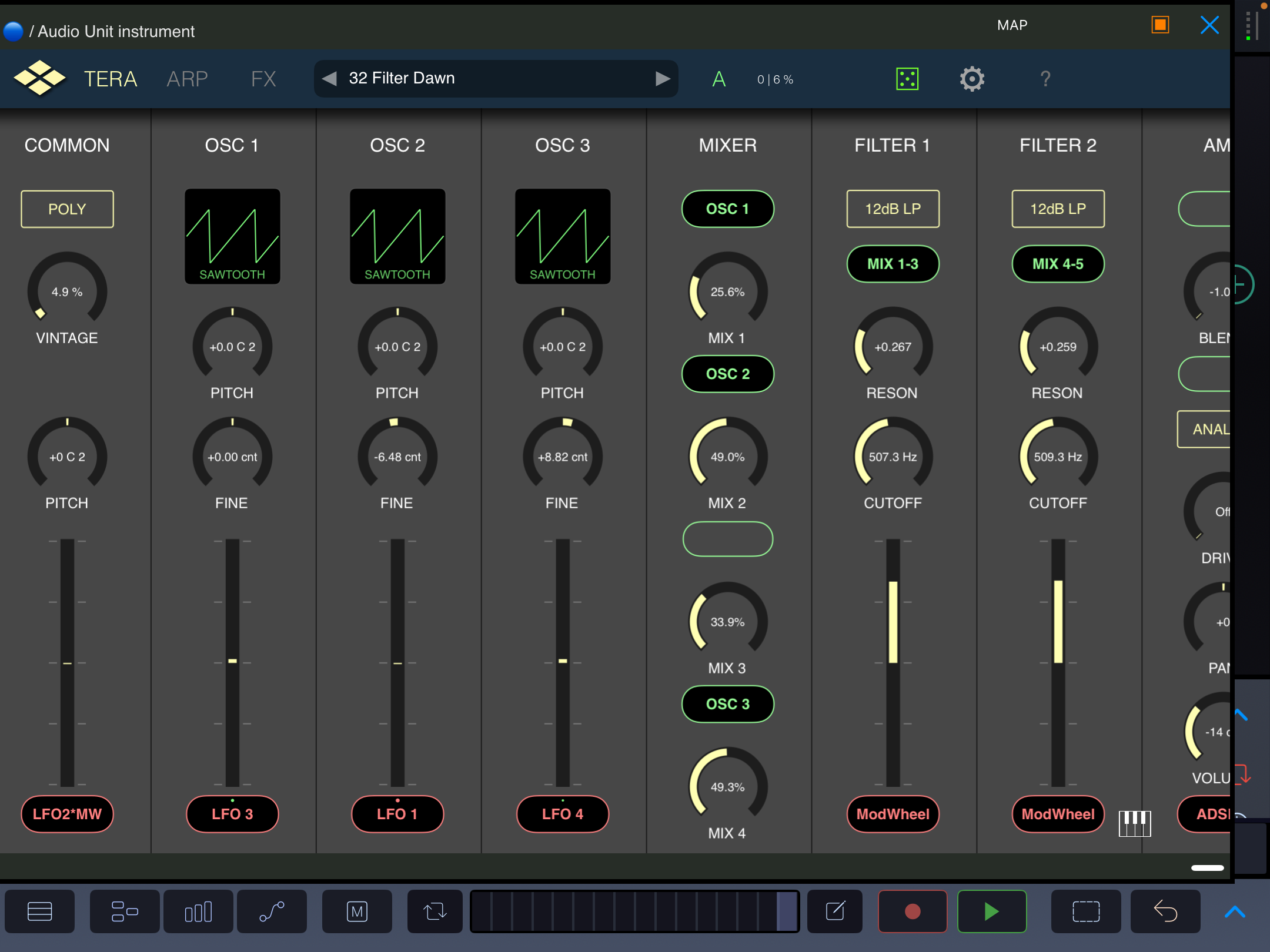
    Its still a scaling issue across the board.
  • @sigma79 said:

    @Samu said:

    @sigma79 said:

    @EnvelopeFollower said:

    @wim said:

    @sigma79 said:

    @wim said:
    wtf? Can you seriously not scale the plugin interface, or even scroll vertically? I gotta go full screen to see all the controls??

    It didn't used too be this way, did it?

    I spoke with Dev.

    Its just for ipad 9 ( the issue )

    Perhaps other similar ipads.

    Just not more modern Ipads I think ( or select models of ipads )

    I had to refund recent IAP ( bought high cpu fmzone/buzzone instead )

    Would buy the IAP again in future.

    How strange. I can't think of any reason something like that should be hardware dependent. That just isn't how iPadOS works.

    Oh well, imma just put it aside for now. No ranting in reviews unless it never gets addressed.

    scaling and scrolling is fine here, iphone 13/cubasis/ios 18.
    scaling gives sometimes headaches to alot of developers. (for different devices)

    Scaling seems fine in the devs demo here.

    Iv got an ipad 9 ( So does wim )

    So could be an issue for some devices.

    Can You scroll the TeraPro UI vertically with the Cubasis on-screen keyboard is visible?

    Hello Samu.

    Its ok in Cubasis ( Vertical )

    Its ok in Cubasis ( Horizontal )

    Its even ok in AUM ( Horizontal ) Full screen.

    Drambo and AUM about the same ( Horizontal and adjusted ) Id need space for an mpe keyboard ( even if thin ) underneath app.

    Its still a scaling issue across the board.

    I know but you can't scroll the TeraPro UI vertically if you bring up the Cubasis on-screen keyboard :(

Sign In or Register to comment.