Loopy Pro: Create music, your way.

What is Loopy Pro?Loopy Pro is a powerful, flexible, and intuitive live looper, sampler, clip launcher and DAW for iPhone and iPad. At its core, it allows you to record and layer sounds in real-time to create complex musical arrangements. But it doesn’t stop there—Loopy Pro offers advanced tools to customize your workflow, build dynamic performance setups, and create a seamless connection between instruments, effects, and external gear.

Use it for live looping, sequencing, arranging, mixing, and much more. Whether you're a live performer, a producer, or just experimenting with sound, Loopy Pro helps you take control of your creative process.

Download on the App Store

Loopy Pro is your all-in-one musical toolkit. Try it for free today.

Drambo - “visual extension” : Released

12346

Comments

  • @lukesleepwalker said:

    @Robin2 said:

    @lukesleepwalker said:

    @Robin2 said:
    I’ve been experimenting with how possible it is to predictably apply some rhythmic motion to hand drawn images using Drambo Visual. Here’s a quick experiment from yesterday.

    Ha, that's excellent. Really works well! Although, technically speaking the snare is on "2" not "1". ;)

    Thanks @lukesleepwalker. Yeah, I wanted the hit on the one but given I was only experimenting, couldn’t be bothered to draw a kick drum so snare drum it, incorrectly, was! Cheers.

    All good! Please share your method if you would be so kind

    I posted an explanation on the Beepstreet forum so I’ll just paste that here. Cheers.

    The process I’ve been attempting to use is quite simple really. After feeding it the rules from the Drambo Docs, I asked Gemini to write me a processor shader of a dancing circle shape with various parameters.

    I then applied this processor several times to different parts of the cat image (just one image, not broken up or layered), with a different gate/velocity sequencer or LFO driving each one. Mixer for background and drum on different layers.

    The important parameter the processor shader needs is blur/falloff so that the dancing circle isn’t just a hard edged distortion on the incoming image texture. I don’t know whether there’s a more elegant way of doing this, it is the main flaw in the system (the distortions even when blurred are like lens distortions) but I know nothing about the coding intricacies and possibilities.

    I’ve been experimenting a bit today with making an adjustable dancing line instead of a circle which is probably a better, more flexible approach ultimately?

    Essentially, I’m trying to rig the image texture using a processor shader skeleton underneath.

  • @pedro said:
    @Muireb nice, but keep in mind all these more sophisticated shadertoys have CC non-commercial licenses
    You would not be allowed to play these publicly or include them in a video, for instance
    Still good for learning purposes. For this particular shader I found a github with some helpful comments https://github.com/eshnil2000/SeascapeGPUShader

    Thanks for the heads up!

  • @Robin2 said:

    @lukesleepwalker said:

    @Robin2 said:

    @lukesleepwalker said:

    @Robin2 said:
    I’ve been experimenting with how possible it is to predictably apply some rhythmic motion to hand drawn images using Drambo Visual. Here’s a quick experiment from yesterday.

    Ha, that's excellent. Really works well! Although, technically speaking the snare is on "2" not "1". ;)

    Thanks @lukesleepwalker. Yeah, I wanted the hit on the one but given I was only experimenting, couldn’t be bothered to draw a kick drum so snare drum it, incorrectly, was! Cheers.

    All good! Please share your method if you would be so kind

    I posted an explanation on the Beepstreet forum so I’ll just paste that here. Cheers.

    The process I’ve been attempting to use is quite simple really. After feeding it the rules from the Drambo Docs, I asked Gemini to write me a processor shader of a dancing circle shape with various parameters.

    I then applied this processor several times to different parts of the cat image (just one image, not broken up or layered), with a different gate/velocity sequencer or LFO driving each one. Mixer for background and drum on different layers.

    The important parameter the processor shader needs is blur/falloff so that the dancing circle isn’t just a hard edged distortion on the incoming image texture. I don’t know whether there’s a more elegant way of doing this, it is the main flaw in the system (the distortions even when blurred are like lens distortions) but I know nothing about the coding intricacies and possibilities.

    I’ve been experimenting a bit today with making an adjustable dancing line instead of a circle which is probably a better, more flexible approach ultimately?

    Essentially, I’m trying to rig the image texture using a processor shader skeleton underneath.

    Super helpful, thx!

  • @lukesleepwalker said:

    Absolutely beautiful. I was mesmerized!

    @Gavinski said:

    Very cool!

    @gleandibson said:

    This is extremely inspiring. I have no idea how you're doing this. It looks like things I've seen coming down from some very fun nights.

    @Muireb said:

    Thats mean! Any chance you could share the patch?

    @Edward_Alexander said:
    @Gravitas I'm with @Gavinski in that that is very cool indeed!

    At certain points, it kinda resembles some aerial/ satellite photography of some snow covered farmlands.

    Thank you.

    🙏🏾

  • @Edward_Alexander said:

    Some stills from tonight's visual exploration. Every night it's something different..

    Using only the Drambo logo as a texture source, used Shader Repeat, then fed into a 3D Shader rack with some Blur, and the 3D Mask's Texture Extrude preset. All available in Drambo Visual with no code written, manipulated, or vibed.

    These are very cool.

  • The colorful Drambo logo is a good starting point for abstracts! Now that you’ve mentioned it, it’s fun to spot remnants of the logo here and there in those colorful images. Nice!

  • edited July 18

    Thank you @Gravitas 🙏

    @bleep, thanks! You're right, it's a great starting point as it contains all of the primary colors (color theory?)

    Edit: here's the project file with the visuals only. (I have a version with my music that I haven't quite finished yet) but happy to share the visual rack here if anyone would like to have a play with it.

  • Wait. So that’s not a real moving body of water?

  • Nope, just math formulas

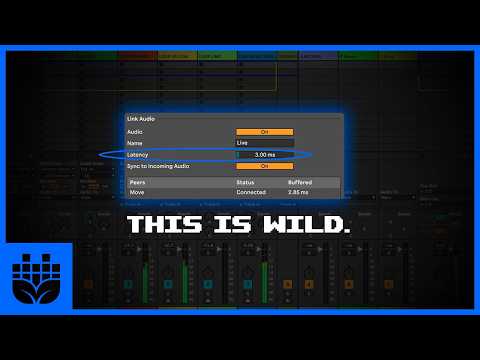
  • @dendy you got some love from SeedToStage in his Ableton Link Audio video :)
  • Trying out some glass reflection using some basic shapes over a background image.

  • Wow @Muireb that looks amazing!

  • @Edward_Alexander said:
    Wow @Muireb that looks amazing!

    +1

    The glass reflection is awesome.

  • edited 12:44PM

    @drez said:
    @dendy you got some love from SeedToStage in his Ableton Link Audio video :)

    ooo .. thanks for head up .. that's nice .. really great to hear i affected some people's workflow in positive way :)

  • Tried to recreate Substrate from this Processing gallery, using the Drambo Visual Scene module: http://www.complexification.net/gallery/

  • @bleep said:
    Tried to recreate Substrate from this Processing gallery, using the Drambo Visual Scene module: http://www.complexification.net/gallery/

    An important detail.
    The programmer has this on their website.

    "I believe all code is dead unless executing within the computer. For this reason I distribute the source code of my programs in modifiable form. Modifications and extensions of these algorithms are encouraged."

  • @bleep

    That's quite the find.
    I'm sure the dRambo community will enjoy those, I know I will after first glance.

    Thank you.

  • Thanks, and thanks for the great quote you found there. Let’s try some more …

  • Good find indeed @bleep

    I'm trying to navigate that site on the iPad, but can't seem to find any code. I'm assuming I'd need to have a PC with Java installed?

  • Inspired by @Muireb's video here

    I tried some texture mapping myself.
    No where near @Muireb's video however looks promising for future imagery.

    Thank you @Muireb for the inspiration.

  • @Edward_Alexander said:
    Good find indeed @bleep

    I'm trying to navigate that site on the iPad, but can't seem to find any code. I'm assuming I'd need to have a PC with Java installed?

    For instance with Substrate, click on either Small, Medium, or Large, and then you will find a source code link there. No Java needed.

    I asked my LLM whether it was necessary to dl this file and drag it to the chat, rather than seeing if the llm could do that part just by browsing from the link. It suggested that I keep doing it this way, to ensure we start from the same page, so to speak.

  • edited 2:38PM

    @Gravitas said:
    Inspired by @Muireb's video here

    I tried some texture mapping myself.
    No where near @Muireb's video however looks promising for future imagery.

    Thank you @Muireb for the inspiration.

    I was inspired as well. I had GPT pro refine the "glass" Raymarcher preset a bit. The colors of the background image play a big part in the overall effect I think. Try changing the background to different images or shaders.

    Also play with these new Raymarcher module params, especially "Prism, Internal, Focus, Lens"

    Here's a couple project files to play with:

  • @bleep said:

    @Edward_Alexander said:
    Good find indeed @bleep

    I'm trying to navigate that site on the iPad, but can't seem to find any code. I'm assuming I'd need to have a PC with Java installed?

    For instance with Substrate, click on either Small, Medium, or Large, and then you will find a source code link there. No Java needed.

    I asked my LLM whether it was necessary to dl this file and drag it to the chat, rather than seeing if the llm could do that part just by browsing from the link. It suggested that I keep doing it this way, to ensure we start from the same page, so to speak.

    Thanks! I see the "source code" link now.

  • @Edward_Alexander awesome, those worked a treat.

    Perfect for playing with.

    Thank you.

  • @pedro 's crystallized Rhombicosidodecahedron (dang that's a mouthful lol)

  • Here's a screenshot using the Scene module thanks to @pedro 's code.

  • edited 6:05PM

    @Muireb liked your idea so much I had to try it myself (yours looks better, though)

  • @Edward_Alexander said:
    @pedro 's crystallized Rhombicosidodecahedron (dang that's a mouthful lol)

    I love the look, and the little edges like a stained glass window
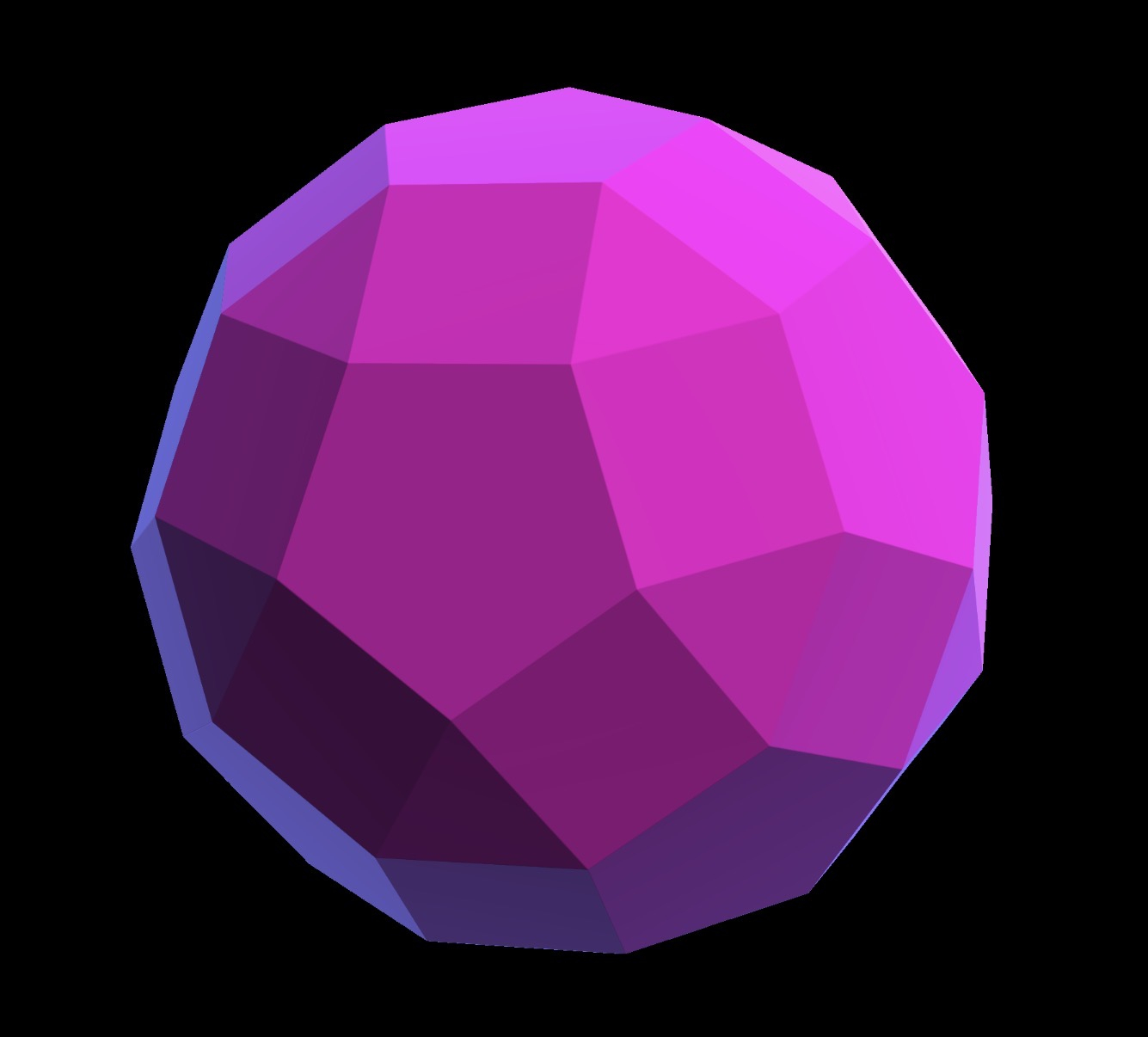
    But that is not a Rhombicosidodecahedron I’m afraid 😅
    A rombhi (for short) only has faces that are regular triangles, squares or pentagons. Point your LLM its error and ask it to fix it (worked for me)

  • No @pedro that is your file, unchanged. You’re just seeing though it to the other side. Look at the project file.😌

  • @Gravitas said:
    Here's a screenshot using the Scene module thanks to @pedro

    Very nice, is that from the terrain shader?
    I ported this one too, that might interest you (it has a CC license though)

Sign In or Register to comment.