Loopy Pro: Create music, your way.
What is Loopy Pro? — Loopy Pro is a powerful, flexible, and intuitive live looper, sampler, clip launcher and DAW for iPhone and iPad. At its core, it allows you to record and layer sounds in real-time to create complex musical arrangements. But it doesn’t stop there—Loopy Pro offers advanced tools to customize your workflow, build dynamic performance setups, and create a seamless connection between instruments, effects, and external gear.
Use it for live looping, sequencing, arranging, mixing, and much more. Whether you're a live performer, a producer, or just experimenting with sound, Loopy Pro helps you take control of your creative process.
Download on the App StoreLoopy Pro is your all-in-one musical toolkit. Try it for free today.
Comments
My bad when sample library is big it takes a lot of time loading library from zip.
@Charlesalbert
I did try the PB Winter Choir on this nearly a GB of size wouldn't load gave up in the end maybe I was being over ambitious
Tried this one too.
For me it worked only if I unzipped it first and then load from the folder the single presets.
Yeah - Winter Choir is the exception to the PB zip file = DS preset - it's a 'normal' zip file full of separate preset libraries..
Shame DS doesn't support ESX but mo matter maybe it's time to bite the bullet and get audio layer!
AudioLayer is good but tricky when it comes to ESX. Sometimes it does load the EXS file but not the samples. I tested with some pianobook EXS patches with no luck
Audio Layer is currently on sale with a 50% discount.
It's worth mentioning, for the record, that changing/loading sampled instruments is
very slow with Decent Sampler. It also, in many cases, terminates with a pop-up menu
to select from a list of optional instruments included in the loaded package.
In other words, in might be a bad choice for live work compared to Korg Module or
Audio Layer.
But for free samples it's a very nice product to invest in and the value will increase
as Piano Book grows to treat it as a top tier target along with Kontakt, ESX24 and SFZ.
I wish @coniferprod would entertain the idea of making SynthJacker produce valid
Decent Sampler "zipped" packages.
Wow! THAT would be definitely something. I think there would be a forum collective to make a big pack of bliss
If you haven't done so, it is worth contacting @VirSyn (use the email addresses on his web site) and sending him links to exs files that don't import. Also , if you didn't try it, sometimes reorganizing the samples to all be in the same folder helps AL find them if they aren't organized like that in the download. The very latest AL may have improved some problematic imports.
My €0.02... Context: I've spent a lot of time looking at .EXS files.
I doubt there will ever be anything on mobile that fully supports EXS24 that isn't developed by Apple.
Way too many variables like an arbitrary number of envelopes, LFOs, multiple filter types and configs as well as a fairly sophisticated modulation mechanism. Plus when they renamed the Logic sampler to "Sampler" not so long ago they added a ton of stuff.
Even Apple's own sampler AU only supports a small subset of what you can put in an .EXS file now.
But...
if you're only interested in sample groups, key mapping zones and velocity layers, then it would be pretty straightforward to tease that stuff out of an .EXS file and I guess that's what AudioLayer et al do. The downside is that you're missing out on a lot of that other creative stuff.
I don't have AudioLayer but I'd be very interested to see what it does with an .EXS file that has additional envelopes, LFOs, modulations and what-not defined.
Funnily enough, I'd been thinking a long time about doing something like DS but Dave beat me to it!
I don’t think AudioLayer has any ambition to be able to import anything beyond fairly straightforward EXS or sfz files (which probably covers 80% or more of the typical use case)
I gave up on ESX on AudioLayer long time ago. I did report the issue and there was supposed to be a fix, but the issue is still there.
I did try as you suggested above, but no luck.
Works for some and doesn’t for other. It’s a great App however, i sample omnisphere presets and transfer to AudioLayer.
Don’t get me wrong, i was not bashing the App. It’s worth every penny if you ask me. i have it and it’s one of my Go to, but it’s just tricky when it comes to EXS.
ESX works better if you’re dyslexic...
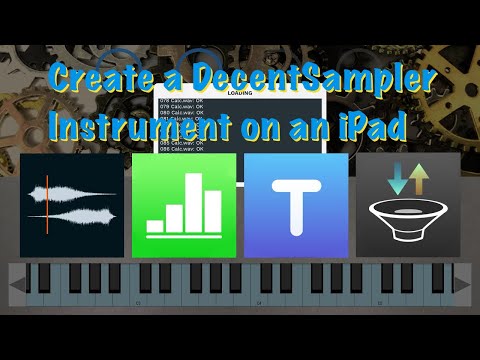
A tutorial on how to create a DecentSampler instrument on an iPad. There are links to more detailed DecentSampler instrument reference documentation in the description for the YouTube video as well as hints for how to get examples for making other types of instruments.
A new piano dropped on Sunday with a Decent Sampler version on http://pianobook.co.uk.
It's called the Claustrophic Piano. Unfortunately, the 3 metafiles show up as *.dspreset and need to be renamed as *.dslibrary which requires AudioShare. I downloaded on a laptop and heard the piano with the Neumann KU 100 mics there but haven't got it installing on my iPad yet.
Maybe someone else will have a better experience. I really want to hear it in AUM with extra FX added for EQ and room reverb. The KU 100 is the mic that is implemented with a mannequin head to capture the arrangement of the human ears for stereo processing.
The high notes should be on the right and the low on the left like sitting at a real piano.
There are 3 samplesets included in all.
@McD : Documents by Readdle (which is free) can also rename file suffixes.
he told that the app "should be able" to load samples from any of locations that ios will show.
So, is thos possible to load samples from external ssd drive?
GoodReader and Textastic can both change file extension names too. I’d imagine there must be other apps too.
Has anyone been able to get this Claustrophobic Piano in load on IOS? The app updates say it can now install *.zip files with dspresets and this download meets that condition. The samples in this instrument follow the "monolith" format with all the samples in a single file.
This instrument has 3 presets and 3 associated monolith files and each are ~800MB in size.
I hope we get to play these beauties. Hopefully, I'm just doing something wrong.
I'll try reaching out to decent sampler support for advice.
@MAtrixplan I connected a USB thumb drive via the powered CCK and was able to load both an almost 500mb and a gb sized DecentSampler library into two instances of the app in AUM. My thumb drive might not be the fastest in the world as it took almost two minutes to load the larger of the two instruments in. Once they were loaded, I could close out AUM and the project would load in a speedy fashion. From a cold start of the iPad Air 2, the project and its DecentSampler instruments loaded right away.
I got it to work. Did you try renaming the .zip file to .dslibrary? That might work.
What I did was a little bit more involved. I uncompressed the initial zip file and got rid of the Kontakt files. I then recompressed the remaining files. Lastly, I brought this new zip file into Audioshare where I renamed it with the .dslibrary extension.
Open DS, and load the .dslibrary file. It took 2 min the first time I opened it. The second time it took 30 sec.....fwiw
Yes. I also tried renaming the *dspreset files to dslibrary. No good.
I'll try your recipe.
@McD @klattgalvin I ended up editing out the Kontakt files from the Claustrophobic Piano too, but I still had problems with one of the instrument’s audio sample file not being found in DecentSampler when it tried to load in the instrument. I was able to resolve the problem by separating out one of the instruments into its own dslibrary and keeping the other two instruments together as they were. I did this on an iPad Air 3 running iPadOS 14.4.2. On my device it seems DecentSampler could only handle a total file size for 2 of 3 audio sample files in one dslibrary file.
After I simplified the paths for the background image and the audio samples in the dspresets, my dslibrary with two of the instruments looked like this:


The single instrument library looked like this:
@McD Here’s a zip of just the background image file and the dspresets. You can just add the three audio sample files as shown above, compress the folders, and rename them from zip to dslibrary files.
I had storage problems but I was successful using this approach:
The rendering seems to suffer` from clipping on the note starts after about 40 seconds in this recording. So, I'm going to repeat the process with the 2 optional mic sets to see if they play with out clipping. The pedal noise was also recorded and I had to turn it off... using the provided "RT" widget.
@MAtrixplan I experimented with the Claustrophobic Piano instruments on my USB thumb drive as well and they only worked if I made them into libraries of only one instrument preset and its audio sample file per dslibrary. If I had two of them in one dslibrary, the instrument would never load from the USB thumb drive.
Good tip... 3 distinct zips with 1 Preset each rather than 1 zip with 3 Presets.
Are you getting the clipping I hear on the KU 100 version?
Do you get clipping if you reduce the note velocities?