Loopy Pro: Create music, your way.
What is Loopy Pro? — Loopy Pro is a powerful, flexible, and intuitive live looper, sampler, clip launcher and DAW for iPhone and iPad. At its core, it allows you to record and layer sounds in real-time to create complex musical arrangements. But it doesn’t stop there—Loopy Pro offers advanced tools to customize your workflow, build dynamic performance setups, and create a seamless connection between instruments, effects, and external gear.
Use it for live looping, sequencing, arranging, mixing, and much more. Whether you're a live performer, a producer, or just experimenting with sound, Loopy Pro helps you take control of your creative process.
Download on the App StoreLoopy Pro is your all-in-one musical toolkit. Try it for free today.
ATOM Piano Roll update is coming soon
This discussion has been closed.
Comments
And to be clear for any onlookers, it works wonderfully for actually playing — sort of a la Linnstrument
Thanks
How long until release would you estimate? Is it in the review process?
Happy birthday, @Samu! 27 is a big year, young man! :-)
Yea, even without session mode this is a fantastic tool. I'm really impressed, I mostly got it for the sequencers but I found that I can use it for basically anything. Would not hesitate to recommend this as an all in one controller for anybody who want's to get something in the price range.
Also let's not forget that you have 8 custom modes, with those and CC mapping you can replicate a lot of the session mode functions.
Unless you absolutely need keys of course. But I'm a piano player and quite honestly, for making beats and writing melodies the LP is way more convinient. O.K but enough with the praise, I'm just really convinced about this product .
.
Lol, I'll be 49 today around 7.36pm
>
So far I'm really impressed with it. It's super fun to 'play' and not being a keyboard player the grid is definitely more enjoyable for me. The polyphonic aftertouch is very nice with Animoog and other instruments that support polyphonic aftertouch.
The chord mode is super nice and easy to use and follows the currently selected key and scale.
Ableton integration is very good while to Logic Pro implementation for now is a very bad joke in comparison.
The built-in sequencer is very easy to use, but I admit I did read the manuals more than once before getting it...
Even though Launchpad Pro doesn't produce any sound on it's own it definitely feels more like an 'instrument' than a 'controller'.
It's so 'refreshing' to see other types of videos with the Launchpad than finger drumming or clip launching
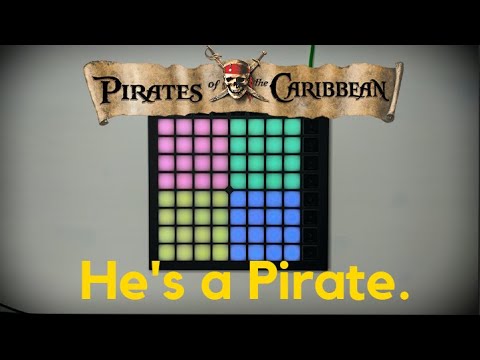
Now let's just hope we'll get a load of apps with native Launchpad Support!
Sorry for derailing the Atom thread but I'm too hyped up the moment. It's best birthday gift for my self ever!
Cheers!
Happy Birthday Young Man !
Enjoy your present and have a great year full of musical inspiration !
P.S: I have been having GAS again lurking on that Launchpad Pro
for over a week now....
Yeah, with all the apps supporting it starting to show it's well.
Just about the only thing I miss in the Pro is a built-in metronome but if there's already a beat programmed it's a minor thing.
GAS is a dangerous condition...
Not ashamed to admit I requested a Launchpad X for Christmas entirely with Atom2 in mind.
Happy Birthday @Samu 🎂🍻
Cheers Samu! Have a good one!
Yes, very Dangerous!
I was even thinking about selling my circuit to purchase that LP PRO !
Oh well...
Can you use the sequencer of LP PRO to program sequences for good ol' Volca Beats ?
I wonder if the drum Rack midi notes can be customized with components
or is that limited only to be used within ableton live ?
>
😮
throws his launchpad in the River
J/k - I don’t even have one, but I definitely want one! Happy Birthday @Samu
Can you do this yet @samu?
LOL, Not yet, most of the work is likely finding all the samples to load onto the pads.
And there's some 'linked pads' at play as well
It's been a blast using it with Koala...
The CCK3 has enough juice to run the LKPro and wall powered UR-242 connected to a hub and that's about all I need.
I've had the LPPro3 for just over 11 hours now...
...only 'thing' so far is the lack of built-in metronome when using it as a stand alone.
As I suspected I really do enjoy playing a 'pad-grid' more than a regular keyboard type controller.
Tomorrow I'll start creating custom layouts for various host...
For those doing beta on Atom 2, do we just set the input for Atom 2 instances to the 'DAW port'(LPProMK3 DAW) or does it need the Midi In ports as well?(LPPro3 MIDI and LPPro3 DIN).
I have to say that I really like the built-in sequencer, sure it's limited to 4 tracks with 8 patters and max 32 steps each...
...but the duration of the steps can be set individually for each track.
It's been a long time since I was this happy with a purchase!
Samuel @Samu Lindeman (dock ej Hasse Alfredsson) - inte roligt att vara man och fylla år på internationella kvinnodagen!
Grattis!
Sweet!
I guess the 'Capture Midi' button is also extensively used to enable/disable recording.
I'm a 'newbie' LPPro user and still learning but I had no issues to 'get used to it' with Live Lite.
The LPPro3 has a bunch more buttons compared to the LPX so it'll be interesting put them to use as well
My wish is that more apps on iOS/iPadOS will get native support for the Launchpads...
(Logic Pro's implementation is a really, really bad joke compared to Live...).
Cheers & Thanks for the Info!
Tackar!
Jag är van vid det här laget...
...när jag var yngre och inte kände till Hasse Alfredsson så undrade jag alltid varför alla frågade efter Valfrid o Malte
Som tur är finns det ju någon som har 'Släktforskat' åt mig HAHAHA.
https://rymden.nu/Lindeman/
Hare Gött!
🤭
Congrats, you'll love it
For iPad/iPhone use it's good practice to set the LED brightness to lowest setting during boot...
...less issues when using it with an iPad/iPhone that way since the power usage goes down...
(This avoids the 'this device uses too much prover' annoyance on lightning based devices that can sometimes pop up).
Just a happy birthday to @Samu !!!
Oh and maybe, can you give some tutorial how to use the Aftertouch thing, I havent really gotten to use it. Not in this thread though
The harder you push the higher the after-touch value. It's up to the synth to handle it (ie. map the value to a sound parameter).
Some synths respond to polyphonic after touch (ie. individual value for each note) and some other use channel pressure (regular after touch). The behavior can be changed between off, channel pressure, and poly pressure.
You can use it as a modulation source when creating sounds in most synths.
(for example aftertouch to vibrato depth, or add to filter cutoff etc.).
(It's a video by The AudioDabler using Zeeon and Launchpad with aftertouch and more).
@blueveek Welcome to the BIG Samu birthday and LPX topic.........
Please on-topic
Happy birthday @Samu, thank you for your knowledge and expertise!
For these who own a lot of Outboard gear, synths etc Atom 2 is going to be one hell of of interesting app for sequencing using the piano roll I should imagine.
Who intends to use it in that style of setup?
Very interested in the Transpose/quantize to key/scale feature (I think I read that it’s in there)..
Just imagine, importing a sequence and ‘fitting’ it to what ever song, editing, etc. And, I did read about ‘Probability’ also..
Can we have a list of features... Thanks..
Seems to be a perfect companion for my Beatstep pro. So LK gets a nice competitor …
and being able to transpose and switch scales via midi (endless encoders) would be so 😎. Tho now that I think of it a workaround could be Mozaic.... or maybe at least Atoms own scripting....