Loopy Pro: Create music, your way.
What is Loopy Pro? — Loopy Pro is a powerful, flexible, and intuitive live looper, sampler, clip launcher and DAW for iPhone and iPad. At its core, it allows you to record and layer sounds in real-time to create complex musical arrangements. But it doesn’t stop there—Loopy Pro offers advanced tools to customize your workflow, build dynamic performance setups, and create a seamless connection between instruments, effects, and external gear.
Use it for live looping, sequencing, arranging, mixing, and much more. Whether you're a live performer, a producer, or just experimenting with sound, Loopy Pro helps you take control of your creative process.
Download on the App StoreLoopy Pro is your all-in-one musical toolkit. Try it for free today.
Comments
I'm having some trouble with the MIDI routing and I'm wondering if it's really not possible in BAM:
I have a track w/ a MIDI instrument (a sequencer for example) and I'm then using a synth engine. It works fine and I can hear the notes just great. If I arm the MIDI FX and click the Record button, I can see the sequencer recording to a clip in BAM. Great! Problem is, after I stop recording, I can't hear the clip playback. I need to disable the MIDI sequencer entirely to hear the clip. But I want to keep layering notes (or jamming on top of a recorded clip). Is this not possible w/ the way MIDI IN is routed in BAM?
Does it have trigger conditions like playing at X beats or once/previous/neighboring conditions?
Yes
The location for bars and beats conditions are the digits and +/- signs
The once/previous etc in the pulldown
Thanks! But this is for scenes/clips, right?
Is there conditional triggers for notes like in Drambo or GR-16? I mean, as an example I would say play this only note the fourth time you pass over this clip
We're getting ready to release BAM 1.6.0 for iOS, and before we do, we want to make sure it's rock solid.
This update includes significant under-the-hood improvements to performance and stability, and we'd love to put it in the hands of real BAM users before it goes live.
If you have an iPhone or iPad and a few minutes to spare, you'd be helping us ship a better update and catching things that only real-world use tends to surface.
Join the beta via TestFlight:
https://testflight.apple.com/join/IaZLAdUe
Thank you!
I love all the imagiando apps
but with Bam I just cant find a workflow.
Is it me or is it very unintuitive?
Without the manual I have no idea what to do.
Been using for the past hour, super stable! Loving it!
There is a help option you can get to from the upper left menu
Anyone have pictures on how full-screen auv3 and the internal keyboard look on iPhone?
the app store says it will replace my current version. are my projects safe?
as long as you don't delete the app, it should be.
How do I send pitch bend, mod wheel, and aftertouch messages to my AUV3 instruments in BAM? Those parameters are accessible via the MIDI Out engine, but there’s only one engine slot and so it can’t be loaded in the same track as an AUV3 instrument.
Hi @sinosoidal , just wanted to report that the Midi Out device and Bitcrusher device don’t seem to be scaled properly in the standalone version of Bam on an iPhone 14 Plus. With the Midi Out device, the button to add CC knobs is cut off at the bottom.
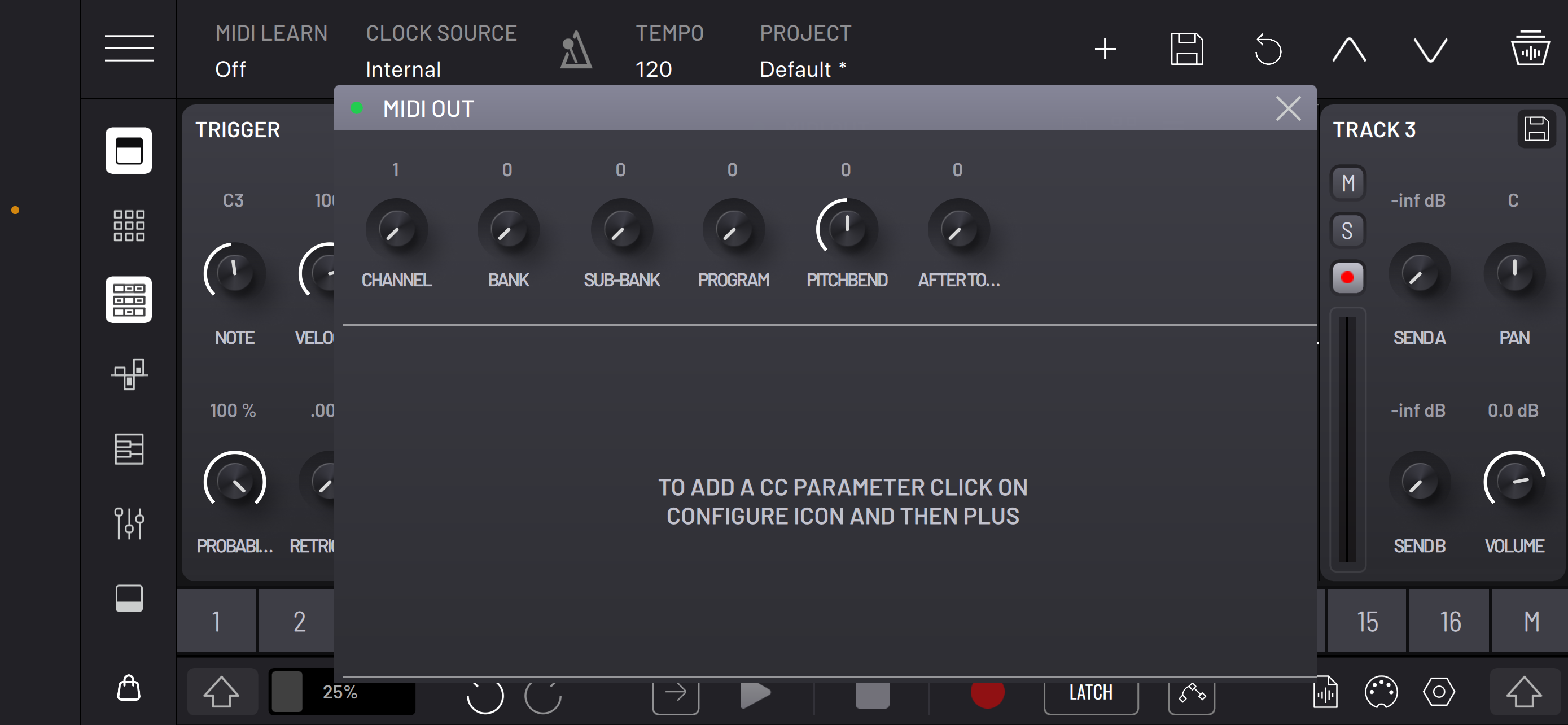
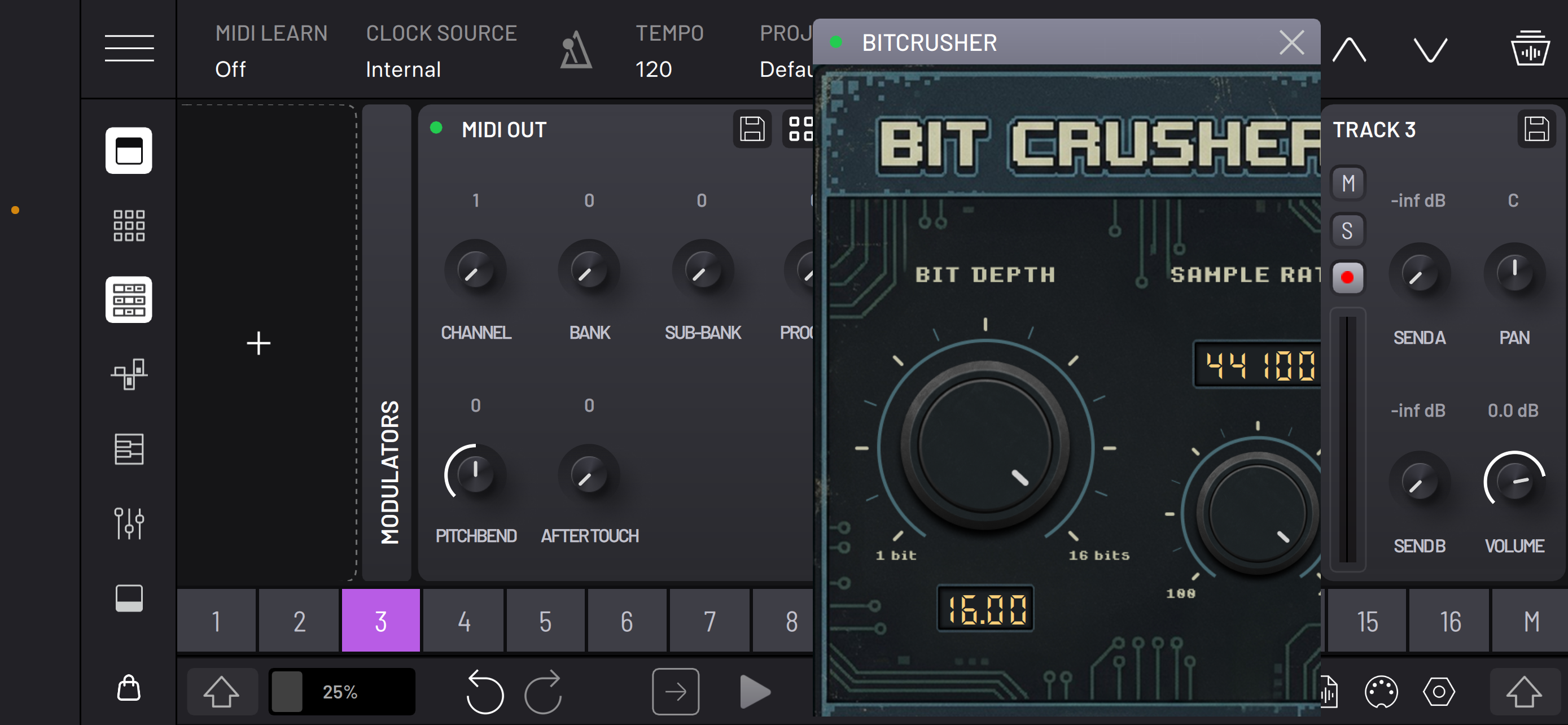
Thanks for reporting this issue.
I’m getting a strange bug in iPad standalone BAM when using the recorder to resample. I searched the forum for some other examples of this, but couldn’t find any, do let me know if this has been addressed before.
Whether I’m resampling from Master Output or iPad microphone, a few things are going wrong:
1) The recording length seems approximately doubled, with the first half just silence! This happens even when I record with the playhead already running, which should record no silence at all! In any case, the manual says it should autocrop silence.
2) Cropping to selection isn’t working. The start marker disregards any position I set. The end marker does crop to the right of it, but the initial silence remains. Leaving the end marker at its default position and moving just the start marker to the start of the waveform has no effect on the initial silence, but the waveform changes and seems to lose a portion from the end!
3) When you play the recorded audio sample back, it is slowed down, compared to the actual project output! I’m guessing this might all be some sample rate issue?
If I put the recording into the BAM sampler, adjust the start point to get past the silence, then pitch the sample up, it needs pitching up by 12 semitones/1 octave to match the project audio.
@sinosoidal , I couldn’t see where I could log a bug report on the website, sorry if I missed that. Hopefully this place is as good as any for you!
Details:
Happens in any project I load, but my current example has 2 AUv3s: Korg Abu Dhabi on track 1, Korg London track 2. Just one clip for each in the matrix. Bug also occurs in test project with just an 08 kick on track 1.
Audio output makes no difference: standard wired headphones with jack-to-usbC adapter, airpods pro3, or built in iPad speakers. I restarted iPad between trying each. I had wondered if the airpods sample rate had messed things up, but it’s the same with each.
I adjusted the audio buffer size in BAM settings, no change.
iPadOS 26.5
6th gen M2 iPad Pro 12.9, (256gb, 118gb free) MP203B/A
BAM is up-to-date from UK app store
Happy Friday, folks.
Same issue for me.