Loopy Pro: Create music, your way.
What is Loopy Pro? — Loopy Pro is a powerful, flexible, and intuitive live looper, sampler, clip launcher and DAW for iPhone and iPad. At its core, it allows you to record and layer sounds in real-time to create complex musical arrangements. But it doesn’t stop there—Loopy Pro offers advanced tools to customize your workflow, build dynamic performance setups, and create a seamless connection between instruments, effects, and external gear.
Use it for live looping, sequencing, arranging, mixing, and much more. Whether you're a live performer, a producer, or just experimenting with sound, Loopy Pro helps you take control of your creative process.
Download on the App StoreLoopy Pro is your all-in-one musical toolkit. Try it for free today.
Comments
Both I hope.
Glad I could help a little bit, Jim! Looking forward to your creations with FMR.
@jwmmakerofmusic have fun! Let us know if you get stuck or have any questions.
Me too. Thanks again mate. ❤️
Thanks to you too, mate. I appreciate it. Will let you know once I've more time on Thursday. ❤️
OT- I think tomorrow I'll work on my FLSM album, and then July begin work on Ambient in Cubasis 3.
I did a little creation but posted it under the Creations tab: First Steps
One little tip: if you have started a project where you use most playheads to different targets (synths) it's really cool to just change to another project, all is set up.
I'm talking from someone who like to work in the standalone version and test my project with instruments (more than the one builtin) when I feel it's time (not necessarily finished).
So, you can have a sort of template to handle the many playheads, is all I'm saying. I have some in both Cubasis and AUM now.
Alexander promptly replied after I emailed him (provided in the manual) with;
“ Those buttons determine if the keyboard values change on touch down vs touch up. The upward triangle is touch up, so the value changes when you lift your finger or mouse, and the downward triangle is touch down, the values change the moment you touch or click down.
The escape button is used to cancel interactions, and it’s particularly useful for cancelling interactions in the note grid and point grid. It’s only useful on iPhone, and well as iPad when used without a qwerty keyboard connected.”
Oh.. Interesting! Thanks for asking the question.
After playing around with this quite a bit I have come to the conclusion that way too much have been put in to alter time, in various places and with various actions. It does not matter what you do: sound settings will be repeated because there are no settings for: chance, random or probability. I really hope there will be in a future update because it's SOOO needed. @Alexandernaut
I also want to avoid the double notes too often played i.e when a playhead turns direction but also, sometimes, when you have note movement (automation) the playhead seem to make sound on both contact and leave (I hope I make sense). I wish there was a setting to avoid this. I really despise these double hits.
This is exactly what has kept me from buying. Too many notes.
Not having “randomize/probability” options in a newer sequencer when most others have or eventually add it is crazy to me. Especially with the price tag. I guess you could feed it through something like Cality or even Waymaker probability module 🤷🏻♂️
I agree. A probability function and more random elements would make a huge difference. I’m making some very cool things with FMR, but I’m not about to buy it, tempting as it is…
I thought I would miss a probability function, but I'm actually quite happy with getting long evolving soundscapes by using modulation and prime based sequence lengths. The great thing is that the results are reproducible, so happy accidents will always show up again. Custom scales, midi controls of various parameters (especially play heads) and a more granular save system for notes and modulation are way higher on my wish list.
This video helped me understand some of the futher control posdible:
I just jumped and skipped but I think he covers it all (except for arpeggio and pitchblend). Once you understand what you can do and how to do it, the app kind of shrinks, a lot. Anyway, good share. 😁
Edit: I don't think he mentioned how to bend and alter the automation points. Select at least two points and then go nuts with 6 different inputs and 1 wave selector. You end up with beauties like this one...
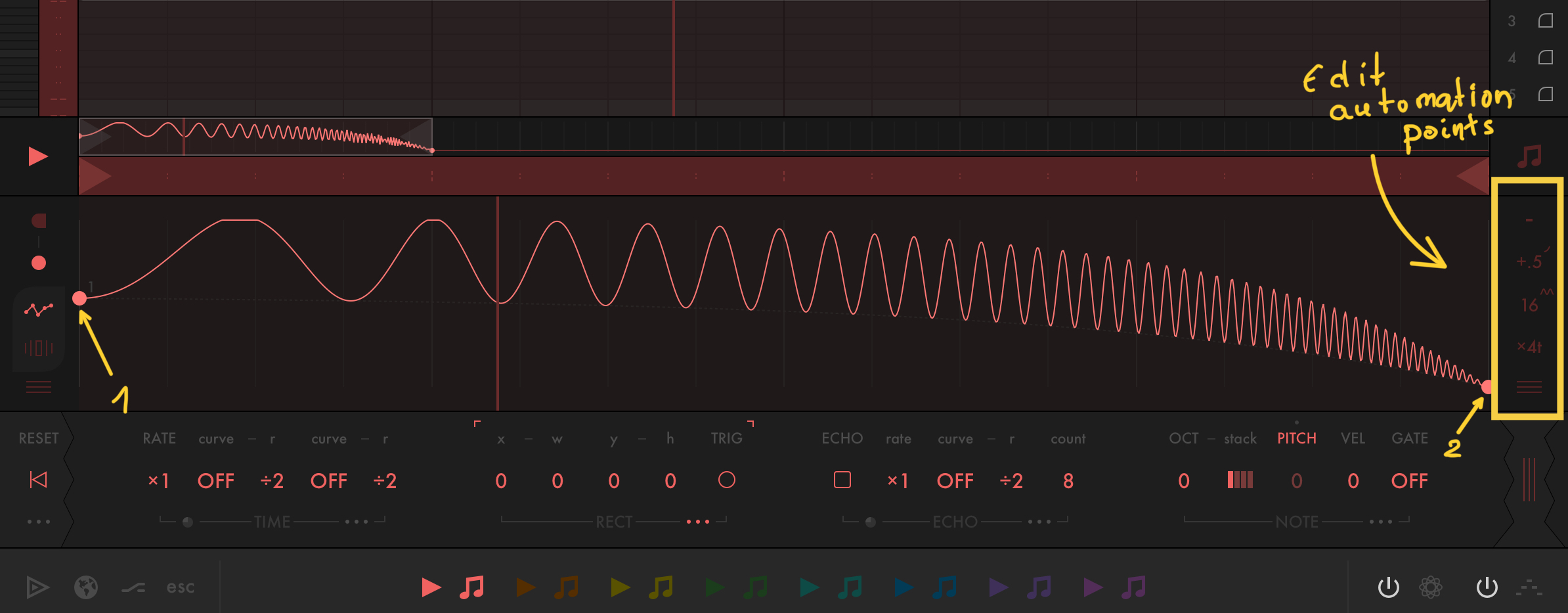
If he did mention it and I missed it. Well...
Yeah, there’s a few things he didn’t mention, though in his defense, it would be hard to get everything about this app in one video
Yeah you're right, I thought for a moment there I got it under control but it was an illusion. Anyway, just discovered this: one can set the height and position of the playhead/s. It is a bit fiddly to get it right but this is really good stuff.
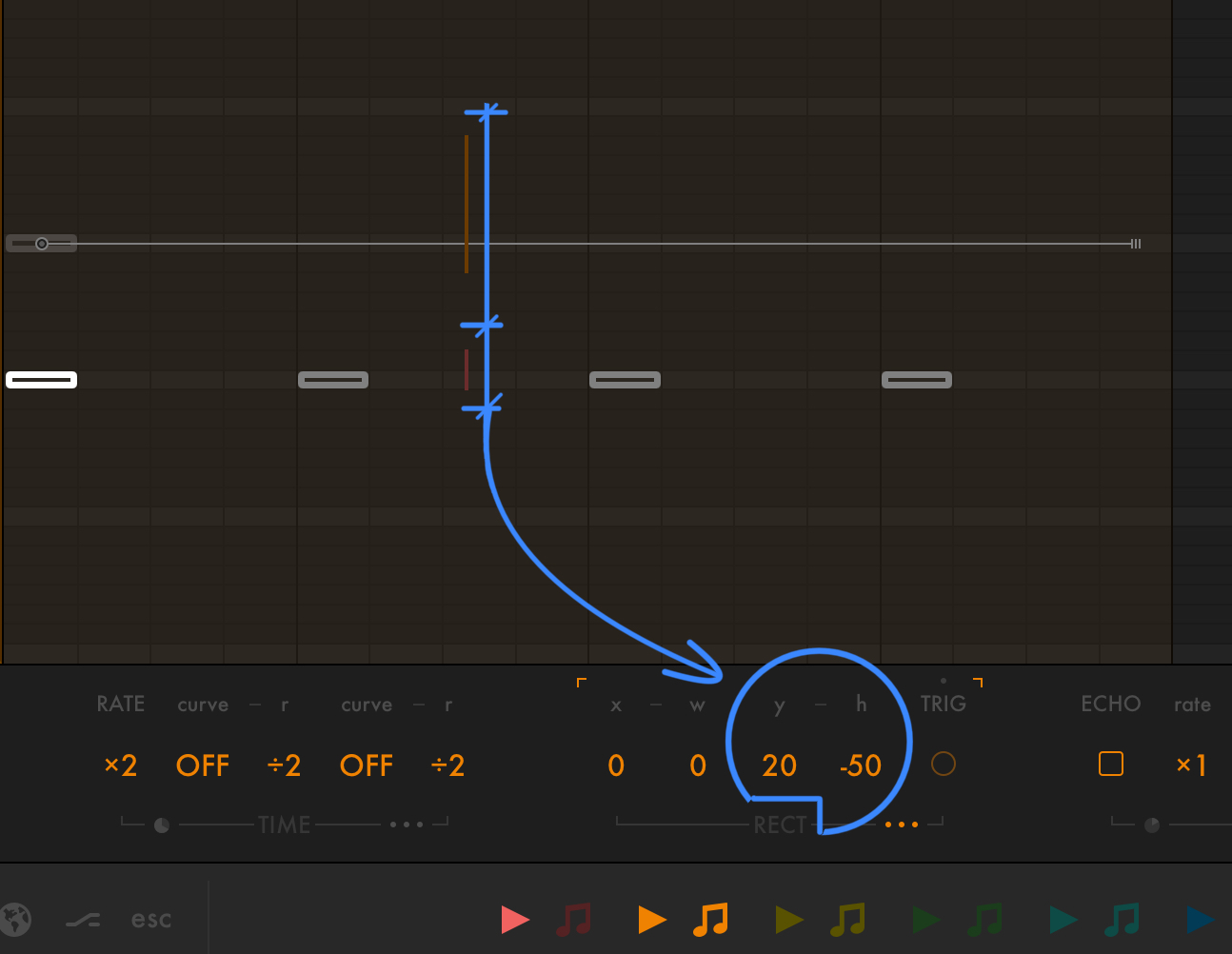
There is something very wrong with the undo history system. Sometimes when you take a step back it creates a snapshot which if you click it takes you back, waaay back and wrong back. Even surpasses last save which means it's some bug.
Very hard (time consuming) to recreate though.
Anyway, to be harsh: it's a stupid way of undoing if you compare with e.g Photoshop which also have a history system BUT it's not undo. Undo is, as it should be, separate or in, sort of symbioses with history. In PS it's an superb system and for Rubato to have the same excellence it need a separate and quick (easy access) undo. Just a simple effing undo (yeah I'm upset as I lost a lot of work/time).🤬
@Edward_Alexander or anyone else had any reaction to this? I tag you Ed because you're the only one I know using Rubato extensively.
I'm not sure why it's so hard for music app developers to implement undo/redo. It's missing in way to many apps or in some cases, like Rubato, comes up with something overcomplicated. 🤔
I'll tag @Alexandernaut as well but only out of misguided hope 😂
Agreed. A real roll-back-last-action undo would be very welcome.
@Pxlhg I must say, I haven’t opened that menu at all. Only to access the main settings. The “Patterns” save/file system and the “snapshots” undo features are a mess I agree. I’ve avoided both of those and solely rely on host save/loads. (And I save frequently with incremental file names)
Personally, I’d take a clipboard to copy/paste between point grid automations over anything else.
Oh, I see. I work in stand alone when starting new projects as I find that more focused and also, It's very exiting to bring in a project (to e.g AUM) that been using the built in sound only and start adding instruments. You can end up with some great surprises. I guess your way can be used there as well but I'm already filling up the folder as it is 😃 Thank you!
Just a little tip. You, like me might never have used the midi bus available in AUM. They're really great when you using all playheads on there own channel. Something like this. (There are many more synths not showing, the buses are what I wanted to show)
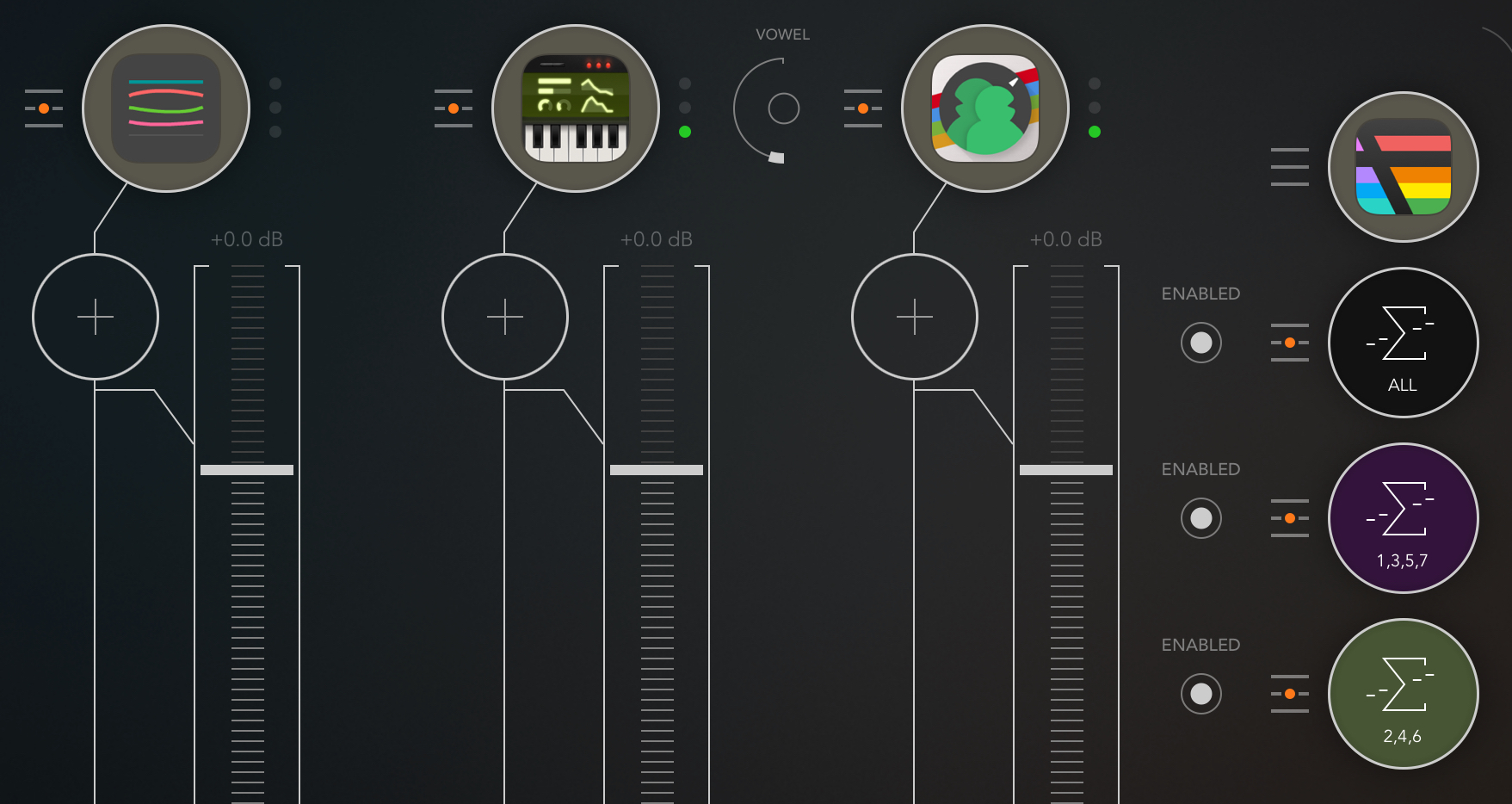
Yes, that is also something missing enormously. Getting pretty good at drawing and doing time saving 'quick-fixes' but every time I know I going to have to repeat something I just did, I'm thinking: copy/paste. Does he have a Discord or are anyone here in contact with the man? I feel we need some of these needs and ideas presented to him. Someone said he has been totally deaf for input, wishes whatnot with the original Fugue. Maybe I dreamt that (bad dream)
@Pxlhg That wasn’t a dream. I’ve heard that too sadly.
He’s responded to compliments on YT fairly quickly. And I’ve heard other users getting answers to questions on things through his support email.. but unfortunately, responses on features requests are few and far between.
Sorry to butt in, but thanks for this, I had no idea midi busses were a thing in AUM. Don’t own fmr yet, but can totally see applying this to other use cases. Will hit up the ol YouTube for some tutorials. Ok, carry on..
What are the main uses of midi busses in AUM? I have never been able to think of reasons I’d use one.
One advantage is that you can switch on/off multiples channels at once