Loopy Pro: Create music, your way.
What is Loopy Pro? — Loopy Pro is a powerful, flexible, and intuitive live looper, sampler, clip launcher and DAW for iPhone and iPad. At its core, it allows you to record and layer sounds in real-time to create complex musical arrangements. But it doesn’t stop there—Loopy Pro offers advanced tools to customize your workflow, build dynamic performance setups, and create a seamless connection between instruments, effects, and external gear.
Use it for live looping, sequencing, arranging, mixing, and much more. Whether you're a live performer, a producer, or just experimenting with sound, Loopy Pro helps you take control of your creative process.
Download on the App StoreLoopy Pro is your all-in-one musical toolkit. Try it for free today.
Comments
Audio busses or midi busses? They’re very very useful.
Midi busses. I was responding to the previous comment about midi busses. I use audio busses all the time, they're absolutely essential, but I have never felt the need to use midi busses so far
@Gavinski
After watching some vids I’ve come to the conclusion that for me, the use case would be with helium and what a previous commenter mentioned about easily muting and unmuting groups of tracks. It’s nothing groundbreaking, but def a QoL improvement and glad I found this
Yea I misunderstood your reply. I find midi buses helpful in organizing sessions. Let’s say I have more than one midi source feeding a synth, I’ll probably use a midi bus for that, now when I want to try the same melodies on another synth I’ll just route the bus to it and preserve everything else without having to set it up. Also the on/off toggles come in handy without having to mess around with the routings.
@Gavinski In the case of FMR you have the option to have 8 different outs, right. So you connect that to 8 different synths but now you want one (synth) that uses them all or 4, or whatever, of them. That's what I find superb with the midi bus and, as I said I never found use for them before but hghon also makes some good example above.
Yeah cheers guys, some of those examples sound useful
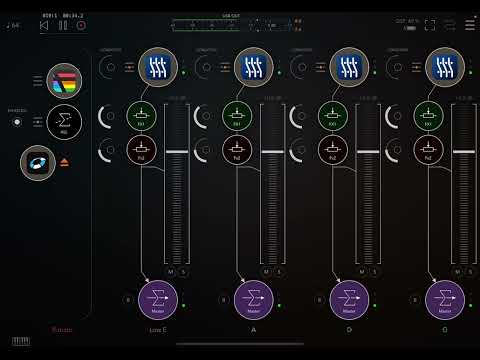
So I had this idea of building a guitar (sort of) in FMR and set it up like the image below. Now the grid is a fucking problem as there is no way to get the notes in a strumming position. I have tested with Pianoteq Nylon (one for each string) and it's fun but it's not how I wanted it to work. I have 1/16 grid but can't notice any difference from the default 1/8. Can you think of how to get the notes closer to each other?
If not I also wanted to share the idea as I think it's a pretty cool one.
Edit: I've fooled about with the curves but damn you get dizzy looking at them sway like a drunken monkey. Anyway It got a bit better actually.
Here's a draft: Segovia on the rocks (unlisted video). I forgot to turn on the ARP which makes it totally chaotic.
@Pxlhg RE: “can you think of how to get the notes closer to each other?”
My answer would be increasing the playhead speeds/curves. (And I see you’ve already figured that out 😊)
(This is a perfect example of why I’ve been saying the Note Grid in FMR isn’t a “piano roll”)
You're right of course, easy to forget that part😃 In the world of keyframes you use ease in/ease out (Luma Fusion proudly added this not too long back) to smooth start and stop motion.
The problem with these curves is they continue to 'ease in' instead of doing it on start only, I find that a bit .. annoying in lack of a better word. If they behaved like that (start/stop) they would be som much easier to control and behave, at least in this case, the way I want. I guess an option for it would have been cool i.e to choose if you wanted continued curve movement or just at the start.
Cheers
But the curves are all off by default, on each of the playheads. (?) Maybe I’m misunderstanding.
Edit: I’ll have to do some FMR jamming tonight and see what you mean.
No, you're not. I'm talking about this project only where I try to time the playheads in to a strum.
edit: hmm maybe I could turn them off with automation right after start, great idea Ed! 😃😁
Hey, what app is this? @Pxlhg
Edit: Oh, I get it, the strumming.
//img//
Yeah, but strumming per string which is surreal. It's Kaleidoscope from 4p and was on discount last Friday.
Automating the curves on/off wasn't very good either, or rather a humongous pile of work. I think I put my FMRGuitar on ice for a bit, see where things go.
Has anyone put any serious work onto making a Rubato drum sequencer i.e with the drum-triggers.
I started today with some testing using OneShot. At first it was real fun getting all kind of happy accidents but then when you want to be more serious it's real trickery getting a longer seq. ending with a fill, or something.
You could just lay the notes out in long (e.g 64-128(max) steps) rows, not even using the drum-triggers, but what's the fun in that. 😁
Anyway, I was just curious on your experience with this particular feature, so far.
Good question, I’ve been wondering that myself.
Fortunately your timing is perfect because CMD just published this article today.
https://cdm.link/fugue-machine-rubato-drum-trig/
Deleted
That's the one that got me started, saw it on FB. I think the best way to move forward i.e to a finished sequence: is to record stumps from FMR to e.g Helium. See example below and how it actually gets awesome after recording but sounds a bit choppy in FMR.
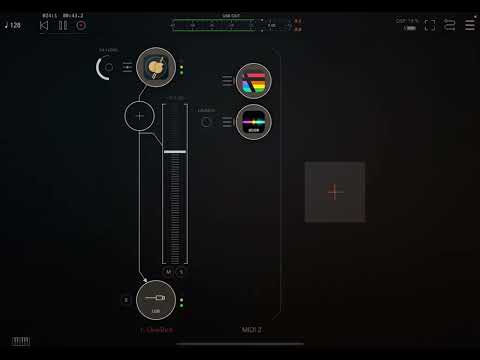
Edit: I took my guitar setup with one(1) note high separate (E,A,D,G,B,(E 1up)) playheads and it might be a bit extreme but, it suited my test for this.
edit2: correcting error/s
Wow that is interesting how it changes. Almost sounds like stuttering..and then it sounds amazing in Helium. This was good to hear because I have some ideas that sound amazing with the built in sound, and I have ideas for other sounds with FMR driving other apps, but when I finally hooked it all up it didn’t quite hit the mark. Seems like recording may be the answer. MIDI translation or something.
Yeah exactly, lost in (midi) translation. Helium can't read all that's FMR is up to so I you get what it can. Not easy to plan with that in mind but it's fun anyway. 😃
Isn’t that because helium is set to quantise incoming MIDI?
Using FMR in AUM, I want to press pause, and then when I press play, for play to resume instantaneously (picking up where I left off). At the moment, every time I pause, I have to then wait for the white line to go around the globe image (bottom left-hand corner ), before play resumes.
Anyone able to help?
Mine does that when I’ve got Ableton Link switched on.
Can’t see link settings in Rubato (?) Or do you mean in AUM?
Probably me being stoopid…
In Rubato Settings page the 3rd icon (cogwheel) - scroll down and Clock Source is the first thing listed under the Sequencer heading - that gives you the options including Link.
Ace. Will try that. Thanks @mashtup !
Update: Ok, it was off by default, so it's not that. Then, in clock settings" I saw the "start with cycle start" option and figured I had found the culprit...however, having that enabled or disabled makes no difference. @mashtup
Anyone else got any ideas?
Hmm, I've got ipad connected to macbook via IDAM. In Ableton, ipad is recognised as the midi in source, but now, in clock settings in FMR, I can't see anything other than "AUv3 host" - so I can't turn Ableton link on, to get the 2 clocks synced (?) It was there the other day, because @mashtup helped me navigate to the clock settings...
Will ableton link only work with FMR in standalone mode? (I'm about to find out....)
Answer: yes
Still totally baffled though. Am I correct in saying that using IDAM to send midi from iPad to an instrument in Ableton, and Ableton link are two mutually exclusive things? ( I know they’re not the same thing, I’m asking if these two concepts are incompatible)
I've had some fun with FMR, though I don't think I've really gone past what you could do in the original app yet. But I gotta ask: is there some terrible deficiency in iOS frameworks around file dialogues? Seems like a lot of music apps feel the need to completely reimagine what a file load/save dialogue should look and act like, and at least in the case of FMR it's confusing as hell. I've lost work a couple time now by getting disoriented and clicking in the wrong place in the file dialogue.
Bump
Any thoughts on this folks?