Loopy Pro: Create music, your way.
What is Loopy Pro? — Loopy Pro is a powerful, flexible, and intuitive live looper, sampler, clip launcher and DAW for iPhone and iPad. At its core, it allows you to record and layer sounds in real-time to create complex musical arrangements. But it doesn’t stop there—Loopy Pro offers advanced tools to customize your workflow, build dynamic performance setups, and create a seamless connection between instruments, effects, and external gear.
Use it for live looping, sequencing, arranging, mixing, and much more. Whether you're a live performer, a producer, or just experimenting with sound, Loopy Pro helps you take control of your creative process.
Download on the App StoreLoopy Pro is your all-in-one musical toolkit. Try it for free today.
Comments
@Edward_Alexander lovely! Was it fun and fast?
Mad respect Edward-what an absolutely wonderful jam. I am in awe. Cheers, ED
Thanks y’all, @ElektrikDiva @egobeats
The respect goes to @giku_beepstreet for creating this musical playground, which is fun for the whole family.
When you use it, you’ll notice the absence of any MIDI processors, scale guardrails, or magic MIDI riff generators that make music for you.
This relies totally on the user to create, and it makes a great music learning tool for the young (and young at heart ♥️)
Just made this playing around with this after seeing that this app just dropped. It is fun and quick.
Oh my god…
Great sounds, thanks for sharing. The performance aspect looks quite fun 🤙
Nice! @VerbaLee
Right back at you @Edward_Alexander Nice jam indeed. What a fun app.
Thanks! I just dove in and had a blast especially with the performance FX. @giku_beepstreet has done it again
I played around with it a bit and I like it.
I wouldn’t call it a toy although you can play with it.
@giku_beepstreet Would love to see Ableton new Link Audio come to this at some point would be cool to pipe out into Ableton for further manipulation.
Great video, @giku_beepstreet ! Really showcases the depth of this “toy”, and great to have a peek at the mad genius creative process 😅
Is it possible to record the performance?
So record the effects live?
I'm wondering the same, specifically to multitrack record.
Everything explained in my 25 min walkthrough!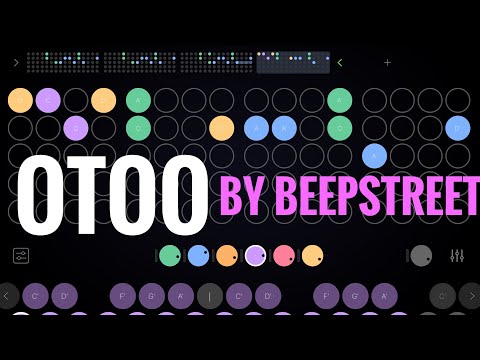
Lightweight and intuitive, instabuy.
Not yet, but confirmed earlier in the thread that it will be. (Edit: that’s audio recording of the performance, not recording the movements of the effects as automation, as I understand it).
Reminds me of SAND for the simple Auv3 sequencer
1 track with different instrument per step looks like the tracker workflow.
The perform live effects on the master button should definitely be recorded!!
any way to have less than 16 steps in a pattern?
btw i appreciate that this has a swing option.
Not yet.
Great work on the video! 😍
Very timely @Gavinski, thank you. Sat here in the sun with my daughter - she’s having fun with the eternally brilliant Incredibox whilst I’m showing her how she can make her own incredibox by sampling her voice in Otoo… not many Sunday morning chores getting done
Oh nice haha!
Ok... I was a bit slow working this one out and it's not in the Help so....
You activate record in the sampler by pressing the chosen note button along the bottom, that way you can record multiple sounds to multiple notes OR press the note symbol button in the middle of the screen (below the mic symbol) and then the recorded sample (or the last recorded sample to the left) will map chromatically across the buttons.
The video portion froze for me right when you started talkin bout auv3s. Audio was fine, but vid froze for a good minute, then righted itself
I know, screen recording was acting up today, I had an entire finished take which was unusable, wouldn't play at all, had to do the whole thing again. Didn't know that this take also had a problem when I uploaded, luckily it's only frozen for a short time
Roger! Ya, info still came across/got the gist so no biggie 🤙 just figured id let ya know. Keep up the great vids!
Yeah great video Gav! You showed the goodies and the stumbling blocks (which aren’t many)
Totally with you on more legible notes, but let’s see (pun intended 😅)
Lol. Yeah Giku said he will do something about that, thankfully
Can't access the quickstart guide, site seems down...