Loopy Pro: Create music, your way.

What is Loopy Pro?Loopy Pro is a powerful, flexible, and intuitive live looper, sampler, clip launcher and DAW for iPhone and iPad. At its core, it allows you to record and layer sounds in real-time to create complex musical arrangements. But it doesn’t stop there—Loopy Pro offers advanced tools to customize your workflow, build dynamic performance setups, and create a seamless connection between instruments, effects, and external gear.

Use it for live looping, sequencing, arranging, mixing, and much more. Whether you're a live performer, a producer, or just experimenting with sound, Loopy Pro helps you take control of your creative process.

Download on the App Store

Loopy Pro is your all-in-one musical toolkit. Try it for free today.

Loopy Pro is here!

1262729313250

Comments

  • @mistercharlie said:
    I just did a little experiment. I have a project in my Octatrack that’s stalled. I decided to record the tracks into Ableton, but then I though, I should try this in Loopy.

    Recording into both was dead easy. Slightly easier into Loopy, perhaps, once I’d worked out the best settings.

    But the main point here is, once I got the loops into Ableton, I couldn’t really think what to do next. But with LP, I can’t wait to get screwing around with some ideas. I’m not sure exactly why, but LP is way more appealing as a place to play. Maybe it’s the iPad. Maybe it’s my absurdly deep collection of AUs (pretty sure I’m not alone in that one).

    I love Ableton, but LP is something else. Digging it. And finding it integrates really nicely with my hardware.

    Less setup
    Less friction
    Less overhead
    More states of flow
    👊🏼™️

  • I've added a video for anyone not sire how to MIDI map AUv3 effect parameters in Loopy Pro

  • edited December 2021

    FYI: those requesting a manual - I’m working on it right now. You can watch me go at https://loopypro.com/manual-draft 😄

  • @Michael said:
    FYI: those requesting a manual - I’m working on it right now. You can watch me go at https://loopypro.com/manual-draft 😄

    Awesome. Thanks, Michael!

  • I’ve got Atom -> Pure piano which I record into a donut. It is straight forward to add a follow action to mute the Pure piano track after record, however what I really want is to mute the Atom midi track, but I don’t see a follow action to allow this. Am I missing something?

  • The user and all related content has been deleted.
  • @tja said:

    @Michael said:
    FYI: those requesting a manual - I’m working on it right now. You can watch me go at https://loopypro.com/manual-draft 😄

    Ahhhh ...
    My daily new literature :) :) :)

    How are you writing that?
    With MarkDown?
    This could later be made into a PDF B)

    It’s actually a WordPress plug-in but it does support PDF export

  • edited December 2021

    @Michael said:
    You can watch me go

    Here I was hoping to watch real time edits :(

  • Looking like it will fit the bill though 👍

  • @AlmostAnonymous said:

    @Michael said:
    You can watch me go

    Here I was hoping to watch real time edits :(

    "No, not that word! Ugh! That line was so good - why’d you delete it? No, write this other section next” 😂

  • edited December 2021

    @cuberoo_ said:
    I’ve got Atom -> Pure piano which I record into a donut. It is straight forward to add a follow action to mute the Pure piano track after record, however what I really want is to mute the Atom midi track, but I don’t see a follow action to allow this. Am I missing something?

    You could send a midi command to Atom to tell it to stop I think.

  • edited December 2021

    @dokwok2 said:
    The updated version now works with iOS v12 and v13. I just installed it on my iPad Air 1. No testing yet, but very excited. I've been using Loopy and Loopy HD since iPad 2.

    First impressions after a few hours with iPad Air 1 on iOS v12.

    • In standalone more, LP's interface feels a little less responsive compared with AUM. That's a report, not a criticism. Keep in mind: the iPad Air 1 was introduced in Nov. 2013, eight years ago. AUM was designed when machines were slower, and things have moved on.

    • Everything works so far. I love being able to record a track, idle the generator app, and move on to another layer. There were ways of doing this in AUM, but never in a way that seemed as natural as working with Audiobus 2 and Loopy HD. Result: a lot of projects never progressed beyond the first four bars.

    • I look forward to exploring LP as a standalone DAW. Unfortunately, some of my favorite drum apps are IAA-only. With the help of Richard Yot's video -- -- I was able to record DrumJam into Loopy Pro...and it works great. Projects saved this way are seemingly "stuck" in AUM, but it's easy to export them (in AUM-hosted LP) to LP's own folder in the iPad file system. If this were all LP did -- be Loopy in AUM -- I would be thrilled. I feel like I have an old friend back, after he's learned some new tricks.
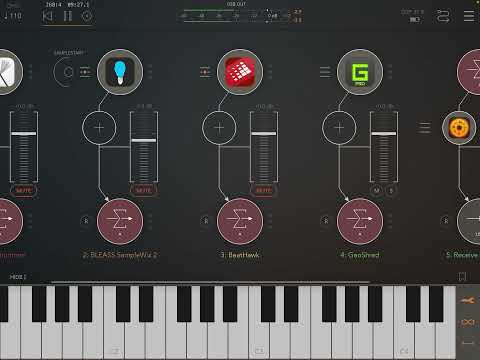
    THANK YOU, Michael, for supporting this older gear. I didn't realize my iPad was this old until I looked up the date. It can still do a lot, if given the chance!

  • wimwim
    edited December 2021

    @cuberoo_ said:
    I’ve got Atom -> Pure piano which I record into a donut. It is straight forward to add a follow action to mute the Pure piano track after record, however what I really want is to mute the Atom midi track, but I don’t see a follow action to allow this. Am I missing something?

    This is needed. I've made a feature request for this over on the beta test channel.
    There might be some way to accomplish it by routing midi out and back in to Loopy, but I haven't tried it.

    [edit] see below.

  • @wim said:

    @cuberoo_ said:
    I’ve got Atom -> Pure piano which I record into a donut. It is straight forward to add a follow action to mute the Pure piano track after record, however what I really want is to mute the Atom midi track, but I don’t see a follow action to allow this. Am I missing something?

    This is needed. I've made a feature request for this over on the beta test channel.
    There might be some way to accomplish it by routing midi out and back in to Loopy, but I haven't tried it.

    You can send midi from a follow action and choose your Atom instance as a target of the send midi action.

    Is that not working for you?

  • @espiegel123 said:

    @wim said:

    @cuberoo_ said:
    I’ve got Atom -> Pure piano which I record into a donut. It is straight forward to add a follow action to mute the Pure piano track after record, however what I really want is to mute the Atom midi track, but I don’t see a follow action to allow this. Am I missing something?

    This is needed. I've made a feature request for this over on the beta test channel.
    There might be some way to accomplish it by routing midi out and back in to Loopy, but I haven't tried it.

    You can send midi from a follow action and choose your Atom instance as a target of the send midi action.

    Is that not working for you?

    Oops. Missed that. Thanks for the correction.

  • @wim said:

    @espiegel123 said:

    @wim said:

    @cuberoo_ said:
    I’ve got Atom -> Pure piano which I record into a donut. It is straight forward to add a follow action to mute the Pure piano track after record, however what I really want is to mute the Atom midi track, but I don’t see a follow action to allow this. Am I missing something?

    This is needed. I've made a feature request for this over on the beta test channel.
    There might be some way to accomplish it by routing midi out and back in to Loopy, but I haven't tried it.

    You can send midi from a follow action and choose your Atom instance as a target of the send midi action.

    Is that not working for you?

    Oops. Missed that. Thanks for the correction.

    Thanks, that does indeed work. However, this is controls Atom itself and not muting the track itself, seems strange that it’s possible to do this for audio tracks, but not midi?

  • @CapnWillie said:
    Congrats @Michael

    LP will exceed expectations and I’m excited for you, your family and partners. You’ve created another major disruption for sure. So many demands will be made with so many areas for expansion and opportunity. I believe you’re well prepared for the long fruitful road ahead.

    Two suggestions I have:

    1. If you can remix and improve on Blocs Wav’s ability to randomize loops based on intended sound (drums, perc, melody, fx, etc) you will have effectively saved the world.lol. In BW colors represent sound type. They have a random matrix where you tap green and get a random drum loop, tap pink get a random melody, purple gets you a perc, blue is bass, etc etc. Randomizing loops for start point inspiration would be killer in LP!!!

    2. I think Koala’s dev has pricing strategy right. Just make big new features IAPs. Some years it may work out more than $18.99. Depends on how hard you work, and how much we love using your work which is how it should be. Incentivizes both parties. Some users won’t need certain upgrades others will need. However, some updates will require updates so some folks may have to buy a feature they don’t need to unlock a necessary Ui update to unlock something they do. Think RPG video game skill trees. Example, loop randomizer ($9.99) iap but you need to unlock a previous key/tempo detector update (9.99) to get it. In this example that’s $20 for just two iap updates most people would probably want. If there are 4 in a year, you make $40 additional vs 18.99 annual for ? Updates. Makes more cents (sense) and gives everyone more flexibility.

    Otherwise, EXCELLENT work. Looking forward to what’s in store!

    +1 to point 1!!

  • @cuberoo_ said:

    @wim said:

    @espiegel123 said:

    @wim said:

    @cuberoo_ said:
    I’ve got Atom -> Pure piano which I record into a donut. It is straight forward to add a follow action to mute the Pure piano track after record, however what I really want is to mute the Atom midi track, but I don’t see a follow action to allow this. Am I missing something?

    This is needed. I've made a feature request for this over on the beta test channel.
    There might be some way to accomplish it by routing midi out and back in to Loopy, but I haven't tried it.

    You can send midi from a follow action and choose your Atom instance as a target of the send midi action.

    Is that not working for you?

    Oops. Missed that. Thanks for the correction.

    Thanks, that does indeed work. However, this is controls Atom itself and not muting the track itself, seems strange that it’s possible to do this for audio tracks, but not midi?

    It’s a live looper - audio handling is its priority. Michael’s promised more extensive MIDI control in future updates.

  • @Halftone - the Blocs randomise loops idea is indeed a topper. That really would take the prize biscuit. Can you imagine it? Jeeez!

  • @celtic_elk said:

    @cuberoo_ said:

    @wim said:

    @espiegel123 said:

    @wim said:

    @cuberoo_ said:
    I’ve got Atom -> Pure piano which I record into a donut. It is straight forward to add a follow action to mute the Pure piano track after record, however what I really want is to mute the Atom midi track, but I don’t see a follow action to allow this. Am I missing something?

    This is needed. I've made a feature request for this over on the beta test channel.
    There might be some way to accomplish it by routing midi out and back in to Loopy, but I haven't tried it.

    You can send midi from a follow action and choose your Atom instance as a target of the send midi action.

    Is that not working for you?

    Oops. Missed that. Thanks for the correction.

    Thanks, that does indeed work. However, this is controls Atom itself and not muting the track itself, seems strange that it’s possible to do this for audio tracks, but not midi?

    It’s a live looper - audio handling is its priority. Michael’s promised more extensive MIDI control in future updates.

    Thanks, seems completely reasonable, just good to know it’s on the list and being thought about. I personally use MIDI a lot and so the more control of that the better.

  • So looking forward to midi clips

  • wimwim
    edited December 2021

    @cyberheater said:
    So looking forward to midi clips

    Oddly, as one of the very early whiners about it not being planned for initial release way back when Loopy Pro was announced, I'm no longer looking forward to this like I was. In some way it has become irrelevant and also seems like a retreat from the spontaneity I'm finding with committing to audio loops. It's very weird.

    In the interest of beta testing I've been loading up LK, Atom2, Midi Tape Recorder, and others, but somehow I just don't have as much fun, and, with the ones that allow editing, get distracted with tweaking parts and synth patches rather than recording better or different takes.

    I'm going to be happy to see it, but also might not be using it as much as I thought. Go figure. 🤷🏼‍♂️🤔

  • @danbobakov said:

    @espiegel123 said:

    Can you explain a little more precisely what you are trying to do. The answer is probably yes. Do you mean that you want to toggle all clips of the same color? Of toggle all of a set of clips?

    One way to do that is set up your clips in a group.

    Another way is to create a widget that targets a set of clips you can specify in the action.

    Another way (for colors) is to add a gesture that targets all the clips of the target’s color.

    I’m trying to have all clips play simultaneously besides two of them similiar to an rc505.
    So you would have a drum track that plays constantly and then a verse and chorus part on 2 separate clips that you can toggle back and forth.

    you can add some buttons and use action :solo->target abc instead of play/stop->target abc ,it will play and only play what you selected

  • I am starting to let go of needing to control my MIDI. This whole process of capturing in the moment and building is so liberating.

    I now get it…freedom in just letting go and playing. Too much fun.

  • @wim said:

    @cyberheater said:
    So looking forward to midi clips

    Oddly, as one of the very early whiners about it not being planned for initial release way back when Loopy Pro was announced, I'm no longer looking forward to this like I was. In some way it has become irrelevant and also seems like a retreat from the spontaneity I'm finding with committing to audio loops. It's very weird.

    In the interest of beta testing I've been loading up LK, Atom2, Midi Tape Recorder, and others, but somehow I just don't have as much fun, and, with the ones that allow editing, get distracted with tweaking parts and synth patches rather than recording better or different takes.

    I'm going to be happy to see it, but also might not be using it as much as I thought. Go figure. 🤷🏼‍♂️🤔

    I’ve got external midi gear so this feature would be great for me.

  • @tja said:

    You never saw new colors to pop up "somewhere" in the mixed?

    I don’t think I have, no! I’ll keep an eye on it. So you haven’t added any colours at all, this is just new colours randomly appearing out of nowhere?

  • The user and all related content has been deleted.
  • wimwim
    edited December 2021

    This’s correct, they do not pop up at the end, but can be rearranged.

    They are selected randomly and inserted in the order that they are listed in the color selection dialog.

  • edited December 2021
    The user and all related content has been deleted.
  • @tja said:

    @wim said:
    This is correct, they do not pop up at the end, but can be rearranged.

    Yes, I noticed that only yesterday and this helps alot.

    They are inserted in the order that they are listed in the color selection dialog.

    Could you give a hint anout where to find this dialog?
    I searched but was not successful 🥶

    Many thanks!

    One place can be reached by tapping a color at the top of a mixer channel and then Tapping the color name in the detail screen. If you change a color here, the mixer channel and all clips of that color change too. You can also give colors names like “guitar”, “voice,“ etc.

    Another place is on the edit screen’s paint bucket mode by tapping on the color’s edit icon.

Sign In or Register to comment.