Loopy Pro: Create music, your way.

What is Loopy Pro?Loopy Pro is a powerful, flexible, and intuitive live looper, sampler, clip launcher and DAW for iPhone and iPad. At its core, it allows you to record and layer sounds in real-time to create complex musical arrangements. But it doesn’t stop there—Loopy Pro offers advanced tools to customize your workflow, build dynamic performance setups, and create a seamless connection between instruments, effects, and external gear.

Use it for live looping, sequencing, arranging, mixing, and much more. Whether you're a live performer, a producer, or just experimenting with sound, Loopy Pro helps you take control of your creative process.

Download on the App Store

Loopy Pro is your all-in-one musical toolkit. Try it for free today.

Helium AUv3 MIDI Sequencer by 4Pockets - Released

11314151719

Comments

  • edited August 2024

    Hey Ecou, just tried this setup and worked ok, you can’t sync and use the media browser while the main play head is running. for example I will run a kick drum in AUM and then tap a file from the helium media browser unsynced, if I like it I’ll then drag it to the helium track and then press sync. When I am previewing files I am always unsynced. Also be sure you are using a loop in helium like in my screenshot.

    When you tap sync make sure you tap it again to unsync, and it should be in time with the main playhead.

  • @ecou said:

    @creativmotion said:

    @ecou said:
    Question before buying Helium. From what I read, I should be able to preview my drum groove midi files. Can I preview the beat in time with my music playing in Cubasis ?

    What is your favorite drum Auv3 to use along with helium?

    Does that workflow work well for you to build drum tracks !

    Hi Ecou ,

    This is exactly how I use helium with my midi collections. In AUM for example, I’ll run 4 instances of helium for melody, bass, drums and rhythm into LK and out from LK to my instruments/drums.

    Using the helium browser allows me to “mix” midi loops ‘live’ to create fills and breaks from other midi files, all recorded into LK. I then have a midiFX lane in AUM for pre-post midi effects to play with the LK recording. I end up using LK like midi tape recorder.

    This whole setup gives me more of a live feel, I’ve added some screenshots if it helps.

    I tried to get this running in Cubasis and Audiobus with no luck. When I click on a clip in the media bay it does not play in time with my song. If I click on sync, no midi is sent to Beathawk from Helium.

    A quick question. How do you stack the midi processors (Helium instances) on top of each other on the left?

  • Hi Purpan2, you can swipe up on a channel if you’re asking about the fundamentals, as far as inputs I use midi ch 1 2 10 and 3 and route them to the LK inputs/outputs, My setup has changed a bit but here are the connections to LK:

  • @creativmotion said:
    Hi Purpan2, you can swipe up on a channel if you’re asking about the fundamentals, as far as inputs I use midi ch 1 2 10 and 3 and route them to the LK inputs/outputs, My setup has changed a bit but here are the connections to LK:

    Thanks a lot! I'll try that.

  • @creativmotion said:
    Hey Ecou, just tried this setup and worked ok, you can’t sync and use the media browser while the main play head is running. for example I will run a kick drum in AUM and then tap a file from the helium media browser unsynced, if I like it I’ll then drag it to the helium track and then press sync. When I am previewing files I am always unsynced. Also be sure you are using a loop in helium like in my screenshot.

    When you tap sync make sure you tap it again to unsync, and it should be in time with the main playhead.

    I had asked the following questions : Can I preview the beat in time with my music playing in Cubasis ?

    You told me yes it is exactly how you use it. Now you telling me no you don't. Why?

  • @purpan2 said:

    @creativmotion said:
    Hi Purpan2, you can swipe up on a channel if you’re asking about the fundamentals, as far as inputs I use midi ch 1 2 10 and 3 and route them to the LK inputs/outputs, My setup has changed a bit but here are the connections to LK:

    Thanks a lot! I'll try that.

    It worked very well. Thanks for answering my stupid question. It makes AUM much more useful to me!

  • edited August 2024

    That’s awesome Purpan2, I made a quick video if it helps ecou https://streamable.com/12h587?src=player-page-share

  • @creativmotion said:
    Hi Purpan2, you can swipe up on a channel if you’re asking about the fundamentals, as far as inputs I use midi ch 1 2 10 and 3 and route them to the LK inputs/outputs, My setup has changed a bit but here are the connections to LK:

    Old'ish thread, but by chance are saw the MIDI channel list and are you dumping tracks off of a Roland JD-XI or another groovebox? I'm searching for a solution to dump all the recordings I have off of my JD-XI into MIDI tracks that I can then edit/fix, then play into virtual instruments.

    Curious in the example above why you broke out LK to multiple instances of helium? It seems like LK can do this on it's own (though I find it a frustrating piece of software). If helium could separate MIDI channel by track then that would be just about perfect as I like it's interface.

  • Ok, so based on reco from my other midi sequencer thread I’m giving Helium a try…

    1) I assume that under the media area in the Song tab I should be able to import a multichannel midi file… But I just get an error…
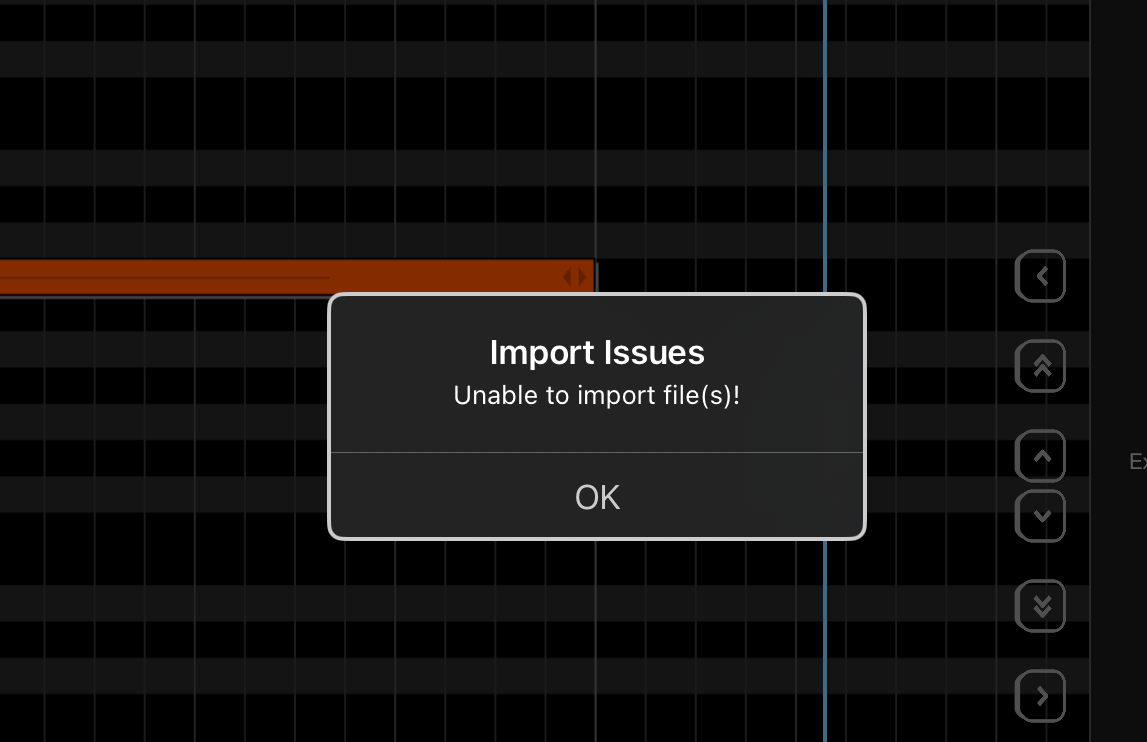
    Is there some other place to import midi files?

    2) Is the dev on the forum? Anyone have contact info for him? I need to get this sorted…

  • edited April 2025

    @MonkeyDrummer said:
    Ok, so based on reco from my other midi sequencer thread I’m giving Helium a try…

    1) I assume that under the media area in the Song tab I should be able to import a multichannel midi file… But I just get an error…

    Is there some other place to import midi files?

    2) Is the dev on the forum? Anyone have contact info for him? I need to get this sorted…

    Sounds correct. Here's how I typically import multitrack MIDI files (or single). Note this is just one way:

    Open the Media Bay
    Open either clips or Songs
    Tap the Files icon at the top to open the files app
    Select Import, browse to the MIDI file in the files app and click the MIDI file
    It should say "1 file imported successfully"
    Tap on the new file in the Media Bay and tap "Import MIDI Clip" or "Import MIDI Song" at the bottom
    If it detects a multitrack MIDI file, it will pop up a dialog "Import MIDI Clip - This clip contains multiple tracks. Do you want to import multiple tracks?" and you must tap "Yes" (which is on the left!)

    The MIDI data will be imported from CH1-CH16. If you tap on the Track icon in the upper left, it should show the track names along with a "*" symbol next to the number to indicate if there is MIDI data on the track. I've imported countless MIDI files over the years, and only had problems with a handful, and those appear to have been incorrectly formatted. Do you have anything else you can open the MIDI file in - Xequence, Logic Pro, GarageBand? I can successfully import a 16 track multi-channel MIDI into GB.

  • @EdZAB said:

    @MonkeyDrummer said:
    Ok, so based on reco from my other midi sequencer thread I’m giving Helium a try…

    1) I assume that under the media area in the Song tab I should be able to import a multichannel midi file… But I just get an error…

    Is there some other place to import midi files?

    2) Is the dev on the forum? Anyone have contact info for him? I need to get this sorted…

    Sounds correct. Here's how I typically import multitrack MIDI files (or single). Note this is just one way:

    Open the Media Bay
    Open either clips or Songs
    Tap the Files icon at the top to open the files app
    Select Import, browse to the MIDI file in the files app and click the MIDI file
    It should say "1 file imported successfully"
    Tap on the new file in the Media Bay and tap "Import MIDI Clip" or "Import MIDI Song" at the bottom
    If it detects a multitrack MIDI file, it will pop up a dialog "Import MIDI Clip - This clip contains multiple tracks. Do you want to import multiple tracks?" and you must tap "Yes" (which is on the left!)

    The MIDI data will be imported from CH1-CH16. If you tap on the Track icon in the upper left, it should show the track names along with a "*" symbol next to the number to indicate if there is MIDI data on the track. I've imported countless MIDI files over the years, and only had problems with a handful, and those appear to have been incorrectly formatted. Do you have anything else you can open the MIDI file in - Xequence, Logic Pro, GarageBand? I can successfully import a 16 track multi-channel MIDI into GB.

    Yup, midi file loads fine into multiple tracks (10) in Audio Evolution…

    Standard midi file from an typical midi collection site… Stuff would load on a sound blaster card in the dark ages…

    https://www.midis101.com/free-midi/36658-traditional-publ-1853-how-great-thou-art
    Example… loads in AE just fine…

    Helium just pukes…

  • @MonkeyDrummer said:

    @EdZAB said:

    @MonkeyDrummer said:
    Ok, so based on reco from my other midi sequencer thread I’m giving Helium a try…

    1) I assume that under the media area in the Song tab I should be able to import a multichannel midi file… But I just get an error…

    Is there some other place to import midi files?

    2) Is the dev on the forum? Anyone have contact info for him? I need to get this sorted…

    Sounds correct. Here's how I typically import multitrack MIDI files (or single). Note this is just one way:

    Open the Media Bay
    Open either clips or Songs
    Tap the Files icon at the top to open the files app
    Select Import, browse to the MIDI file in the files app and click the MIDI file
    It should say "1 file imported successfully"
    Tap on the new file in the Media Bay and tap "Import MIDI Clip" or "Import MIDI Song" at the bottom
    If it detects a multitrack MIDI file, it will pop up a dialog "Import MIDI Clip - This clip contains multiple tracks. Do you want to import multiple tracks?" and you must tap "Yes" (which is on the left!)

    The MIDI data will be imported from CH1-CH16. If you tap on the Track icon in the upper left, it should show the track names along with a "*" symbol next to the number to indicate if there is MIDI data on the track. I've imported countless MIDI files over the years, and only had problems with a handful, and those appear to have been incorrectly formatted. Do you have anything else you can open the MIDI file in - Xequence, Logic Pro, GarageBand? I can successfully import a 16 track multi-channel MIDI into GB.

    Yup, midi file loads fine into multiple tracks (10) in Audio Evolution…

    Standard midi file from an typical midi collection site… Stuff would load on a sound blaster card in the dark ages…

    https://www.midis101.com/free-midi/36658-traditional-publ-1853-how-great-thou-art
    Example… loads in AE just fine…

    Helium just pukes…

    Hmm - very odd it worked for me using the method above:

  • @EdZAB said:

    @MonkeyDrummer said:

    @EdZAB said:

    @MonkeyDrummer said:
    Ok, so based on reco from my other midi sequencer thread I’m giving Helium a try…

    1) I assume that under the media area in the Song tab I should be able to import a multichannel midi file… But I just get an error…

    Is there some other place to import midi files?

    2) Is the dev on the forum? Anyone have contact info for him? I need to get this sorted…

    Sounds correct. Here's how I typically import multitrack MIDI files (or single). Note this is just one way:

    Open the Media Bay
    Open either clips or Songs
    Tap the Files icon at the top to open the files app
    Select Import, browse to the MIDI file in the files app and click the MIDI file
    It should say "1 file imported successfully"
    Tap on the new file in the Media Bay and tap "Import MIDI Clip" or "Import MIDI Song" at the bottom
    If it detects a multitrack MIDI file, it will pop up a dialog "Import MIDI Clip - This clip contains multiple tracks. Do you want to import multiple tracks?" and you must tap "Yes" (which is on the left!)

    The MIDI data will be imported from CH1-CH16. If you tap on the Track icon in the upper left, it should show the track names along with a "*" symbol next to the number to indicate if there is MIDI data on the track. I've imported countless MIDI files over the years, and only had problems with a handful, and those appear to have been incorrectly formatted. Do you have anything else you can open the MIDI file in - Xequence, Logic Pro, GarageBand? I can successfully import a 16 track multi-channel MIDI into GB.

    Yup, midi file loads fine into multiple tracks (10) in Audio Evolution…

    Standard midi file from an typical midi collection site… Stuff would load on a sound blaster card in the dark ages…

    https://www.midis101.com/free-midi/36658-traditional-publ-1853-how-great-thou-art
    Example… loads in AE just fine…

    Helium just pukes…

    Hmm - very odd it worked for me using the method above:

    I think I kinda figured out…
    You have to open it in standalone to import stuff…?

  • I import midi files into Helium by going under files import load the midi file then it shows up in songs then drag it into the piano roll

  • @hacked_to_pieces said:
    I import midi files into Helium by going under files import load the midi file then it shows up in songs then drag it into the piano roll. I just tried the midi file you liked to and imported it with no issues.

  • @hacked_to_pieces said:

    @hacked_to_pieces said:
    I import midi files into Helium by going under files import load the midi file then it shows up in songs then drag it into the piano roll. I just tried the midi file you liked to and imported it with no issues.

    As AU or standalone?

  • edited April 2025

    I just tried the same procedure that I did standalone using that same MIDI file with Helium loaded up in AUM, and it worked there too. @MonkeyDrummer my guess is that there's something different in your setup, or some slight variation in the exact steps you're performing vs. mine, although it could be a bug, or even a corrupted installation of Helium. 🤷‍♀️

  • @MonkeyDrummer said:

    @hacked_to_pieces said:

    @hacked_to_pieces said:
    I import midi files into Helium by going under files import load the midi file then it shows up in songs then drag it into the piano roll. I just tried the midi file you liked to and imported it with no issues.

    As AU or standalone?

    AU inside of AUM

  • @EdZAB said:
    I just tried the same procedure that I did standalone using that same MIDI file with Helium loaded up in AUM, and it worked there too. @MonkeyDrummer my guess is that there's something different in your setup, or some slight variation in the exact steps you're performing vs. mine, although it could be a bug, or even a corrupted installation of Helium. 🤷‍♀️

    It seems that maybe until you open it in standalone import doesn't work or something. When I first loaded in AUM there wasn't even any of those preset chords, etc...

    I think it's working now...

    Thanks guys...

  • Awesome - Glad to hear it!

  • Helium is getting me by for the moment, but I want to verify that there is no way to map a MIDI controller to map things like select channel, record, etc.

    I looked through the manual, online, and for any clues in the UI, but it seems no, which is a serious sore point. I get there are options to automate all CC parameters, but it would have been amazing if some of those could be rerouted to internal controls, since no one (surely) will ever use all of them.

  • edited April 2025

    @EnergyCrush said:
    Helium is getting me by for the moment, but I want to verify that there is no way to map a MIDI controller to map things like select channel, record, etc.

    I looked through the manual, online, and for any clues in the UI, but it seems no, which is a serious sore point. I get there are options to automate all CC parameters, but it would have been amazing if some of those could be rerouted to internal controls, since no one (surely) will ever use all of them.

    Those are some great questions, which I haven't considered much, because I'm so used to using the touch interface to do things like stop and start the transport. I'm not sure what you mean by "select channel," but would like to know more, however you can leverage the MIDI controls of your host application (such as AUM) to trigger and stop recording. For example, in AUM you can map a MIDI CC or a Note to the MIDI Control / Parameters / Transport to Start Play or Trigger Play, if you've armed the record in Helium and have Host Sync On, you can trigger the start and stop of recording remotely. In fact, you could theoretically have one instance of Helium doing the control functions and another Helium instance doing the playback or recording, or other actions in the instruments.

    This might be outside the scope of your questions, but there's also the remote looping mode of Helium where you can trigger specific loops which you define in a Helium session, or cycle through them using song mode. What might be more relevant is that you can also trigger recording in Remote mode, for example use note G#2 to arm a loop for recording at the next pass. You can also cue loops and trigger loops with MIDI notes. If things along these lines would be relevant, I can point you to some more details on it.

  • edited April 2025

    @EdZAB said:

    @EnergyCrush said:
    Helium is getting me by for the moment, but I want to verify that there is no way to map a MIDI controller to map things like select channel, record, etc.

    I looked through the manual, online, and for any clues in the UI, but it seems no, which is a serious sore point. I get there are options to automate all CC parameters, but it would have been amazing if some of those could be rerouted to internal controls, since no one (surely) will ever use all of them.

    Those are some great questions, which I haven't considered much, because I'm so used to using the touch interface to do things like stop and start the transport. I'm not sure what you mean by "select channel," but would like to know more, however you can leverage the MIDI controls of your host application (such as AUM) to trigger and stop recording. For example, in AUM you can map a MIDI CC or a Note to the MIDI Control / Parameters / Transport to Start Play or Trigger Play, if you've armed the record in Helium and have Host Sync On, you can trigger the start and stop of recording remotely. In fact, you could theoretically have one instance of Helium doing the control functions and another Helium instance doing the playback or recording, or other actions in the instruments.

    This might be outside the scope of your questions, but there's also the remote looping mode of Helium where you can trigger specific loops which you define in a Helium session, or cycle through them using song mode. What might be more relevant is that you can also trigger recording in Remote mode, for example use note G#2 to arm a loop for recording at the next pass. You can also cue loops and trigger loops with MIDI notes. If things along these lines would be relevant, I can point you to some more details on it.

    The root of my workflow is speed, as fast as using a hardware sequencer like the MMT-8, Retrokits RK-008, or Novation Circuit Tracks.

    I don't want to ever have to open the MIDI sequencer on the iPad or touch it once it's configured in a template.

    I have Helium setup for output to all 16 channels in a template, so whenever I start a new project, I'm as close as I can be to ready to go and capture ideas. However, Helium doesn't seem to allow just recording whatever incoming MIDI channel is to the appropriate track, forcing me to open it every time, switching my context and focus out of Loopy to select the track I want to record on. I don't want that. If I must select the track to record on rather than the MIDI sequencer just recording whatever channel MIDI data is incoming at the time, then I want a way to map it to individual controller buttons, or, less ideally, at least up down buttons to move to the prev or next channel.

    I have the Start/Pause in Loopy Pro mapped to a controller button so I can start playback or be prepared to record external gear at any time, but that doesn't help with the Helium Rec button. I don't want it on all the time as once I've recorded and auto-quantize the current part, I often tweak parameters on a synth to dial in sound, and also so that when I am ready to record, I can modify things like filter cutoff and frequency in real-time while Helium plays the sequence and Loopy records my performance into a clip. I can then start recording into a new clip either with another performance of the same sequence and synth sound, or change the synth sound to something else as the song progresses.

    As with the hardware sequencers mentioned, while certainly there is some button press each time I want to record, I never have to open or look at anything at all, which means I can really focus on the creative aspect in the limited time I have without breaking flow.

    Helium's remote mode, which I was excited about when I read it and was a factor in purchase, turns out not to support this workflow not least of which because it can't sync to host at the same time, which I need for the quick sequencing and then synced audio recording in Loopy.

    I've evaluated 50+ iPad sequencers over the last few weeks to find the closest I could get and started with Helium, as it seemed the closest, but missed not being able to map control with hardware. The only other two on my list that seem like they support this workflow and appear to allow hardware mapping to control things like this are:

    • Atom 2
    • Drambo

    The alternative is to buy a Retrokits RK-008 now so I have it waiting when I come back to the US for a few days in a couple of weeks. That is a quite a bit more expensive option that has additional components to buy I'm not sure about and am hoping to avoid, but after finally being able to write music again at all after over a year, I really need my workflow to be seemless.

    If Loopy is the only thing I need to touch on the screen now that I have a template setup, that is okay, but having to expand the mixer every time and push on a small button to open an app, press at least three more buttons to select a channel track and start recording, record a part, click to stop record, then minimize it, then minimize the mixer adds a lot of overhead when I only record external gear in my setup frequently while building songs. Especially when I'm ready to add another part and immediately have to go through the process to select another channel/track.

    Hopefully all that makes sense. Helium seems so very close and gets me so much of what I want, this particular pain point just hits hard for my particular use case.

    Thanks for listening.

  • It was sitting at the top of my head, but just thinking about mappable parameters, should it come to pass, it would also be helpful to have a way to move the loop for the current selected track to the prev/next set of bars.

    So for example, if I have a loop from 1-9, hitting next would move the loop from 9-17. If the loop for the current track is 25 -29, clicking previous would go back to 21-25.

    Even if all of this were considered and possible to implement, this seems like a much bigger ask, but I wanted to mention it, as often I'm using one synth for adding different parts, so maybe one loop will be a bassline for verse 1, but the next thing I record will be a pad for the chorus or something.

    There is a limit to the amount of crazy I think one can fit in a shoebox, but I mention it because there is already a way in Helium to grab the current loop range bar and move it where you want. Perhaps a relative endless encoder option for something like would make more sense, but of course that would limit options for people using non-endless encoder controllers, which may be fine given the context, but obviously something that comes up.

  • @EnergyCrush said:

    @EdZAB said:

    @EnergyCrush said:
    Helium is getting me by for the moment, but I want to verify that there is no way to map a MIDI controller to map things like select channel, record, etc.

    I looked through the manual, online, and for any clues in the UI, but it seems no, which is a serious sore point. I get there are options to automate all CC parameters, but it would have been amazing if some of those could be rerouted to internal controls, since no one (surely) will ever use all of them.

    Those are some great questions, which I haven't considered much, because I'm so used to using the touch interface to do things like stop and start the transport. I'm not sure what you mean by "select channel," but would like to know more, however you can leverage the MIDI controls of your host application (such as AUM) to trigger and stop recording. For example, in AUM you can map a MIDI CC or a Note to the MIDI Control / Parameters / Transport to Start Play or Trigger Play, if you've armed the record in Helium and have Host Sync On, you can trigger the start and stop of recording remotely. In fact, you could theoretically have one instance of Helium doing the control functions and another Helium instance doing the playback or recording, or other actions in the instruments.

    This might be outside the scope of your questions, but there's also the remote looping mode of Helium where you can trigger specific loops which you define in a Helium session, or cycle through them using song mode. What might be more relevant is that you can also trigger recording in Remote mode, for example use note G#2 to arm a loop for recording at the next pass. You can also cue loops and trigger loops with MIDI notes. If things along these lines would be relevant, I can point you to some more details on it.

    The root of my workflow is speed, as fast as using a hardware sequencer like the MMT-8, Retrokits RK-008, or Novation Circuit Tracks.

    I don't want to ever have to open the MIDI sequencer on the iPad or touch it once it's configured in a template.

    I have Helium setup for output to all 16 channels in a template, so whenever I start a new project, I'm as close as I can be to ready to go and capture ideas. However, Helium doesn't seem to allow just recording whatever incoming MIDI channel is to the appropriate track, forcing me to open it every time, switching my context and focus out of Loopy to select the track I want to record on. I don't want that. If I must select the track to record on rather than the MIDI sequencer just recording whatever channel MIDI data is incoming at the time, then I want a way to map it to individual controller buttons, or, less ideally, at least up down buttons to move to the prev or next channel.

    I have the Start/Pause in Loopy Pro mapped to a controller button so I can start playback or be prepared to record external gear at any time, but that doesn't help with the Helium Rec button. I don't want it on all the time as once I've recorded and auto-quantize the current part, I often tweak parameters on a synth to dial in sound, and also so that when I am ready to record, I can modify things like filter cutoff and frequency in real-time while Helium plays the sequence and Loopy records my performance into a clip. I can then start recording into a new clip either with another performance of the same sequence and synth sound, or change the synth sound to something else as the song progresses.

    As with the hardware sequencers mentioned, while certainly there is some button press each time I want to record, I never have to open or look at anything at all, which means I can really focus on the creative aspect in the limited time I have without breaking flow.

    Helium's remote mode, which I was excited about when I read it and was a factor in purchase, turns out not to support this workflow not least of which because it can't sync to host at the same time, which I need for the quick sequencing and then synced audio recording in Loopy.

    I've evaluated 50+ iPad sequencers over the last few weeks to find the closest I could get and started with Helium, as it seemed the closest, but missed not being able to map control with hardware. The only other two on my list that seem like they support this workflow and appear to allow hardware mapping to control things like this are:

    • Atom 2
    • Drambo

    The alternative is to buy a Retrokits RK-008 now so I have it waiting when I come back to the US for a few days in a couple of weeks. That is a quite a bit more expensive option that has additional components to buy I'm not sure about and am hoping to avoid, but after finally being able to write music again at all after over a year, I really need my workflow to be seemless.

    If Loopy is the only thing I need to touch on the screen now that I have a template setup, that is okay, but having to expand the mixer every time and push on a small button to open an app, press at least three more buttons to select a channel track and start recording, record a part, click to stop record, then minimize it, then minimize the mixer adds a lot of overhead when I only record external gear in my setup frequently while building songs. Especially when I'm ready to add another part and immediately have to go through the process to select another channel/track.

    Hopefully all that makes sense. Helium seems so very close and gets me so much of what I want, this particular pain point just hits hard for my particular use case.

    Thanks for listening.

    Nice! I see that you're working at a very high level with Helium, and what you're describing makes perfect sense. I'll give it some thought and if there's anything that I can think of that might address some of the gaps you've pointed out, I'll post it here.

    Best regards

  • @EdZAB said:

    @EnergyCrush said:

    @EdZAB said:

    @EnergyCrush said:
    Helium is getting me by for the moment, but I want to verify that there is no way to map a MIDI controller to map things like select channel, record, etc.

    I looked through the manual, online, and for any clues in the UI, but it seems no, which is a serious sore point. I get there are options to automate all CC parameters, but it would have been amazing if some of those could be rerouted to internal controls, since no one (surely) will ever use all of them.

    Those are some great questions, which I haven't considered much, because I'm so used to using the touch interface to do things like stop and start the transport. I'm not sure what you mean by "select channel," but would like to know more, however you can leverage the MIDI controls of your host application (such as AUM) to trigger and stop recording. For example, in AUM you can map a MIDI CC or a Note to the MIDI Control / Parameters / Transport to Start Play or Trigger Play, if you've armed the record in Helium and have Host Sync On, you can trigger the start and stop of recording remotely. In fact, you could theoretically have one instance of Helium doing the control functions and another Helium instance doing the playback or recording, or other actions in the instruments.

    This might be outside the scope of your questions, but there's also the remote looping mode of Helium where you can trigger specific loops which you define in a Helium session, or cycle through them using song mode. What might be more relevant is that you can also trigger recording in Remote mode, for example use note G#2 to arm a loop for recording at the next pass. You can also cue loops and trigger loops with MIDI notes. If things along these lines would be relevant, I can point you to some more details on it.

    The root of my workflow is speed, as fast as using a hardware sequencer like the MMT-8, Retrokits RK-008, or Novation Circuit Tracks.

    I don't want to ever have to open the MIDI sequencer on the iPad or touch it once it's configured in a template.

    I have Helium setup for output to all 16 channels in a template, so whenever I start a new project, I'm as close as I can be to ready to go and capture ideas. However, Helium doesn't seem to allow just recording whatever incoming MIDI channel is to the appropriate track, forcing me to open it every time, switching my context and focus out of Loopy to select the track I want to record on. I don't want that. If I must select the track to record on rather than the MIDI sequencer just recording whatever channel MIDI data is incoming at the time, then I want a way to map it to individual controller buttons, or, less ideally, at least up down buttons to move to the prev or next channel.

    I have the Start/Pause in Loopy Pro mapped to a controller button so I can start playback or be prepared to record external gear at any time, but that doesn't help with the Helium Rec button. I don't want it on all the time as once I've recorded and auto-quantize the current part, I often tweak parameters on a synth to dial in sound, and also so that when I am ready to record, I can modify things like filter cutoff and frequency in real-time while Helium plays the sequence and Loopy records my performance into a clip. I can then start recording into a new clip either with another performance of the same sequence and synth sound, or change the synth sound to something else as the song progresses.

    As with the hardware sequencers mentioned, while certainly there is some button press each time I want to record, I never have to open or look at anything at all, which means I can really focus on the creative aspect in the limited time I have without breaking flow.

    Helium's remote mode, which I was excited about when I read it and was a factor in purchase, turns out not to support this workflow not least of which because it can't sync to host at the same time, which I need for the quick sequencing and then synced audio recording in Loopy.

    I've evaluated 50+ iPad sequencers over the last few weeks to find the closest I could get and started with Helium, as it seemed the closest, but missed not being able to map control with hardware. The only other two on my list that seem like they support this workflow and appear to allow hardware mapping to control things like this are:

    • Atom 2
    • Drambo

    The alternative is to buy a Retrokits RK-008 now so I have it waiting when I come back to the US for a few days in a couple of weeks. That is a quite a bit more expensive option that has additional components to buy I'm not sure about and am hoping to avoid, but after finally being able to write music again at all after over a year, I really need my workflow to be seemless.

    If Loopy is the only thing I need to touch on the screen now that I have a template setup, that is okay, but having to expand the mixer every time and push on a small button to open an app, press at least three more buttons to select a channel track and start recording, record a part, click to stop record, then minimize it, then minimize the mixer adds a lot of overhead when I only record external gear in my setup frequently while building songs. Especially when I'm ready to add another part and immediately have to go through the process to select another channel/track.

    Hopefully all that makes sense. Helium seems so very close and gets me so much of what I want, this particular pain point just hits hard for my particular use case.

    Thanks for listening.

    Nice! I see that you're working at a very high level with Helium, and what you're describing makes perfect sense. I'll give it some thought and if there's anything that I can think of that might address some of the gaps you've pointed out, I'll post it here.

    Best regards

    I appreciate that a lot - I am sure others are using it at a much higher level than I am, taking advantage of the key and chord patterns, while just 2 days ago I spent three hours trying to figure out a good chord progression for a chrorus in F Lydian and dealing with the crazy B diminished IV before realizing I misidentified my root note and was actually working in D Dorian :/

    But I do understand the workflow I'm going after well as it works for me, and Helium came up at the top of the list first, and it's pretty great really at everything I wanted outside of the control mapping.

  • @EdZAB said:

    @EnergyCrush said:

    @EdZAB said:

    @EnergyCrush said:
    Helium is getting me by for the moment, but I want to verify that there is no way to map a MIDI controller to map things like select channel, record, etc.

    I looked through the manual, online, and for any clues in the UI, but it seems no, which is a serious sore point. I get there are options to automate all CC parameters, but it would have been amazing if some of those could be rerouted to internal controls, since no one (surely) will ever use all of them.

    Those are some great questions, which I haven't considered much, because I'm so used to using the touch interface to do things like stop and start the transport. I'm not sure what you mean by "select channel," but would like to know more, however you can leverage the MIDI controls of your host application (such as AUM) to trigger and stop recording. For example, in AUM you can map a MIDI CC or a Note to the MIDI Control / Parameters / Transport to Start Play or Trigger Play, if you've armed the record in Helium and have Host Sync On, you can trigger the start and stop of recording remotely. In fact, you could theoretically have one instance of Helium doing the control functions and another Helium instance doing the playback or recording, or other actions in the instruments.

    This might be outside the scope of your questions, but there's also the remote looping mode of Helium where you can trigger specific loops which you define in a Helium session, or cycle through them using song mode. What might be more relevant is that you can also trigger recording in Remote mode, for example use note G#2 to arm a loop for recording at the next pass. You can also cue loops and trigger loops with MIDI notes. If things along these lines would be relevant, I can point you to some more details on it.

    The root of my workflow is speed, as fast as using a hardware sequencer like the MMT-8, Retrokits RK-008, or Novation Circuit Tracks.

    I don't want to ever have to open the MIDI sequencer on the iPad or touch it once it's configured in a template.

    I have Helium setup for output to all 16 channels in a template, so whenever I start a new project, I'm as close as I can be to ready to go and capture ideas. However, Helium doesn't seem to allow just recording whatever incoming MIDI channel is to the appropriate track, forcing me to open it every time, switching my context and focus out of Loopy to select the track I want to record on. I don't want that. If I must select the track to record on rather than the MIDI sequencer just recording whatever channel MIDI data is incoming at the time, then I want a way to map it to individual controller buttons, or, less ideally, at least up down buttons to move to the prev or next channel.

    I have the Start/Pause in Loopy Pro mapped to a controller button so I can start playback or be prepared to record external gear at any time, but that doesn't help with the Helium Rec button. I don't want it on all the time as once I've recorded and auto-quantize the current part, I often tweak parameters on a synth to dial in sound, and also so that when I am ready to record, I can modify things like filter cutoff and frequency in real-time while Helium plays the sequence and Loopy records my performance into a clip. I can then start recording into a new clip either with another performance of the same sequence and synth sound, or change the synth sound to something else as the song progresses.

    As with the hardware sequencers mentioned, while certainly there is some button press each time I want to record, I never have to open or look at anything at all, which means I can really focus on the creative aspect in the limited time I have without breaking flow.

    Helium's remote mode, which I was excited about when I read it and was a factor in purchase, turns out not to support this workflow not least of which because it can't sync to host at the same time, which I need for the quick sequencing and then synced audio recording in Loopy.

    I've evaluated 50+ iPad sequencers over the last few weeks to find the closest I could get and started with Helium, as it seemed the closest, but missed not being able to map control with hardware. The only other two on my list that seem like they support this workflow and appear to allow hardware mapping to control things like this are:

    • Atom 2
    • Drambo

    The alternative is to buy a Retrokits RK-008 now so I have it waiting when I come back to the US for a few days in a couple of weeks. That is a quite a bit more expensive option that has additional components to buy I'm not sure about and am hoping to avoid, but after finally being able to write music again at all after over a year, I really need my workflow to be seemless.

    If Loopy is the only thing I need to touch on the screen now that I have a template setup, that is okay, but having to expand the mixer every time and push on a small button to open an app, press at least three more buttons to select a channel track and start recording, record a part, click to stop record, then minimize it, then minimize the mixer adds a lot of overhead when I only record external gear in my setup frequently while building songs. Especially when I'm ready to add another part and immediately have to go through the process to select another channel/track.

    Hopefully all that makes sense. Helium seems so very close and gets me so much of what I want, this particular pain point just hits hard for my particular use case.

    Thanks for listening.

    Nice! I see that you're working at a very high level with Helium, and what you're describing makes perfect sense. I'll give it some thought and if there's anything that I can think of that might address some of the gaps you've pointed out, I'll post it here.

    Best regards

    It occured to me as well that I could work around not having a way to move the loop point by just reassigning a few channels to the synth I use the most, though mute and solo option would be helpful as well.

    While I'm also a programmer, I haven't written any music apps, but it seems like straightforward button maps to existing controls would be easier to initially implement than providing invisible control over a much more dynamic loop range.

  • @EdZAB said:

    @EnergyCrush said:

    @EdZAB said:

    @EnergyCrush said:
    Helium is getting me by for the moment, but I want to verify that there is no way to map a MIDI controller to map things like select channel, record, etc.

    I looked through the manual, online, and for any clues in the UI, but it seems no, which is a serious sore point. I get there are options to automate all CC parameters, but it would have been amazing if some of those could be rerouted to internal controls, since no one (surely) will ever use all of them.

    Those are some great questions, which I haven't considered much, because I'm so used to using the touch interface to do things like stop and start the transport. I'm not sure what you mean by "select channel," but would like to know more, however you can leverage the MIDI controls of your host application (such as AUM) to trigger and stop recording. For example, in AUM you can map a MIDI CC or a Note to the MIDI Control / Parameters / Transport to Start Play or Trigger Play, if you've armed the record in Helium and have Host Sync On, you can trigger the start and stop of recording remotely. In fact, you could theoretically have one instance of Helium doing the control functions and another Helium instance doing the playback or recording, or other actions in the instruments.

    This might be outside the scope of your questions, but there's also the remote looping mode of Helium where you can trigger specific loops which you define in a Helium session, or cycle through them using song mode. What might be more relevant is that you can also trigger recording in Remote mode, for example use note G#2 to arm a loop for recording at the next pass. You can also cue loops and trigger loops with MIDI notes. If things along these lines would be relevant, I can point you to some more details on it.

    The root of my workflow is speed, as fast as using a hardware sequencer like the MMT-8, Retrokits RK-008, or Novation Circuit Tracks.

    I don't want to ever have to open the MIDI sequencer on the iPad or touch it once it's configured in a template.

    I have Helium setup for output to all 16 channels in a template, so whenever I start a new project, I'm as close as I can be to ready to go and capture ideas. However, Helium doesn't seem to allow just recording whatever incoming MIDI channel is to the appropriate track, forcing me to open it every time, switching my context and focus out of Loopy to select the track I want to record on. I don't want that. If I must select the track to record on rather than the MIDI sequencer just recording whatever channel MIDI data is incoming at the time, then I want a way to map it to individual controller buttons, or, less ideally, at least up down buttons to move to the prev or next channel.

    I have the Start/Pause in Loopy Pro mapped to a controller button so I can start playback or be prepared to record external gear at any time, but that doesn't help with the Helium Rec button. I don't want it on all the time as once I've recorded and auto-quantize the current part, I often tweak parameters on a synth to dial in sound, and also so that when I am ready to record, I can modify things like filter cutoff and frequency in real-time while Helium plays the sequence and Loopy records my performance into a clip. I can then start recording into a new clip either with another performance of the same sequence and synth sound, or change the synth sound to something else as the song progresses.

    As with the hardware sequencers mentioned, while certainly there is some button press each time I want to record, I never have to open or look at anything at all, which means I can really focus on the creative aspect in the limited time I have without breaking flow.

    Helium's remote mode, which I was excited about when I read it and was a factor in purchase, turns out not to support this workflow not least of which because it can't sync to host at the same time, which I need for the quick sequencing and then synced audio recording in Loopy.

    I've evaluated 50+ iPad sequencers over the last few weeks to find the closest I could get and started with Helium, as it seemed the closest, but missed not being able to map control with hardware. The only other two on my list that seem like they support this workflow and appear to allow hardware mapping to control things like this are:

    • Atom 2
    • Drambo

    The alternative is to buy a Retrokits RK-008 now so I have it waiting when I come back to the US for a few days in a couple of weeks. That is a quite a bit more expensive option that has additional components to buy I'm not sure about and am hoping to avoid, but after finally being able to write music again at all after over a year, I really need my workflow to be seemless.

    If Loopy is the only thing I need to touch on the screen now that I have a template setup, that is okay, but having to expand the mixer every time and push on a small button to open an app, press at least three more buttons to select a channel track and start recording, record a part, click to stop record, then minimize it, then minimize the mixer adds a lot of overhead when I only record external gear in my setup frequently while building songs. Especially when I'm ready to add another part and immediately have to go through the process to select another channel/track.

    Hopefully all that makes sense. Helium seems so very close and gets me so much of what I want, this particular pain point just hits hard for my particular use case.

    Thanks for listening.

    Nice! I see that you're working at a very high level with Helium, and what you're describing makes perfect sense. I'll give it some thought and if there's anything that I can think of that might address some of the gaps you've pointed out, I'll post it here.

    Best regards

    I got helium because I wanted to MIDI map to a Launchpad to select different channels/tracks (like you can in Drambo) - but I couldn't find out how to do it. So I don't use Helium at the moment because of this - as I was using an iPad Mini and having to touch the screen to change channels/tracks was a real workflow killer. Really hope this feature is added - to midi map many od the settings.

  • edited April 2025

    @dmori said:

    @EdZAB said:

    @EnergyCrush said:

    @EdZAB said:

    @EnergyCrush said:
    Helium is getting me by for the moment, but I want to verify that there is no way to map a MIDI controller to map things like select channel, record, etc.

    I looked through the manual, online, and for any clues in the UI, but it seems no, which is a serious sore point. I get there are options to automate all CC parameters, but it would have been amazing if some of those could be rerouted to internal controls, since no one (surely) will ever use all of them.

    Those are some great questions, which I haven't considered much, because I'm so used to using the touch interface to do things like stop and start the transport. I'm not sure what you mean by "select channel," but would like to know more, however you can leverage the MIDI controls of your host application (such as AUM) to trigger and stop recording. For example, in AUM you can map a MIDI CC or a Note to the MIDI Control / Parameters / Transport to Start Play or Trigger Play, if you've armed the record in Helium and have Host Sync On, you can trigger the start and stop of recording remotely. In fact, you could theoretically have one instance of Helium doing the control functions and another Helium instance doing the playback or recording, or other actions in the instruments.

    This might be outside the scope of your questions, but there's also the remote looping mode of Helium where you can trigger specific loops which you define in a Helium session, or cycle through them using song mode. What might be more relevant is that you can also trigger recording in Remote mode, for example use note G#2 to arm a loop for recording at the next pass. You can also cue loops and trigger loops with MIDI notes. If things along these lines would be relevant, I can point you to some more details on it.

    The root of my workflow is speed, as fast as using a hardware sequencer like the MMT-8, Retrokits RK-008, or Novation Circuit Tracks.

    I don't want to ever have to open the MIDI sequencer on the iPad or touch it once it's configured in a template.

    I have Helium setup for output to all 16 channels in a template, so whenever I start a new project, I'm as close as I can be to ready to go and capture ideas. However, Helium doesn't seem to allow just recording whatever incoming MIDI channel is to the appropriate track, forcing me to open it every time, switching my context and focus out of Loopy to select the track I want to record on. I don't want that. If I must select the track to record on rather than the MIDI sequencer just recording whatever channel MIDI data is incoming at the time, then I want a way to map it to individual controller buttons, or, less ideally, at least up down buttons to move to the prev or next channel.

    I have the Start/Pause in Loopy Pro mapped to a controller button so I can start playback or be prepared to record external gear at any time, but that doesn't help with the Helium Rec button. I don't want it on all the time as once I've recorded and auto-quantize the current part, I often tweak parameters on a synth to dial in sound, and also so that when I am ready to record, I can modify things like filter cutoff and frequency in real-time while Helium plays the sequence and Loopy records my performance into a clip. I can then start recording into a new clip either with another performance of the same sequence and synth sound, or change the synth sound to something else as the song progresses.

    As with the hardware sequencers mentioned, while certainly there is some button press each time I want to record, I never have to open or look at anything at all, which means I can really focus on the creative aspect in the limited time I have without breaking flow.

    Helium's remote mode, which I was excited about when I read it and was a factor in purchase, turns out not to support this workflow not least of which because it can't sync to host at the same time, which I need for the quick sequencing and then synced audio recording in Loopy.

    I've evaluated 50+ iPad sequencers over the last few weeks to find the closest I could get and started with Helium, as it seemed the closest, but missed not being able to map control with hardware. The only other two on my list that seem like they support this workflow and appear to allow hardware mapping to control things like this are:

    • Atom 2
    • Drambo

    The alternative is to buy a Retrokits RK-008 now so I have it waiting when I come back to the US for a few days in a couple of weeks. That is a quite a bit more expensive option that has additional components to buy I'm not sure about and am hoping to avoid, but after finally being able to write music again at all after over a year, I really need my workflow to be seemless.

    If Loopy is the only thing I need to touch on the screen now that I have a template setup, that is okay, but having to expand the mixer every time and push on a small button to open an app, press at least three more buttons to select a channel track and start recording, record a part, click to stop record, then minimize it, then minimize the mixer adds a lot of overhead when I only record external gear in my setup frequently while building songs. Especially when I'm ready to add another part and immediately have to go through the process to select another channel/track.

    Hopefully all that makes sense. Helium seems so very close and gets me so much of what I want, this particular pain point just hits hard for my particular use case.

    Thanks for listening.

    Nice! I see that you're working at a very high level with Helium, and what you're describing makes perfect sense. I'll give it some thought and if there's anything that I can think of that might address some of the gaps you've pointed out, I'll post it here.

    Best regards

    I got helium because I wanted to MIDI map to a Launchpad to select different channels/tracks (like you can in Drambo) - but I couldn't find out how to do it. So I don't use Helium at the moment because of this - as I was using an iPad Mini and having to touch the screen to change channels/tracks was a real workflow killer. Really hope this feature is added - to midi map many od the settings.

    That's the pain point I'm experiencing, yes.

  • @EnergyCrush said:

    @dmori said:

    @EdZAB said:

    @EnergyCrush said:

    @EdZAB said:

    @EnergyCrush said:
    Helium is getting me by for the moment, but I want to verify that there is no way to map a MIDI controller to map things like select channel, record, etc.

    I looked through the manual, online, and for any clues in the UI, but it seems no, which is a serious sore point. I get there are options to automate all CC parameters, but it would have been amazing if some of those could be rerouted to internal controls, since no one (surely) will ever use all of them.

    Those are some great questions, which I haven't considered much, because I'm so used to using the touch interface to do things like stop and start the transport. I'm not sure what you mean by "select channel," but would like to know more, however you can leverage the MIDI controls of your host application (such as AUM) to trigger and stop recording. For example, in AUM you can map a MIDI CC or a Note to the MIDI Control / Parameters / Transport to Start Play or Trigger Play, if you've armed the record in Helium and have Host Sync On, you can trigger the start and stop of recording remotely. In fact, you could theoretically have one instance of Helium doing the control functions and another Helium instance doing the playback or recording, or other actions in the instruments.

    This might be outside the scope of your questions, but there's also the remote looping mode of Helium where you can trigger specific loops which you define in a Helium session, or cycle through them using song mode. What might be more relevant is that you can also trigger recording in Remote mode, for example use note G#2 to arm a loop for recording at the next pass. You can also cue loops and trigger loops with MIDI notes. If things along these lines would be relevant, I can point you to some more details on it.

    The root of my workflow is speed, as fast as using a hardware sequencer like the MMT-8, Retrokits RK-008, or Novation Circuit Tracks.

    I don't want to ever have to open the MIDI sequencer on the iPad or touch it once it's configured in a template.

    I have Helium setup for output to all 16 channels in a template, so whenever I start a new project, I'm as close as I can be to ready to go and capture ideas. However, Helium doesn't seem to allow just recording whatever incoming MIDI channel is to the appropriate track, forcing me to open it every time, switching my context and focus out of Loopy to select the track I want to record on. I don't want that. If I must select the track to record on rather than the MIDI sequencer just recording whatever channel MIDI data is incoming at the time, then I want a way to map it to individual controller buttons, or, less ideally, at least up down buttons to move to the prev or next channel.

    I have the Start/Pause in Loopy Pro mapped to a controller button so I can start playback or be prepared to record external gear at any time, but that doesn't help with the Helium Rec button. I don't want it on all the time as once I've recorded and auto-quantize the current part, I often tweak parameters on a synth to dial in sound, and also so that when I am ready to record, I can modify things like filter cutoff and frequency in real-time while Helium plays the sequence and Loopy records my performance into a clip. I can then start recording into a new clip either with another performance of the same sequence and synth sound, or change the synth sound to something else as the song progresses.

    As with the hardware sequencers mentioned, while certainly there is some button press each time I want to record, I never have to open or look at anything at all, which means I can really focus on the creative aspect in the limited time I have without breaking flow.

    Helium's remote mode, which I was excited about when I read it and was a factor in purchase, turns out not to support this workflow not least of which because it can't sync to host at the same time, which I need for the quick sequencing and then synced audio recording in Loopy.

    I've evaluated 50+ iPad sequencers over the last few weeks to find the closest I could get and started with Helium, as it seemed the closest, but missed not being able to map control with hardware. The only other two on my list that seem like they support this workflow and appear to allow hardware mapping to control things like this are:

    • Atom 2
    • Drambo

    The alternative is to buy a Retrokits RK-008 now so I have it waiting when I come back to the US for a few days in a couple of weeks. That is a quite a bit more expensive option that has additional components to buy I'm not sure about and am hoping to avoid, but after finally being able to write music again at all after over a year, I really need my workflow to be seemless.

    If Loopy is the only thing I need to touch on the screen now that I have a template setup, that is okay, but having to expand the mixer every time and push on a small button to open an app, press at least three more buttons to select a channel track and start recording, record a part, click to stop record, then minimize it, then minimize the mixer adds a lot of overhead when I only record external gear in my setup frequently while building songs. Especially when I'm ready to add another part and immediately have to go through the process to select another channel/track.

    Hopefully all that makes sense. Helium seems so very close and gets me so much of what I want, this particular pain point just hits hard for my particular use case.

    Thanks for listening.

    Nice! I see that you're working at a very high level with Helium, and what you're describing makes perfect sense. I'll give it some thought and if there's anything that I can think of that might address some of the gaps you've pointed out, I'll post it here.

    Best regards

    I got helium because I wanted to MIDI map to a Launchpad to select different channels/tracks (like you can in Drambo) - but I couldn't find out how to do it. So I don't use Helium at the moment because of this - as I was using an iPad Mini and having to touch the screen to change channels/tracks was a real workflow killer. Really hope this feature is added - to midi map many od the settings.

    That's the pain point in experiencing, yes.

    If I have this correct, you're looking for a MIDI remote control to select the record destination - Track 1 - 16. If so, that seems like a pretty useful feature to add that would have a wide appeal, and we have two requests for it already, here, and I can add a 3rd. Paul has implemented many enhancements in the past based on user requests. The more people behind it the more likely it is to happen.

Sign In or Register to comment.