Loopy Pro: Create music, your way.
What is Loopy Pro? — Loopy Pro is a powerful, flexible, and intuitive live looper, sampler, clip launcher and DAW for iPhone and iPad. At its core, it allows you to record and layer sounds in real-time to create complex musical arrangements. But it doesn’t stop there—Loopy Pro offers advanced tools to customize your workflow, build dynamic performance setups, and create a seamless connection between instruments, effects, and external gear.
Use it for live looping, sequencing, arranging, mixing, and much more. Whether you're a live performer, a producer, or just experimenting with sound, Loopy Pro helps you take control of your creative process.
Download on the App StoreLoopy Pro is your all-in-one musical toolkit. Try it for free today.
Comments
What color theme is that on the screenshot?
Thanks! The default Battallion one is different. Weird I went thru all of them and none was like that one even in dark mode. Hope they bring that one back it's super cool.
Try the rotate slider. You can get pretty much any color that way.
Oh wow! Thanks Wim will tey that out!
@0tolerance4silence
Thanks! The Produced looks pretty close!
The Bob theme at 46% rotate was the closest one.

Beat the devil outta them drums! 🖌🌲🎨
This made me laugh- please let me know if you'd like a free product as a way of thanks. Shoot me a DM here or joshua@[thenameofourbrand].com
Is there a way to load a preset and delete everything in the sequencer?
+1 on this feature being obvious if it exists.
+1 on adding this feature if it does not exist.
I asked @trickyflemming about this a few weeks ago and never got a response. Right now, it doesn’t appear to be possible. Seems like a big oversight because clearing the sequencer after loading a preset can be a huge chore. I just don’t use the Battalion sequencer at all tbh.
The sequencer is pretty cool but I prefer Patterning, and Drambo for euclidean/generative stuff. Love the sound this thing makes though. And I'm sure I'd get more into the sequencer if it wasn't such a pain in the ass to clear stuff out.
I've only just started using this in a host (Logic). Really impressive sequencer and sound engine.
The problem for me is that I struggle to actually use it to build a song (I'm a finished product guy, no live noodling for me!). The only method I've found is to use bounce in place to convert to audio. Change the sequence and bounce again.
Midi out will help greatly and I'd also love to see patterns that could be switched/controlled via midi note data like Hammerhead. Fingers crossed 🤞
@trickyflemming Happy to report, following previous posts about User Preset folder not appearing in iCloud (although the Sample one did appear), that I am now seeing both the Preset and Sample folders as expected, and that user presets have been copied across.
Does anyone know how you can program preset changes via MIDI in Logic for Battalion?
I can get it working in AUM since you can bind AU presets to any MIDI command, but can’t find a way to do so in Logic.
(EDIT: Nevermind I managed to miss the page in the manual, MIDI notes 0 & 1 on channel 11!)
EDIT 2: I’m actually having some issues with the preset changing MIDI commands. When i send Note 0-3 Ch11 Battalion goes into an infinite loop of changing presets/params super quickly, both in AUM and Logic.
I'm curious, I might be looking for a hardware companion for Battalion. What would be a good device and is it doable? Been inspired by this video of Jeff Mills :P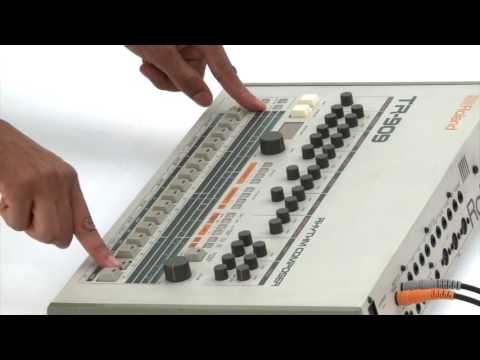
@offbrands Nice! Yeah working for me too in standalone when using Loopy Pro in slideover to send MIDI. Having this work as intended in AU will be huge when fixed!
While I’m here, one other thing I’d love to see is the ability to zoom into smaller sections of the sequencer, like how in Drambo you can focus on 16 step chunks. I find in Battalion once I have 32+ steps in a pattern it becomes quite finicky to edit on my 11 inch iPad (especially in Logic where you can’t quite get the AU to be the full width of the screen).
Is there a way to preview the sample sound in the sampler? The only way I see to do it is to have some steps enabled on the sequence and have it playing when a sample is loaded.
edit corrected wording
Tap the track number on the far left of the screen and it will trigger the current sound. If you set the Blend slider to be sample only, then you'll just hear what the sampler is doing without any synth involved.
@Michael_R_Grant - Perfect - thanks 👍
Clear sequencer might be coming soon
I don't think so. One thing I've wanted for a while is a cross platform (PC/iOS) drum sampler that I can create drum sample presets on the PC, to use on the iPad.OneShot is a mess and Klev fobbed me off a long time ago when I asked about it. I tried something with Battalion when the iOS version was released and it leaves the sample where they are. So know way to replicate the same folder structure on an iPad.