Loopy Pro: Create music, your way.
What is Loopy Pro? — Loopy Pro is a powerful, flexible, and intuitive live looper, sampler, clip launcher and DAW for iPhone and iPad. At its core, it allows you to record and layer sounds in real-time to create complex musical arrangements. But it doesn’t stop there—Loopy Pro offers advanced tools to customize your workflow, build dynamic performance setups, and create a seamless connection between instruments, effects, and external gear.
Use it for live looping, sequencing, arranging, mixing, and much more. Whether you're a live performer, a producer, or just experimenting with sound, Loopy Pro helps you take control of your creative process.
Download on the App StoreLoopy Pro is your all-in-one musical toolkit. Try it for free today.
Comments
No worries! And to remove all control locks, tap the preset name to show the popup menu, then tap "Unlock All Controls". It's in an odd place because it's to do with Locking, not presets, but it is handy.
From the iOS app store description:
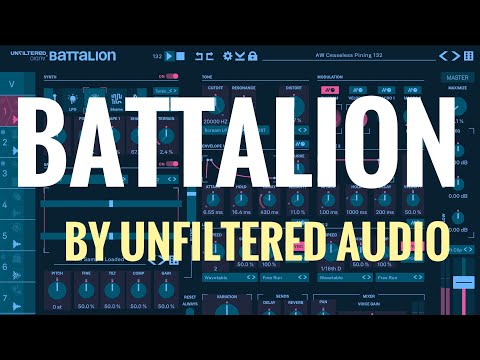
Each drum channel contains two sequencers. The first sequencer is a manual step sequencer with ratcheting, probability, velocity, pitch, micro-timing, and more... per-step! Each parameter lane can run at a different speed and length, making generative, evolving patterns a breeze. The second sequencer combines Euclidean patterns with an Unfiltered-designed permutation engine. Both sequencers run in parallel and receive further shaping via an array of Sequence Modifiers. Want one drum sequence to speed up while another slows down? The SHAPE parameter is here for you. Need that hi-hat to be a bit lazy? SHIFT will nudge it to rush or drag. And if you think drum machines have no soul, wait until you combine per-channel SWING with global HUMANIZE.
I didn't realize this at all! Speeding up and slowing down? What is going to happen to my ears? Whoa, this is gonna be fun.
Apologies if it's been asked already.
Is there a way to copy one voice to another?
That speeding up thing is so cool. I covered that and most of the app's features in my 20 minute YouTube walkthrough
Sequencing Battalion with Patt3? There goes Saturday… 😳
This works really, really well. I find Patterning’s UI much more user-friendly for creating and jamming sequences, plus you can also control other aspects - pitch, gate etc.
You miss out on the lfo and other random Battalion madness, but it makes the creation of less whacky rhythms much easier.
Good tip!
Anyone?
Thanks @offbrands !
The absolute neon pain of that skin 😎 diffrnt strokes I suppose
There‘s some behaviour in a preset i can‘t get my head around
In the mleuc folder there‘s a file called Lush Telecom. Track 5‘s sequence (as in the fill triggers) is changing between two different patterns. They‘re white triggers (so part of the Generate euclidean component rather than the pink triggers entered manually) but i can‘t seem to see any modulation on the Generate knobs that would enable this
Can anyone help me understand what’s happening here?
@drewinnit I noticed that track 5 is the only one with SNAP off on the Seq page. If you turn it on, then track 5 is not changing between two patterns. Also, Steps in Generate is set to 12, whereas Length is 16 in Settings. You don’t get changing patterns if you set Steps to 16, even with Snap off.
Some interplay is going on here.
@bleep thank you! I‘ll look into those settings and try to figure out the logic so i can apply it to my own patterns
Edit: here’s how the manual describes it…i assumed the „two independent polymetric sequences“ would be on top of each other rather playing one after the other. Need to experiment a bit to fully understand this
Had to pick up Needlepoint and LoFi AF after playing with this for a few days. Solid stuff from this developer.
This is a total fantasy, given the major CPU draw from this app, but....
I wish I could separate the outputs of each drum in this machine to different effects, like I could with Patterning 2 in Aum. Or at least select to output from buses in Aum. Just one or two would be amazing.
This has multiout in AUM but you also need to set up the routing for this in the mixer page. I assume that this will offer the flexibility that you want.
Silo is one of my favourite effects ever, if you like granular at all you've got to have it.
And @ALB is right, you can route each drum voice to its own channel in any host that supports multi out.
Wow. I didn't realize this at all! Thank you!
I was thinking I JUST bought Quantum Granulator and haven't used it yet. But considering how useful the Needlepoint and LoFi AF will be, I can't imagine not adding Silo! Thinking of how to add a trigger for some of the effects parameters...
FYI for anyone on the fence on UA: Scrolling through the vast amount of presets will guide you on how versatile and deep all these apps are, because there are a lot of useful variations and tweaks I couldn't conceive of without them. I'm not a preset guy, but going through these presets makes me stop and wonder how exactly they achieved each sound, like a mega tutorial for those who like to learn by doing.
Sugar Bytes is like this... Lots of adventurous presets can be overwhelming, but they can get you to the edges of what the app can do.
Just a personal opinion, I like Quantum Granulator but I LOVE GRFX.
+1
I struggle a lot getting musical results from quantum. Don’t have this issue with GRFX. Then again, I’m not always looking for musical sounds with granular, so both apps serve their purpose
I also prefer GRFX, it's a lot easier and faster to dial in interesting sounds with it, I think, though I don't like the way it makes my iPad run hot and the battery run down, problems I don't have with Quantum Granulator
Silo and GRFX are my top 2 granular effects, and they are very different. GRFX is pretty heavy on the CPU though. Quantum I really want to like but I have less luck getting results. The one thing it has going for it is the sidechain and the deep modulation, but it's almost too deep.
But Silo is something I turn to again and again because it's so easy to understand and program. I am more interested in the rhythmic side of granular and it is so good with that. The interface is excellent and consistent across all their apps. And I use it in Drambo so I don't miss the LFOs in GRFX or Quantum.
Battalion -> Silo -> Needlepoint makes for a great gritty drum chain.
In fact… here’s a little demo (all my own presets).
Really wish the Quantum apps had MIDI out for that deep modulation! Agree re Silo- almost nothing it can’t used on.
Maybe I’m misunderstanding what you’re asking for, but GSDSP already released a free app with that whole modulation system built in, which you can then use to modulate the parameters of any app:
https://apps.apple.com/app/gsdsp-mmm/id6443846329
And:
https://apps.apple.com/app/gsdsp-mmmm/id6450306205
@Gavinski
I own both of these and for the life of me I can’t figure out what the difference between the two is haha. Any idea? I read the desc in the store again (just to make sure I’m not cuckoo) and it does say the “lil brother one” if for midi only. But if I’m using it in AUM, isn’t it only doing midi modulation in general? (I only use it for the lfo, maybe it’s in reference to a different function?)
@Squishy
MMM allows audio input to control envelope followers. MMMm is purely Mfx, which some hosts require in order to output MIDI.
Got it. Thank ya kindly!
I think they only needed to release two because of some hosts’ restrictions on what types of plugins (audio, midi etc) can do what. In AUM, you can use either. MMM is the more powerful one, as it can also be used as an envelope follower. It should be loaded in an audio FX slot, not a midi slot. But it can still send midi. If you don’t need to use the envelope follower capabilities, you might prefer to load MMMm in a midi slot, just because that way of working might be more familiar. There might be some other differences too, but I think the above describes the most important ones.