Loopy Pro: Create music, your way.
What is Loopy Pro? — Loopy Pro is a powerful, flexible, and intuitive live looper, sampler, clip launcher and DAW for iPhone and iPad. At its core, it allows you to record and layer sounds in real-time to create complex musical arrangements. But it doesn’t stop there—Loopy Pro offers advanced tools to customize your workflow, build dynamic performance setups, and create a seamless connection between instruments, effects, and external gear.
Use it for live looping, sequencing, arranging, mixing, and much more. Whether you're a live performer, a producer, or just experimenting with sound, Loopy Pro helps you take control of your creative process.
Download on the App StoreLoopy Pro is your all-in-one musical toolkit. Try it for free today.
Comments
I exported a very simple project from Cubasis in DPF but n-track didn’t import it. A work in progress on both sides perhaps.
Its being fixed as we speak - Flavio confirmed this in an email to me this week.
Removed
Its fixed now and should be working, its working now for me.
It opens now and imports the midi but doesn’t identify the correct au instrument.
This would be cool. Is it supposed to do this?
I’m using the DAWproject export feature to send projects to desktop, Cubasis to Bitwig, so I have no expectation of this. I freeze the midi from a given instrument, but also ship the midi if I want a new feel from an instrument on desktop.
I want to record AUM with Inter-App Audio into N-track studio pro.
I’m following the instructions in this video from Haq Attaq here
https://www.youtube.com/watch?app=desktop&v=RS4Iw5iLbek&pp=ygUPQXVtIGlhYSBjdWJhc2lz
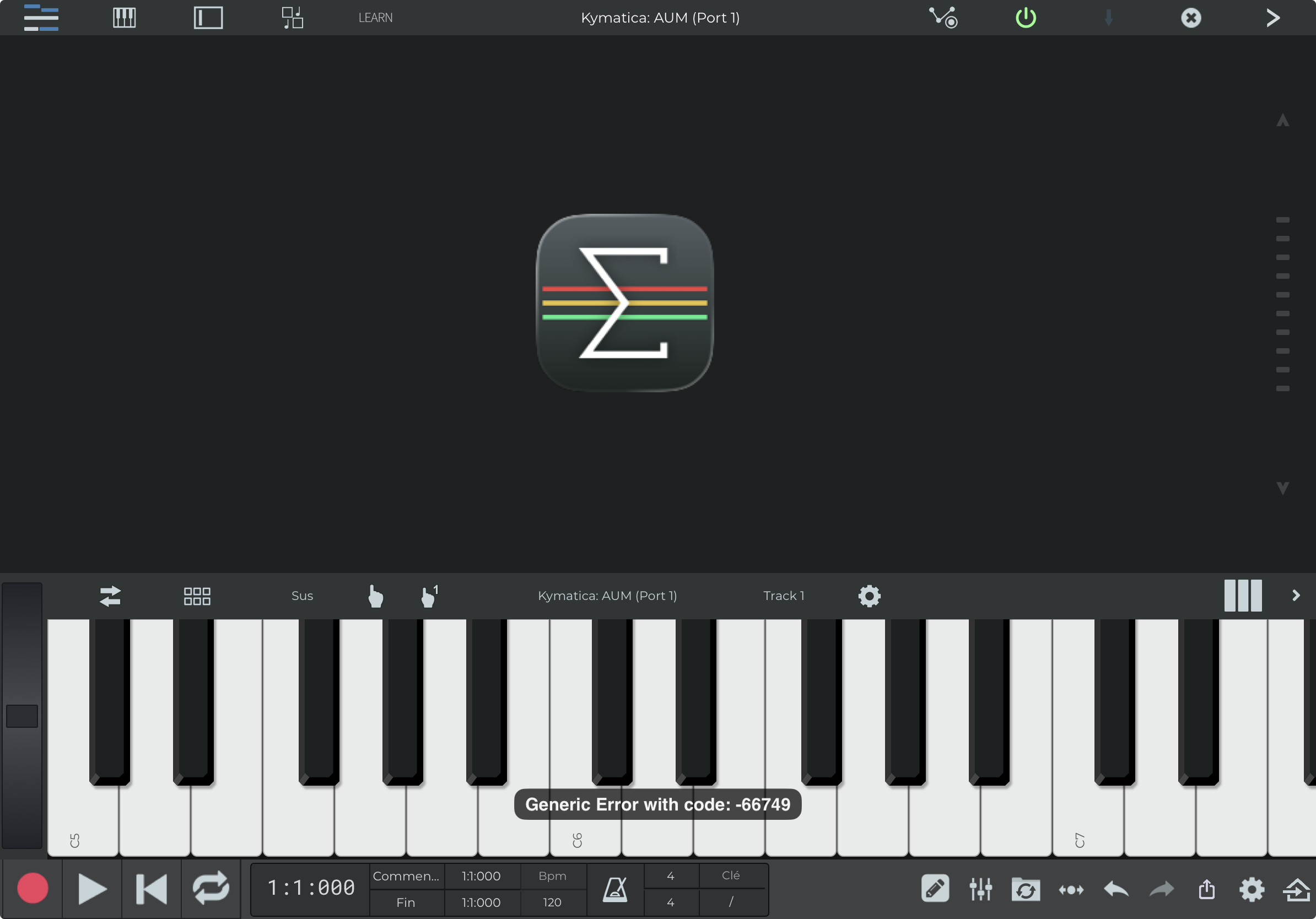
I get this error
The user manual is quite scarce on routing audio inputs.
Anyone has a better idea?
@5alien - Have you tried with starting AUM standalone first before adding into N-Track? Rebooting your device can sometimes help with weird IAA glitches also.
@wim thanks It has helped.
However I can’t arm record in AUM nor in n-track.
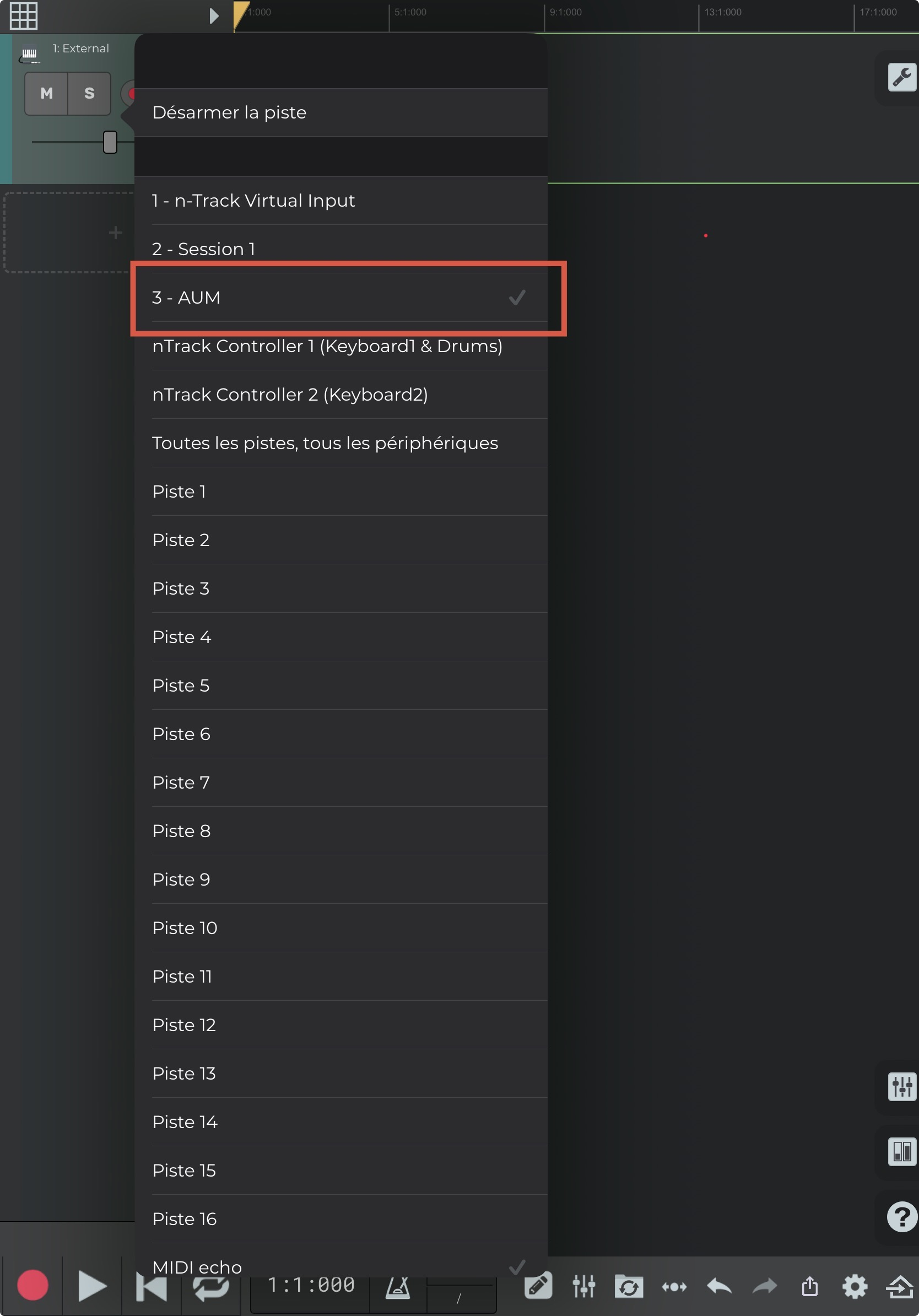
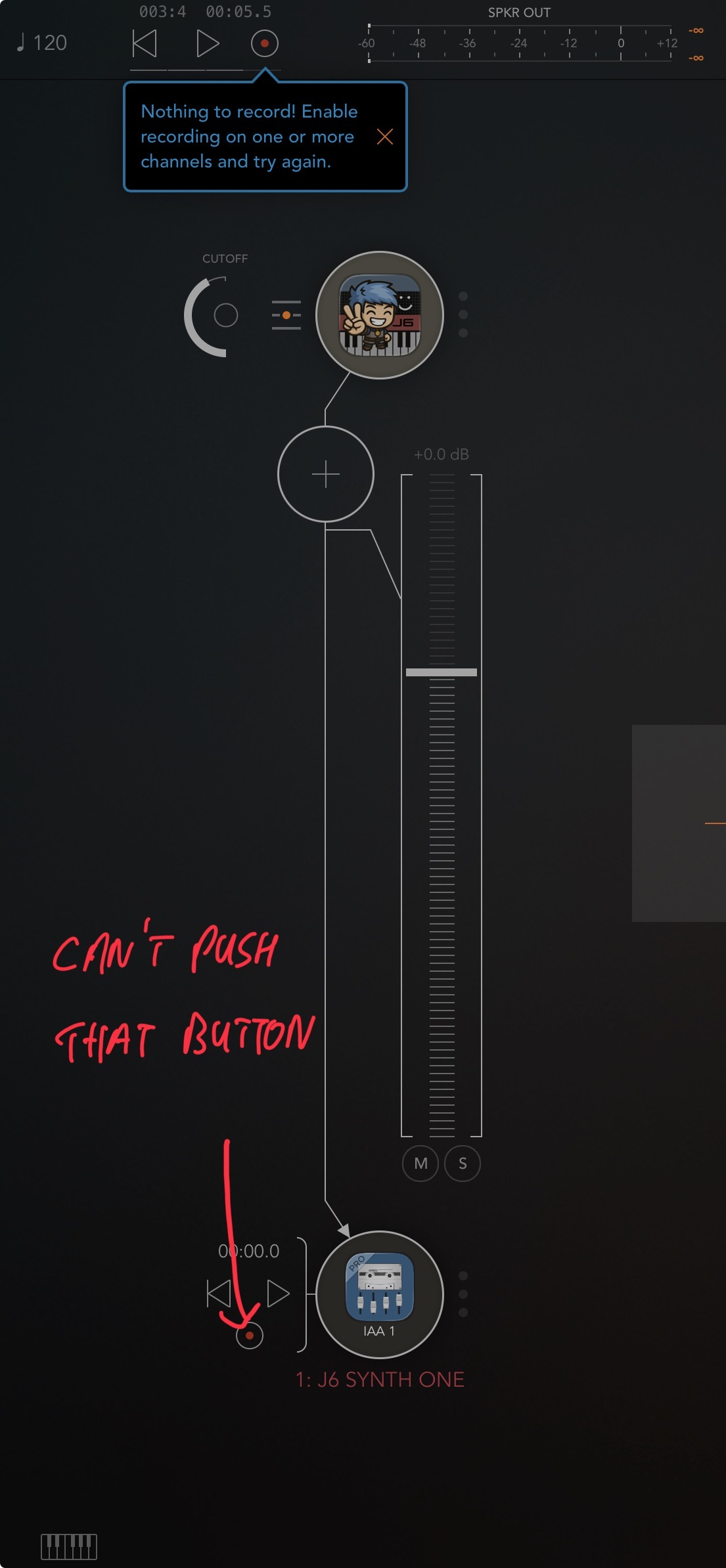
I’m not sure if n-track has the same abilities as Cubasis…
Sorry, I can't help @5alien. I'm not an N-Track user.
How did you get n-track on that place?
As an iaa ?
@wim thanks anyway, I'll contact the devs.
@Meek3 : Yes!
also N-Track’s version of the DAWproject file doesn’t include audio tracks, from what I am seeing anyway. Which strictly speaking isn’t a DAWproject file
Cubasis sends all tracks out in the file format which opens nicely in Bitwig etal