Loopy Pro: Create music, your way.
What is Loopy Pro? — Loopy Pro is a powerful, flexible, and intuitive live looper, sampler, clip launcher and DAW for iPhone and iPad. At its core, it allows you to record and layer sounds in real-time to create complex musical arrangements. But it doesn’t stop there—Loopy Pro offers advanced tools to customize your workflow, build dynamic performance setups, and create a seamless connection between instruments, effects, and external gear.
Use it for live looping, sequencing, arranging, mixing, and much more. Whether you're a live performer, a producer, or just experimenting with sound, Loopy Pro helps you take control of your creative process.
Download on the App StoreLoopy Pro is your all-in-one musical toolkit. Try it for free today.
ATOM Piano Roll update is coming soon
This discussion has been closed.
Comments
Any videos yet of the LaunchPad integration?
https://forum.audiob.us/discussion/comment/922659#Comment_922659
Since it's my birthday today (8th of March) I decided to treat myself a bit.

I was initially planning to get the LaunchPad X but since I got a very good deal on the Pro I got that instead
A multi-track hardware sequencer has always been on my wish-list and since I suck at playing keys the chord mode on the Pro is most welcome. I do wonder if the LaunchPad X will get the chord mode as a Firmware update? But I have my doubts...
Looking forward to Atom 2 when it drops!
@Samu happy birthday 🎶🥳🪖
@Samu Happy birthday 😊
Grattis på födelsedagen!
… and have much fun with your new Launchpad.
@samu Happy Birthday 🍺🎂
(Hoping your next birthday gift is Atom2 😁)
Underway, @winconway is doing an amazing job there.
@Samu Happy birthday! Enjoy your launchpad, and have a nice day.
Jamen, grattis på födelsedagen @Samu!
Happy Birthday @samu enjoy u new controller.
Hey cool! I got one too recently. Working on a video of what you can do with it on the iPad, without Atom 2 of course for now . Will release it in the next few days, but this is a lot more work then I expected
@Samu Happy birthday! 🎉🎁🎶
Thanks for the congrats everyone!
Even if it warms an old heart let's not derail the Atom 2 thread too much, deal?
I'm just excited to give Atom 2 a spin now that I've got a proper controller for it
Keep going @blueveek!
Looking forward to seeing you in action @winconway!
Happy Birthday @Samu!
Yes my LP Pro MK is primed and ready for Atom 2.
HBD! I’m glad a lot of us are converging on the LP Pro
I mean it's a fantastic tool. If more developers are going to implement the session / daw mode it's basically made to work with the ipad.
@blueveek or @tk32
Does Atom 2 have a 'one shot' record mode?
I do a lot with generative music, and would like to capture variations across multiple patterns. It would be nice if Atom could record just once, then go into playback. It would simply speed things up a bit if I didn't need to worry about deleting new notes on the first couple beats after I stop playback / record myself.
@Samu Happy Birthday
I was going to say "I don't think so" but then @tk32's like "hold my dials, I think there's a way".
Yes - of course. Throughout the beta one of the things I've used Atom2 for a lot is to capture midi generated in other plugins - so this was essential for me to as I didn't want the pattern to loop around and overdub what had already been recorded.
At the moment you do it by setting your pattern to stop after one 'take' - which effectively means it is only recording during the first cycle. In future there are plans to make only the record arm stop after one take ...or even better... record multiple takes into the pattern stack.
Here's a quick video of it in action:
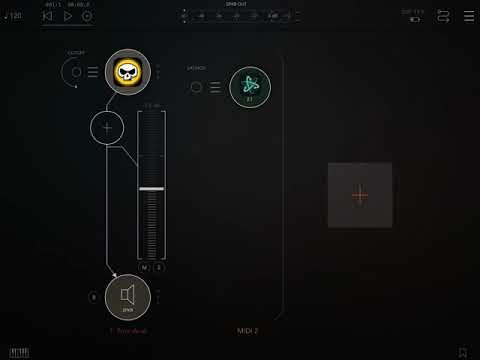
(NB - you may notice the recorded midi is lacking the same swing in the Pure Acid pattern - there is currently a bug in Pure Acid that means midi output from the bassline sequencer do not have any swing applied and tied notes are problematic too - but it works absolutely perfectly for Pure Acid's drum sequencer. I am in the process of reporting this glitch to Jim Audio).
(you'll also notice that @tk32 has all the animations turned off – Atom respects the user's "reduce motion" preferences).
Oh awesome! Thank you so much for making that an option!
Exactly this! I'm recording sequences too, otherwise it wouldn't be an issue if I was just playing in by hand.
Thanks for the video TK! And thanks for accommodating so many workflow scenarios @blueveek !
I'm gonna use this soooo much (and I'm not even a piano roll person!)
This would be brilliant!!
Yes... I forgot I had turned on Reduce Motion a few months back... but it’s very nice to see that Atom respects my wishes...

Happy birthday @Samu!
Will this work in ZenBeats @tk32 @blueveek? For whatever reason Atom 1 won’t scan inside of it.
I haven't checked ZenBeats yet, but it shows up just fine in other hosts. I'll reach out to Roland to see what's up.
EDIT: apparently Atom 2 shows up, but beware, this host hasn't been extensively tested like the others.
Happy birthday! Where did you get the deal? I’m sorely tempted!!